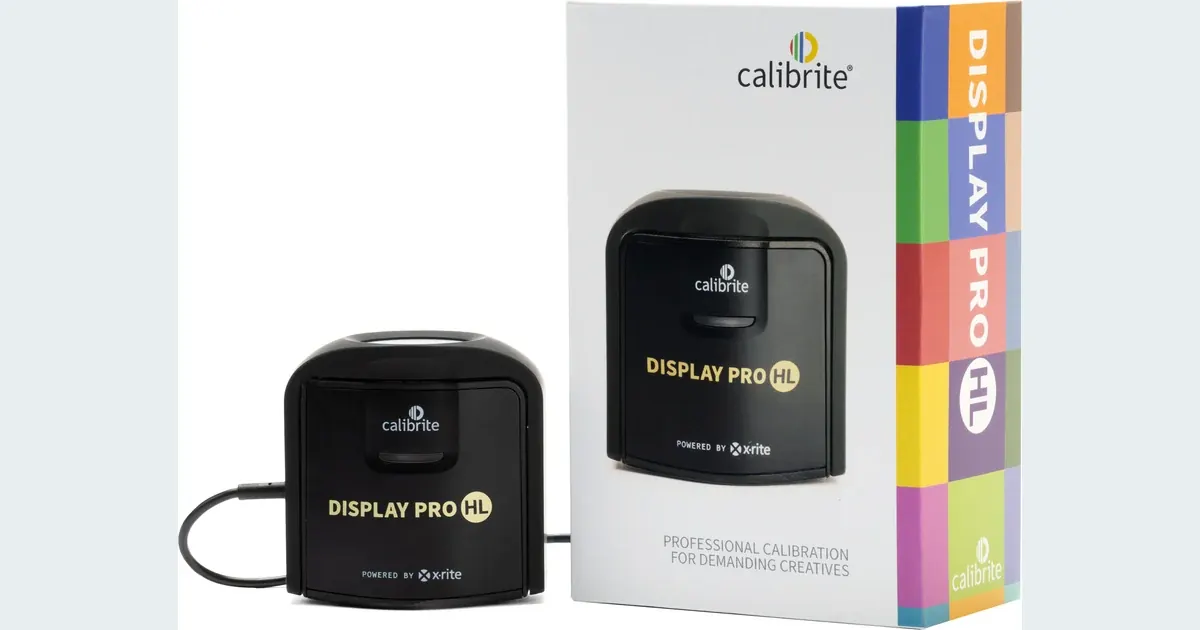

A monitor calibrator is worth considering when you make repeated color decisions and need a more controlled editing display. Calibrite Display Pro HL is an option for supported displays and software. It measures the screen for profiling; it does not repair a photograph, correct an invented AI product color or make every customer’s phone show the same result. Identify where the mismatch begins before buying.
A product to consider
Check the fit below, then select Buy on Amazon for the current offer and buying options. We may earn a commission from this paid link.
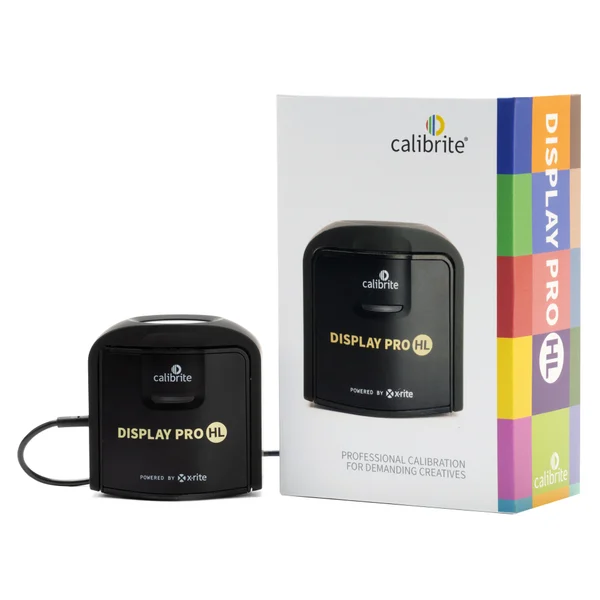
Calibrite Display Pro HL
For a supported editing display and a repeatable color-managed photo workflow
Model CCDIS3HL measures the display for profiling with supported software. It does not profile a printer, repair an AI-generated product color or make every viewer screen match yours.
Download the practical worksheet
Original blank CSV worksheet. Record your own setup and observations.
Separate the file problem from the display problem
Open the same image in two applications and note the display conditions. A mismatch can involve the file's color profile, an application's color management, the monitor state or the viewing environment. If a generated image changed a red product into an orange one, that is an image-content problem even when the monitor is perfectly characterized.
Keep the original reference and the edited result together. Ask whether they differ on the same screen under the same settings, or whether one file changes appearance between devices. Those observations point to different investigations. A calibrator is not the universal answer to both.
For product work, the product fidelity benchmark helps separate color and material changes from geometry or label errors. No display measurement can prove that a generated hidden detail matches the real object.
What calibration and profiling contribute
Calibration adjusts a display toward a chosen state where supported. Profiling describes how that display behaves so a color-managed workflow can interpret colors appropriately. The exact process depends on the display, operating system, software and supported adjustment path. Do not assume every monitor allows the same hardware controls.
A sensor measures light from the screen. That makes it different from judging a set of colored squares by eye, particularly when your eyes have adapted to a color cast. The resulting profile still needs to be associated with the intended display and used by compatible software.
A profile is not a cosmetic filter to bake into every exported photograph. Keep display characterization separate from the image's document and export color settings. If the recipient or publishing platform specifies an output profile, follow that requirement rather than assigning your monitor profile to the image.
Where Display Pro HL fits
Calibrite identifies the Pro HL as model CCDIS3HL and lists measurement capability up to 3,000 nits, with support for LCD, mini-LED, OLED and Apple XDR displays in its supported workflow. It connects by USB-C and includes a USB-A adapter. Check current PROFILER software, operating-system and display support before purchasing.
The 3,000-nit figure is the sensor's advertised measurement ceiling, not a suggested brightness for ordinary photo editing. Choose the working target for the delivery and viewing environment. A very bright screen can make an image appear pleasing while encouraging edits that do not translate to a different output.
This is a research-based buying guide. We have not measured this unit's accuracy, compared sensors or verified every supported monitor. The recommendation rests on documented capabilities and a defined editing need, not a borrowed “best overall” ranking.
Consider it when you want a repeatable display workflow and will maintain it. Skip it as a quick fix for a poor source photo, an unsupported screen or a one-off disagreement with an uncalibrated viewer device.
Check the whole color workflow
| Stage | Question to answer | What the calibrator cannot do |
|---|---|---|
| Capture or generation | Does the file depict the intended product color? | Recover factual color from an invented reference |
| Editing display | Is this screen supported and consistently configured? | Expand the panel beyond its physical gamut |
| Application | Does the software handle profiles correctly? | Force every application into the same behavior |
| Delivery | What profile and viewing conditions are expected? | Control every recipient display |
Check whether your monitor offers its own hardware-calibration route and which devices it supports. That is a specific compatibility question, not a feature that follows automatically from owning an external sensor. Use the monitor manufacturer's guidance as well as the calibrator's current compatibility information.
For print work, the printer, paper, ink, output profile and viewing light matter too. Display Pro HL is a display colorimeter; it does not become a printer-profiling instrument. If prints are the problem, document the complete print path before choosing equipment.
A pen tablet changes input control, while a calibrator changes how you assess the display. Neither replaces the other, and neither makes a generated edit factually accurate by itself.
Prepare a stable editing environment
Follow the monitor and calibration software instructions for preparation, warm-up and sensor placement. Use a consistent working environment and avoid direct reflections on the display. Record the monitor mode and relevant brightness or automatic-adjustment settings so you can reproduce the state later.
Features that intentionally shift color or brightness with time or ambient conditions can complicate a fixed editing baseline. Decide how they should behave using the display and software guidance, then document the choice. Do not simply copy another photographer's settings onto a different panel and assume they are calibrated.
Choose a target appropriate to your actual output. If a client or print provider supplies a documented workflow, use that as the starting point. A target copied from a forum without knowing the environment may solve someone else's problem while creating one in yours.
After profiling, confirm the profile is assigned to the intended screen. In a multi-monitor setup, record which display is used for final color decisions. Similar-looking monitors can behave differently, even if they share a product name.
Build a repeatable display-state check
Create a small reference folder using images you own: a neutral object, a skin tone where you have permission to use the image, a saturated product and a smooth tonal gradient. Keep untouched originals. The set helps you notice changes; it is not a substitute for a measurement instrument or an accuracy certificate.
- Record the state: note display model, mode, software, profile and room conditions.
- Measure: run the supported calibration and profiling workflow, retaining its report where available.
- Inspect: review the same reference set in a color-managed application.
- Export: create a copy using the intended delivery settings and reopen it for checking.
- Recheck: repeat after a meaningful display or environment change using the same documented method.
Write down actual observations in the worksheet rather than assuming a before-and-after view must look dramatically different. A small visible change can still accompany a more repeatable process. Conversely, an attractive change is not proof that the target was appropriate.
If a mismatch persists, identify where it first appears: original, edited file, exported copy, alternate application or another device. Change one part of the chain at a time. Repeatedly recalibrating without locating the mismatch can waste time.
Use the controlled screen to review AI edits
In QuestStudio Image Lab, make a supported reference-based variation and preserve the source. Compare product color, surface finish and labels under the same display state. The image-to-image workflow helps define what may change and what should remain recognizable.
A calibrated workflow can make your review more consistent, but it does not verify the physical product on the screen. Keep real reference photographs and, where appropriate, documented capture targets. Reject a generated result that changes a material feature even if its overall color treatment looks appealing.
Buy Display Pro HL when supported display measurement is a recurring need you are prepared to maintain. If the main problem is inconsistent lighting or an inaccurate generated file, fix that stage first. The aim is a dependable decision process from source to delivery.
Check the current offer
If this product fits the setup described above, review the selected model, condition and included contents on Amazon. We may earn a commission from this paid link.
Frequently asked questions
Will calibration make every phone match my monitor?
No. Recipient devices, settings and environments vary. A controlled editing workflow improves your own baseline without controlling every viewer.
Does Pro HL profile printers?
It is a display colorimeter. Printer profiling requires a different supported workflow and appropriate equipment.
Should I edit photos at 3,000 nits?
That figure is a listed sensor measurement limit, not a recommended editing brightness. Choose a target for your output and environment.
Can it fix incorrect colors generated by AI?
No. It helps characterize the display. An image that depicts the wrong product color still requires correction or rejection.
Can I use someone else’s monitor profile?
A profile characterizes a particular display state. Do not assume another unit’s profile accurately describes your screen; follow a supported measurement workflow.
Sources and further reading
Research checked October 27, 2026. Check the current Amazon offer for seller, price, availability and included contents. Images: credited manufacturer product imagery, not QuestStudio test photographs. Original decision framework and worksheet: QuestStudio.
Affiliate disclosure and research approach
As an Amazon Associate I earn from qualifying purchases. If you buy through paid links, QuestStudio may earn a commission at no extra cost to you. See our editorial and affiliate policy.
This is a research-based guide using linked manufacturer documentation and clearly attributed published reviews where available. We have not tested this equipment hands-on. The worksheets are original exercises for your observations, not published test results.