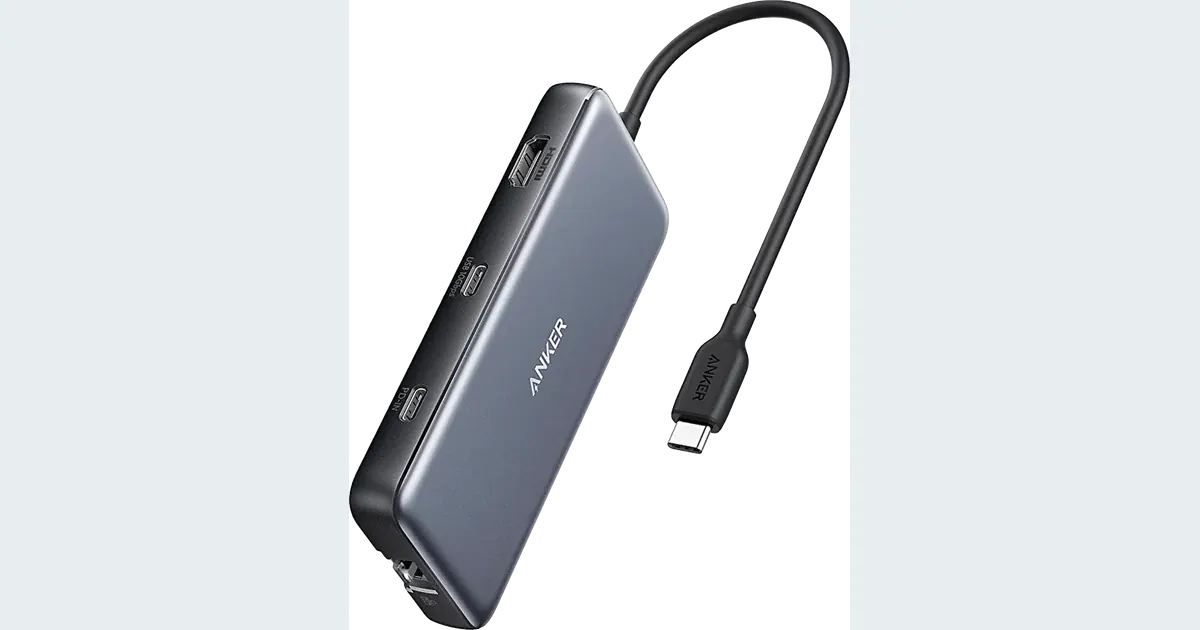

A USB-C hub is useful when your laptop lacks the ports for a display, storage, card reader and everyday peripherals. The Anker 555 A8383 is a candidate for one compatible HDMI display and a practical mix of connections. Before buying, check the laptop’s display support and power needs. The number of ports does not tell you how well all your devices will work together.
A product to consider
Check the fit below, then select Buy on Amazon for the current offer and buying options. We may earn a commission from this paid link.
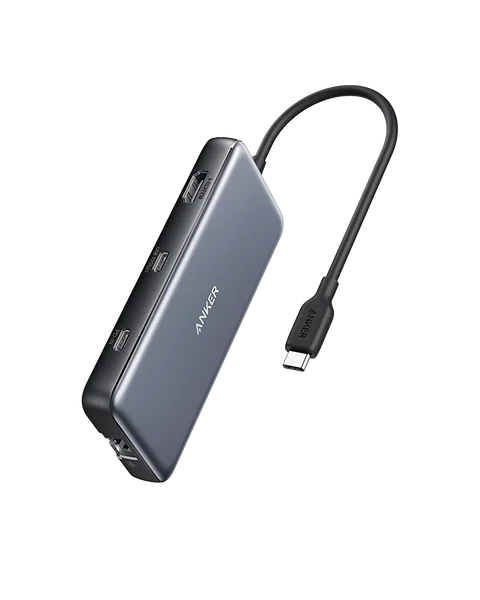
Anker 555 USB-C Hub, 8-in-1
For one compatible display plus a practical mix of data ports and card slots
A8383 offers up to 85 W to the host from an appropriate 100 W PD input. Charger is separate. Confirm your laptop supports the needed display output; this is not a Thunderbolt dock.
Download the practical worksheet
Original blank CSV worksheet. Record your own setup and observations.
Draw the setup you will actually use
List the devices that must be connected at the same time. A mouse and keyboard create a different workload from an external SSD, camera capture adapter and high-resolution display. Include charging, because a setup that works on battery for ten minutes may behave differently during a long editing session.
Draw one line from the laptop port to the hub and branches to each peripheral. Label the purpose of every connection: data, video or power. This makes missing ports and shared resources easier to see than comparing product photographs.
Our USB-C cable guide covers individual connection capabilities. This article addresses the next decision: how one hub combines those connections, and where the host computer still sets the limit.
What the Anker 555 includes
Anker's A8383 provides two USB-A data ports, one USB-C data port, a separate USB-C power input, HDMI, Gigabit Ethernet and SD/microSD slots. The data ports are advertised at up to 10 Gbps. The card-reader path is UHS-I, so it is not a way to obtain full UHS-II card performance.
The hub accepts an appropriate power-delivery input up to 100 W and advertises up to 85 W to the host after its allowance for the hub. A charger is not included. A “100 W” headline should not be read as 100 W delivered to your laptop.
Alex Cooke's Fstoppers review found the port mix useful for his teaching and photography setup, while noting that connected cables could move the lightweight body. That account is specific to his equipment. We have not measured this hub's throughput, heat or compatibility ourselves.
Check the host port before the HDMI label
A USB-C socket does not guarantee video output. Confirm that your laptop's exact port supports the required display mode through DisplayPort Alt Mode or the documented compatible path. A data-only connection cannot acquire video capability just because the hub has an HDMI socket.
Anker describes 4K at 60 Hz with an appropriate DisplayPort 1.4 host, with lower limits on other host paths. Check your laptop, display, cable and chosen operating-system settings together. A television accepting a signal does not establish that the refresh rate you wanted is active.
This hub has one HDMI output. It is not a dual-monitor dock, and it does not override a computer's external-display limitations. If two independent external screens are essential, choose a documented solution for that exact computer instead of adding adapters at random.
After connection, inspect the operating system's active display mode. For editing, confirm scaling and readability as well as resolution. A technically high-resolution output that makes the interface uncomfortable is not a good practical setup.
Budget power and data separately
| Resource | Question | Buying implication |
|---|---|---|
| Host charging | How much power does the laptop require for the workload? | Up to 85 W through this hub may be insufficient for some systems |
| Display output | Does the exact host port support the desired mode? | The HDMI label alone cannot guarantee it |
| Data sharing | Which devices run simultaneously? | Several fast ports do not each receive an independent host link |
| Card transfer | Do you need UHS-II ingest speed? | The 555 card slots are UHS-I |
Use a suitable charger and cable for the intended power input. A lower-output charger does not become a 100 W source when attached to the hub. Some laptops may charge more slowly or draw down their battery under load if supplied power is below the workload. Check the laptop manufacturer's requirements.
Similarly, three advertised 10 Gbps data ports do not create three independent 10 Gbps connections to the computer. Actual transfers depend on the shared host path, devices, protocol overhead and simultaneous activity. Treat maximum port ratings as capabilities, not a guaranteed combined benchmark.
If a camera feed is critical, consider connecting that device directly to a suitable laptop port while using the hub for less demanding peripherals. Our camera capture checklist starts with a direct baseline for this reason.
Build up the connection one device at a time
Begin with the laptop, hub and one simple peripheral. Confirm the expected behavior before adding the next device. Keep an important project backed up and avoid disconnecting storage during a write. The worksheet records a sequence, not a stress test that risks your only files.
- Basic data: connect a keyboard, mouse or other simple supported device.
- Display: add HDMI and record the active resolution and refresh rate.
- Power: connect the supported charger and inspect the laptop's charging indication.
- Storage: copy a disposable test file and verify the destination opens.
- Combined work: run a normal editing task with the devices you actually need.
If the setup fails after a specific addition, remove that addition and repeat the last working configuration. Check host support and cables before concluding that the hub is defective. A failure limited to one combination gives a more useful support report than “USB-C does not work.”
Record normal sleep and reconnect behavior too. Save the working configuration, including port choices. Do not disable security or operating-system protections simply to make an accessory appear compatible.
Choose a hub or a dock for the right reason
A portable hub favors a compact package and a limited set of connections. A powered desktop dock may suit a larger fixed setup, but its own host requirements still matter. Thunderbolt, USB4 and ordinary USB-C products are not interchangeable merely because their plugs look alike.
Choose Anker 555 if its single-display path, power ceiling and UHS-I card slots match your needs. Choose a different documented device when you require more host power, multiple supported displays or faster card ingestion. Skip a hub if your laptop already provides the necessary direct ports.
Consider cable routing and support. Avoid letting the hub hang from a laptop socket under the weight of attached cables. Keep the body and connections accessible so a simple disconnect does not require dismantling the whole desk.
Finish the asset, then judge the hardware
After transferring and verifying your source files, keep a separate backup. The external SSD guide distinguishes working storage from recovery copies. A successful transfer through a hub is not proof that your entire project is protected.
Open QuestStudio Magic Editor for a relevant image-editing task using a suitable source. The hub helps connect and move files; it does not accelerate cloud generation or add new editing features. Judge it by dependable access to the equipment you use to finish that work.
Before ordering, confirm A8383/Anker 555 and the included contents in the current offer. The best choice is the connection plan that fits your laptop and repeated workload, not simply the adapter with the most sockets.
Check the current offer
If this product fits the setup described above, review the selected model, condition and included contents on Amazon. We may earn a commission from this paid link.
Frequently asked questions
Does any USB-C laptop support this hub’s HDMI output?
No. The host port must support the required video path. Check the exact laptop and port specifications.
Does 100 W mean my laptop receives 100 W?
No. Anker lists up to 100 W input and up to 85 W to the host for this model. The actual charger, cable and laptop negotiation also matter.
Is Anker 555 a Thunderbolt dock?
No. Do not treat a shared connector shape as proof of Thunderbolt bandwidth or features.
Will the SD slot use full UHS-II speed?
No. The documented card-reader path is UHS-I. Choose an appropriate reader if faster UHS-II ingestion is part of the requirement.
Can I run every data port at its maximum at once?
Do not assume that. Devices share the host connection, and actual throughput depends on the complete simultaneous workload.
Sources and further reading
Research checked October 27, 2026. Check the current Amazon offer for seller, price, availability and included contents. Images: credited manufacturer product imagery, not QuestStudio test photographs. Original decision framework and worksheet: QuestStudio.
Affiliate disclosure and research approach
As an Amazon Associate I earn from qualifying purchases. If you buy through paid links, QuestStudio may earn a commission at no extra cost to you. See our editorial and affiliate policy.
This is a research-based guide using linked manufacturer documentation and clearly attributed published reviews where available. We have not tested this equipment hands-on. The worksheets are original exercises for your observations, not published test results.