
A real estate video script should introduce the property, show a few verified features and give the viewer one clear next step. Build the narration from approved facts and pair each sentence with an actual photo or shot. A 60-second video does not need 60 seconds of uninterrupted speech.
This template uses a fictional three-bedroom home to demonstrate the planning process. Replace every property detail, address and contact instruction before production. It is a script and edit exercise, not a real listing or a claim that a particular video format sells homes faster.
Make a property fact sheet before writing the hook
Start with the approved listing information and photographs you are authorized to use. Record the address, property type, room count, verified features and the intended destination. Ask the listing owner to resolve uncertainty before it reaches a voiceover.
A room photo does not establish square footage, school assignment, renovation dates or a legal bedroom count. Keep those facts tied to their actual approved source. If the source is missing, omit the statement or leave it as an unresolved drafting note.
| Draft fact | Source needed in a real project | Corresponding visual |
|---|---|---|
| Three bedrooms | Approved listing record | Actual bedroom images |
| Dining area beside kitchen | Approved layout and photographs | A view that shows the connection |
| Covered rear patio | Current source photo and listing approval | Real exterior view |
| Contact for a tour | Verified destination and approved wording | Readable final card |
The downloadable shot ledger keeps the sentence, source file and approval in one row. If a fact changes, you can find the narration and captions that need replacement without rewriting the entire video.
Choose a hook the property can support
Open with a visible feature or a useful orientation. “Start with the covered patio” gives the viewer a specific reason to look. “The perfect home for everyone” provides little information and is difficult to substantiate.
Choose one central idea for the sequence: connected living spaces, a usable outdoor area or a clearly documented feature. Do not force every listing into the same luxury narrative. A modest home can be presented clearly without changing its scale, finishes or surroundings.
Write for the person evaluating the property, not for a list of search terms. If the viewer can already see a kitchen, the narration can explain its verified connection to the dining area rather than simply saying “Here is the kitchen.”
Use this 60-second script and shot plan
The following timings are a proposed edit structure. The narration is deliberately sparse so the viewer has time to inspect the images. Record a rough read and adjust the boundaries to the actual speech and footage.
| Time | Picture | Spoken line |
|---|---|---|
| 0–6 seconds | Actual covered patio | Start with the covered patio and a little room to pause. |
| 6–14 seconds | Front exterior and address label | Welcome to [address], a three-bedroom home with connected living and dining spaces. |
| 14–27 seconds | Living room, then the view into dining and kitchen | From the living room, move into the dining area beside the kitchen. These views show how the spaces connect. |
| 27–39 seconds | Approved bedroom images | The listing includes three bedrooms. Here are two of the rooms, shown as they are today. |
| 39–50 seconds | Return to the actual rear patio | Outside, the covered patio offers another place to sit. Take a moment to look at the layout. |
| 50–60 seconds | Exterior or calm end card | For the current details and a showing, contact [approved contact]. We can help you plan a visit. |
Read-through copy, with the same fictional facts:
The line about two rooms is intentional: the script should describe the footage you actually have. If all three are shown, revise it. If a photo contains virtual staging or another material edit, handle that accurately under the destination’s requirements and adjust the narration when necessary.
Match the script to real visual coverage
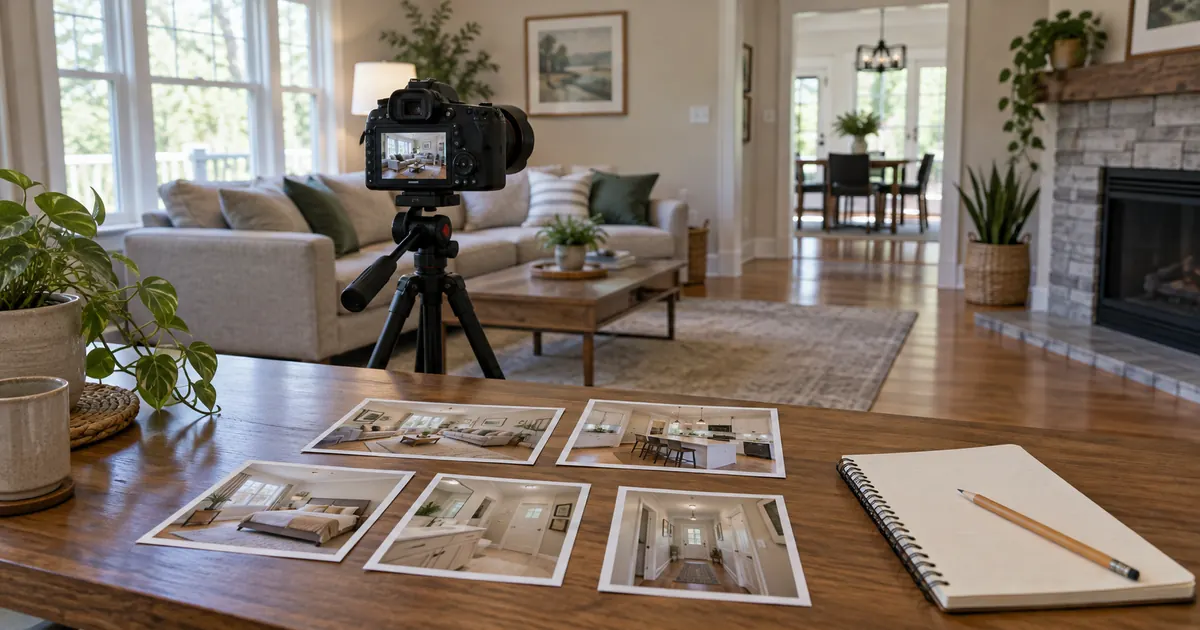
Lay out the source photos in the proposed order before generating motion. If a sentence needs a view that is missing, change the sentence or obtain the view. Do not use an invented room as a bridge between two real spaces.
For stills, a restrained crop or pan in a conventional editor may be enough. Motion should help the viewer inspect the property. It should not imply a continuous path through walls or reveal surfaces that the source photograph never recorded.
You can test one reference-based clip in Video Lab with a supported image-to-video model. Use a property image you are authorized to edit and compare the entire clip against it.
This is a test instruction, not a guarantee of architectural accuracy. If the output bends a doorway or invents space, use the original still or real footage. The real-estate camera-motion guide provides more shot directions once the script and source coverage are settled.
Record narration after the facts are approved
Read the address and local names aloud first. Confirm pronunciation with someone who knows the area. Keep the approved spelling in visible text while giving the voice model any supported pronunciation guidance separately.
Use Voice Lab for a short approved passage if you need synthetic narration. Review tone and pronunciation before generating the full read. A calm, informative voice gives the viewer room to inspect a property; an exaggerated sales performance can crowd the images.
Leave intentional pauses at scene changes. When the voice names a patio, show it at that moment rather than keeping the kitchen on screen for another five seconds. Use the voiceover timing workflow if a line needs more room. Cutting words is usually preferable to accelerating every sentence.
Correct captions against the finished audio. Addresses, numbers and proper names deserve a separate proofread because transcription can produce a plausible but wrong alternative.
Make a shorter version by removing a section
For a 30-second cut, keep the strongest visible feature, a brief property introduction, one supporting detail and the next action. Remove a complete middle section instead of speeding up the 60-second script. That preserves understandable phrases and avoids a frantic slideshow.
A simple shorter draft is: “Take a look at the covered patio at [address]. Inside, the living room connects with the dining area beside the kitchen. This three-bedroom home is shown here in current listing photos. For details and a showing, contact [approved contact].” All facts still need the same source approval.
When changing aspect ratio, reframe each shot independently. A vertical crop may lose the doorway that proves two spaces connect. If the visual evidence disappears, revise the corresponding sentence or choose another shot. Keep captions and required information away from interface overlays in the destination preview.
Prepare the right version for each destination
A social ad, a property website and a listing service may request different branding, links and disclosures. Save separate approved exports instead of assuming one end card fits every channel. Keep the same property facts across all versions.
If a destination requests a listing-only or unbranded version, clarify exactly what that means before removing information. Follow applicable advertising and brokerage requirements as well as the destination specification. NAR’s 2026 Code of Ethics addresses truthful marketing and firm identification for its members; a generic template does not replace the review appropriate to your listing.
Describe property features rather than suggesting a preferred type of resident or making unsupported neighborhood claims. The NAR fair-housing consumer guide explains restrictions on discriminatory advertising. Have the responsible professional review the actual words and targeting before publication.
Use three final passes before exporting
First, watch with the sound off. Can you understand the property sequence, read the captions and find the next action? Second, listen without watching. Mark every factual statement and confirm that it has an approved source. Third, watch both together and check that the corresponding evidence appears at the right moment.
- Verify the address, contact destination and property status.
- Compare any generated motion with its source photo throughout the clip.
- Keep measurements and labels readable in the smallest intended view.
- Confirm that disclosures remain present after cropping and caption placement.
- Check the actual exported file for missing frames, abrupt audio and outdated end cards.
Save the narration version, source list and export date with the project. When a listing changes status, update or retire the relevant video instead of leaving an old invitation to book a showing in circulation.
After release, evaluate useful inquiries and visits to the correct listing destination alongside viewing data. A high play count alone does not show that the video helped a qualified viewer understand the property.
Frequently asked questions
How many words fit in a 60-second real estate video?
It depends on delivery, pauses and the amount of visual inspection needed. This template uses a sparse read; record it and time the actual result rather than filling the minute with a fixed word count.
Can I make a listing video from photos?
Yes. Use authorized current property photos, simple editor movement or carefully reviewed image-to-video clips. Avoid inventing unseen spaces or treating generated motion as an accurate walkthrough.
Should I include the asking price in the narration?
Only when it is approved and you can maintain the video when it changes. An editable text layer may be easier to update, but it still needs accurate current information.
Can I reuse the same script for every listing?
Reuse the structure, then replace and verify every property fact. The hook, shot order and amount of narration should follow the actual source material.
Does this workflow require AI video generation?
No. Real footage or still photos can carry the finished script. Use AI for a specific production need only when the reviewed result preserves the property accurately.
Let the source material set the story
Approve the facts, choose the most useful views and write only what those views can support. Then record a measured read and give the viewer enough time to see the property.