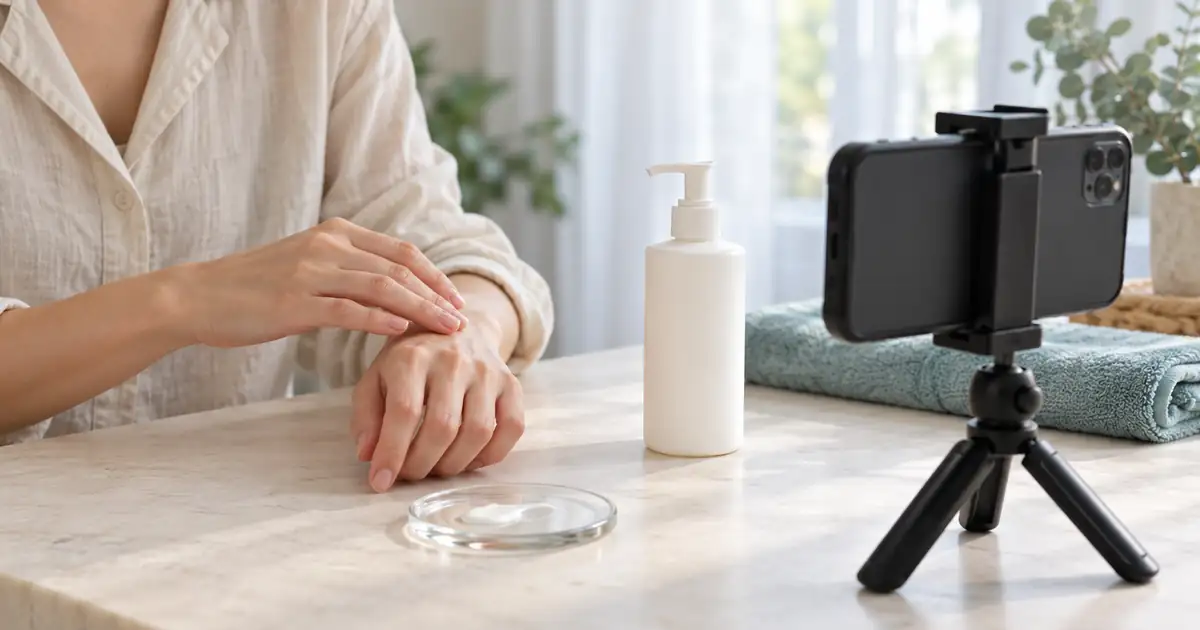

A skincare ad becomes useful when a viewer can see what the product actually does during application: how the pump dispenses, how the texture spreads, and what remains on the surface. A beautiful bottle orbit answers a different question. Plan the demonstration first, then use AI to explore the framing and supporting atmosphere around it.
This guide builds a short demonstration from a real dispensing take and a separate texture view. The images below are original AI-generated planning illustrations of a fictional product. They are not footage, a product test, or evidence of a formula's results. Use them to brief a shoot, then replace the illustrative action with your own recorded material.
Download the skincare shot and source log. For a still-image campaign instead, begin with the bottle, jar, and label photography guide.
Choose one observable action
Write a one-sentence assignment before opening a generator: “Show one pump of the actual lotion spreading across the back of a hand.” That sentence identifies the product, quantity, action, and surface. It is much easier to review than “make a premium skincare ad.”
Choose an action suitable for the actual product and its directions. A pump lotion, a dropper serum, and a balm scooped from a jar need different coverage. Do not borrow a dramatic liquid splash simply because another product's ad uses one. The visual should match the material you sell.
Keep the shot's observation separate from the caption's promise. A close-up may show spreading; it does not establish a longer-term skin outcome. Ask the product owner to supply approved wording before the edit. If the team cannot support a sentence, remove it rather than trying to make the imagery appear more convincing.
Prepare a small source pack
Collect a clear bottle reference, a readable packaging photograph, the real demonstration take, and a still showing the finished application under the same light. Record the exact product variant. A white bottle from the same range can look identical at thumbnail size while containing a different formula.
Use filenames that describe the asset's role, such as lotion-original-pump-take-02 and lotion-label-reference. Keep the camera original alongside the trimmed edit. An editor should be able to find the source behind a two-second sequence without guessing which of several nearly identical exports was used.
For the demonstration, fix the camera and light where possible. Include the pump head, outlet, receiving surface, and the hand operating it. Record a little quiet time before and after the action. That gives the editor usable handles without needing to invent an intermediate movement.
Reset the scene between takes: clean the nozzle, restore the starting hand position, and identify any remaining product on the skin. Do not join two unrelated quantities into what appears to be one continuous dose. A simple complete take is often easier to explain than several impressive close-ups with inconsistent action.
Use a framing study to brief the camera
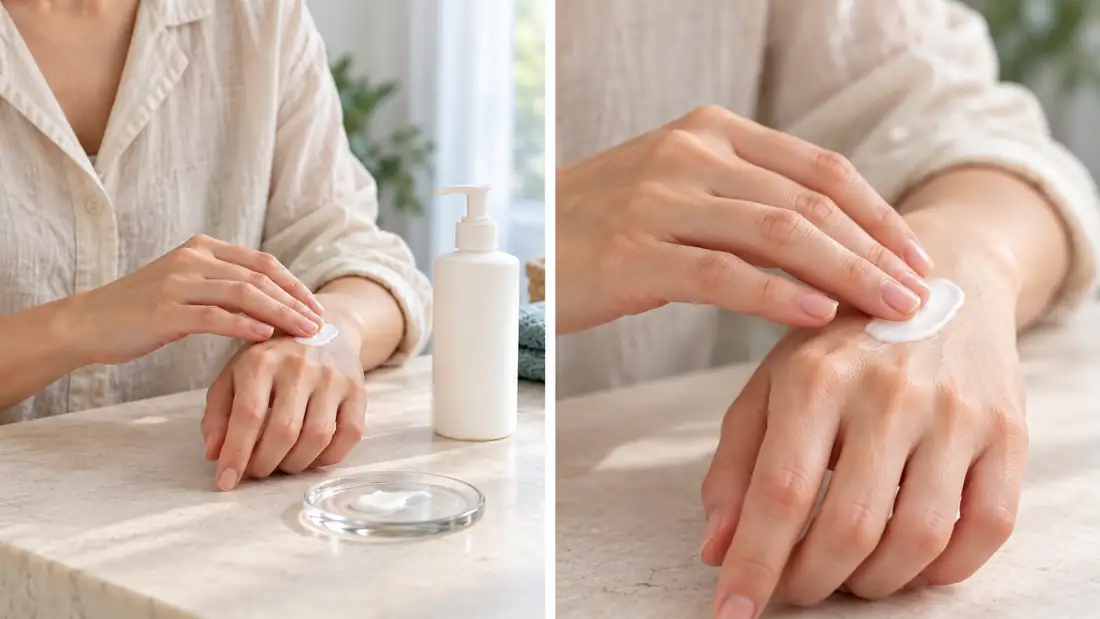
The wider view makes the bottle easy to identify, but it does not actually show the dispensing action. The detail makes the cream visible, while losing the bottle and pump. That is a useful production finding: this pair alone cannot prove where the shown quantity came from. Add a real dispensing take if that action belongs in the message.
Notice the amount of visible cream and the finger positions in each panel. They need not match in a concept board, but they would matter in an edit presented as continuous action. Mark the shots as separate coverage rather than asking an editor to hide an impossible transition.
Planning illustration only. Show a fictional white pump lotion bottle and adult hands in soft window light. Create two framing options: a wider product-and-hands view, then a close view of a modest cream smear. Keep natural skin detail, restrained styling, and the whole pump visible in the wide view. No labels, treatment claims, before-and-after panels, or invented results.
Use this prompt for a camera brief, not as the final demonstration. The deliverable is a decision about distance, background, and coverage. The next step is filming the real item in those chosen frames.
Build a twelve-second edit on paper
| Time | Picture | Source and review |
|---|---|---|
| 0–2 seconds | Actual package, label facing camera | Real product shot; confirm variant and legibility |
| 2–6 seconds | One complete dispensing action | Continuous camera take; retain the visible quantity |
| 6–10 seconds | Application detail | Real coverage; identify a cut instead of implying an unseen instant result |
| 10–12 seconds | Product and editable next step | Approved package image and separately typeset copy |
This timing is an original planning example, not a tested performance formula. If the pump action takes longer, give it more time. Speeding up the application until the material appears to vanish can communicate a different result from the recorded event.
Write the on-screen line next to each shot. “See the texture” can describe the purpose of a close view without assigning an unsupported benefit. Keep product names and offers in editable text layers. Generated lettering is difficult to correct consistently across a whole sequence.
Check the ad without sound. A viewer should still understand which item is shown and what action is occurring. Then listen without watching: remove narration that promises more than the pictures and approved product information establish. The two passes catch different problems.
Give AI a bounded supporting job
A generated backdrop, opening atmosphere, or restrained product keyframe can help establish a visual direction. Keep those assets separate from the real application material in the source log. That lets a reviewer distinguish an attractive setting from observed product behavior.
Use the approved bottle keyframe as the visual reference for a supporting shot. Keep the bottle stationary, the cap and label unchanged, and the camera movement slight. Move only the soft background light. No hands, dispensing, pouring, skin transformation, added words, or new packaging. Review the entire returned clip against the reference before use.
This is a starting brief, not a guarantee that a video model will preserve the bottle. Inspect the first, middle, and final frames, and play the entire clip. A label can change briefly between otherwise acceptable endpoints. If the product keeps changing, use the real pack shot with a simple editorial move instead.
Keep sound equally deliberate. Record the real pump if its sound matters, or use a clearly supporting music bed you can use for the project. Do not add a dramatic spray sound to a lotion pump. For the assembly stage, the music and video editing guide helps keep audio separate from the picture.
Review the cut against the source
Play the source and exported ad side by side. First check product identity: nozzle, cap, label, color, and container proportions. Then check the action: hand position, quantity, direction of spreading, and whether a cut implies something the source does not show. Finally inspect captions, sound, and the destination format.
Write concrete decisions in the worksheet. “Reject: nozzle changes halfway through” is actionable. “Feels slightly artificial” leaves the next editor unsure what to fix. Give each rejected shot one next action: replace with the original, reshoot, simplify the movement, or remove it.
Export a review copy at the intended aspect ratio and watch it on a phone. Keep the hand action and product label clear of any platform interface overlays. Preview the actual placement when available; a desktop player cannot establish whether a caption will sit under a button in the published ad.
The perfume storyboard guide covers a separate three-shot atmosphere sequence. Here, the acceptance decision depends on whether the demonstration stays understandable and faithful to its recorded source.
Frequently asked questions
Can I generate the whole skincare demonstration?
You can generate a concept, but it does not establish how the real formula dispenses, spreads, or looks on skin. Record the actual product when the ad needs to demonstrate those properties.
Are the two example panels a before-and-after comparison?
No. They are synthetic framing options for the same kind of application scene. Neither panel demonstrates a skincare result, elapsed time, or a tested change in skin.
Should I hide the cut between dispensing and application?
Use an ordinary, understandable cut. Keep a complete dispensing take available, and avoid joining mismatched quantities in a way that implies one continuous recorded action.
How long should the demonstration last?
Long enough to show the chosen action clearly. The twelve-second plan is an example. Let the actual movement determine the edit instead of forcing it into a speed that changes its meaning.
What should I deliver to the editor?
Deliver camera originals, the approved product reference, selected take names, the shot and source log, approved copy, and a review export. Label generated supporting assets separately so their purpose remains clear.
Plan one supporting skincare shot
Use Video Lab to explore a supporting scene from an approved keyframe. Keep real product demonstration footage as the evidence for dispensing and texture.
Hero: AI-generated editorial illustration. Original teaching materials and documented feature research, checked October 30, 2026. Examples are labeled where synthetic or hypothetical.