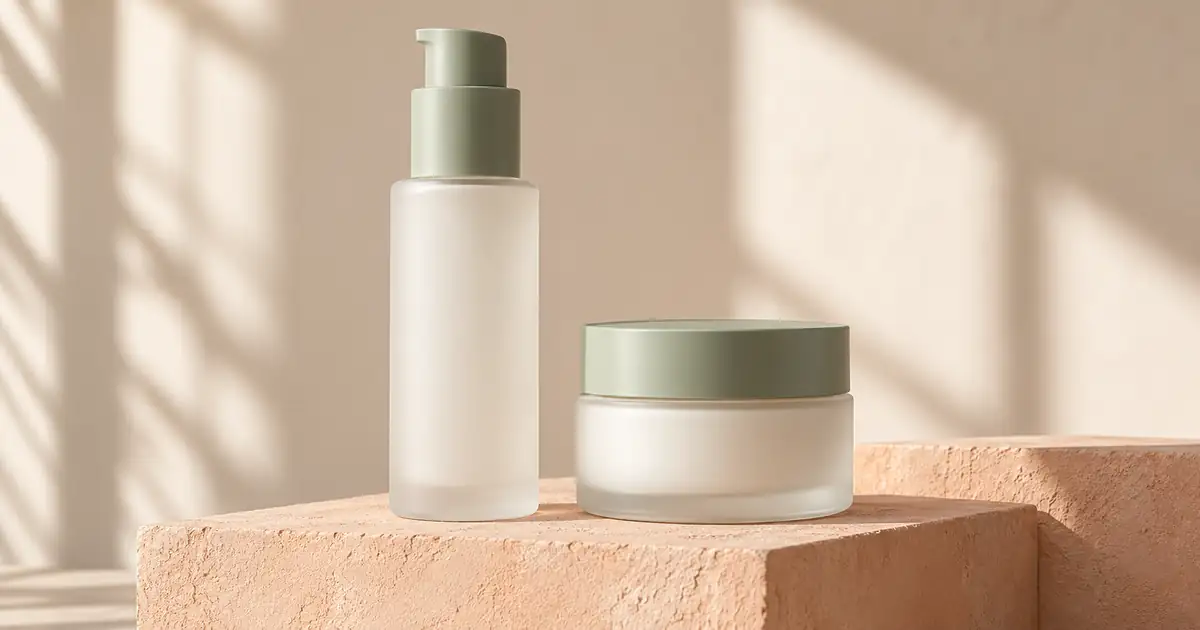

A skincare campaign can look beautifully consistent while quietly changing the products. The pump becomes taller, the jar gains a metallic lid, and the label contains a plausible product name that nobody approved. The useful task is to create a coordinated image set while keeping those details under review.
Start with real, readable packaging references. Use AI to explore the setting and composition, then compare every bottle, jar, label, and included item with the source. When exact product pixels must remain unchanged, generate a background and finish the composition with approved artwork in an editor.
This guide focuses on a bottle-and-jar campaign set. It includes an original generated composition study and prompts you can adapt to actual packaging. The examples are fictional, blank packages, so they demonstrate scene planning rather than verified label preservation.
Define the set before writing the prompt
Choose three image jobs: a bottle view, a jar view, and a supporting scene showing both. Add a separate real label detail when shoppers need to read product information. Three different jobs are more useful than three dramatic backgrounds that all hide the same front panel.
Write down what the offer contains. If the bottle and jar are sold separately, a paired campaign scene should not imply that both arrive in one order. Keep the listing's factual product views separate from exploratory brand artwork until the copy and merchandising context are approved.
For our fictional brief, both packages have a frosted finish and pale sage fittings. The tall bottle uses a pump; the short jar has a closed screw-style lid. There are no cartons, applicators, flowers, or visible formula samples. This small inventory gives the review something concrete to check.
For preparing the actual reference photographs, use the beauty packaging capture workflow. Here, the starting assumption is that the real package is already photographed clearly enough to inspect.
Build a compact reference pack
Include a front photograph of each product, a view that shows the pump or lid, and approved label artwork or a sharp label photograph. Keep the package version and product variant in the filenames. A previous label design can be perfectly legible and still be the wrong reference.
Show the two items together if their relative size matters. Separate close-ups do not tell a model which container is larger. Record actual dimensions in the project notes, but do not treat a sentence about milliliters as a substitute for a visual scale reference.
Divide the brief into fixed and flexible details. Fixed details include silhouette, pump direction, collar, lid, finish, label, and quantity. Flexible details include background color, surface, crop, and the position of empty space. A prompt becomes easier to review when those groups do not compete.
Keep a source copy untouched. If an edit fails, return to that source instead of repeatedly editing a result that already changed the packaging. Save successful scene ideas separately from approved product images.
Compare a single-item frame with a paired scene
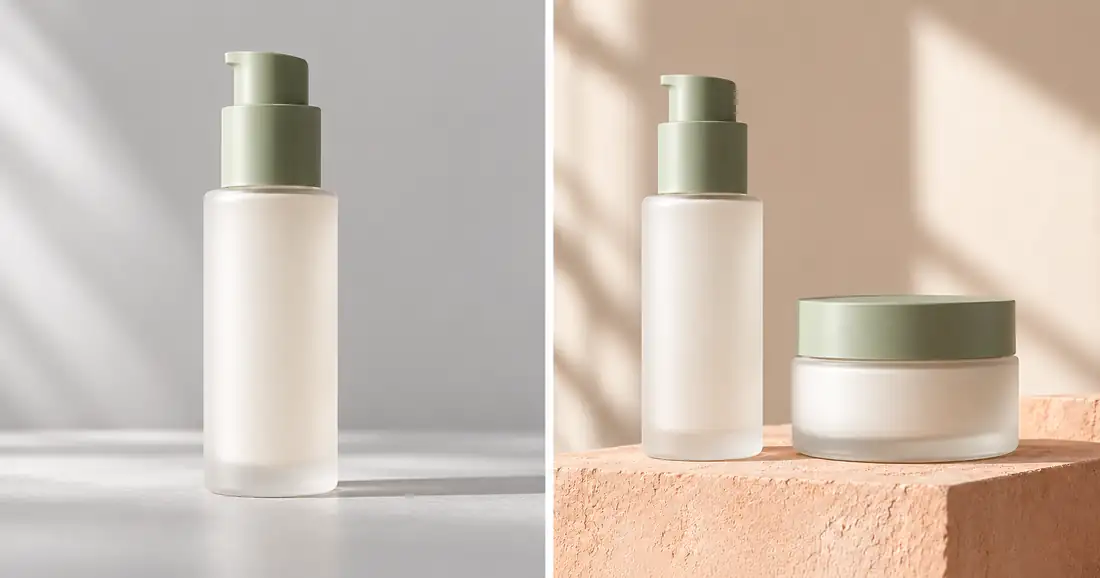
The study establishes two useful composition choices. The single-item frame gives the bottle room to read. The paired frame introduces the jar and a shared palette. The sage fittings and frosted surfaces remain broadly similar, but similarity at article size is not an exact geometry test.
Notice what this example cannot establish: legible ingredient text, accurate volume, or physical color matching. There is no real labeled product in the reference. For a commercial image, replace the fictional reference and repeat the review with the actual item before calling the result accurate.
Download the skincare set review sheet. It separates pump, lid, relative scale, label, shadow, and final decision so a pleasing background cannot hide an unresolved package error.
Prompt one: a readable bottle scene
Begin with the easiest frame. Keep the bottle upright and front-facing, with the pump fully inside the crop. Use a restrained surface and one main light direction so the packaging remains the subject.
Use the approved bottle photograph as the product reference. Create a front-facing supporting campaign image on pale matte stone with soft light from the left. Preserve the bottle silhouette, pump direction, collar, material finish, proportions, and approved label. Keep the complete package visible with room around it. Add only a restrained contact shadow. Do not add ingredients, extra containers, droplets, claims, or new lettering.
The preservation instructions are review criteria, not guarantees. If the label changes, reject that region or the whole candidate. Do not accept invented text because it looks more polished than the source. The image text workflow explains when to keep copy as a separate editable layer.
Prompt two: show the jar as the actual item
A jar gives the model different opportunities to drift. The lid can become thicker, the opening can widen, or a cream swirl can appear even though the reference shows a closed package. Specify the state you actually need.
Use the approved closed-jar reference. Place one jar on the same pale matte surface and use the same soft left-side light as the bottle image. Preserve lid thickness, jar height, base shape, finish, label position, and the closed state. Keep the front readable. No open lid, cream texture, spoon, applicator, extra jar, ingredient props, or new text.
If you need an open-product photograph, capture the real open item. A generated texture can illustrate a creative idea, but it does not establish the formula's actual appearance. Keep factual product evidence and concept styling clearly distinguished in the asset folder.
Prompt three: make the two products belong together
Use an approved side-by-side source when possible. Place the products at a similar depth so perspective does not make the jar appear unexpectedly large. Start with enough separation to inspect both outlines.
Use the approved bottle-and-jar reference for item count and relative scale. Create a coordinated campaign scene on warm peach stone. Keep the bottle upright on the left and the closed jar on the right, both fully visible and at similar depth. Preserve each package's design, fittings, finish, and label. Use one soft light direction and coherent contact shadows. Leave quiet space above for copy added later. Include no other products or ingredients.
Compare the paired result with the single-item frames at equal display size. A matching background is not enough if the jar has changed finish or the pump has reversed direction. Carry the accepted reference into every attempt rather than describing the previous result from memory.
Treat labels as information that must survive
Review the actual name, variant, quantity, directions, and other visible copy against the approved package. Examine spelling and layout separately. Correct words placed on the wrong panel can still make the image inaccurate.
A generated label may look convincing when reduced to a small thumbnail. Open it at full resolution and compare line by line. If the source was too blurry to read, obtain a sharper source instead of asking the model to reconstruct missing information.
For a controlled composite, keep the product or its approved label as a separate layer. Match the angle and surface carefully. A flat rectangle pasted over a curved bottle can look detached, so inspect the edges and curvature after placement. If you cannot retain accuracy convincingly, use a real photograph for that frame.
Approve the set as a group
Review quantity and shape first, label next, and lighting last. This order prevents attractive styling from becoming the reason to overlook a changed product. Mark a frame as needing repair until all required checks pass.
- Compare the pump, collar, shoulder, base, lid, and visible seams with the source.
- Check that the bottle-to-jar relationship stays credible across the set.
- Confirm that shadows meet the objects instead of making them float.
- Inspect the final website and social crops for clipped pumps or hidden labels.
- Keep exact filenames, reference versions, and correction notes with the approval.
A useful rejection note names the repair: “jar lid became gold” or “front label replaced.” Our broader product image approval checklist supports the final review after the set is assembled.
How QuestStudio helps
Use Image Lab to explore one controlled scene from an approved reference. Check that the selected model supports the image input and editing controls you need. Save the prompt, source, and result together, then decide whether the candidate is usable, needs compositing, or should be rejected.
Finish one bottle view before scaling to the whole collection. An accepted scene recipe is valuable because you can repeat its lighting and composition while still reviewing each new package individually.
Frequently asked questions
Can AI preserve skincare labels perfectly?
A prompt cannot guarantee exact lettering or unchanged pixels. Compare against approved artwork and use controlled compositing or real product photography when the label must remain exact.
Should I add flowers or ingredient props?
Only when they belong in the approved brief. Styling can suggest ingredients or product properties, so a plain surface is a useful starting point when those associations have not been approved.
Can I create a bottle and jar from separate photographs?
Yes, but provide an additional scale reference when possible. Separate close-ups leave their relative size ambiguous, and the paired result still needs comparison with the real products.
Are the images in this guide real skincare products?
No. They are original AI-generated fictional packages used to demonstrate composition and review. They do not verify a formula, label, manufacturer, or product measurement.
What should I export for the campaign handoff?
Export the approved crops for their destinations and retain the source photographs, label artwork, editable composite where used, and review notes. Keep exploratory concepts clearly separated from final product images.
Prepare one skincare scene
Start from approved packaging photographs in Image Lab, then review the result against the original before creating the rest of the set.
Hero: AI-generated editorial illustration. Original teaching materials and documented feature research, checked October 30, 2026. Examples are labeled where synthetic or hypothetical.