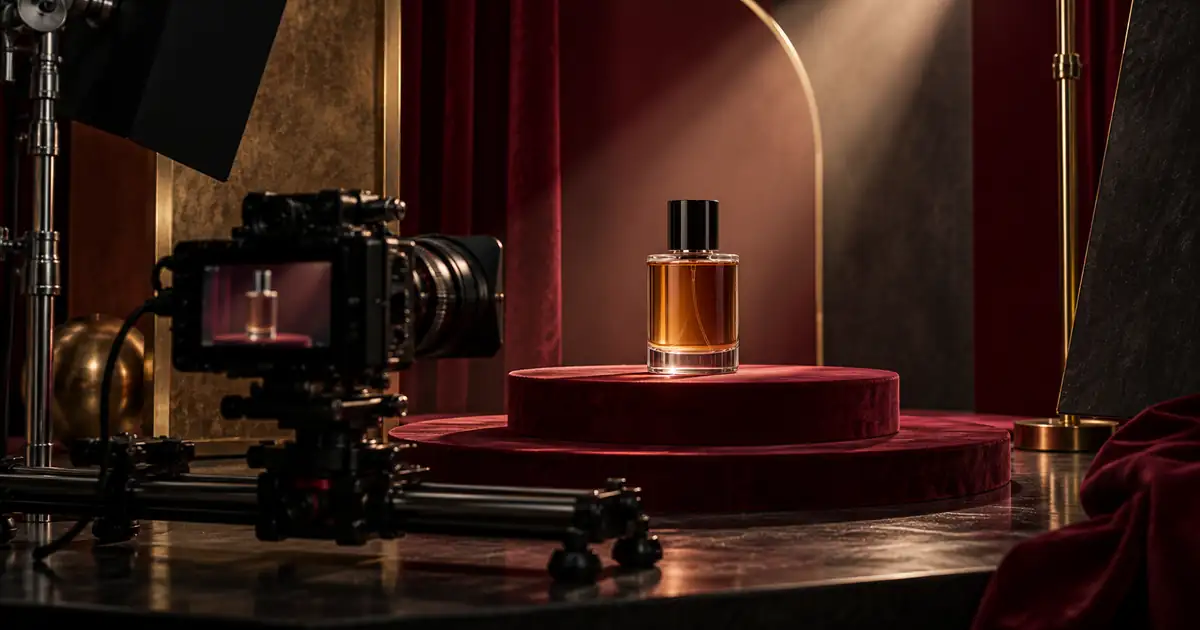

A short perfume ad does not need a bottle spinning through water, flowers, smoke, and several locations. It needs a recognizable product, a deliberate visual rhythm, and enough time for the final message to be understood.
Plan three controlled shots before generating motion: establish the bottle, show one useful detail, and finish with the full product and editable copy. Approve the still references first. Then test motion separately and inspect the whole clip for changes to the cap, glass, liquid, label, and reflections.
The original example here is a three-frame still storyboard with a twelve-second editing plan. It is not a generated video test or a completed ad campaign. Its purpose is to make the shot decisions concrete before you spend time rendering motion.
Choose one message and one product state
Write the ad's job in one sentence. For a new fragrance, that might be introducing the bottle and directing interested viewers to the product page. For a packaging update, it might be showing the new presentation. Avoid trying to introduce the brand, explain every scent note, compare sizes, and announce several offers in one short edit.
Use only approved product information in the copy. Keep price, offer, name, and destination in a separate text brief so they can be checked and updated without regenerating the visuals.
Define the bottle state across the sequence. Our fictional example stays capped and upright on a burgundy pedestal. There is no spray, hand interaction, removed cap, or changing fill level. This gives the storyboard a smaller continuity problem to solve.
If the actual brief requires opening or spraying the bottle, gather references or footage that show the mechanism. Do not assume a single closed-bottle image establishes how the atomizer works.
Use three shots with different jobs
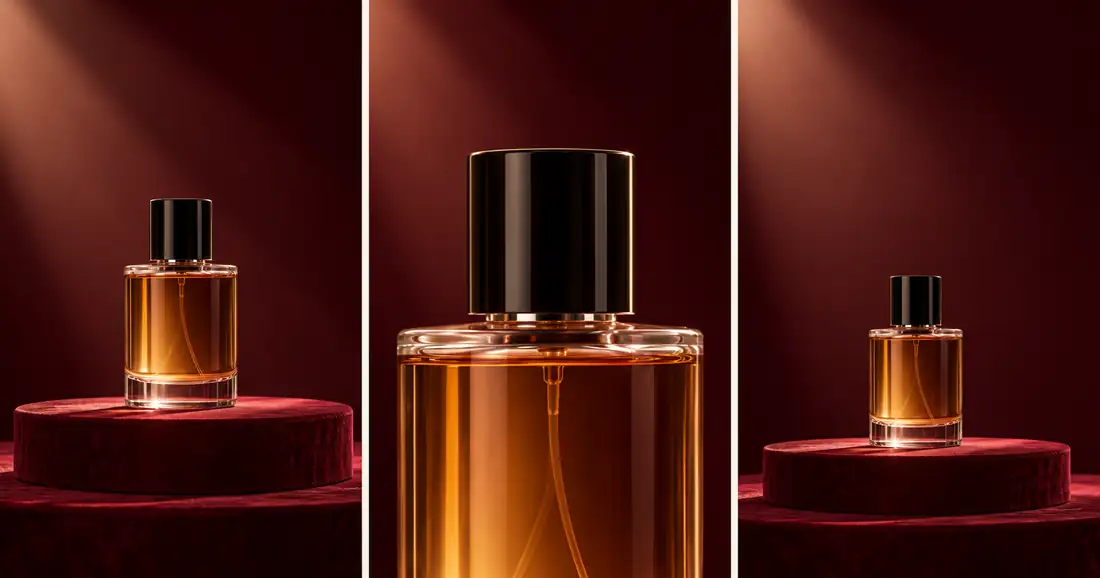
The first frame establishes the item and setting. The middle frame changes scale so the cap and shoulder receive attention. The final frame returns to the full bottle and leaves room for a message added in an editor.
Broad visual continuity is present: amber liquid, a dark cylindrical cap, and burgundy staging recur. The close view also re-renders internal glass and tube details. A real production would compare those features with additional product references rather than accepting them because the overall mood matches.
Download the editable storyboard and timing sheet. Replace the hypothetical timings with the lengths that work after reviewing your actual material.
Give each shot enough time to do its job
| Time | Shot | Viewer task |
|---|---|---|
| 0–3 seconds | Full bottle | Recognize the item and visual setting |
| 3–7 seconds | Cap and shoulder detail | Notice one material or construction detail |
| 7–12 seconds | Full bottle with copy | Read the message and next action |
These numbers are a starting edit, not a platform requirement or a proven performance formula. If the message cannot be read comfortably in the final hold, shorten the copy or give it more time. Do not make every cut faster merely because the destination is a phone.
Build a rough sequence from approved stills first. A simple preview can reveal that the close-up contributes little or that the final message needs a different composition. Fixing that in the storyboard is easier than repairing three finished clips.
Keep the product visible early enough that the viewer understands what the ad is about. If an abstract opening hides it for most of a short sequence, decide whether that mystery genuinely serves the brief.
Describe motion without redesigning the scene
An approved image establishes the starting composition. The motion prompt should explain what changes over time. Runway's image-to-video prompting guide likewise emphasizes motion, camera work, and temporal progression. Controls and results vary by tool, so test the available workflow rather than assuming every model follows the same syntax.
For the establishing shot, start with a tiny push-in or a locked view. Keep the bottle still. A large orbit exposes surfaces the reference may not show and creates more details to verify.
Use the approved full-bottle keyframe. The capped bottle stays upright and stationary on the pedestal. The camera makes a very slow, small push-in while the burgundy background remains calm. Keep the product's shape, cap, liquid level, label, and material appearance consistent. No opening, spray, hands, rotation, new objects, cuts, or generated copy.
For the close shot, consider no camera movement at all. A restrained lighting change may be enough, but inspect whether that change makes the glass appear to bend. For the final shot, a clean hold supports readable copy better than a complicated move.
Check continuity within and between clips
Review each entire clip at normal speed, then pause around any suspicious change. First, middle, and final frames are useful checkpoints, but a defect can occur between them. Do not approve motion by checking only the thumbnail.
Compare the cap diameter, shoulder, base thickness, liquid boundary, and visible label. Look for a changing atomizer tube, an extra glass edge, or a reflection that behaves like a second bottle. A small shimmer may be acceptable in a light reflection while the same movement in a printed name is not.
Next place the clips side by side at the intended cut points. A correct bottle in one shot can still cut awkwardly to a different scale, color appearance, or cap state in the next. Decide whether the change is intentional before trying to hide it with a transition.
The packaging-consistency video guide provides a broader review method. This storyboard narrows the task to one fragrance sequence with a deliberately unchanged product state.
Repair the smallest failing part
If the establishing shot changes the label, reduce its motion or use the approved still with a controlled editorial move. If the close-up invents the cap's construction, replace it with an actual detail photograph or a different shot whose source is clear.
If one clip fails, do not automatically regenerate all three. Keep accepted material and change one instruction or source at a time. Record why the rejected version failed so the next attempt addresses that issue.
A static hold is a valid production choice. The viewer does not need to know that every shot uses generated motion. The useful criterion is whether the finished sequence communicates the product accurately and reads well.
If the sequence requires a precise logo or label overlay, finish that in a controllable editor. Track the overlay only when the underlying geometry permits it. An accurate word pasted onto a visibly deforming bottle does not solve the whole problem.
Add copy and sound after the visual sequence works
Keep the headline, product name, offer, and call to action as editable text. Check them against the approved brief and destination. Do not ask the motion model to write a price into glass and expect it to remain correct through every frame.
Use a small amount of copy. The final shot in the example leaves upper space, but the actual placement may add interface controls or other overlays. Preview the destination and use the vertical video layout workflow to keep the bottle and message readable.
Choose music or sound that you are authorized to use, then edit it to the sequence. Do not make the product difficult to understand without audio. A subtle change at the detail cut can support rhythm, but the picture should still communicate the same item when muted.
Watch the full edit without stopping. If you need to pause to read the final card, simplify it. If the music feels more noticeable than the product, rebalance or choose a quieter arrangement.
Review the exported file and destination together
Open the export outside the editing timeline. Confirm its actual duration, dimensions, first frame, last frame, audio, and text. A successful render command is not a visual approval.
Preview the file at phone size and in the intended placement. Check that the cap is not clipped, the CTA remains readable, and the destination shows the same product and offer. Keep the final filename and source versions with the storyboard.
For a complete example of assembling approved product imagery into an edit, see one product photo to a finished ad. Do not treat this article's still storyboard as evidence that a video model passed the same checks.
How QuestStudio helps
Use Image Lab to prepare a keyframe direction and Video Lab to test one restrained motion from an approved source. Check the selected model's available inputs and credit requirement before rendering. Save the source, instruction, result, and acceptance note together.
Finish a sequence only after the individual shots pass review. A short, clear edit with a stable bottle and readable message is a stronger handoff than an elaborate sequence whose product changes between cuts.
Frequently asked questions
How long should a perfume ad video be?
Choose the length for the message and placement. The twelve-second example here is a planning exercise, not a universal specification or a claim about the best-performing duration.
Are the storyboard images actual video frames?
No. They are original generated stills made from a fictional bottle reference. Motion must be generated or edited separately and reviewed across the complete exported clip.
Should the bottle rotate?
Only when the references support the surfaces being revealed and the result can be verified. A stationary bottle with restrained camera movement is a simpler starting test.
Can I generate the headline inside the video?
Keep critical copy editable in the finishing workflow. That makes spelling, offer changes, timing, and destination crops easier to review and correct without rerendering the scene.
What if the generated motion changes the product?
Reject or repair that shot. Reduce the motion, improve the source, use a controlled move on an approved still, or replace the shot with real footage rather than accepting an inaccurate package.
Test one restrained fragrance shot
Start with one approved keyframe in Video Lab, inspect the entire clip, and assemble only the shots that preserve the product.
Hero: AI-generated editorial illustration. Original teaching materials and documented feature research, checked October 30, 2026. Examples are labeled where synthetic or hypothetical.