
If your Suno Persona is missing from Create, open the Voices menu in Custom mode and look for Style Personas. Suno says the Voices menu replaced the former Personas button, while existing Style Personas are available inside it. If you can select the Persona but the new track sounds different, run a short comparison before rebuilding the source.
There are three different symptoms here. You may be looking for a moved control, using a combination the model does not support, or hearing a result that only loosely resembles the source. Diagnose the symptom you actually have.
Find the saved item before making a replacement
Check that you are in the intended Suno account and that the source song appears in the library. Open the saved item or the library's Persona area when available. Record its name and source song before opening a new Create form. If several items have similar names, play the source so you know which one you are testing.
Go to Custom mode and check the Voices menu for Style Personas. Suno's Voices FAQ explains the menu change. Its older Persona documentation explains the original library and source-song relationship. A screenshot from an older guide may show a Personas button in a different place.
If the item appears in the library but cannot be selected for this generation, check the model and mode. Suno's model selection guide calls out compatibility for personalization features. Use the supported control shown for the selected model. If the item is missing everywhere, confirm the account and source before creating a duplicate.
Decide if you need a Style Persona or a Voice
A Style Persona is useful when you want to carry a musical character from a source song into a new one. That could include the arrangement, the general vocal sound, or the production feel. It does not give you a fixed performance of a phrase in a new track.
A verified Voice is a different workflow for using your own voice. It has its own availability and model requirements. If the job is to test that route, use the Suno Voice setup guide and confirm the compatible model Suno currently offers. If the job is to preserve the exact timing of a recorded performance, keep the recording available for the edit.
Avoid troubleshooting a Style Persona by changing the voice profile, model, and prompt at the same time. That makes it hard to tell which setting was responsible for any improvement.
Run a controlled listening comparison
Choose a short lyric or phrase from the next song. Pick two audible traits from the source. For example, you might listen for a restrained lead and a brushed rhythm behind it. “Same vibe” is difficult to score when the generated songs have different hooks.
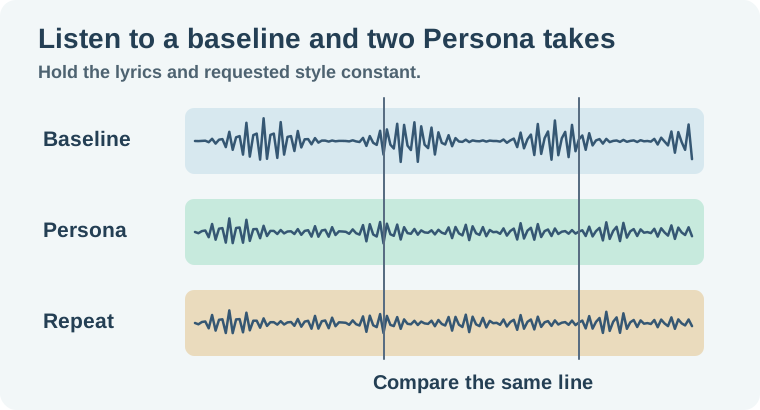
- Make a baseline take without the Persona. Keep the model, lyrics and requested style visible in your notes.
- Use the same setup with the Style Persona attached. Note any style text the selection populates. Where possible, use the same text in the baseline to separate the saved selection from a wording change.
- Repeat the attached setup once. Match listening volume approximately and compare the same section.
- Note the individual traits you hear and the important differences. If the attached takes disagree, choose the useful result and treat repeatability as unresolved.
This is a practical listening check. Generated variations can change even when the settings stay the same. Two takes do not measure a model's general reliability. They help you decide whether the current setup gives you something useful for this song.
Fix one thing based on what you heard
If the arrangement is close but the vocal character varies, decide which trait actually matters to the release. If the source contains a strong chorus and a very different verse, choose a reference whose identity is clear at the part you are judging. Record what changed and rerun the same short test.
If the exact tune matters, use the original recording as the listening reference. The instrumental Cover workflow explains when a whole-arrangement variation is useful and when a stem or edit is a better fit. The Suno model guide helps if model choice is the variable you want to compare next.
If a control is missing or every attempt fails before you get audio, save the page, model name, and the error message for troubleshooting. A failed generation and a stylistic mismatch need different evidence.
If you are testing a reference with multiple singers or a sudden genre shift, pick a passage where the desired traits are obvious before creating another saved item. Write those traits as things you can point to in the recording. “The lead stays close and dry for the first line” is easier to compare than “the same singer energy.” The narrower description also gives you a clear reason to keep or discard a take.
How QuestStudio helps
Use Music Lab to make a separate reference bed when you need another arrangement to audition under the same scene. Compare the results with the same two traits and the same edit points. Keep your Suno library source and saved settings for the Suno-specific decision.
Keep the small audition log. On the next song you can start from a setup that produced something useful and know which traits still need a fresh listen.
Download the suno persona audition log.
Frequently asked questions
Where did the old Personas button go?
Suno says it moved Style Personas into the Voices menu in Create.
Is a Style Persona the same as my verified Voice?
They serve different jobs. Style Personas reference a song's musical character, while verified Voices use an approved profile of your own voice.
Why can I select a Persona but hear little change?
Compare a short, controlled baseline and attached take. Check source traits, populated style text and the compatible model.
Will a Persona preserve my exact melody?
Treat it as a style reference. Keep the approved audio when exact notes, timing or a particular performance are required.
Should I rebuild a missing Persona immediately?
Check the account, library, source and current Create menu first. A second item with a similar name can make the diagnosis harder.