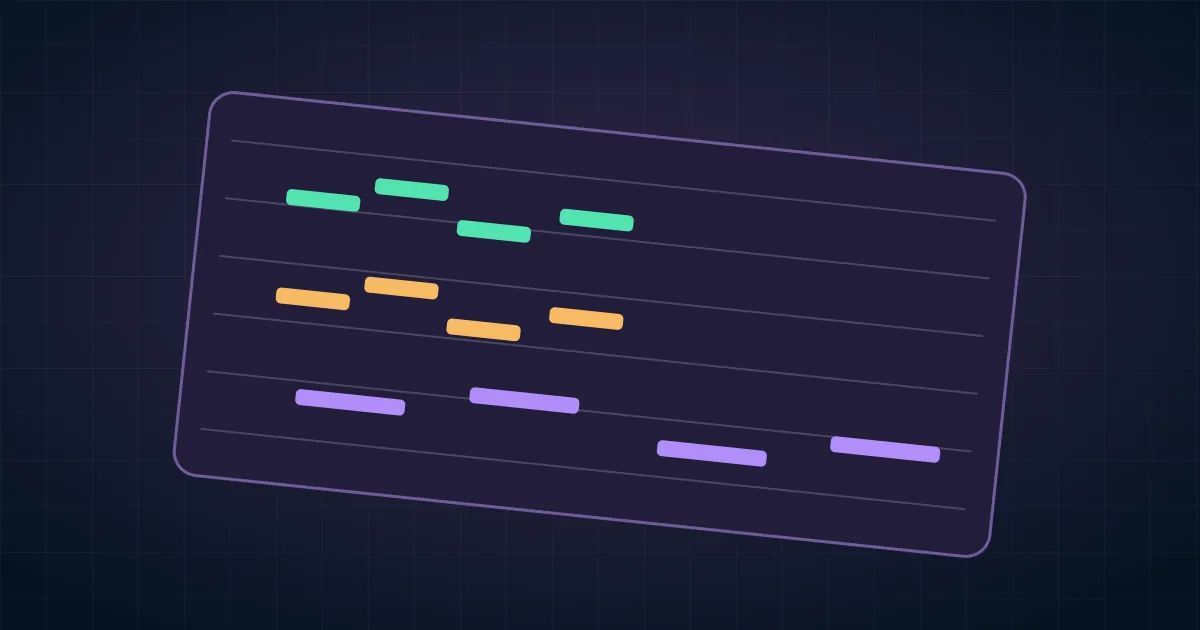

To remix an instrumental already in your Suno library, open its clip menu and choose Cover from the remix options. Describe the new arrangement, keep the result instrumental where that control is available, and make the first comparison against the original. Cover is a new performance of the idea. If the exact timing or notes must survive, plan to keep the source or edit its stems.
This workflow is for a change you can hear and review. “Make it better” leaves too much open. “Replace the bright lead with a muted electric piano, keep the opening figure recognizable, and leave space for narration” gives you three things to listen for.
Choose the right kind of remix
Use Cover when you want a new instrumental arrangement based on an existing Suno track. Suno documents the route from the clip menu and the remix area in its Cover workflow. Confirm the available controls on your account before building a production schedule around them. Keep the source clip and a playable reference of the approved section.
If the performance already works and you want a sound-quality variation, start with the Suno Remaster guide. If you need to combine two existing ideas, use the Mashup source-control workflow. An eight-bar cue that must fit locked picture may need one instrument replaced on its own track, which is a separate editing problem.
Make a short listening reference
Choose the section that makes the original recognizable. It might be a four-note phrase, a rhythmic stop, or a bass line that answers the lead. Name it in your notes using a timestamp or bar number. Write down where the cue first comes in and how it ends. If the cue is already cut to picture, mark the first edit and the last hit in the video timeline.
Keep a second note for things that can change. The backing pad may be expendable even when the melody matters. The opening can tolerate a different sound while retaining the same contour. With that boundary written down, you can reject an attractive cover without losing track of the job.
If the track belongs to someone else or contains material supplied by a client, confirm the project has permission for that input and destination. Work from your own track or approved material. A clean listening comparison also needs the unmodified reference, so retain it even when you are allowed to make a variation.
Run one arrangement change at a time
Start with one audible change. Choose either a different lead instrument or a different rhythm treatment. If you also change tempo, section length and mood, you will have little evidence about what caused a cover to succeed or fail. In the first request, describe the role of the lead and where it should leave space.
Instrumental cue for a calm product demo. Use a muted electric piano for the short opening motif, with a restrained bass underneath. Keep the opening figure recognizable. Leave the middle sparse enough for spoken narration. End with one clean accent and a short decay.
That prompt describes a target. It does not enforce notes or bar counts. Where Suno presents an instrumental setting, use it and listen for humming, ad-libs, or syllable-like sounds in the rendered take. A generated vocal texture can still compete with a narrator even if it contains no intelligible lyrics.
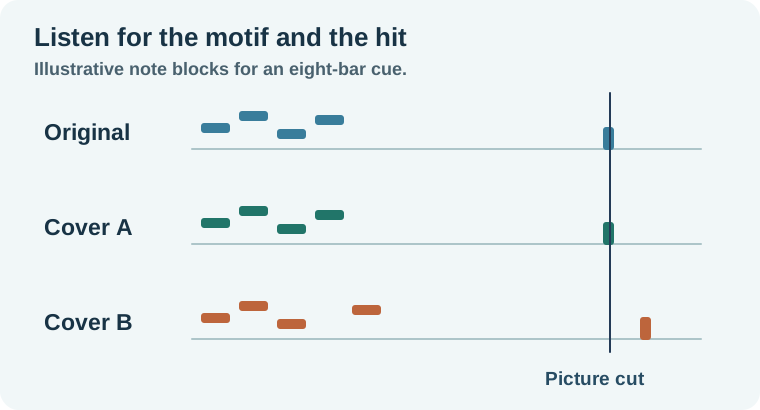
Compare the original and the cover against picture
Suppose the original has eight bars. Its opening four-note figure sets up a tabletop reveal, and the last accent lands on the title at 00:15. Version A replaces the lead with piano and keeps the shape of the hook. Version B sounds fuller, but adds a pickup that moves the last accent beyond the title.
Play the original and Version A from the same start. Match playback loudness by ear or with your editor so a louder candidate does not win automatically. Listen once without looking. Then play the video with the original and the cover under the same narration. Check the reveal, the title, and the tail after the last line.
If a cover misses only the final accent, determine whether you can edit a phrase boundary cleanly. Make the test on a duplicate and listen through the transition. If bringing the accent forward chops a reverb tail or slices through a bass note, prefer the candidate that naturally fits or keep the original for the locked cut. The worksheet separates “I like the music” from “this cue fits the edit.”
Keep exact material when the brief calls for it
When the client approved the exact hook or hit points, use the approved music as the timing reference. Export and align available parts using the Suno stems guide, then audition any replacement part against the same bar grid. Check for bleed, different pickup lengths, and tails that extend past the picture cut.
If the original performance is the priority, stay with a deterministic edit wherever you can. Balance, EQ or a manual instrument change can solve some problems without regenerating the arrangement. Keep the cover as a separate option and name the files so the editor knows which one has been approved.
How QuestStudio helps
Use Music Lab when you need a separate bed to audition under the same scene. Give it a brief that describes the role of the music, then compare the result using the same start, reveal and end markers. Keep the original Suno project when the task is to revise that specific cue.
Save the winner with its start reference and picture revision. A two-line note about the hook and final accent will help the next editor more than a folder named “final mixes.”
Download the instrumental remix audition log.
Frequently asked questions
Will Cover keep the exact melody?
It can carry over recognizable musical ideas, but inspect each result. Use the original performance where exact notes or timing are required.
Can I use Cover for an instrumental without adding vocals?
Use the instrumental option if available and review the result for any voice-like sounds.
When should I use Remaster instead?
Use it for a sound or production variation when you want to keep the existing musical identity close.
What if I only want to change the bass?
If you need the rest to stay exact, compare a stem-level edit on the same timeline before regenerating the arrangement.
Why compare takes at similar loudness?
A louder take can seem fuller at first listen. Level the comparison so you can judge the hook, arrangement and edit points.