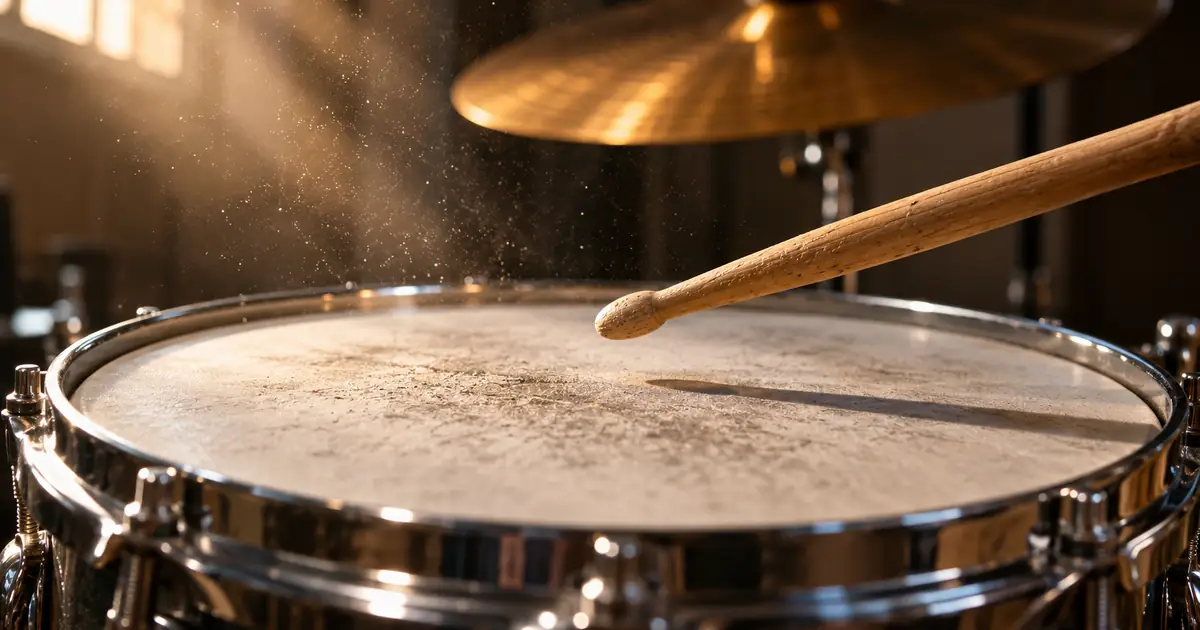

The music bed feels quiet enough, but every snare hit distracts from a product name. Pulling down the whole cue removes its energy without solving the timing of that interruption. A transient shaper can be useful when the troublesome part is the beginning or tail of a hit.
I would use it on an isolated percussion track when possible, compare at matched listening levels, and judge the result with the narration playing. It is one option alongside editing, automation, arrangement changes, and choosing a better source.
Separate the initial hit from its tail
A transient is a brief change at the start of a sound, often especially clear in percussion. The following body and decay carry other parts of its character. A shaper can emphasize or reduce those regions according to its detector and controls.
In Softube's Transient Shaper manual, Punch and Sustain address different aspects of the sound, and the design differs from a conventional threshold-driven compressor. Other processors implement this task differently. Do not assume identically named knobs produce identical envelopes.
A sharper attack can help a drum read through a dense mix, while a softer attack may leave more room for a word. A shorter tail can reduce ringing between phrases. Neither is automatically better; the cue's purpose determines the useful change.
Use an original envelope comparison
The illustration below starts with a deliberately simple decaying hit envelope. One variation reduces its first few milliseconds; another shortens the later decay. The curves isolate two decisions that can sound similar when described only as “less drum.”
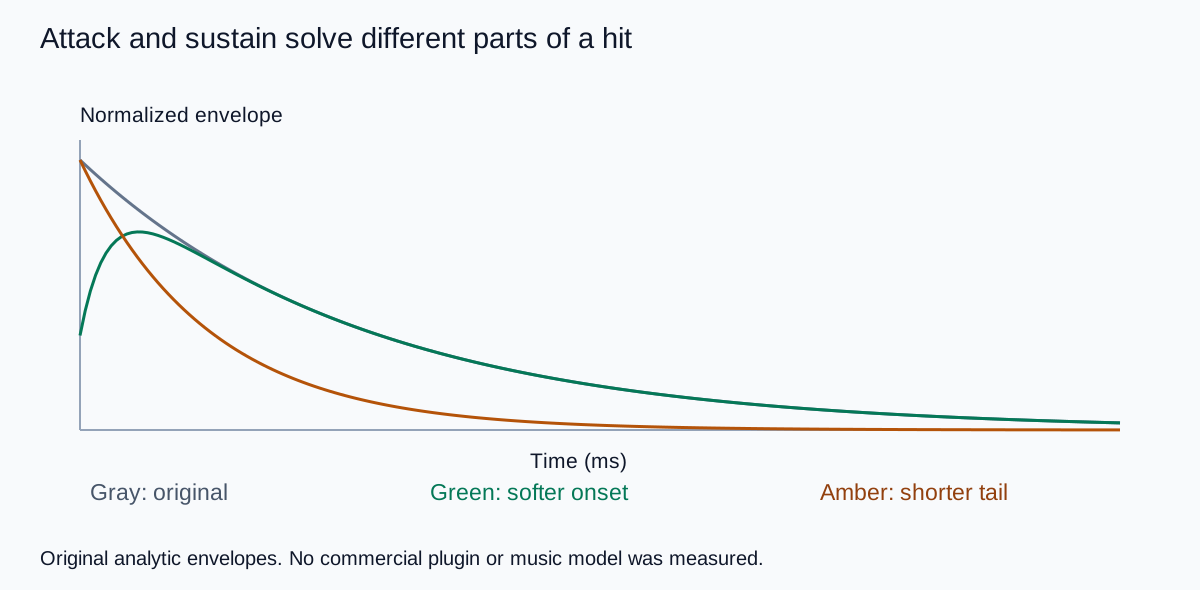
Imagine the narration begins just as the drum strikes. The onset may compete with the consonant. Now imagine the word begins slightly after the hit, while the room or cymbal tail continues. A sustain decision may matter more in that second situation.
The timing relationship is why soloing the drum is not enough. Play a few seconds before and after the word, keeping the picture cut in context. An edit that solves one syllable should not make the entire musical phrase feel weak or abruptly gated.
Choose the narrowest source you can control
If you have the original percussion track, process that track. If you have stems, inspect them before assuming they are clean separations. A stem with leaked vocal or watery artifacts can react unpredictably when its attacks are emphasized.
If the only source is a finished stereo mix, be more cautious. The processor can affect piano attacks, bass articulation, consonants, and other details along with the drum. A treatment that sounds useful on one hit may damage the next musical event.
For a generated cue, compare a sparser source before building an elaborate repair chain. The music arrangement and mix guide helps separate competing parts from a finishing problem. A new arrangement may be a better solution when the whole bed is too busy.
Keep the source and processed versions aligned. Do not compare different sections or different generated takes while trying to decide whether a particular shaper setting helped.
Tune attack around one important word
Mark the exact place where the narration loses clarity. Listen once with music, once without it, and once with only the suspected percussion muted. That last comparison checks whether the drum is actually responsible.
Reduce the attack enough to test the hypothesis, then back off to the smallest useful change. Check the product name and the musical downbeat. If the groove disappears before the speech improves, a transient adjustment may be the wrong tool.
Try a local level move or a small arrangement edit as a separate candidate. A single conflicting hit does not always justify processing the entire track. Keep the comparison narrow so you can explain why one candidate is better.
Do not add attack merely because the processed version seems more exciting in isolation. In a narrated tutorial, excitement is useful only if the instruction remains understandable and the sound supports the picture.
Shorten a tail without making the room vanish
For a ringing snare or tom, compare less sustain while leaving the onset reasonably stable. Listen for the point where the room feels cut off rather than naturally shorter. A close-miked sound and a spacious acoustic recording may tolerate very different changes.
In a full mix, shortening sustain can also reveal an unnatural gap or reduce a musical texture you wanted to keep. Compare the transition into the next hit, not only the first one. The processor's detector may react differently to closely spaced events.
Use the percussion review worksheet to record whether the conflict concerns onset, body, tail, timing, or overall level. That prevents a sustain knob from becoming the default answer to every form of masking.
If the issue is the narration's own dynamics, use the voiceover compressor guide as a separate investigation. Avoid changing both tracks at once and losing track of the improvement.
Match level before judging the treatment
Shaping a transient can change peak level and perceived loudness. Adjust comparison playback gain so the chosen version does not win just because it is louder. Inspect headroom after boosting attacks; a useful sound change can still create an output overload.
Check the complete cue on headphones and an ordinary speaker at a comfortable level. The drum should still support the scene during gaps in narration. A treatment optimized for one sentence can become conspicuous when the voice stops.
Render the actual video mix and review the words that mattered, the musical transitions, and the ending. Keep the accepted settings attached to that file. The mastering comparison workflow covers the later whole-track decision without turning every local repair into a new master.
How QuestStudio helps upstream
Use Music Lab to explore a restrained accompaniment with softer percussion or more space between hits. Describe the role of the music in the video, such as supporting a calm spoken demonstration, rather than requesting maximum energy by default.
Review the result as a source take. A prompt cannot guarantee sample-accurate transient control or preserve an existing arrangement through regeneration. Use a suitable audio editor for the precise shaping and mix checks described here.
My recommendation is to fix the specific conflict with the least disruptive operation. Sometimes that is a transient shaper; sometimes it is one muted hit, a brief automation move, or a better cue.
Frequently asked questions
Is a transient shaper the same as a compressor?
No. Their controls and detection can differ. A transient shaper often targets onset and sustain, while a conventional compressor responds to level relative to a threshold.
Should I put it on the whole music mix?
Use an isolated track when possible. Processing a full mix can alter other instruments and the narration-like details you intended to preserve.
Will reducing attack always make speech clearer?
No. Check whether the attack is actually the competing element. Arrangement, timing, frequency balance, and overall level can also cause masking.
Can increasing attack create clipping?
It can increase peaks. Check headroom and the saved output rather than relying only on the perceived loudness.
Does Music Lab include the transient-shaping controls described here?
This guide uses Music Lab for source creation and a suitable external audio editor for precise transient shaping and mix review.
Technical references
Continue with a useful next step
 Voice
Background Music Under AI Voiceover: A Mix You Can Hear Clearly
Mix background music under AI voiceover with separate tracks, phrase-based ducking, a practical cue map, and listening checks that beat a fixed volume preset.
 Voice
Best Voices for Music Hooks vs Narration: Tone and Pacing Rules That Actually Work
Learn how to choose the best AI voices for music hooks vs narration with simple tone and pacing rules that make vocals sound more natural.
 Voice
How to Check a Voiceover and Music Mix in Mono
Check a voiceover and music mix in mono to catch masked words, vanishing effects and stereo phase issues. Compare the same phrase at a matched level.
Hero: AI-generated editorial illustration. Supporting diagrams and exercises: QuestStudio.