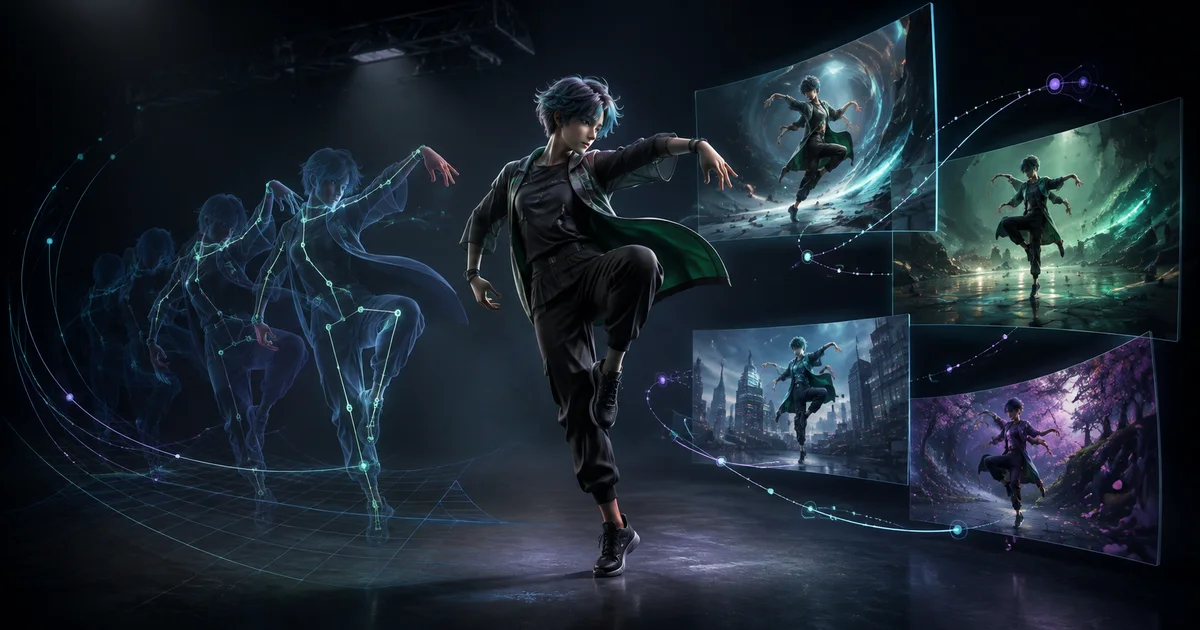

The best Viggle AI alternative depends on what “animate this character” means in your project. One creator wants to place a designed character into an existing dance. Another wants an actor’s gestures and facial performance transferred. A game team needs skeletal animation files. A marketer wants an entirely new clip built from a product image and a prompt.
Those are different input-output contracts. Comparing every tool on one quality score hides the decision that matters most: whether the original motion, the performance, the background footage, the 3D skeleton, or only the creative intent must survive.
Quick answer
Kling Motion Control is the closest match for full-body reference motion, Runway Act-Two fits acting and facial performance, Wan-Animate fits technical open workflows, DeepMotion Animate 3D fits rigged 3D delivery, and Seedance 2.0 in QuestStudio fits original multimodal scene generation. If exact choreography must be copied, do not substitute an ordinary image-to-video generator.
First decide which animation job you have
Viggle’s current Animation Tools page separates Mix, Multi, and Motion Control. In practical terms, its distinctive job is motion-led character animation: provide a character image, select or upload a motion video, and ask the system to carry that movement into the result.
Motion transfer
Keep the timing and body action from a driving video while changing the character.
Performance capture
Carry speech, expression, head motion, and gestures from an actor into a character.
Character replacement
Replace a person inside existing footage while preserving camera, scene, and timing.
3D motion capture
Extract animation data for a rig that will continue into Blender, Unity, Unreal, or Maya.
Original generative video
Use text, images, video, or audio as direction while the model creates new motion, camera behavior, and scene content.
A tool can support more than one job. The categories still prevent a common mistake: buying an image-to-video model when you actually need an exact driving performance, or buying motion-transfer software when the brief needs a new cinematic scene.
Viggle AI alternatives compared by workflow
| Option | Best-fit job | Required input | Main tradeoff to test |
|---|---|---|---|
| Kling Motion Control | Full-body motion transfer | Character image + driving video | Pose alignment, hands, contacts, face stability |
| Runway Act-Two | Acting and performance transfer | Driving performance + character image or video | Gesture range versus identity stability |
| Wan-Animate | Open technical animation or replacement | Character image + preprocessed pose/face inputs | Setup, compute, preprocessing, cleanup |
| DeepMotion Animate 3D | 3D skeletal motion capture | Human performance video + 3D character | Foot sliding, hand tracking, retargeting cleanup |
| Seedance 2.0 in QuestStudio | Original multimodal AI video | Prompt with optional image, video, and audio references | Prompt adherence and factual continuity, not exact motion copying |
1. Kling Motion Control: closest for full-body transfer
Kling’s current Motion Control interface pairs a character image with a video of the action to mimic. It also exposes two orientation choices: favoring the motion video can help complex movement, while favoring the character image can better support camera movement. That makes Kling the closest comparison here when a dance, stunt, gesture sequence, or sports action must follow a driving clip.
Start with similar body framing in the image and motion video. If the source performer faces forward but the character begins in a hard profile, the model has to solve identity, pose, occlusion, and direction at once. Review planted feet, crossed limbs, hand contacts, fabric, and the first turn—not just the most impressive frame. See the current Kling Motion Control workspace.
2. Runway Act-Two: strongest fit for a directed performance
Runway’s Act-Two documentation describes a driving performance plus a character image or video. The performance controls movement, expression, speech, and gestures. When a character image is used, gesture control can carry more body motion; a character video preserves more of its original camera and environment.
Choose Act-Two for dialogue, presenters, acting beats, facial emotion, or upper-body gesture—not simply because the reference contains movement. Record a clean single take with a visible face, stable framing, clear audio, and no cuts. Match the starting pose when identity matters. A smaller expressive range that preserves the character can be more useful than a dramatic take that creates artifacts.
3. Wan-Animate: best when openness and technical control matter
The official Wan-Animate project from Tongyi Lab frames the system as unified character animation and replacement. The workflow can mimic motion and expression from a reference video or replace the original performer while retaining the scene.
The freedom comes with production work. The documented Diffusers pipeline expects preprocessed pose and facial inputs, plus background and mask inputs for replacement. That is appropriate for a technical team that values local control and can manage GPU requirements, dependencies, preprocessing, and compositing. It is a poor shortcut for someone who needs a finished social clip in minutes.
4. DeepMotion Animate 3D: best for reusable skeletal animation
DeepMotion Animate 3D converts ordinary video into motion for 3D characters and supports exports such as FBX, BVH, GLB, and MP4. It belongs in this comparison because “make my character do this move” sometimes means delivering animation data to a game or 3D scene, not rendering a final AI video.
Use it when the skeleton and downstream editability are the asset. Test foot locking, hand-to-ground contact, fast turns, self-occlusion, and how cleanly the result retargets to your rig. A technically correct capture can still need cleanup, but it creates a reusable animation rather than a flattened one-off clip.
5. Seedance 2.0 in QuestStudio: best for a new scene, not copied choreography
Seedance 2.0 is a multimodal generation model rather than a direct Viggle-style replacement. The current Seedance 2.0 research paper describes unified audio-video generation with multimodal inputs. In QuestStudio, the model can use text, images, video, and audio references to direct a new clip with synchronized sound.
Choose this path when the creative job is “make this character perform a new cinematic beat” rather than “copy every movement in this dance.” Write one short shot contract: subject, one action, setting, camera behavior, sound, and facts that must not change. Use the Seedance 2 prompt guide to structure it, then test the same brief in Seedance 2.0 Video Lab.
Run a controlled five-clip comparison
A showcase reel cannot tell you whether a tool will preserve your character and motion. Build a small benchmark from material you are authorized to use:
- Lock one character source. Use a clean, high-resolution image with the whole required body visible and no hidden hands or feet.
- Choose one eight-to-ten-second performance. Use one continuous action with stable framing, clear contacts, and no edit cuts.
- Match the starting pose. Reduce the amount of geometry the system must invent before motion begins.
- Generate five attempts per tool. Keep resolution, duration, source files, and any prompt constraints as comparable as possible.
- Score accepted clips, not favorites. Review identity, anatomy, contact, timing, background, camera, lip sync when relevant, output rights, processing time, and total retry cost.
Acceptance rule: the character remains recognizable; limbs stay connected; feet and hands meet the expected surfaces; motion direction and timing remain usable; the background does not tear; and the output can legally be used for the intended project.
Calculate cost per accepted clip, not cost per generation. A cheaper tool becomes expensive when only one of ten outputs survives review. The AI generation cost calculator can help normalize model and retry costs.
Prepare the sources before blaming the model
Motion transfer is highly sensitive to the relationship between the character image and the driving video. Keep the full action inside the frame. Avoid long coats, loose props, crossed limbs, fast spins, foreground obstructions, severe camera shake, and cuts in the first benchmark. Make sure hands, shoes, and the face have enough pixels to inspect.
For an illustrated or non-human character, define how its limbs map to a human performance. A four-legged creature cannot inherit a human dance without major interpretation. For a photoreal person, use only an identity you own or have permission to animate. For branded mascots or client characters, preserve the approved proportions, costume details, colors, and usage rules.
Rights and consent are part of the workflow
A motion reference can contain several separate rights: the person’s likeness and performance, the choreography, the recording, the location, music, logos, and other visible people. A downloadable TikTok, Reel, film clip, or sports broadcast is not automatically authorized input. Use your own performance, licensed stock with suitable terms, a platform template you are permitted to use, or documented client material.
Do not use character replacement to imply that a real person performed, endorsed, or said something they did not. Keep the original sources, permission record, settings, and final approval together. Commercial terms, watermarks, plan limits, and model availability change, so verify the current product page before a client or paid campaign.
Where QuestStudio fits
QuestStudio is useful when your next step is a new image-to-video or multimodal scene, especially when you want to compare model behavior and continue into image, voice, music, prompt, or editing workflows. It is not presented here as a one-to-one replacement for Viggle’s exact motion-transfer job.
If the brief can be expressed as a new shot rather than copied choreography, open Seedance 2.0 in Video Lab and run one short controlled test. Keep the first useful result and its rejection notes before considering a paid plan.
If you choose Viggle for a dance clip, use the dance reference and footwork guide to match the source movement, check planted feet, and line up the music before sharing.
Viggle AI alternatives FAQ
What is the closest alternative to Viggle AI for motion transfer?
Kling Motion Control is the closest option in this shortlist when you have a character image and a driving video and want full-body movement transferred. Test pose alignment, hands, contacts, face stability, and background behavior with your own source material.
Is Runway Act-Two a Viggle AI alternative?
Yes for acting, gesture, speech, and facial-performance transfer. It is not identical to a template-led full-body dance workflow, so choose it when the performance itself matters more than copying a complex choreographed clip.
Can I use a Viggle alternative for 3D animation?
DeepMotion Animate 3D is designed for markerless motion capture and exports formats such as FBX, BVH, and GLB for 3D pipelines. That is a different deliverable from a finished generative video.
Is QuestStudio a direct replacement for Viggle motion control?
Not for exact one-to-one body-motion transfer. QuestStudio fits creators who want to generate original clips from text, images, video, or audio references with models such as Seedance 2.0 and continue through a connected multi-model workflow.
Can I use someone else’s dance video as a motion reference?
Only when you have the rights and permissions needed for the footage, performance, people, music, and intended use. A public post being downloadable does not automatically make it authorized production material.
Related QuestStudio guides
Continue with a useful next step
 Video
VideoViggle AI Dance Tutorial: Fix Footwork Before You Share
Create a Viggle dance clip from a strong character reference, choose workable choreography, and diagnose sliding feet, hidden limbs, and mistimed beats.
 Video
VideoAI Video Model Benchmark Workflow: Compare Usable Results
Compare AI video models fairly with a controlled shot suite, fixed references, blind review, quality dimensions, cost per usable result, and rerun rules.
 Video
VideoGoogle Flow Explained: What It Is and the Best AI Filmmaking Use Cases for Creators
Learn what Google Flow is, how it works, and the best creator use cases. Includes practical workflows, quality tips, and prompt equivalents you can reuse.