
The face survives the dance, but one shoe skates across the floor. That is enough to make a good-looking clip feel weightless. A useful Viggle AI dance tutorial should help you choose the source and diagnose the movement, not stop at the Generate button.
Prepare a dancer reference in Image Lab · Download the eight-count review sheet
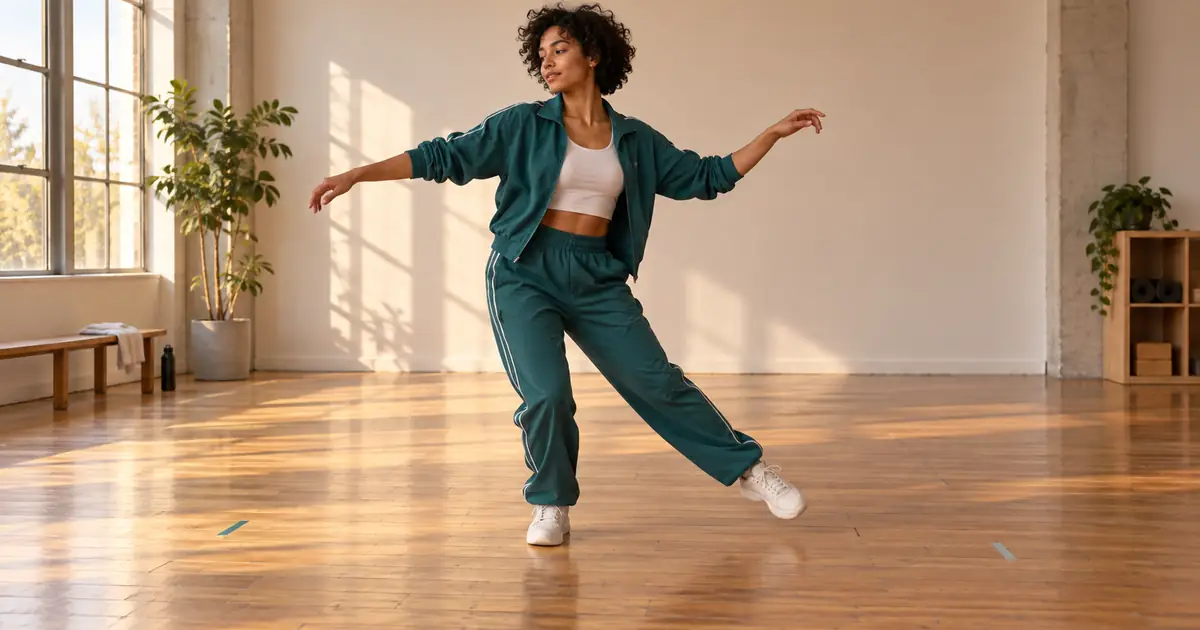
Checked September 14, 2026. The routine and review method below are original planning examples, not a hands-on Viggle benchmark. The hero is an AI-generated illustration.
Choose the dance before the character crop
A waist-up portrait contains no evidence about shoes, knee height, or the hem of a jacket. It can suit a seated gesture. It is a weak starting point for a dance built around footwork. First watch the motion you want to use. Identify the lowest pose, widest arm position, biggest turn, and moment when one limb crosses another. Your character image should give the system useful information for those moments.
Viggle's official dance workflow accepts a character photo and either a template or your own motion video. Its V4 guide describes Character Refine, Smooth Motion, and Foot Lock. Those are documented controls, not proof that every dance will work. Check which controls your selected workflow exposes; an API example, a template page, and the main application may differ.
For the first experiment, use your own image or an original character and footage you can reuse. A simple side-step is a better diagnostic than a complicated routine: you can tell whether the foot should be planted without guessing what the source dancer intended.
Build a reference that exposes the body
Frame the subject from above the head to below the shoes, leaving room around the hands. Keep the arms slightly away from the torso and choose a pose that makes the two legs distinguishable. Avoid a bag across the waist, a long coat covering both knees, or a background edge that merges with the ankle. These choices give you a cleaner input and a clearer image to inspect later.
Do not redesign the character merely to hide a difficult outfit. If a long skirt or oversized mascot head is essential, keep it and simplify the choreography. The useful question is whether the intended silhouette survives, not whether the output resembles a conventional human dancer.
Use the brief in Image Lab for a fictional dancer. If you are animating yourself, use a suitable real photograph rather than a newly invented likeness. Save the approved source separately so later revisions have a stable point of comparison.
Map one eight-count phrase
Here is a small choreography plan you can perform and film yourself. It is deliberately readable. Record the entire body from a fixed camera; do not zoom during the move. Count aloud in a rehearsal take if that helps you locate the beats, then record the final reference as needed.
| Counts | Action | What to inspect |
|---|---|---|
| 1–2 | Step left; bring the right foot toward the left | The supporting left shoe remains on the floor |
| 3–4 | Step right; settle into a balanced stance | The pelvis travels with the body rather than stretching the leg |
| 5–6 | Raise both forearms and make a small shoulder turn | Hands remain separate from the face and sleeves |
| 7–8 | Return to the starting stance and hold | Outfit, head size, and shoe shape still match the opening |
At 120 beats per minute, eight counts occupy four seconds. At 100 BPM they occupy 4.8 seconds: eight multiplied by 60, divided by 100. These are planning calculations, not promised output durations. Include a little lead-in and exit in your source if the upload workflow permits it, then trim in an editor. The move needs enough time to settle.
Make the first generation answer one question
- Open Viggle's current dance or motion-reference workflow.
- Choose your short routine or a compatible template.
- Upload the approved character image and verify the preview is the correct file.
- Keep optional changes minimal for the first pass. Note any motion or character settings you enable.
- Check the displayed allowance and generation cost, then generate one test.
- Download the result and compare it with the motion reference before changing anything else.
The first question is simple: does this character perform this motion coherently? Background styling, a second dancer, flashing lights, and dramatic camera movement can wait. If you change all of them at once, the next result will not tell you what solved the problem.
Separate foot sliding from camera movement
A planted foot should remain fixed relative to the floor while it bears weight. If the camera moves, the shoe can move across the screen without sliding in the scene. Compare it with a nearby floor feature—a seam or tape mark—rather than judging screen coordinates alone. The apparent movement should agree with the perspective of the room.
Pause at the start, middle, and end of a weight-bearing step. If the shoe moves across the floor while the hips remain suspended, try a clearer reference with a longer visible plant. If Foot Lock is available, compare a second take with that control changed. Treat it as a test, especially for choreography that intentionally includes gliding steps.
Smooth Motion has a different job. A smoother trajectory can still describe the wrong movement. Check whether a smoothing change removes a sharp accent that belongs on the beat. A slightly less smooth but correctly timed shoulder hit may suit the routine better.
Use the failure to choose the next attempt
| Visible failure | Next useful change | Why |
|---|---|---|
| Shoes leave the frame during a kick | Widen the source framing or reduce the kick | The action needs room in the composition |
| Hands merge during a chest-level crossing | Use a reference with a clearer arm path | The hidden boundary is the difficult moment |
| A mascot becomes a generic person | Simplify the motion and inspect the silhouette early | The design must remain recognizable during the movement |
| Movement looks fine but misses the music | Check alignment and source tempo in an editor | A timing problem may not require another generation |
If a defect occupies the only important beat, cutting around it defeats the point of the routine. Change the input. If the defect sits in an unused lead-in, trimming may solve the delivery problem. Write down which case applies before spending another attempt.
Finish for the viewing size
Place the strongest movement where viewers can see it immediately. Preview the vertical crop on a phone-size player; captions should not cover the feet if footwork is the point. Match the music to the original choreography timing before experimenting with speed changes. Speeding up the whole clip also changes the apparent weight and makes weak contacts harder to judge.
Review the exported file, not only the editor preview. Watch once for rhythm, once for face and clothing continuity, and once with attention on the floor. Keep the source image, motion reference, settings, and chosen take together. That small record helps you make another clip with the same character without rediscovering the successful combination.
For a newer motion-transfer workflow with text-directed viewpoint changes, use the test Wan Animate 2 motion and viewpoint separately guide. It includes an original exercise and a worksheet for reviewing the result.
Frequently asked questions
Can I use a selfie for a full-body Viggle dance?
You can try, but a face-only selfie leaves the body and clothes unspecified. Use a clear full-body image when the dance depends on footwork or large limb movement.
Does Foot Lock make every dance more accurate?
No. Test it against the source movement. A deliberate glide is different from an unwanted sliding support foot, and not every workflow exposes the same settings.
Can QuestStudio transfer the exact Viggle choreography?
This guide uses QuestStudio to prepare the character image. The described Viggle motion transfer happens in Viggle; generic video generation does not guarantee the same choreography.
Should I regenerate a clip that is late on the beat?
First check whether the whole clip has an alignment offset. Moving it in an editor may fix that. Timing drift within the routine requires a different diagnosis.