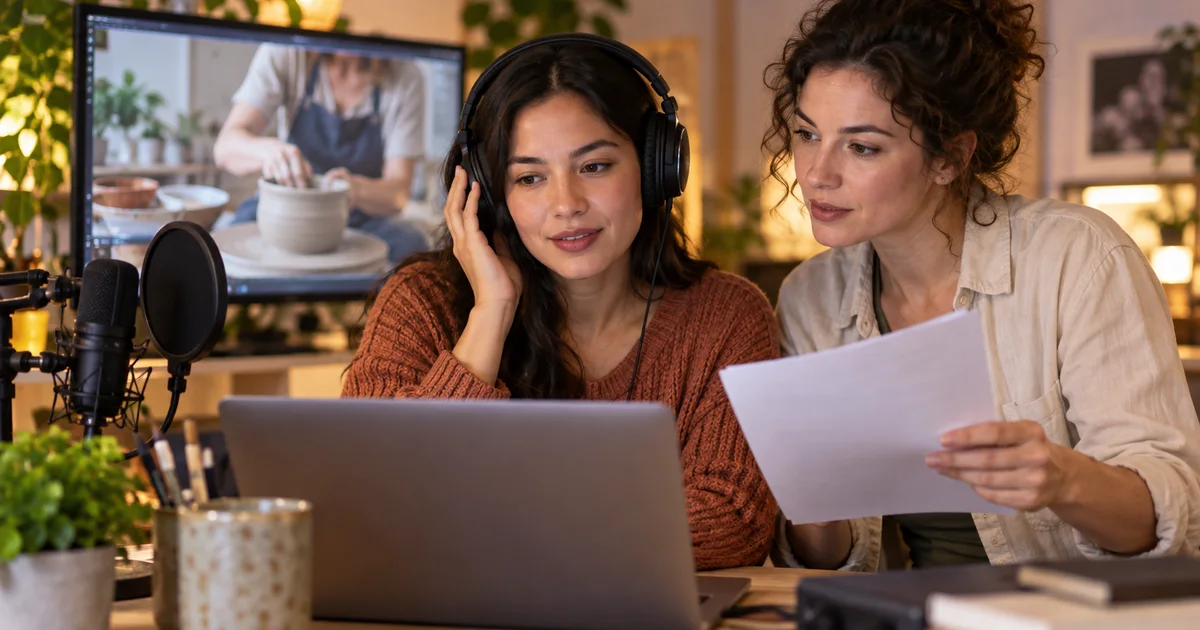

Your tutorial says to leave a quarter-inch gap. The dub says four inches. It sounds confident and fits the scene, but it changes the instruction. Automatic dubbing needs a review process that treats meaning as carefully as pronunciation.
Download the bilingual dub review sheet · Prepare a reviewed narration
Editorial guide checked September 13, 2026. Examples and worksheets are original planning material; the hero is an AI-generated illustration, not a model benchmark.
Put review before release
YouTube's automatic dubbing can make an existing video accessible in another spoken language. The creator still needs to decide whether the new track preserves the lesson, joke, or explanation. A smooth voice is evidence of fluency, not evidence that the translation is correct.
On desktop, YouTube documents channel controls under Settings → Channel → Advanced settings. Enable manual review before publishing automatic dubs. For a particular video, open Content → video → Languages and preview the relevant track. The current automatic dubbing help also explains transcript review and track management. Available languages and features can differ by channel.
Create a small release record before listening: video title, source language, target language and regional audience, reviewer, review date, and track status. This prevents “the Spanish version is approved” from referring to the wrong video or an earlier generated track.
Establish what the source actually says
Start with the original audio and a checked source transcript. If the source transcript says “four inches” when the presenter actually said “a quarter inch,” a comparison against that transcript will approve the wrong meaning. Listen to the original at every ambiguous phrase before assessing the translation.
Check the video's source-language setting as well. YouTube's video language guidance explains where that setting lives. Correct metadata is part of the input; it does not replace a human check of names, measurements, or unclear speech.
Write a short terminology sheet for this video. Include the product name, unusual materials, repeated action words, and units. Decide whether a name should remain unchanged, be translated, or be explained. A reviewer should not have to invent a different answer each time the same term appears.
Use a small meaning test before the full review
The following original craft-tutorial examples show why a fluent sentence can still fail. The Spanish alternatives are review examples, not a transcript of an actual YouTube dub. A fluent reviewer familiar with the intended audience should assess the complete video in context.
| Source meaning | Meaning-preserving Spanish example | Failure to catch |
|---|---|---|
| Leave a quarter-inch gap between the paper panels. | Deja un espacio de un cuarto de pulgada entre los paneles de papel. | “Cuatro pulgadas” changes the measurement. |
| Do not paint the rim yet. | Todavía no pintes el borde. | Dropping “no” reverses the instruction. |
| We tried three finishes; the second looked best. | Probamos tres acabados; el segundo quedó mejor. | Changing “second” to “third” points to the wrong sample. |
| Let the first coat dry before adding another. | Deja secar la primera capa antes de añadir otra. | Reversing the order changes the process. |
A translation does not need to mirror every English word to pass. “Añadir otra capa” may be clearer than preserving a pronoun, depending on the surrounding sentence. Judge whether a viewer receives the same useful instruction. Distinguish natural phrasing from changes to quantities, conditions, sequence, or intent.
If you convert units for a regional audience, make that an explicit editorial decision and verify the conversion separately. Do not let an unexplained number change pass as localization. Keep the approved wording in the terminology sheet so the captions and spoken track can be checked against the same decision.
Review text, sound, and picture separately
Pass one: meaning. Compare the checked source with the target transcript. Mark missing sentences, altered numbers, lost negation, wrong names, and ambiguous references. Record a timestamp and the intended meaning for each issue. “Bad translation” is less useful than “at 01:12, the dub tells viewers to use the third sample instead of the second.”
Pass two: listening. Listen without reading along for a portion of the track, then revisit difficult passages with the transcript. Check pronunciation, sentence stress, abrupt joins, and whether the speaker sounds as though a statement is a question. Reading the correct words while listening can make you overlook an unclear spoken version.
Pass three: picture. Watch the target-language track with the video. Check that references such as “this one,” “on the left,” and “now” still match what appears on screen. A correct sentence can arrive after the relevant object has disappeared. Also check whether pauses needed for a demonstration have been filled with rushed speech.
Use the real delivery context for the final pass. If the video is commonly watched on phones, audition it on a phone at a normal listening level. Headphones are useful for finding artifacts; they do not tell you everything about intelligibility through a small speaker.
Decide what blocks approval
A clear severity system stops cosmetic preferences from competing with meaning errors. Use three decisions: hold, revise if feasible, and accept. Give the reviewer space to explain uncertainty rather than forcing every issue into a pass or fail.
- Hold: a wrong instruction, missing condition, altered quantity, invented statement, or unintelligible essential phrase.
- Revise if feasible: distracting pronunciation, unnatural emphasis, or timing that makes the video harder to follow without changing its core meaning.
- Accept: a natural wording difference that preserves meaning and suits the intended audience.
For a long video, sample difficult passages early to identify whether the track is viable, then complete the review before approving it. Passing the introduction does not establish that later measurements or names are correct. If resources only allow partial review, record that limitation instead of marking the whole track reviewed.
Keep approval attached to the exact track version. If the source language changes or a replacement track is produced, revisit the affected checks. A previous approval should not automatically transfer to audio nobody has heard.
Use the available correction path honestly
YouTube's current help says automatic dubs cannot be edited directly. Its track controls therefore matter when a dub fails review. Do not assume an external voice tool can patch a sentence inside YouTube's generated audio.
For a separately produced replacement, first confirm access to YouTube's multi-language audio features. Prepare an approved script, record or synthesize the narration, fit it to the picture, and review the finished language track. Follow YouTube's documented handling of an existing automatic track before uploading a replacement. Access and track management are separate from creating the audio file.
During that preparation, keep a clean narration file and a finished mix. A target-language voice laid over an original track that still contains English narration can create two competing speakers. Rebuild the mix from suitable music and effects sources when available, and listen for any remaining original speech.
Create a narration only after the script is approved
QuestStudio Voice Lab can help produce narration from reviewed text using its available voices. It does not manage YouTube language tracks or edit an automatic dub. Choose a voice and language supported by the selected model, audition a difficult passage, and check names before rendering the full script.
Use the downloadable review sheet to keep source meaning, target wording, timing, and approval together. After release, language-specific audience signals can help decide where to invest more review time, but views alone do not certify translation quality. The first useful outcome is a track a fluent reviewer can approve without guessing what the original creator meant.
Frequently asked questions
Can I edit the words inside a YouTube automatic dub?
YouTube's current help says automatic dubs cannot be edited directly. Review the available language track controls and use a separately produced track when appropriate.
Can I control dubbing from my phone?
YouTube documents channel-level controls in the Studio mobile app. Individual dub preview and management are documented for Studio on a computer.
Are captions enough to approve a dub?
No. Read the transcript for meaning, then listen for pronunciation, delivery, timing, and omissions.
Can Voice Lab fix an already-published YouTube dub?
It can help create a separate narration from an approved script. It does not connect to or change YouTube's existing language tracks.
If you need more control over the language master, compare AI video dubbing tools for 2026 by correction workflow and final delivery.