
Ambient music is not simply a song with the drums removed. A sustained sound can become tiring, a bright note can interrupt the mood, and an abrupt new layer can feel louder than its meter suggests. Plan how the piece changes before asking a generator for something “calm.”
Download the production worksheet · Draft a restrained ambient piece
Define the listening job
A background for a quiet studio video has a different job from a standalone ambient release. The video may need room for speech and a predictable ending. A standalone piece may invite closer listening and a longer arc. Write the intended use before choosing instruments.
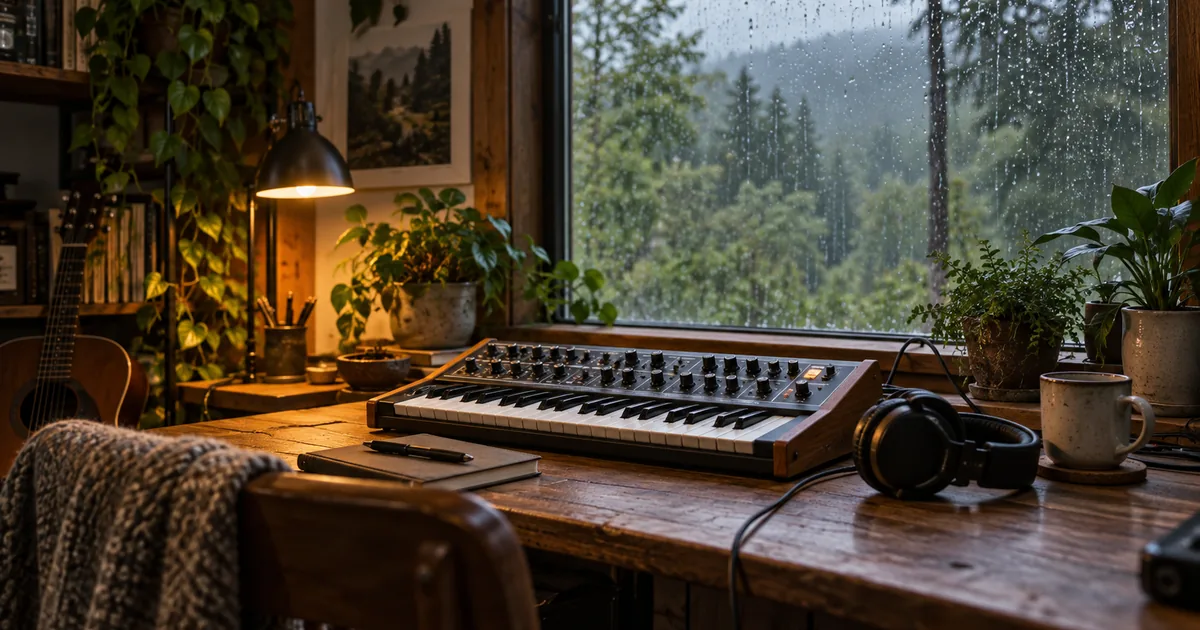
Our example is a fictional rain-window studio soundbed: warm sustained tones, sparse soft notes, and subtle movement without drums or vocals. The hero illustrates that atmosphere. It is not a recording setup used for a listening test, and this article does not claim a therapeutic or sleep benefit.
Choose a target length based on the actual placement and the selected tool’s capabilities. Do not ask for an hour-long seamless work if the generator produces short clips, then assume a repeated export solves the composition. Repetition and continuity need their own review.
Give each layer a purpose
Think in roles rather than a shopping list of instruments. One layer supplies continuity, another adds occasional detail, and a third may provide environmental character. Too many sustained layers can mask one another and make the piece feel dense even without a beat.
| Layer role | Example | What to watch |
|---|---|---|
| Foundation | Warm slowly changing pad | Static harsh tone or excessive low buildup |
| Detail | Sparse soft piano notes | Repeated bright attack that becomes distracting |
| Atmosphere | Restrained rain-like texture | Sudden loud events or obvious short loop |
| Movement | Slow change in tone or harmony | An unexpected drop, rise, or new section |
You can leave a role empty. A piece with two well-chosen layers may have more space than one with six. If the final use includes narration, reserve room for it from the beginning rather than filling every quiet moment.
Decide whether beatless really means beatless
Some prompts use “ambient” while also asking for a strong groove, punchy drums, and a catchy chorus. That may produce an enjoyable hybrid, but it is a different brief. If you want no obvious pulse, say so and remove competing rhythm instructions.
If you want a gentle pulse, describe its role and intensity. A soft repeating pattern can provide movement without a full drum arrangement. Avoid treating a BPM number as a substitute for feel, especially in material where no clear beat should be audible.
The AI lo-fi workflow is more appropriate when the beat is central. Here, the focus is texture, space, and how slowly the listener notices changes.
Write a restrained generation brief
Describe the sound palette, how layers enter, and what should remain absent. Keep the first attempt simple enough that you can identify the cause of a problem. If you request rain, birds, bells, piano, synths, strings, and waves together, a distracting event becomes harder to trace.
The ending and gradual entries are requests to assess, not guaranteed controls. Use supported duration or instrumental settings in the selected model when available. A generated artifact may still contain voice-like sounds, sharp transients, or an unexpected structure.
Listen once without multitasking
Play the entire draft at a comfortable, consistent level. Do not judge ambient material from the first few seconds. A layer may enter later, the same conspicuous phrase may repeat, or the ending may change the mood you approved at the start.
On the first pass, note the time whenever your attention is pulled toward a sound. Do not decide immediately that every event is bad. A standalone piece may need points of interest. The question is whether the event serves the listening job you defined.
On the second pass, label the cause: sharp attack, crowded texture, obvious repetition, sudden harmonic change, voice-like material, or an abrupt boundary. This turns “not calm enough” into a concrete production note.
Build an attention map
| Time or section | What attracted attention | Wanted? | One possible change |
|---|---|---|---|
| Opening | First piano note arrives sharply | Maybe not for a voice bed | Use a softer attack or another section |
| Middle | Pad grows much denser | Depends on intended arc | Reduce layers or choose a steadier draft |
| Later passage | Same distinctive phrase repeats | Distracting in a long bed | Vary arrangement or shorten use |
| Ending | Sound stops mid-tail | Usually needs finishing | Edit a coherent fade or ending |
Fill the sheet with your actual timestamps. The entries above are examples, not findings from a generated track. Keep the notes attached to a specific file version so you do not confuse an old problem with a new revision.
If you cannot hear a consistent problem on a second listen, avoid overcorrecting it. The purpose is a usable piece, not an endless search for a perfectly uneventful waveform.
Revise one cause, then check the whole piece again
If bright attacks keep interrupting the texture, remove that instrument or request softer entrances. If the low end becomes muddy, simplify the foundation or adjust it in your editor. If the composition adds an unwanted chorus, make the structure request more restrained and remove song-oriented language.
Do not simultaneously change tempo, instruments, harmony, duration, and atmosphere unless you are deliberately starting over. A controlled revision lets you learn which change helped. Save the earlier version so a new improvement does not hide a worse ending.
For a voice bed, audition the actual narration. A sound that feels gentle alone can compete with consonants. The music and voice mixing guide helps evaluate that use without turning the ambient draft into a different production.
Finish transitions and delivery separately
Use an audio editor to trim, fade, or join compatible material. Listen across every join with your eyes away from the timeline. A crossfade may hide an abrupt edge, but a sudden change in harmony or space can still reveal the edit.
Audacity’s basic audio editing guide explains working with clips and gaps. Keep those editing tasks separate from generation. If the piece must loop, compare the ending and beginning together and check whether the repeating cycle becomes obvious over several passes.
Keep a working master and label the final use, length, and version. If a loop is only for a private draft, say so in the project notes rather than confusing it with a finished release. Check the selected provider’s current terms for the intended publication.
How QuestStudio helps
Use Music Lab to generate the initial sound palette, then review it with the attention map. Keep the prompt, selected model, and accepted file together. Precise arrangement, crossfades, and long-form assembly belong in your audio editor.
If the piece needs a recognizable opening for a show, use the podcast intro workflow instead of adding a large motif to every ambient passage. Start with one short piece that passes its listening job, then extend the project deliberately.
Frequently asked questions
How do I make AI ambient music without drums?
Describe a beatless arrangement and remove competing requests for grooves, percussion, or a chorus. Use supported instrumental controls, then listen for unwanted rhythmic events.
Does ambient music need a BPM?
Not always. A clear pulse may benefit from tempo guidance, but beatless material is often better described through texture, spacing, and gradual change.
Can I loop one generated clip for a long video?
You can edit a loop, but check the join and repeated listening experience. A distinctive recurring event may become distracting even if the seam is smooth.
Does calm ambient music guarantee sleep or focus?
No. This workflow describes a musical mood and production process, not a medical or performance outcome.
Start with one version you can inspect. Draft a restrained ambient piece, then use the worksheet to decide what needs another pass.
Continue with a useful next step
 Music
MusicAdd Music to an Instagram Post, Carousel, or Reel
Learn how to add music to an Instagram post, separate native audio from premixed video, and check track availability, permissions, timing, and export files.
 Music
MusicAI Music Chord Progression Prompts: Write and Verify
Write AI music prompts with chord progressions, tempo and a clear arrangement. Learn what to verify by ear and when editable MIDI is the better starting point.
 Music
MusicAI Music Crossfades: Find the Dip Before You Export
Compare linear and equal-power music crossfades with original audio examples. Check correlation, timing and peak level before choosing a transition for an edit.