
A Halloween prompt can give you a beautiful costume and a face you barely recognize. It can also create three attractive images that look like three different parties. These seven original prompts solve a more useful job: make one strong Halloween portrait, then carry the same costume and lighting into a detail shot and an invitation background.
Download the planning worksheet · Build your Halloween portrait
Prepared September 18, 2026. Original planning examples; AI-generated hero illustration.
Start with a photo the costume can work around
Use a sharp portrait with both eyes visible and some room around the head and shoulders. A tight selfie gives the model little evidence for a dramatic full-body pose. If you want a head-and-shoulders result, keep that framing. If you need a standing costume image, start with a standing photo. Matching the source to the request reduces how much anatomy and clothing the generator has to invent.
Remove competing instructions before adding atmosphere. A face cannot be fully hidden by a mask and clearly recognizable at the same time. Likewise, thick fog across the eyes works against likeness. Put the spectacle around the person: a costume silhouette, an unusual room, or light on the wall. Keep the identifying features readable.
In an image editor that accepts uploads, attach your source and request an edit. Google documents this upload-and-edit workflow in its Gemini image help. The prompt ideas below are not tied to a particular model version, and wording alone cannot guarantee identity preservation.
Seven Halloween photo prompts to adapt
Adapt the setting and costume details before generating. Each prompt is a complete starting point. The review note gives you one specific reason to keep or reject the result, so you do not choose only by how dramatic it looks.
1. The midnight botanist
Review: the plants should look unusual without growing through the person's hair or coat. The brooch belongs on the fabric, not on the skin.
2. A lantern keeper at the coast
Review: the lantern's warm light should reach the nearby cheek and wall. An unrelated bright glow on the opposite side makes the scene harder to believe.
3. The haunted cinema usher
Review: check that the buttons do not multiply and the costume still looks like sewn clothing. Add a cinema name later if the project needs one.
4. A porcelain moon masquerade
Review: the mask should remain a separate object. Reject any version that turns the forehead into porcelain or replaces the eyes with costume details.
5. The pumpkin radio host
Review: a microphone can intersect the chin or duplicate into several stands. Keep one clear silhouette and enough space between equipment and face.
6. An autumn archivist
Review: glasses should retain their frame shape and transparent lenses. A convincing room does not compensate for losing an identifying feature.
7. A friendly ghost companion for a pet
Review: compare the markings around the eyes and muzzle with the source. Keep the decoration visually separate from the pet's body.
Turn the chosen look into three useful images
Pick one of the looks before expanding the set. For the midnight botanist, the fixed ingredients are olive velvet, copper, warm light from the left, and cool greenhouse glass. The companion images should repeat those ingredients, not introduce purple neon, a different coat, and a new room.
| Image | Its job | What stays consistent | What changes |
|---|---|---|---|
| Portrait | Show the person and costume | Face, coat, brooch, light | Nothing until approved |
| Detail | Show a tactile part of the theme | Copper brooch and olive velvet | Close crop without a face |
| Invitation background | Leave room for the event information | Greenhouse, silver plants, warm lamp | No person; quiet copy area |
Ask for the detail from the approved visual reference if your selected model supports it. For the invitation, describe a deliberately empty central panel between the plants. Add the date, location, and RSVP information yourself. That makes corrections simple and keeps invented lettering out of the final file.
Repair the layer that failed
If the face changed, restart from the original portrait with the chosen costume instruction. If the face is right but the brooch is wrong, try a local edit where supported and inspect the rest of the image afterward. If the whole scene is too dark, reduce background darkness or request a clearer face light before adding glow effects.
A good revision names the visible problem: “Keep the current face and costume; move the mist behind the shoulders so the eyes remain clear.” “Make it better” gives the model permission to redesign everything. Save the accepted version before experimenting with a stronger mood.
Check the crop before calling the set finished
Preview the portrait as a square and as a vertical post. A hat that just fits a tall canvas may disappear in a profile crop. Keep the image master separate from the delivery crop, and position the eyes and costume cue where both formats can retain them. For the invitation, test the actual text at phone size. If the lettering fights the plants, simplify the image instead of shrinking the words.
- The person or pet remains recognizable beside the original.
- Costume materials and small objects stay consistent across the set.
- The light has a believable source.
- The portrait works at the intended crop.
- Invitation details are typed and proofread, not trusted because they look legible.
How QuestStudio helps
Start with one source photo in Image Lab, choose an available image-editing workflow, and compare one restrained costume direction before making the other two images. Preserve the approved source and prompt. Use the editor for the final crop, then finish event typography in your layout tool.
For a couple's costume, the two-person editing guide adds the separate face checks that a single-person prompt cannot cover. Complete one portrait today; expand only the look that passes.
Sources and example notes
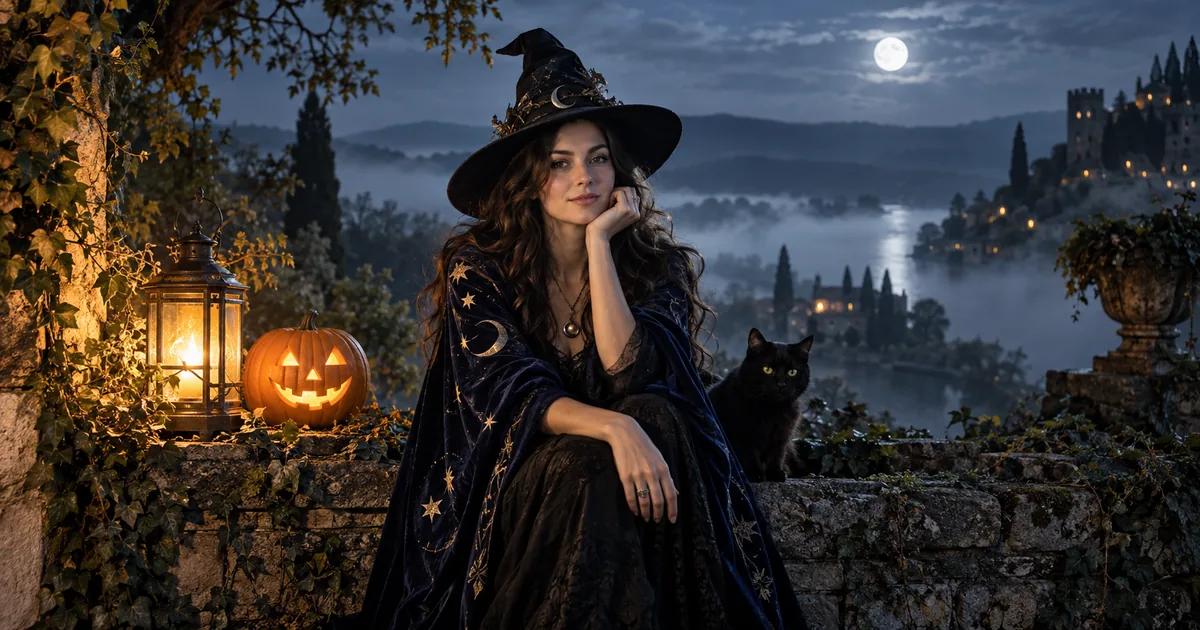
Google's Halloween image article from October 2025 documents the broader seasonal use case. These seven prompts and the three-shot plan are original editorial examples prepared September 18, 2026. The hero illustrates a fictional costume scene; it is not a before-and-after identity test.
Frequently asked questions
What should an AI Halloween photo prompt include?
Name the source person or pet, the costume materials, one setting, a clear light source, and the framing. State which identifying features and pose should remain, then compare the result with the original.
Can I use these prompts in Gemini or ChatGPT?
Use an image-editing workflow that accepts your source photo, then adapt the plain-language instructions. Model availability and controls differ; no prompt guarantees a perfect likeness.
Why does the face change under Halloween makeup?
Heavy makeup, shadows, masks, and a new pose remove or alter the visual evidence used to recognize the person. Reduce those changes and retry from the original image.
How do I make matching Halloween photos?
Approve one portrait, then repeat its costume materials, accent colors, and lighting in the companion shots. Change the shot purpose without changing the entire visual direction.
Should the AI generate the party invitation text?
For dependable event details, generate a background with clear space and add the wording in a layout editor. Proofread the date, location, and RSVP information at the final viewing size.