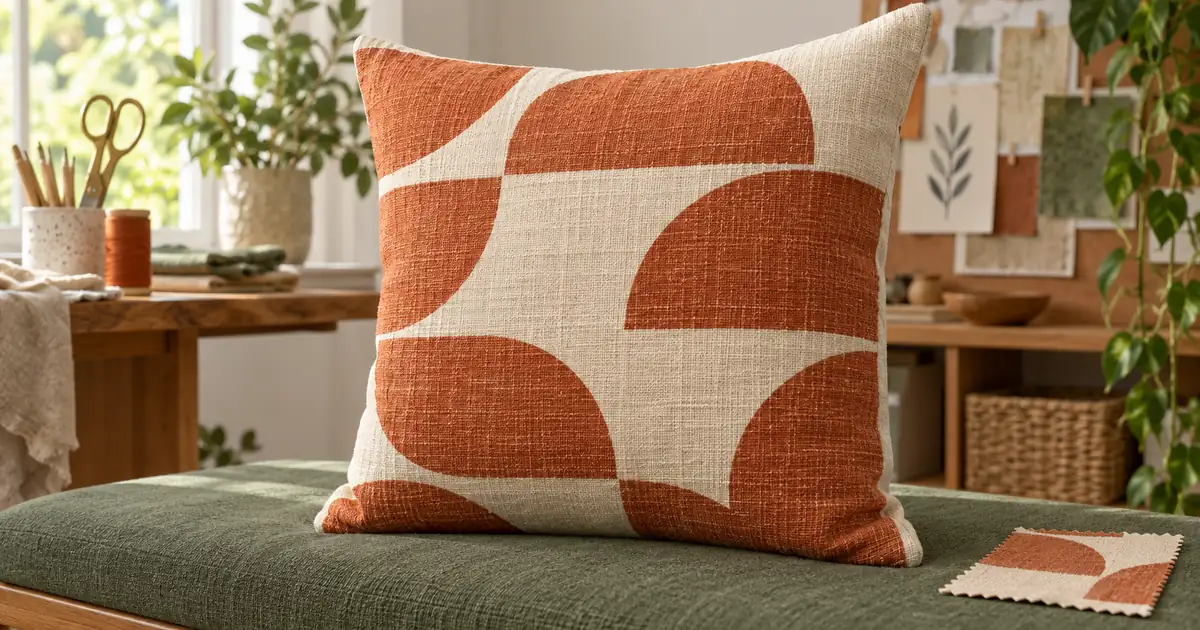

A pillow mockup can show an attractive fabric while leaving the important product decisions unresolved. How large is each motif? Is the back printed? Does the design continue around a seam, or do two separate panels meet there? Decide those facts before asking AI to place the pillow in a room.
This guide starts with an original nine-arch design and builds a front-and-back presentation. The exercise separates the flat panel plan from the soft, photographed appearance. A generated pillow can suggest a finished look, but it cannot verify the supplier's cutting, sewing, or print alignment.
Download the pillow panel worksheet and download the original nine-arch artwork. Use your actual product template for manufacturing.
Define the pillow before the pattern
Record the product's finished dimensions, cover material, closure, edge treatment, and whether an insert is included. A square zippered cover with no piping is a different item from a filled cushion with a flanged edge. A generated tassel or decorative seam can accidentally promise a feature the buyer will not receive.
Identify the two faces explicitly. The front may carry the main pattern while the back is plain, or both sides may have different artwork. Write “plain cream back” if that is the actual decision. Leaving the back unspecified invites the generator or editor to improvise it.
Keep the supplier's panel template and the design master together. Printful's all-over-print guidance describes printing fabric before cutting and sewing panels. That makes the flat production layout important even when the marketing image shows only a rounded, stuffed pillow.
Do not read manufacturing dimensions from an AI room scene. Decorative furniture and perspective can make a small pillow look large. Verify dimensions against the actual product, then use the mockup to communicate the selected version.
Choose physical pattern scale deliberately
“Small rust arches” is a style instruction, not a measurable repeat. Decide how many motifs should be visible across the planned face and how large each one should be. Record those values before creating room scenes.
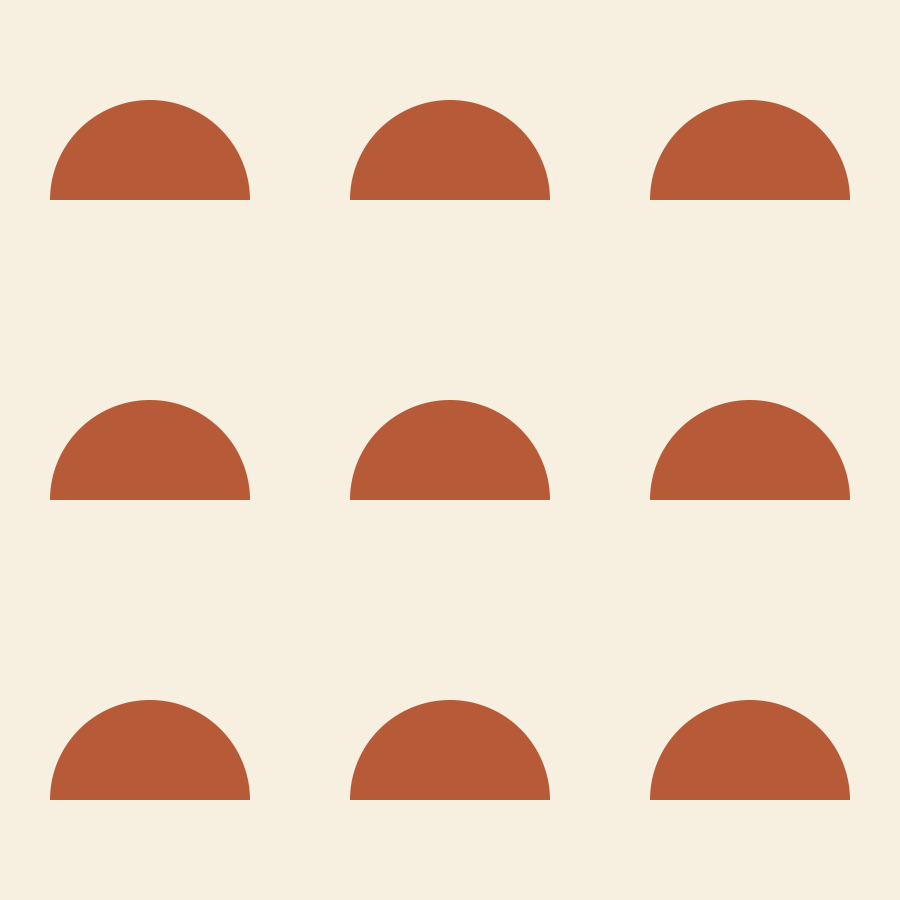
Our original flat artwork is a 900 × 900 unit square with three rows of three arches. Each arch is 200 units wide. In a hypothetical flat 45-centimeter-wide visible design area, each arch would span 200 ÷ 900 × 45 = 10 centimeters. Each 300-unit cell would occupy 15 centimeters.
This calculation describes an undistorted flat design area. A stuffed pillow curves, and some fabric turns toward the seam. The visible front in a photograph will not necessarily expose that whole area. The exercise values are not a claim about the dimensions of the generated pillow below.
If you make the pattern smaller, more motifs enter the same physical area. If you enlarge it, fewer remain visible. Resizing only the exported photograph does neither. Keep pattern scale in the artwork and presentation crop as separate decisions.
Inspect the front and back together
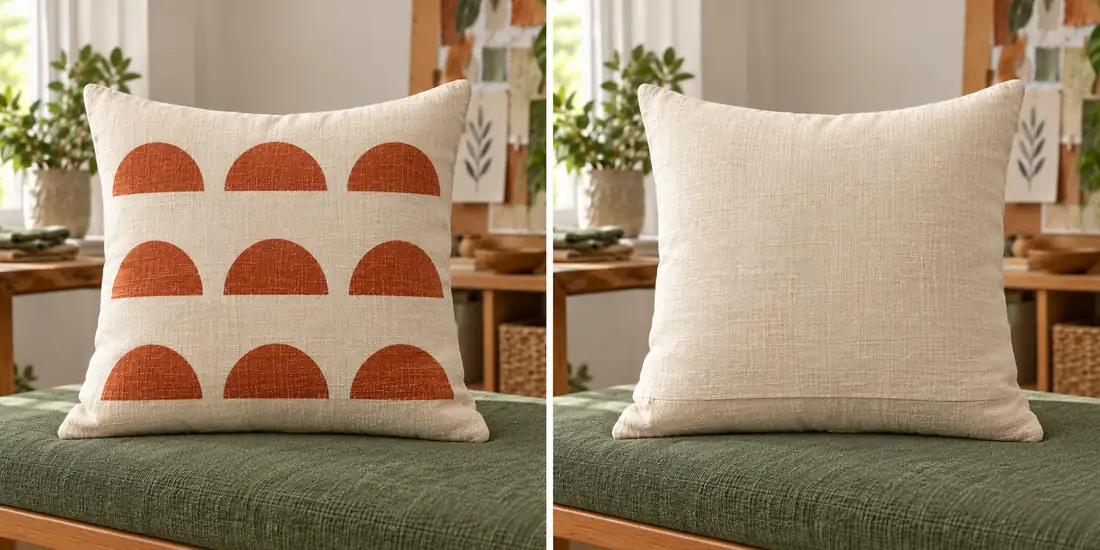
The front visibly contains three rows of three arches, and the back contains no added motif. That makes the pair useful for checking which faces are printed. It also reveals the limit of the exercise: the arches are rendered through fabric texture and curvature, so the image is not an exact copy of the flat artwork.
The back has a visible lower seam-like line, but no clearly inspectable zipper construction. Do not label that picture “verified concealed zipper” or infer a particular closure from it. Use an actual detail photograph when the closure is part of the buying decision.
Use the pillow reference for shape and material, and the separate nine-arch artwork for the front design. Make a two-view concept: front with exactly three rows of three rust arches, back in plain cream with no print. Keep the same pillow proportions and setting in both views. No tassels, piping, labels, words, extra motifs, or invented product features.
A prompt can request consistency, but the review must still check it. Compare corner shape, fabric color, and edge treatment between views. A second image that quietly changes the pillow construction belongs in the reject pile even if it looks polished.
Plan the panels and seams separately
Open the supplier template and identify the intended front, back, safe area, and bleed. Keep important motifs away from areas that may disappear into seams. Extend the background as required by the template without assuming the finished edge equals the outer file boundary.
Printify's safe-area and bleed guidance distinguishes the region for important content from the extra background needed around it. Use the product's actual template rather than inventing a universal seam allowance from a mockup.
A centered motif on each face does not require front-to-back seam matching. A stripe that is meant to continue around the pillow does. Specify which result the product actually supports. Matching lines across separately cut and sewn panels may depend on the provider and process; ask for a sample instead of making a guarantee in the listing.
| Panel decision | Our exercise | Production check |
|---|---|---|
| Front | Nine rust arches on cream | Approved artwork and physical motif scale |
| Back | Plain cream | Correct back file or provider option |
| Edge | No added piping or tassels | Actual product construction |
| Closure | Not demonstrated in the illustration | Real detail photograph and supplier specification |
| Seam matching | No continuous stripe promised | Sample review if continuity is required |
Keep tile testing separate from pillow approval
A seamless tile and a successful pillow panel are related but different deliverables. A tile can repeat perfectly while placing an awkward half-motif at the pillow edge. A single panel can look balanced even when its underlying tile would produce obvious lines over a larger surface.
Use the seamless pattern workflow to inspect repeat boundaries and surface rhythm. Then return to the pillow template to decide placement, scale, and front/back treatment. Do not rerun a full pattern-generation process every time you need a new room photograph.
Keep the flat panel proof visible during mockup review. Count motifs, compare orientation, and inspect the spacing near all four edges. If the model invents an extra partial arch, decide whether the actual panel would contain it. Accepting it merely because it looks natural can make the advertised pattern different from the delivered one.
Review a sample before making a set
Prepare one complete product first: front artwork, back decision, panel files, mockup, and a physical sample when the item will be manufactured. Check the sample's pattern scale with a ruler, its color under ordinary light, and its actual seam and closure details.
Photograph the approved sample from the front, back, and a useful edge angle. These references give future room scenes something concrete to preserve. A fabric close-up is also useful if texture is important, because a generated weave can suggest a different material.
Only then extend the design to another size or color. A larger cover using the same physical repeat shows more motifs; a proportionally enlarged panel makes the motifs larger. Choose deliberately and record the change so the gallery matches the selected variant.
The product scale guide explains how to keep size comparisons understandable. The photo approval checklist provides a final check against the actual product before the images enter a listing.
Deliver the artwork master, separate panel files, supplier template reference, reviewed mockup, and sample notes. Keep the nine-arch teaching file separate from production exports. A future editor should know which file is a creative source and which one was actually approved for printing.
Frequently asked questions
Does the generated pillow prove that the pattern will print correctly?
No. It shows a visual concept. Check the actual panel files, product template, physical pattern scale, and sample before treating the design as ready for manufacturing.
Should the front and back use the same pattern?
Only if that is the intended product. Record each face separately. A plain back is a valid choice, but the mockup and selected provider options must reflect it.
Can a seamless pattern still look wrong on a pillow?
Yes. Repeat boundaries may be correct while the panel crop puts important motifs into seams or uses the wrong physical scale. Review the tile and the product panel separately.
Can I promise that stripes will match across every seam?
Only after confirming what the actual production process supports and reviewing the result. A generated scene cannot verify cutting and sewing alignment.
What does the nine-arch example demonstrate?
It demonstrates motif-count review and an explicit front/back design choice. The flat artwork is independently inspectable, while the generated pillow remains an illustrative presentation rather than a calibrated physical sample.
Explore one pillow presentation
Use Image Lab to test a scene or pattern concept. Confirm the actual panel files, seams, and physical sample separately before production.
Hero: AI-generated editorial illustration. Original teaching materials and documented feature research, checked October 30, 2026. Examples are labeled where synthetic or hypothetical.