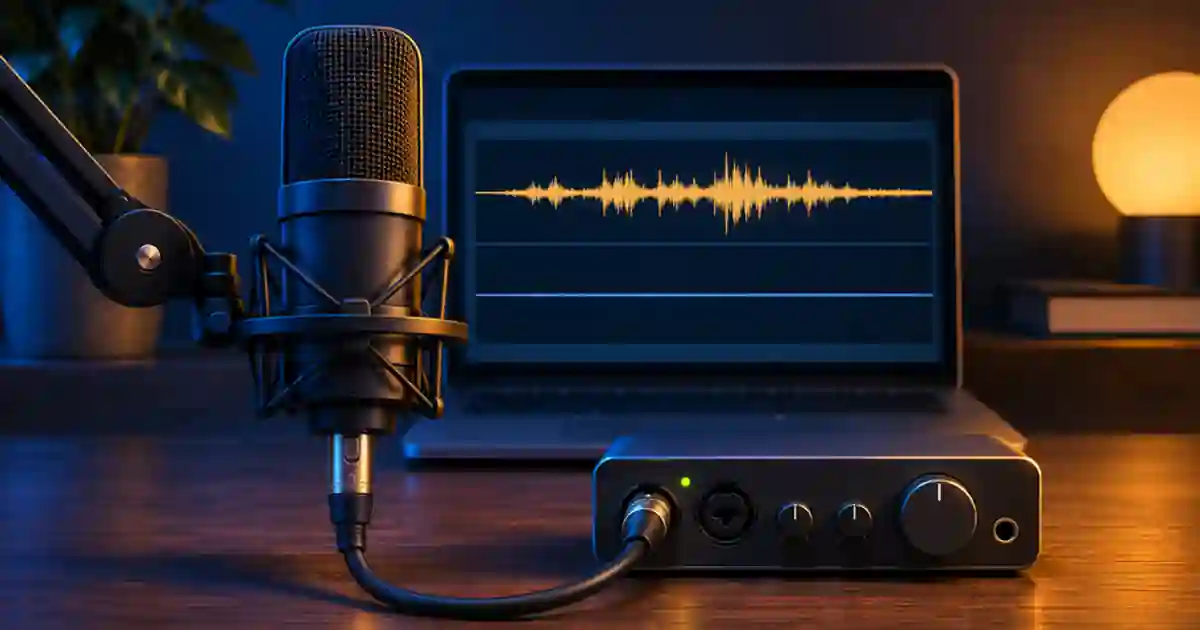

If one microphone plays only on the left or right, I recommend checking whether the app recorded one physical input as half of a stereo pair. A single spoken voice usually belongs on a centered mono track. Pick the channel that actually contains the mic, route it deliberately, and record a short proof before changing the cable or hardware.
My gear pick for this setup
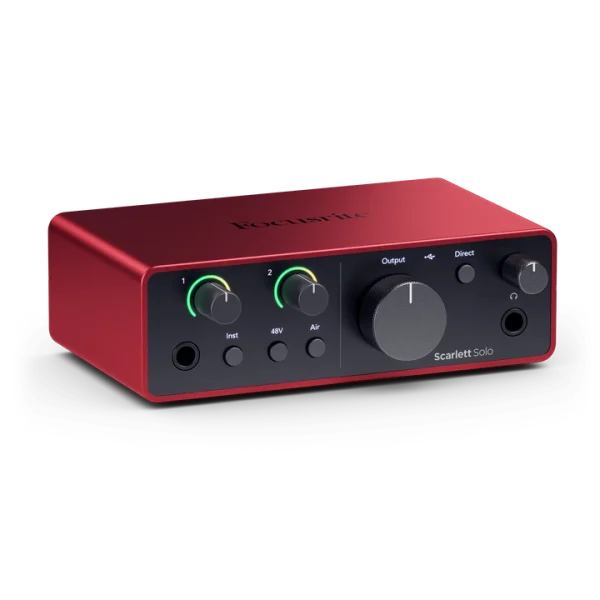
Focusrite Scarlett Solo, 4th generation
A straightforward interface for one compatible XLR mic
I’d use the Scarlett Solo for a single XLR voice source. Check how your app maps the Solo’s input channels and select the mic input when creating the mono track.
Find the channel that contains the voice
Open a short unprocessed recording and look at both channel waveforms. Speak into the mic again if you need to make a clear sample. One active channel and one flat channel usually means the file or app is handling a pair while only one input is active. Which side contains the voice depends on how the interface exposes its inputs and which jack you used. Some devices label the mic as a second input, so always check the meter or waveform.
If both waveforms have the voice and the track pan is centered, listen to a known-good file with both channels. Check the headphone plug, adapter, balance control and output routing. I do this before editing the recording because a broken connection can make every file sound one-sided. If the problem only affects the new take, keep a copy of the original and inspect its input and channel interpretation.
Choose a mono input for the next take
In an editor or recorder that supports per-input routing, choose a mono track and select the microphone’s input number. Keep the track panned center. A centered mono signal should normally play through both sides of the stereo monitoring path. A stereo track can still be useful when you intentionally record two separate channels, such as two independent speakers or a stereo source. Preserve those channels when you need to edit them separately.
Some apps accept an interface only as an input pair and offer a downmix or channel mapping control. In OBS, examine the source’s audio properties and use a supported mono setting when the source contains one mic. Check the levels after combining channels. If another real source occupies the second channel, select the intended mic channel in the editor or route the inputs separately instead of combining them by default.
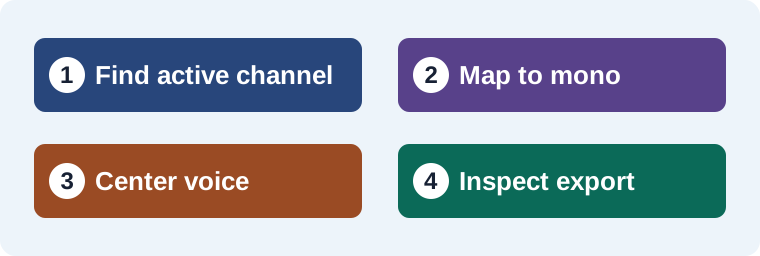
Repair the recording you already have
On a copy of the project, interpret the active channel as a mono clip or extract that channel to a mono track. Center its pan and mute the original while comparing. If the app only offers a channel fill option, choose the side that contains the voice and check the result. The exact labels vary by editor. A meter showing the same voice in both outputs after routing is a helpful check. Listen to confirm the change sounds natural and the level still fits the mix.
A common shortcut is to duplicate the clip or change the pan. Duplicating without understanding the route can raise the level or leave the original problem. Panning the stereo pair may simply attenuate one side rather than extract the channel. I want one clean voice source, named and centered. Keep the unmodified file so you can recover the other channel if it contains a useful cue.
Test a sentence and one useful pause
| Observation | What I test |
|---|---|
| Only one waveform contains speech | Extract or assign that input as mono. |
| Both waveforms have speech but one headphone is quiet | Check the playback connection and balance. |
| Two independent voices occupy the two sides | Split them into separate mono tracks. |
| Preview centered, export one-sided | Check the master and exported channel map. |
Export ten seconds and play it on headphones and a speaker. I check the first word, the quiet pause, and the last word. Then inspect the exported channels in the editor if the delivery requires stereo. The Scarlett Solo workflow helps identify the input. The mono mix guide covers a separate check on how the final music and speech combine.
Keep a clean source for a replacement line
If you use Voice Lab for authorized replacement narration, keep the centered reference beside the new line. Compare the word timing and level in the actual edit. A correct channel assignment makes the comparison easier to hear, and the original clip remains available if another editor needs to revisit it.
Check the export after the repair
Export only the repaired sentence and listen on headphones with the editor closed. A centered voice should stay centered when you switch to a different playback app. If it shifts again, inspect the export channel layout and any stereo effects on the master bus. Check the two channels separately if the visual meters disagree with what you hear. Keep the original recording and write down which source channel you used so a teammate can reproduce the repair.
Map one actual channel without changing the original
Suppose the original stereo clip shows a strong waveform on the right and no speech on the left. I would leave the file intact and map the right source channel to a centered mono track in a duplicate project. Solo it and compare the beginning and end of one sentence. Then add the music bed back and verify that the voice still sits in the center. Export a short section and reopen it before making the same change to the full take. If the source uses the other input on a later project, repeat the channel check rather than reusing the mapping blindly. Write the interface input and its recorded channel in the worksheet so a second editor can understand the decision.
Download the voice routing troubleshooting worksheet (CSV)
Frequently asked questions
Can a mono voice play in both earbuds?
Yes. A centered mono track is commonly sent to both sides of a stereo playback path.
Should I combine the two recorded channels?
For one mic with one occupied channel, route that channel as mono. Keep distinct channels separate if they contain different sources.
What if the mic signal is on the right instead of the left?
Select the channel that actually contains speech. Input order depends on the interface and recording app.
Why does a panning control fail to fix the recording?
A stereo balance control may change levels without extracting the active input. Check channel mapping or create a mono track.
Sources and further reading
Affiliate disclosure
As an Amazon Associate I earn from qualifying purchases.
Continue with a useful next step
 Voice
Audio Interfaces for Voiceover: Is Scarlett Solo Enough?
Choose an audio interface for one XLR voiceover microphone. Review Scarlett Solo input limits, direct monitoring and setup, then test a clean mono recording.
 Voice
How to Check a Voiceover and Music Mix in Mono
Check a voiceover and music mix in mono to catch masked words, vanishing effects and stereo phase issues. Compare the same phrase at a matched level.
 Creator Workflows
OBS Separate Audio Tracks for Mic and Desktop Sound
Set up separate mic and desktop audio tracks in OBS. Keep a combined preview mix, test the isolated tracks and fix missing or doubled audio before editing.