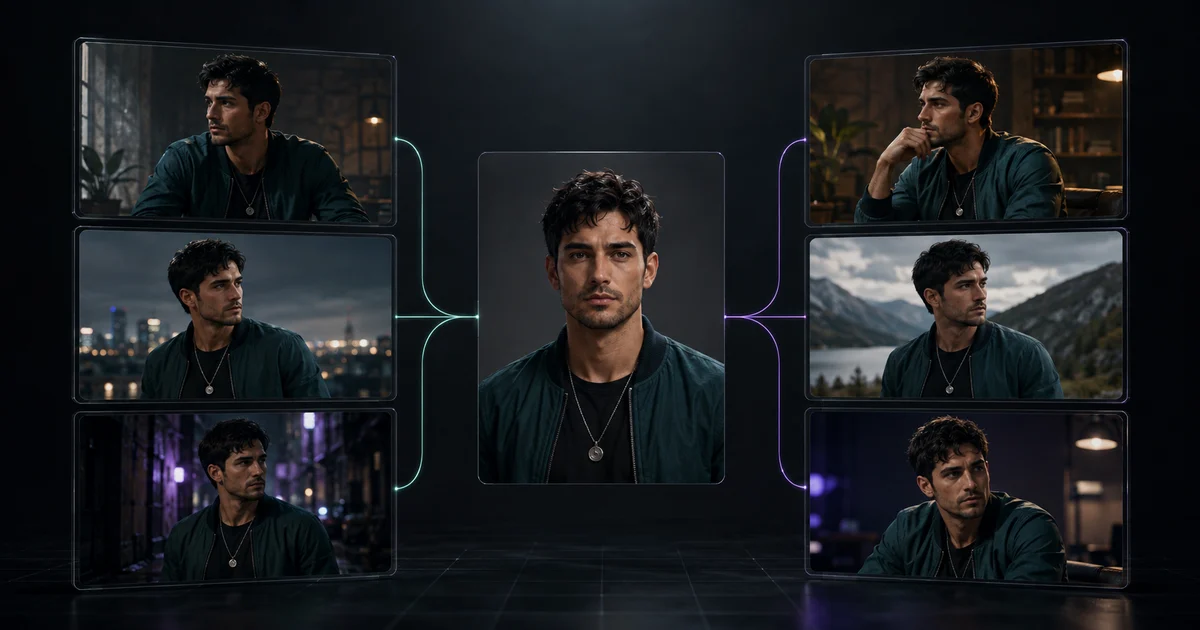

Grok Imagine Image 2.0 and FLUX.2 Pro can both support a recurring character, but they expose different kinds of control. Grok’s current image model emphasizes generation, editing, templates, and preserving supplied material across iterations. FLUX.2 Pro emphasizes multi-reference editing, where separate images can control identity, pose, wardrobe, style, or layout.
That difference matters more than a generic quality score. A model may preserve the face in six close portraits and still fail when the character turns sideways, holds a prop, appears full-body, or enters a different lighting environment. Character consistency is a set-level result, not a flattering single image.
Quick answer
Choose Grok Imagine Image 2.0 when you want an iterative generate-and-edit workflow that can continue into Grok’s wider Imagine environment. Choose FLUX.2 Pro when explicit multi-reference roles and still-image art direction matter. Do not declare a winner until the same character passes profile, expression, full-body, new-scene, and prop-interaction tests.
What the official capabilities actually establish
xAI’s Imagine Image 2.0 announcement says the model is built for image generation and editing, follows detailed instructions, and preserves supplied material across generations and edits. Its examples include a world built image by image: a recurring character, locations, and props holding one visual style. That is relevant evidence for a character workflow, but it is not proof that every face will survive every scene.
Black Forest Labs documents FLUX.2 as a text-to-image and multi-reference editing family. The API supports up to eight references for the documented Pro workflow, while the playground can expose up to ten. Its pose and layout guidance recommends assigning identity and pose to separate sources when both must remain controlled.
These are capability claims from the model makers. They tell you which test is possible. Only your outputs can tell you which workflow is reliable for your character, style, destination, and retry budget.
Grok Imagine Image 2.0 vs FLUX.2 Pro at a glance
| Decision | Grok Imagine Image 2.0 | FLUX.2 Pro |
|---|---|---|
| Primary workflow | Generate and edit inside the Imagine product or API | Generate or edit with explicit multi-reference inputs |
| Character control | Preserve supplied material through iterative generations and edits | Assign identity, pose, wardrobe, style, and scene to named references |
| Reference strategy | Begin with a strong anchor, then continue or edit deliberately | Use the smallest set of references, each with one documented job |
| Best comparison unit | A six-image set with the same character ledger, scenes, size, and retry limit | |
| QuestStudio availability | Not currently exposed | Available in Image Lab |
Define the character before comparing models
Use an original fictional character or a person whose likeness you are authorized to generate. Approve one neutral anchor with a visible face, clean lighting, and enough resolution to inspect. Then write a short character ledger that separates identity from styling:
- Identity: face shape, eye color, eyebrow form, nose, mouth, age range, skin tone, and distinctive marks.
- Proportions: height impression, build, shoulder width, and head-to-body relationship.
- Persistent design: hairstyle, signature garment, color palette, and one small accessory.
- Variable scene facts: pose, expression, camera, setting, lighting, and action.
Do not bury the ledger inside cinematic adjectives. The face and persistent design are the locked facts. The scene is allowed to change. The AI character turnaround-sheet workflow helps expose profile and proportion problems before a full campaign depends on them.
Run the same six-image consistency test
- Neutral anchor: repeat the approved chest-up portrait with the same expression and lighting. This reveals immediate identity drift.
- Three-quarter profile: turn the face and change the camera without changing wardrobe. Check jaw, nose, ear, hairline, and eye spacing.
- Expression change: request a clear laugh or concern while holding camera and clothing stable. Check whether emotion redesigns the face.
- Full-body pose: move to a standing or walking view. Review height impression, limb proportions, hands, footwear, and garment construction.
- New scene and light: place the character outdoors at dusk. Check skin tone, hair, clothing colors, and whether the model confuses mood with identity.
- Prop interaction: ask the character to hold one simple object. Review hands, contact, object scale, gaze, and whether the prop changes the outfit or face.
Keep the aspect ratio, output size, retry cap, and acceptance criteria equal. If one interface does not expose an equivalent setting, record the difference instead of quietly compensating for it. Generate up to four attempts per scene and score the first accepted result. A lucky seventh retry is not the same production cost as a first-pass success.
Use prompts that separate locked facts from the change
For an iterative Grok Imagine test, keep the request narrow:
For FLUX.2 Pro, name every source role. Black Forest Labs’ prompting guide recommends clear reference roles and positive language:
Do not stack an identity reference, wardrobe reference, pose reference, lighting reference, style reference, and layout reference into the first run. Add a reference only after the baseline reveals a problem that reference can solve.
Score the set, not your favorite frame
| Criterion | Pass condition | Common hidden failure |
|---|---|---|
| Identity | The same person or fictional character remains recognizable | Eye spacing, jaw, nose, age, or skin tone changes |
| Proportions | Head, torso, and limbs retain the approved relationship | Close portraits pass while full-body images redesign the build |
| Persistent design | Hair, signature garment, colors, and accessory stay stable | Garment seams, pendant, or color shifts between scenes |
| Scene compliance | The requested pose, expression, light, and prop are correct | Identity survives only because the requested change was ignored |
| Production cost | Accepted set fits the retry and review budget | Low unit price hides repeated rerolls and cleanup |
Use a strict pass, repair, or reject label. Repair is appropriate for a removable background artifact or minor edge problem. Reject an image when the face, proportions, garment facts, prop contact, or intended action is wrong. Calculate cost per accepted six-image set, including operator review, not only model price per output.
Diagnose the failure before adding more prompt
Face changes with expression
Reduce the expression, restate the identity anchor, and hold camera and light stable for the next test.
Body changes in wide shots
Add a clean full-body identity reference or turnaround view before adding cinematic motion.
Wardrobe mutates
Describe construction and materials, then give the garment reference one explicit role.
Pose is ignored
Use a clear unobstructed pose source and name the limbs, stance, head angle, and gaze to preserve.
Change one variable per round. If you alter the identity description, pose reference, style, wardrobe, scene, and seed together, you will not know what fixed or broke the output. Save the prompt, references, model version, settings, result, and rejection reason beside every attempt.
Move into video only after the still set passes
A stable portrait is not a stable moving character. Once the six-image set passes, choose one approved frame and animate a simple action: a head turn, two walking steps, or one prop interaction. Review the face at normal speed and frame by frame. Check hair edges, teeth, hands, garment seams, contact, background motion, and the first and last frames.
Build longer scenes from approved short shots. The consistent-character image-to-video guide explains the handoff. Do not assume that the image model’s consistency transfers automatically to a separate video model.
Where QuestStudio fits
QuestStudio currently exposes FLUX.2 Pro in Image Lab, not Grok Imagine Image 2.0. The practical handoff here is therefore a FLUX test, not a claim that both models are available inside QuestStudio.
Open FLUX.2 Pro in Image Lab with one authorized identity anchor. Run the neutral image first, save it, and change only one scene variable. Keep the first accepted set and its rejection notes before deciding whether a paid workflow is justified.
Rights, disclosure, and identity boundaries
Use original characters, your own likeness, licensed material, or documented client permission. A public profile photo is not permission to build a reusable synthetic identity. Do not generate a real person endorsing a product, appearing in a sensitive situation, or performing an action they did not approve.
Store the source and permission record with the character ledger. Review commercial-use terms, privacy rules, model availability, watermarks, and disclosure requirements for the platform and destination. Those operational facts can change faster than a tutorial.
Grok Imagine vs FLUX character consistency FAQ
Is Grok Imagine or FLUX better for character consistency?
Neither is a universal winner. Grok Imagine Image 2.0 fits iterative creation and editing inside its Imagine workflow, while FLUX.2 Pro offers explicit multi-reference roles for identity, pose, wardrobe, and style. Test both with the same six-image brief when the decision matters.
How do I test AI character consistency fairly?
Use the same authorized identity anchor, character ledger, six scene briefs, aspect ratio, output size, and retry limit. Score identity, proportions, wardrobe, style, prompt compliance, artifacts, and accepted-image cost before choosing.
How many reference images should I use with FLUX.2 Pro?
Start with the smallest reference set that controls the required facts. One identity anchor may be enough for a baseline; add a separate pose, wardrobe, or style reference only when it has one clear job.
Can a consistent character image go directly into AI video?
Yes, but approve the still-image identity first. Then animate one simple action and review the face, hair, clothing, hands, proportions, background, and first and last frames before attempting a longer sequence.
Can I test Grok Imagine Image 2.0 in QuestStudio?
Not currently. QuestStudio exposes FLUX.2 Pro in Image Lab, not Grok Imagine Image 2.0. The tracked QuestStudio handoff on this page starts a FLUX.2 Pro test rather than implying Grok access.
Related QuestStudio guides
Continue with a useful next step
 Image
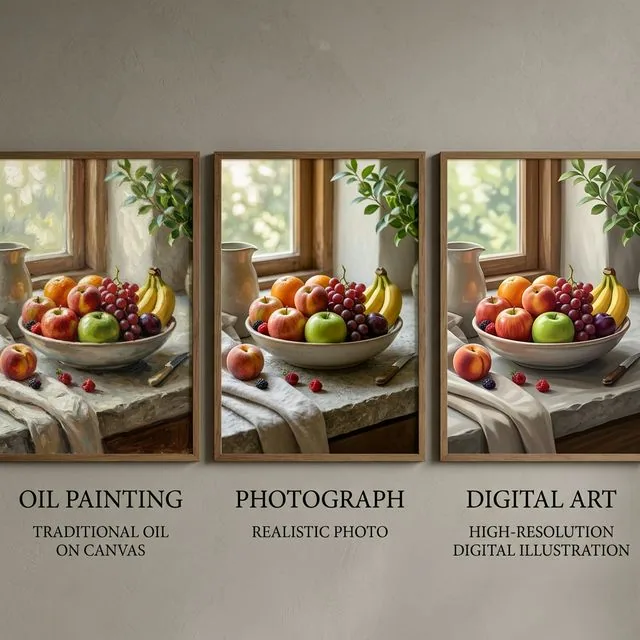
ImageFlux vs Midjourney vs ChatGPT Image Model: Which One Is Best for Style, Realism, and Consistency?
Compare Flux, Midjourney, and the ChatGPT image model for realism, style control, text rendering, editing, and consistency across creative workflows.
 Image
ImageMidjourney Style Reference: Keep a Series Consistent in V8.2
Build a consistent image series with Midjourney style references, separate style from identity, and record version and weight settings for repeatable reviews.
 Image
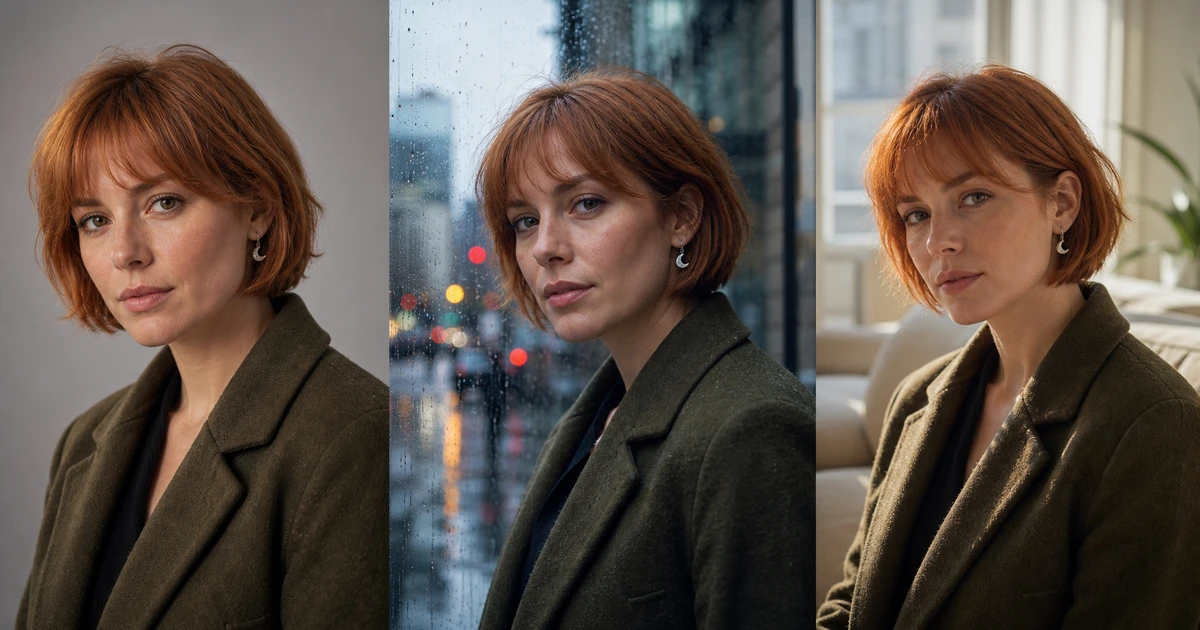
ImageSeedream 4 Reference Workflow: Edit Without Identity Drift
Use Seedream 4 reference images with explicit preserve and change instructions, controlled edit budgets, source authorization, and identity-focused QA.