

Give Grok an approved fact sheet before asking for marketing copy. Then request channel-specific drafts, inspect every claim and revise the wording without changing the offer. A confident brand voice cannot compensate for a price, certification or shipping promise that the business never approved.
This prompt pack uses one fictional coffee product across captions, email and an ad brief. The continuity is deliberate: you should be able to trace each version back to the same facts. The examples are authored demonstrations, not recorded Grok outputs, a live campaign or evidence of conversion lift.
xAI's marketing copy use case describes brand inputs, channel-specific drafting and iterative variants. Treat that as a description of the intended workflow. You still need to check sources, tone and the final creative yourself.
The approved facts for our fictional coffee offer
Download the approved coffee facts. Cedar Studio is a fictional name in this exercise. Its approved offer is whole-bean coffee, a 250 g bag, medium roast and a price of $16 per bag. The approved call to action is “View roast notes.”
Origin, certification, discounts, shipping speed, health benefits and stock availability are unknown. Do not turn an unknown into a negative claim either. “No certifications” is not equivalent to “certification not supplied.” The correct action is to leave it out or ask the business.
| Input type | Approved for this exercise | Review implication |
|---|---|---|
| Product | Whole-bean coffee, 250 g, medium roast | Keep the form, weight and roast consistent |
| Price | $16 per bag | Do not add a sale, bundle or subscription price |
| CTA | View roast notes | Keep the destination promise aligned |
| Tone | Calm, clear and welcoming | Avoid hype and unsupported superiority |
| Unknowns | Origin, certification, delivery, benefits and stock | Ask or omit; do not infer |
Prompt one: establish facts and missing information
Use the attached Cedar Studio facts as the only source for commercial claims.
Before drafting, return two lists: approved facts and missing information.
Keep tone preferences separate from facts.
Do not invent origin, certification, discounts, shipping speed, health benefits or stock urgency.
If a requested claim is unsupported, identify it and offer a version that stays within the facts.
Check the two lists before requesting variants. If Grok imports a fact from an earlier conversation or a similar real brand, remove it. A reusable setup should include the current campaign facts each time rather than assuming the model remembers which price was approved.
For confidential campaigns, review the account's data and file-sharing settings before uploading material. The exercise itself uses only fictional facts. You do not need customer lists or private financial data to practice this workflow.
Prompt two: three captions with genuinely different openings
Write three short social captions from the approved facts.
Audience: people browsing whole-bean coffee for home brewing.
Tone: calm, clear and welcoming.
Use different openings: product first, routine first and question first.
Include the approved CTA, View roast notes.
Do not invent flavor notes or an offer. After each caption, list the factual claims it contains.
An acceptable authored product-first version is: “Meet Cedar Studio whole-bean coffee. A 250 g bag, medium roast, $16. View roast notes.” A routine-first version could begin, “Planning your next coffee restock?” and retain the same approved details. Neither version needs a made-up tasting note.
The claim list makes review easier. It should point back to the product, weight, roast and price in the source sheet. If a variant says “freshly roasted every morning,” the words have introduced a production claim that was never supplied.
Prompt three: an email with one clear next step
Draft a concise product email using the same approved facts.
Return a subject line, preview text, body and one CTA.
The subject must not imply a discount or deadline.
Use View roast notes as the CTA.
Do not add shipping, origin, certification or scarcity claims.
End with a separate reviewer note listing any fact you still need.
Keep the subject and preview consistent with the body. A factual body does not repair a misleading “Last chance for 30% off” subject. Check every place the customer will see, including the button label, preheader and image text.
An authored subject such as “A medium roast for your next restock” stays close to the brief. The body can state the bag size and price, then lead to roast notes. If actual tasting notes are important, obtain approved notes rather than allowing the draft to supply them from a generic coffee description.
Prompt four: turn the accepted copy into a visual brief
Create a supporting visual brief for the accepted Cedar Studio copy.
Keep factual copy separate from visual direction.
Describe one complete coffee bag, a restrained surface and a clear area for later text.
Return product-preservation checks, proposed composition, permitted copy and unknowns.
Do not add certification seals, awards, origin maps or sale stickers.
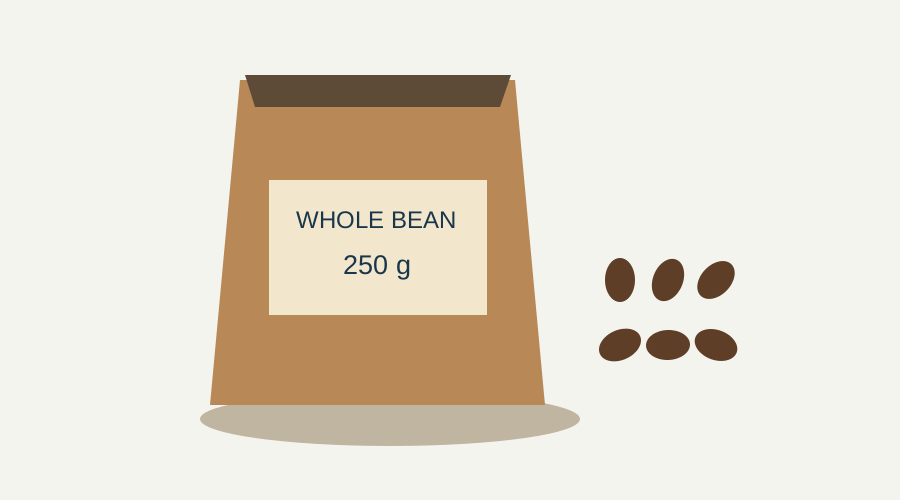
The bag illustration above is a practice reference, not proof of a real package design. For a live product, provide an approved pack photograph and check label accuracy. A visual model may distort lettering or add decorative seals, so inspect the actual output before using it commercially.
Continue with the approved direction in Image Lab or build a short sequence through the product-ad workflow. These are production handoffs after copy review. Check the available controls and cost before generating an asset.
Prompt five: repair unsupported claims without changing everything
Here is a deliberately failing authored draft: “Certified organic coffee, delivered overnight. Save 30% today.” Certification, overnight delivery and the discount are all unsupported. A warmer tone would not solve any of those failures.
Review this draft against the approved facts.
List each unsupported claim separately.
Replace only the unsupported parts; preserve any correct product information.
Do not substitute another invented benefit or offer.
Return the revised draft and a short change list.
A valid repair could be: “Cedar Studio whole-bean coffee. Medium roast, 250 g, $16 per bag. View roast notes.” It removes the unsupported offer without inventing a new one. Download the copy review examples to compare the passing and failing drafts.
Approve the complete customer-facing package
Read the caption, image, email and landing page together. The approved $16 price must match the destination. If the product page has changed, update the source sheet and revise the package before scheduling anything. Do not let a previously approved draft override a newer offer.
Keep a reviewer and approval date with the final copy. If there are several collaborators, decide who can approve product facts and who can approve style. That prevents a style revision from accidentally changing the commercial terms.
The Grok research guide covers checking outside sources for a factual video. This pack instead uses owner-approved business facts. The portable creative brief guide shows how to retain rules, references and failure tests for repeated campaigns.
After publication, measure actual campaign outcomes in your own analytics. Different openings are test candidates, not proven winners. Keep factual approval separate from performance testing: an inaccurate offer should never be selected merely because it attracts clicks.
Frequently asked questions
What should I give Grok before asking for marketing copy?
Provide approved product facts, the current offer, audience, tone and CTA. Mark missing information explicitly and identify which source controls factual claims.
Can Grok invent tasting notes or certifications?
A draft may add unsupported details, so check it against the source. In this exercise, flavor notes, origin, certification and benefits are unknown and must be omitted or confirmed by the business.
Were these examples generated in a live Grok campaign?
No. They are authored demonstrations using a fictional coffee product. No private model benchmark, published campaign or conversion improvement is claimed.
How should I fix a draft with an unsupported discount?
Identify the unsupported claim and remove or replace it using the approved facts. Do not substitute a new invented offer. Review the subject, CTA, image text and landing page as well as the body copy.
When should I create the images or ad video?
Approve the factual copy and visual brief first. Then check the production tool's current controls and cost, generate the asset and inspect its product appearance, lettering and claims before publication.
Save the reviewed marketing recipe
Keep the approved facts and channel-specific instructions in Prompt Lab. Review new copy against the current offer before using it.