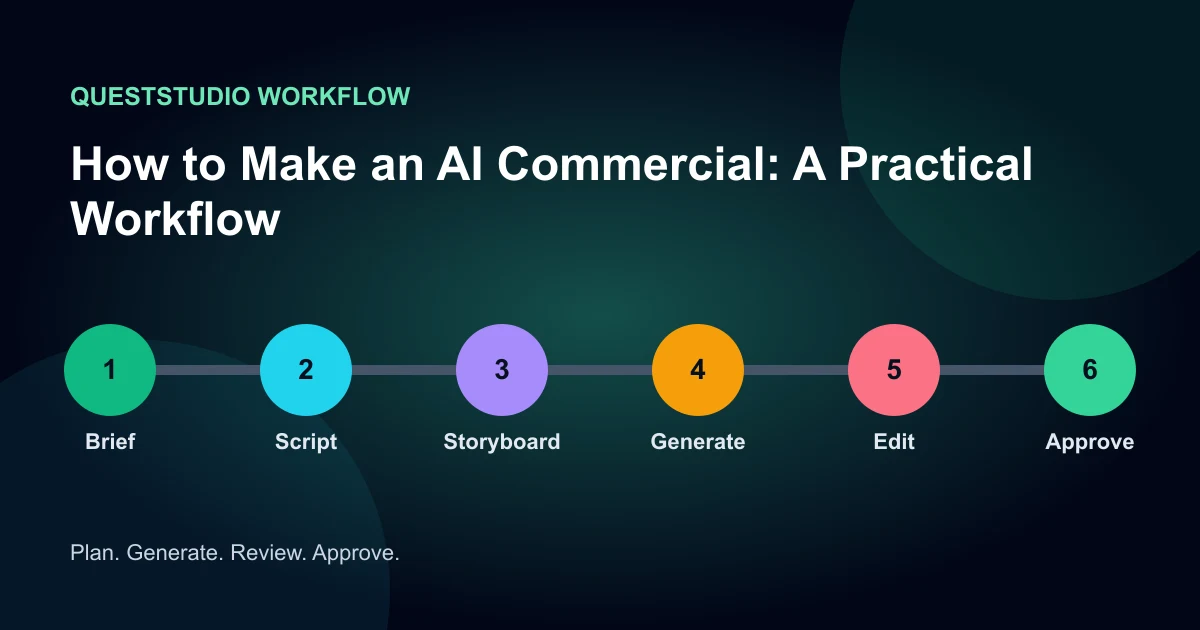

To make an AI commercial, start with the offer, not the video model. Define one audience, one problem, one believable promise, one proof point, and one action. Turn that into a short script and shot list. Generate the difficult visual shots individually, keep real product facts locked, then assemble voice, captions, music, and a final quality-control pass.
A polished clip cannot rescue a vague offer. The useful unit is not a generation. It is an approved ad variant that communicates the right claim, shows the product accurately, and fits the channel. This workflow is designed for a 10 to 30 second product commercial, but the same structure works for launch teasers and paid social ads.
1. Write a one-page commercial brief
Before writing dialogue, decide what the viewer should understand after one watch. Record the product name, audience, problem, promise, support for that promise, offer, call to action, required brand elements, prohibited claims, and destination page. If a claim needs legal or product approval, mark it now.
This document becomes the source of truth. A generator may invent an attractive scene, but it must not invent a feature, price, testimonial, ingredient, interface, or result.
2. Choose one ad structure
Use a single structure instead of combining every marketing idea. A problem-solution ad opens on the friction and reveals the product. A demonstration ad shows the mechanism. A before-and-after ad compares states only when the comparison is truthful and permitted. A testimonial-style ad needs a real, authorized endorsement or clearly fictional presentation. A product-only spot relies on composition, motion, texture, and concise copy.
For a 15-second version, budget roughly two seconds for the hook, eight seconds for problem and proof, three seconds for the offer, and two seconds for the action. Read the script aloud. If the voice has to race, remove ideas rather than increasing speed.
3. Storyboard for editable shots
Create six to eight shots, each with one job. Write the visual, voice line, on-screen text, duration, camera move, and continuity anchor. Keep shots modular so a weak opening can be replaced without rebuilding the full commercial.
| Shot | Job | Approval check |
|---|---|---|
| Hook | Make the problem visible | Understood without sound |
| Reveal | Introduce the product | Packaging is accurate |
| Proof | Show the mechanism | No invented capability |
| Payoff | Show the useful outcome | Believable and qualified |
| CTA | State the next action | Matches destination |
4. Build stable keyframes before motion
For physical products, begin with approved product photography. Remove clutter, correct the crop, and create a clean 9:16 or 16:9 composition. Ask image generation to design the environment around the product rather than redraw the package. Critical label text is safer as an edit-layer overlay than as generated pixels.
For people, use only authorized likenesses. Lock wardrobe, age range, hair, lighting direction, and framing in a reference sheet. Generate the start frame for each shot first. A good still gives video generation a stronger identity and geometry anchor.
5. Generate one motion idea per shot
Describe subject motion, one camera move, environmental motion, timing, and preservation constraints. Avoid asking for an orbit, transformation, explosion, wardrobe change, and logo reveal in the same clip. That creates many failure points and makes revision harder.
Generate short candidates and change one variable at a time. Track usable clips, not total clips. A low-cost model becomes expensive when every result requires repair.
6. Add voice, captions, music, and the edit
Record or generate the voice after the shot timing is close. Split narration by visual beat so lines can move independently. Keep captions inside platform-safe areas and avoid covering the product. Music should support pace without competing with speech. Use sound effects sparingly to reinforce actions that actually happen on screen.
Give the final action its own review with the ad end-card workflow: keep the exact approved offer and CTA readable, then verify the destination against the product shown.
Cut on action or musical emphasis, but leave enough time for the proof to register. Watch once muted to test visual clarity, once without looking to test the audio story, and once at normal phone size to test captions and label legibility.
7. Run commercial approval, not just visual QA
Check product geometry, label text, brand colors, hands, faces, reflections, continuity, claims, offer, CTA, spelling, safe zones, audio peaks, and export settings. Confirm that any endorsement reflects an honest experience and that the relationship is disclosed clearly. The FTC influencer disclosure guidance is a useful starting point for U.S. campaigns.
If realistic synthetic media will be posted, review the destination platform's current labeling rules. Do this before export so required spoken, visual, caption, and upload-flow disclosures are not an afterthought.
Common AI commercial failures
The ad looks cinematic but says nothing
Return to the one-sentence promise and make the proof visible. Remove decorative shots that do not advance the decision.
The product changes between shots
Use the same approved reference, reduce rotation, keep hidden geometry hidden, and composite exact branding in post.
The opening feels like an advertisement immediately
Lead with a recognizable situation, question, demonstration, or visual tension. The hook should earn attention before announcing the offer.
Every variant changes at once
Lock the body of the ad and test one hook or one offer expression at a time. Otherwise the result cannot tell you what worked.
How to Make an AI Commercial: A Practical Workflow workflow diagram
How QuestStudio helps
Product Ad Studio turns a product, audience, offer, channel, and goal into several campaign angles before generation. Use Image Lab to prepare controlled keyframes, Video Lab to test motion, and Voice Lab for narration. Keeping those stages in one project makes it easier to compare versions without losing the approved offer or visual anchor.
Keep the brief and approved references fixed while comparing models. The objective is a repeatable process and a useful final asset, not model switching for its own sake.
Final approval scorecard
- Accuracy: facts, identity, products, and claims match approved sources.
- Continuity: recurring visual and audio elements remain recognizable.
- Communication: the main idea is clear on the first watch.
- Craft: motion, timing, audio, captions, and composition feel intentional.
- Rights and disclosure: permissions, licenses, endorsements, and platform labels are documented.
- Usefulness: the export fits the channel, aspect ratio, safe zones, and intended action.
Approve against a written threshold. “Looks good” is difficult to repeat, while a scorecard creates a record of what passed and why.
Frequently asked questions
Can AI make an entire commercial?
AI can help with concepts, keyframes, clips, narration, music, and edits, but a person should still approve claims, product accuracy, rights, disclosure, and the final cut.
How long should an AI commercial be?
Match the channel and the idea. Ten to thirty seconds is practical for a focused social commercial, while a demo may need longer.
How do I keep packaging accurate?
Anchor every shot to approved product images, limit rotation, preserve geometry in the prompt, and composite critical label text during editing.
Should an AI commercial be disclosed?
Requirements depend on the content, platform, audience, and jurisdiction. Review current platform rules and applicable advertising guidance before publishing.
What should I test first?
Test the hook first while keeping the offer, proof, body, and call to action stable.
Start with one controlled project
Choose one real deliverable, lock the source material, and change one variable per test. Save the inputs and the approved result so the next version starts from evidence rather than memory.
Open Product Ad Studio when you are ready to build the workflow, or review QuestStudio plans after the process proves useful.