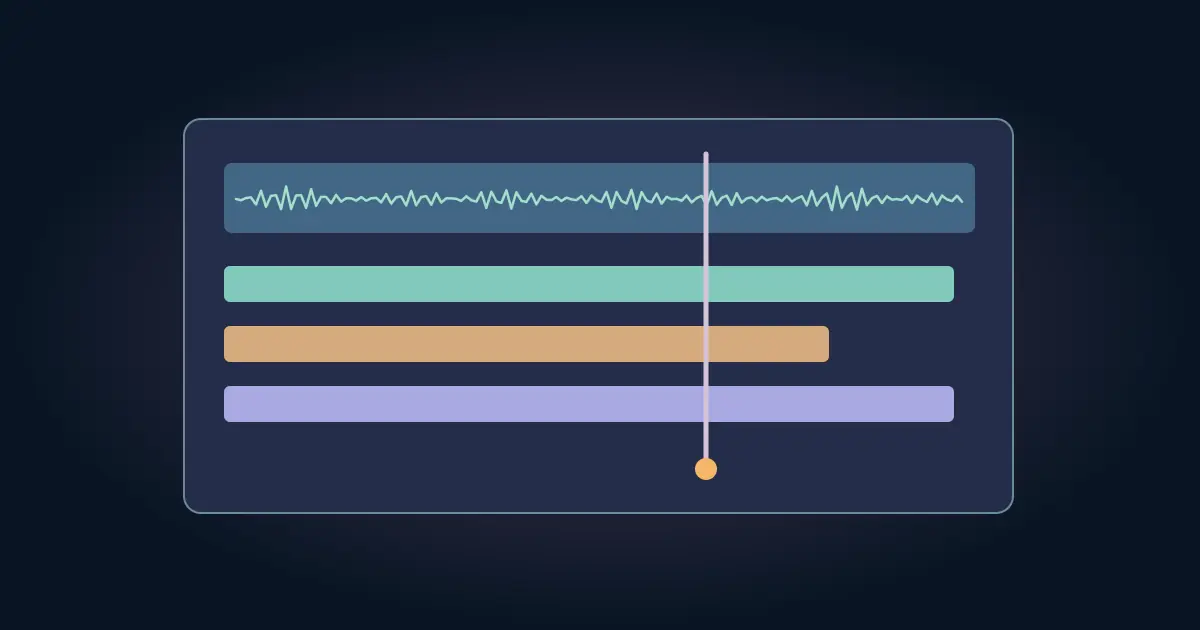

Suno Studio is worth evaluating if you regularly need to arrange, revise, and export individual parts from Suno tracks. If you usually pick one finished song or place a simple bed under a video, a simpler generation and an existing editor may be enough. Test the difference using a small cue with a real timing requirement.
Suno's Studio 2.0 documentation describes a timeline environment with features such as automation, effects, MIDI and stem separation, and lists it for Premier subscribers. Check the access shown on your account before relying on it for a project. This guide is an editing exercise you can run with the tools you have.
Set up a cue with a job to do
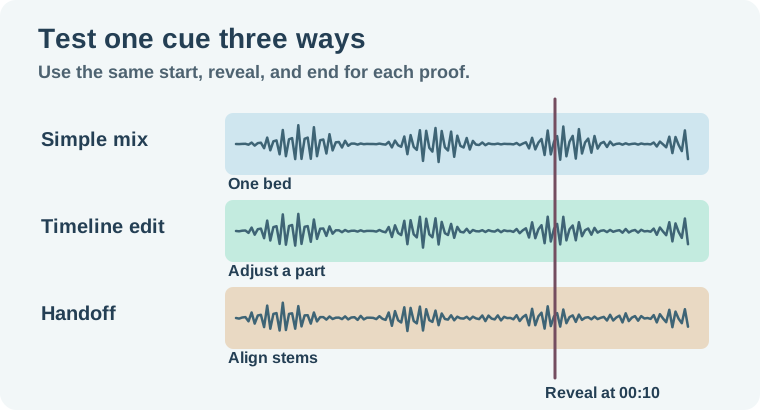
Imagine a 15-second tabletop demo. The first five seconds introduce the object, the next five show the setup, and the reveal occurs at 00:10. Narration needs space, the reveal needs one accent, and the audio should end without a hard chop. Keep the cut fixed for the comparison.
Choose an approved source track or one candidate generation. Mark the first useful beat, the reveal, and the last frame. Write down what must stay the same across workflows. A cue that has a great sound but misses the reveal has not solved this particular job.
The music-to-reveal guide covers how to choose and verify a musical hit against picture. Use the same start and reveal marks in each candidate here.
Try the simplest route first
Place one finished cue in the editor you already use. Trim it to the needed range, lower it under the narration, and give the end room to resolve. If it already fits, save that proof. It gives you a real comparison rather than assuming more controls are better.
Record what you could do in one pass and what was frustrating. Maybe the final accent lands cleanly and the voice is audible. Maybe you need to lower the percussion without losing the melody. If the issue is choosing a suitable song, another candidate can solve it faster than opening a multitrack project.
Try a timeline revision if the cue needs one
In Studio, take the approved source and make one deliberate edit, such as reducing a part under speech or creating space for the reveal. Keep a before-and-after with the same start. Review the first spoken line, the reveal and the end in the video edit. A change that sounds better alone may compete with dialogue once placed under picture.
When the arrangement depends on several parts, label them before exporting. Choose a shared start and check the tails. Suno's Studio export instructions describe the available export routes, including a full mix and multitrack export. Use the stems export guide for alignment and bleed checks after import into the next editor.
If one note or performance must remain exact, keep the approved source part. A new generated version can change more than the section you intended. Compare the clip you actually exported rather than assuming the timeline view tells the whole story.
Verify the handoff in the receiving editor
Export the mix you would send and, if needed, the parts. Import the exports into the editor you would use to finish. Check that the files line up, that the quiet part of the cue still supports narration, and that the last decay stays inside the final frame. Use file names that identify the arrangement and revision.
If MIDI is part of your work, try one passage in the editor where it will be used. The Suno MIDI cleanup workflow shows how to review notes and timing after import. If your real work never needs MIDI, leave it out of this decision. A feature only matters if it replaces a step you would otherwise take.
Set a finish condition before opening either editor. For this example, the proof plays under narration, reaches the reveal on time, and opens in the editor used for delivery. Stop the clock when you have that file. Include the time needed to fix a drift, rename the parts, or re-export a missing tail. A fast timeline edit can still create extra handoff work, so measure the whole job rather than the time spent adjusting one control.
Decide using the work you actually repeat
Compare the time and fixes needed for the simple mix, the Studio edit, and the stem handoff. Studio is more valuable when it regularly solves an edit you cannot make quickly with your existing tools. If you already do arrangement and mixing efficiently elsewhere, exporting the right source tracks may be the useful part of the workflow.
Choose a second cue only if the first test exposed an unresolved decision. Use a more difficult project that resembles your normal work. Record the problem that would justify using the timeline again.
How QuestStudio helps
Use Music Lab to audition another bed with the same duration and reveal marks. Keep the tests comparable by using the same footage and checking the same three moments. Use the candidate that gives the edit what it needs.
Keep the best proof and the notes that explain why it worked. You can compare the workflow again when the next real cue has a different requirement.
Download the suno studio editing decision sheet.
Frequently asked questions
Who is Suno Studio most useful for?
Evaluate it if you often need timeline revisions, separate parts, or an export handoff beyond a finished generation.
Is Studio 2.0 included with every account?
Suno documents Studio 2.0 for Premier subscribers. Check the access currently shown on your account.
Do I need Studio for a single music bed?
Try the simple generation and your existing editor first. Add a timeline workflow when it solves a concrete revision.
What should I test after multitrack export?
Check shared start, alignment, track names, tails, and playback with the actual edit.
How do I make a fair comparison?
Use the same picture and cue points, then compare the actual files and the steps needed to finish.