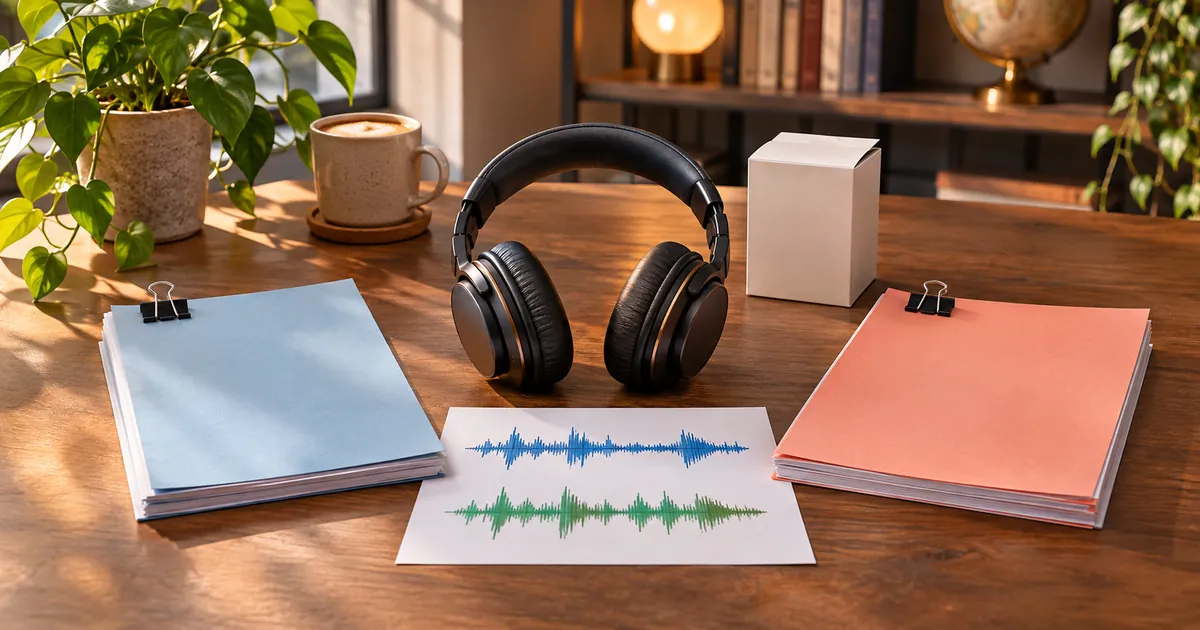

Keep product offers accurate in an AI dub by checking the numbers and conditions against a localized offer sheet. Listen to the final track with a reviewer who understands the target language and the actual store. Check spoken amounts, units, dates, quantities, and words such as “from” after the audio is placed. The pictures and captions should still support the same offer when a viewer switches language.
Jump to the Voice Lab example or download the worksheet.
Define which facts need a business decision
Pull the current listing and capture its offers in both markets before generating a voice track. Note the item, variants, currency, any quantity threshold, and who qualifies. Some words can be translated directly. A price may need a confirmed localized amount and currency from the store. Ranges and reasons for different prices need the same treatment. Leave those fields blank when the local offer has not been approved yet and skip the price-bearing clip until it is. Keep the source language and the target offer in adjacent columns so the reviewer can compare.
Imagine a fictitious workspace accessory brand with two tray sizes. An original English ad says “small trays start at fifty-nine U.S. dollars” for a specific region and week. A target storefront may only sell the large size, or list two sizes at a different price. The base line must specify the correct item and premise. A smooth voice clone can make a changed offer sound convincing. Use authorized voices and check facts from the listing instead of judging from the quality of the read.
Include time zones and scope for any dates. An ad for a December pickup window may be safe to dub with a neutral audio description while shipping details belong on a live commerce page. Preserve information the buyer needs for the decision the ad measures.
Mark fragile words in the translated copy
Ask a fluent reviewer to read from the target script and identify any phrases that make a claim broader or narrower. A price beginning with “from” can become a flat cost. A copywriter may shorten “one tray included” to just “includes tray” and leave an impression that count matches the two trays in the image. In a demo, a closeup of an optional case can be mistaken for included packaging. Review those visuals beside the spoken audio. Flag eligibility words even when they are easier to shorten during timing correction.
| Claim | Sample approved meaning | Review condition |
|---|---|---|
| Base price | From USD 59 for small tray | Correct currency, amount and qualifier |
| Bundle contents | One tray, accessories extra | Audio, caption and picture agree |
| Region | Offer applies to the specified storefront | Link opens the right market and variant |
| Cutoff | Order before the published local deadline | Time zone, date and action checked |
Put numbers into the intended speech form where your system can read them correctly. Test pronunciation for currency, units, and model names. Keep the printed forms and source link in the claim sheet. A reviewer can tell you that the same digits now sound like the right amount while a second person may catch that they're associated with the wrong variant. Keep both checks in a record anyone handling the next update can read.
Give long local phrases quiet room in the edit. Trim a repeated adjective or change an incidental outro beat before removing a word like “before” from an ordering cutoff. If the language track will be added to an existing picture with multiple fixed audio tracks, review this especially around rapid product angles.
Listen to the dub in the actual player
Export a short preview with the target track and captions as the audience would hear them. Listen without visuals and note what product and condition you think the voice offers. Play again with the target captions on at normal speed. Captions can be added from the original localized text or from the delivered audio. Recheck every numerical and eligibility phrase whichever path you take. If an automatically dubbed track is enabled, use the platform's review controls before making it available. YouTube documents options for managing automatic dubs and describes potential mistakes on proper nouns, jargon and accents.
Ask a reviewer to fill the table as they listen and compare their notes with the approval sheet. If they miss a qualifier while a music swell crosses it, fix the audio balance or offer timing. A line whose initial word is cut off may read “fifty-nine” when it starts “from fifty-nine.” A caption can appear accurate frame by frame and still leave the viewer hearing another condition. Include one real playback at the phone size you're targeting.
The localization workflow helps structure the wider handoff. Keep the localized audio as its own track or deliverable when the platform and project support it. That makes it easier to fix a qualifier without rerendering unrelated videos.
Follow a buyer from the dubbed video to checkout
Open the published preview and choose the relevant audio track. Check the version name and default language. Follow the visible purchase link to the page for that market and review the same variant. Note where the price changes due to a variant or whether a code is needed. The page should describe the same specific offer a customer heard. If the destination cannot show the localized items or dates yet, pause that version until the store and ad agree.
Assign who will update approved price lines, localized captions, and ad copies after the release. Record two tests you can repeat quickly after the change, such as checking an eligible item and an excluded variant. Auto-generated audio can return after an edit if a publishing workflow makes a fresh version and re-enables the automatic track. Verify the selected track again when you replace the original video.
Save one approved example link or export per language alongside the claim sheet. Keep the source, translation, exact offered variant and asset name together. When support receives a question about inconsistent prices or terms, they can find the corresponding review version and confirm what the buyer actually saw.
How QuestStudio helps
Use QuestStudio Voice Lab to audition a short, independently approved translated line in an available voice. Keep the authorized source voices and language choices in your project record. The sample is an English market variant for a fictional item. Write and review your own target-language equivalent against the approved terms.
The small desk tray starts at fifty-nine U.S. dollars. Check this storefront for eligible finishes and current delivery dates.Listen to the qualifier with the soundtrack in place. Keep the price and currency readable in the captions and route the placement to an actual localized page. Test the name and amount with a fluent reviewer before adding the track to the full video.
Try it with your own material
Treat the dub as a new delivery of the same product promise. A voice track, caption and store page that agree on the current terms give a buyer enough evidence to decide before the next variant plays.
References
Frequently asked questions
Does a natural-sounding dub mean the offer is accurate?
Check the actual words and linked product page. Voice quality and timing do not validate amounts, eligible products, or the wording of an offer.
Can I translate prices directly?
Confirm the store's price and currency for the target market first. Use its approved claim even when it differs from the original.
Who should check a translated price line?
Have a fluent reviewer listen to it in context and have the store owner verify the concrete terms and destination.
What if the translated line is too long?
Reduce expendable copy or adjust the cut. Keep words essential to the offer, including qualifiers, quantities and currency.
Related guides
 Voice
AI Voice Localization Workflow: Translate Meaning, Timing, and Tone
Localize voiceovers with AI by adapting meaning, timing, pronunciation, speaker consent, captions, mix, and native-language review—not words alone.
 Voice
AI Voiceover for Product Variants: Match Every SKU
Create AI voiceovers for product variants without mixing sizes, colors or SKUs. Use an approved script manifest and a two-pass listening check for each export.
 Creator Workflows
Preorder Product Launch Creative Buyers Can Trust
Build preorder ads and product images around a confirmed ship window. Use a claim sheet, real prototype photos, and a test checkout before publishing.