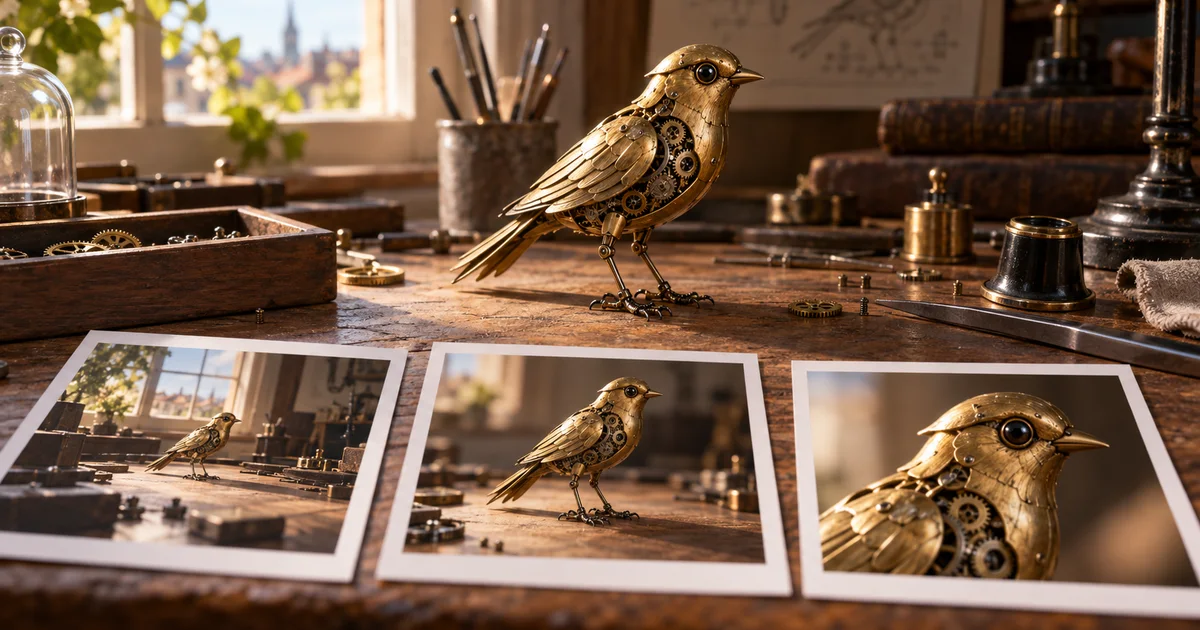

The clockwork bird is brass in the wide shot and silver in the close-up. The camera cut happened, but the story lost its subject. LTX 2.5 can generate connected shots in one pass. The useful skill is describing what changes at a cut and what must survive it.
Download the cut-continuity worksheet · Plan a shot in Video Lab
Editorial guide checked September 13, 2026. Examples and worksheets are original planning material; the hero is an AI-generated illustration, not a model benchmark.
Start with a scene that needs a cut
Imagine a ten-second film about a clockwork bird. In the opening shot, a watchmaker winds it. A close-up then shows the wing opening. The first shot establishes the cause; the second lets us see the result. That is a reason to cut. Two unrelated beautiful views would not tell the same story.
Before opening a generator, write what the audience knows before and after the edit. For this exercise, the audience first sees a person activate a mechanism. After the cut, it discovers that the apparently decorative bird moves. If the opening already reveals the whole action, the close-up adds little. If the close-up introduces a different bird, the causal connection breaks.
Keep the exercise small: one person, one object, one room, and two framings. This is an original planning example, not a report of LTX test results. You can replace the bird with a folding lamp or a mechanical toy, provided the action still gives the second shot something new to reveal.
Check the model and the route before choosing settings
LTX 2.5 adds native multi-shot generation, but a model family, a hosted API, and a local workflow do not necessarily expose identical controls. The current LTX 2.5 support matrix lists Fast and Pro, with duration limits that vary by resolution and frame rate. For example, Fast offers longer clips at some lower-resolution settings, while the documented Pro options top out at ten seconds. Do not assume that choosing Pro preserves every Fast setting.
For the first comparison, use a supported fixed ten-second option. Record the model variant, resolution, frame rate, duration, audio setting, and prompt-enhancement state. A second test is meaningful only if you know which of those changed.
The API's endpoint compatibility table also distinguishes generation from retake, extend, and reframe support. A feature mentioned elsewhere in the LTX ecosystem is not evidence that it is available through your selected 2.5 endpoint. This matters when you plan to repair one section later.
Turn the planning table into a connected scene
A shot table is useful for you. It separates the story jobs and exposes contradictions. The generator needs an explicit description of the transition as well. LTX's prompting guide recommends chronological prose with named cuts, renewed subject descriptions, and audio continuity. Treat the table below as preparation rather than syntax to paste unchanged.
| Planning element | Opening | After the cut |
|---|---|---|
| Information | The bird is wound by hand | The mechanism opens a wing |
| Framing | Medium view of bench and hands | Close view of bird and key |
| Object state | Wing folded, key turning | Same key stops; wing opens |
| Sound | Small mechanical clicks, quiet room | Room remains; clicks resolve |
Notice that the key provides a bridge. It appears before and after the cut, so the viewer can connect the two images. You do not need a dramatic transition effect. You need the object to remain legible.
The prompt does not promise a cut on an exact frame. It specifies the event order. If the client needs the cut at a precise time, plan to conform the result in an editor or generate the shots separately.
Review the two frames nearest the edit
Watch the whole take once without pausing. Then inspect the last clear frame before the cut and the first clear frame afterward. Compare the beak, eye, wing hinge, key location, bench scratches, and light direction. These small anchors are more useful than asking whether the clip feels generally cinematic.
Mark each anchor as retained, changed, or obscured. Obscured is not automatically wrong: a closer angle can hide part of the key. It becomes a problem if the hidden detail is needed to understand the action. A perfectly consistent prop that is outside the frame cannot do its story job.
Next inspect the action phase. If the hands have already left before the edit, they should not suddenly be winding again afterward. A cut can compress time, but it should not accidentally reverse the event. Finally, listen across the edit with your eyes closed. A different room tone or a second winding sound may imply a new location or repeated action.
Diagnose a failed cut before adding more description
| Observed failure | Useful next change | Keep fixed |
|---|---|---|
| No visible cut | Make the framing change unmistakable and name a hard cut | Subject, action, room |
| Bird changes identity | Reduce decorative detail and repeat the distinctive identifiers | Cut type and timing intent |
| Action starts twice | State the completed action and new starting state after the edit | Camera and appearance |
| Audio resets | Clarify which ambience persists and which event ends | Visual sequence |
If two failures occur together, resolve the one that makes the scene unusable first. A changed bird takes priority over a slightly dull click. Keep the rejected take and its reason in the worksheet. Otherwise, a later attractive result can make you forget that the same defect has survived several retries.
For a difficult transition, try the opening as an independent shot. If that fails too, the cut is probably not the main problem. If both standalone shots work but the combined scene fails, you have isolated a continuity or sequencing issue.
Use automatic duration for exploration, fixed duration for a slot
A scene description may need more breathing room than its first draft suggests. Automatic duration can help explore that question, but it changes the comparison: a longer output can appear more coherent simply because it has more time. Keep duration fixed when evaluating a prompt revision, then test timing separately.
For a required ten-second delivery, reserve time for the result to register. A wing that opens in the last instant leaves no readable payoff. You might plan roughly half the clip for setup and the remainder for the reveal and hold, then judge the actual render. That allocation is an editorial starting point, not a special model setting.
Do not stretch a failed action to fill the slot. If the final hold is clean, extending that hold in the edit may be more appropriate than slowing every gesture. Preserve the source export so you can revise the timing without generating the same scene again.
Bring the useful part of the brief into QuestStudio
LTX 2.5 is not currently listed in QuestStudio. You can still use Video Lab to develop the opening shot with an available model, or use Image Lab to establish the bird's appearance. Save the accepted reference and the exact description that produced it.
When moving between models, carry the creative requirements rather than assuming every control transfers. A supported model may work better as two separate shots. The deliverable is the coherent scene, not proof that everything happened in one generation.
Approve the result only when the activation, wing movement, identity, and sound tell the same story. Record the accepted take, the remaining limitation, and whether an editor still needs to set the final cut. That gives the next person something concrete to finish.
Frequently asked questions
Does LTX 2.5 support multi-shot video?
Yes. Its documentation describes connected shots within one generation. That capability still needs review for identity, geography, and sound continuity.
Should I paste a numbered shot list into LTX 2.5?
Use the list to plan, then express the scene and its cuts in chronological prose. A table of shot numbers alone does not specify the transitions.
Does LTX 2.5 Auto duration guarantee my ad length?
No. It chooses a duration from the prompt within supported limits. Use a supported fixed duration when the delivery slot matters.
Is LTX 2.5 available in QuestStudio?
It is not currently listed. Video Lab can generate individual shots with supported models; do not assume it exposes LTX-specific controls.