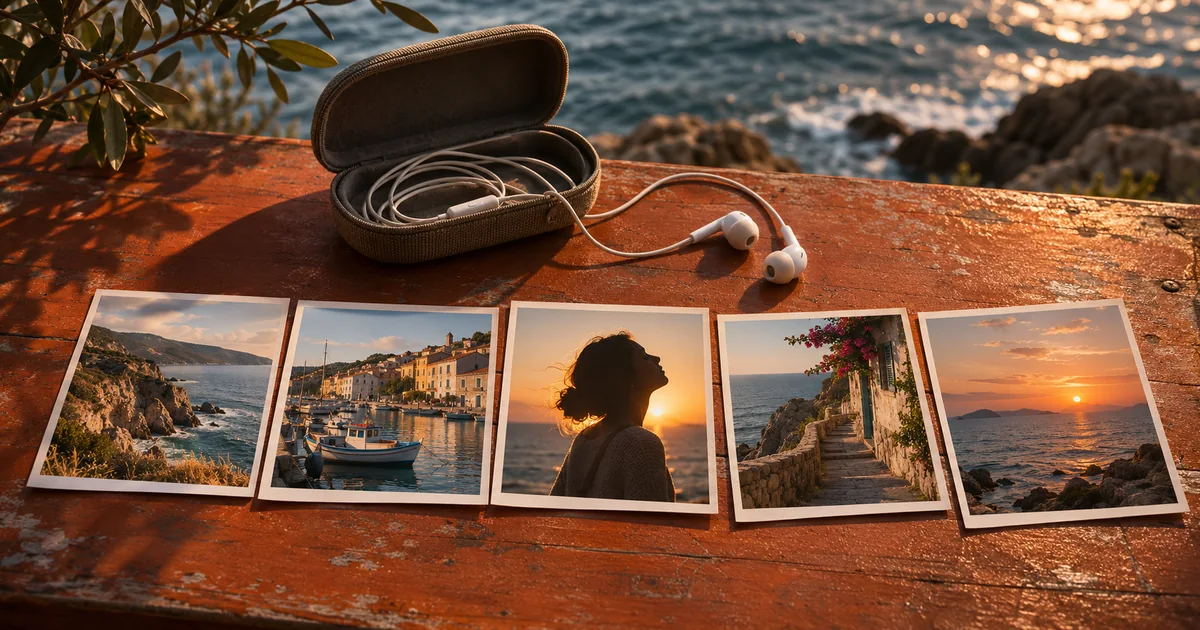

To make a video with photos and music, sequence the stills into a short story, choose the strongest musical cue and place your most important image there. Give detailed images enough time to read. Export a test, then check the timing, framing and last second on the device where it will play.
Choose five photographs with different jobs
For a 15-second harbor slideshow, begin with the wide pier, move to a close detail, introduce the subject, use the strongest photo for the reveal and finish on a quiet image. The sequence has a beginning, a change and an ending. You can make the same structure from a launch, a portfolio project or a family trip.
Choose a viewing frame before cutting. For a portrait version, crop the photos to keep the important subject visible. When the wide harbor shot contains a person near the edge, use a wider treatment in a vertical frame or pick a photograph that can handle the narrow crop. The image can sit on a simple background if preserving the full composition matters more than filling every pixel.
Keep the still treatment simple for the first pass. Use a hard cut for a clear change, and add a dissolve only where a smooth transition helps connect two images. A dissolve spends time showing both photos at once. Test whether any title, expression or fine detail gets less time as a result.
Mark the music change that deserves a cut
Find the strongest beat, chord change or arrival in your audio before placing every photo. Use the waveform as a clue, then listen. The loudest visible peak is not always the best story moment. A cymbal can be tall in the waveform, while a phrase turning over with the bass may feel like the right point to show the main picture.
For a simple editing exercise, imagine a 120 BPM cue in four beats per bar. A beat is half a second, so each full bar takes two seconds. If one begins at 00:00, the next starts at 00:02 and later ones at 00:04, 00:06 and 00:08. Those are useful candidates for cuts if the track really starts with a downbeat and keeps that tempo. In a real recording, identify the onset and phrase boundaries by listening and move the markers if required.
Put the reveal at 00:08 in the example. You now have an anchor around which to work. Give the first two frames enough time for the viewer to identify the place and the object. If the detail photo takes longer to understand, let it extend over a beat. The story still reaches the important musical change on time.
Lay out the 15-second slideshow
Start the wide pier at 00:00 and cut to a coil of rope at 00:02. Cut to the person preparing a small boat at 00:04. Hold that frame through 00:08, then show the boat underway through 00:12. Keep the quiet dock image through 00:15. The durations are two, two, four, four and three seconds. Each of the longer images does a different job.
Create a timeline in your editor, import the five pictures and the selected audio, then set the still durations using the timing sheet. Apple documents adding photos to iMovie on iPhone and offers an approachable route for mobile edits. Other timeline editors can use the same layout. Place the still photos first, then inspect any motion or reframing the editor added automatically. Reset anything that moves away from the intended subject.
Try a second cut with the reveal just before the musical change. Give yourself permission to keep the original if the earlier cut feels rushed. A cue can hit on the cut, lead it slightly or follow it depending on what the viewer sees. Use the printed times as a baseline for comparison, then choose the version where the image and audio tell the same story.
Finish the song and the picture together
Preview the last five seconds with your eyes closed and again muted. The audio should resolve or fade in a way that feels intentional. The last image should stay long enough to register. If the final note cuts abruptly, select a musical phrase that ends earlier or add a short fade over the closing still. Leave space after an audible change if it helps the ending settle.
Confirm that you can use the music at the intended destination. The source may have different terms for personal use, public posts or commercial delivery. Record where it came from and keep any applicable license details with the project. If the post must go to more than one channel, confirm the arrangement for every destination or prepare a version without the borrowed track.
Export a fresh review MP4. Play it on a phone and through speakers. Watch for the reveal getting buried by a crop, a dissolve that conceals a face or a freeze that's too short to read. Then check the audio for a hard cutoff. Make the smallest revision that fixes the observed issue and run the same checks again.
Keep a timing sheet with the editable project
Record each image filename, in time, out time and the reason for its placement. Write down the audio file and reveal cue. If somebody swaps the first image or the song, they can see which constraints actually matter. A soundtrack replacement often changes the anchor. Move that cue first, then make surrounding timing fit.
When the same slideshow needs a square and portrait delivery, check the picture on each one even if the audio timing stays constant. Save a reference export for the approved edit. A cut sheet is a simple guide to what happened in the timeline and why the main shot lands where it does.
Practice and verification
| Photo | In | Out | Purpose | Music cue |
|---|---|---|---|---|
| Boat underway | 00:08 | 00:12 | Reveal | Phrase changes on cut |
How QuestStudio helps
Use Music Lab to explore a short instrumental source if you need music for the edit. Listen through to find a clear change and a useful ending, then take the approved audio into your timeline. The still durations and crop checks happen in your editor.
Frequently asked questions
How long should each photo stay on screen?
In the example, simple setup images get two seconds and the important frames get four. Use longer holds whenever the viewer needs time to read, recognize or compare something.
Do I need to cut on every beat?
No. Use one or two meaningful cues for important changes and let readable images hold over several beats when needed.
Can I make a slideshow without animating the photos?
Yes. Still frames with deliberate order, clear timing and a well-chosen music cue can communicate the whole story.
Why does my slideshow sound as if it stops suddenly?
Check whether the soundtrack is cut mid-phrase. Choose a natural musical ending or adjust a fade while you watch the final frame.
What should I change for a vertical copy?
Review the crops first, especially faces or products near the edge. Keep the same music and timing if the vertical images still tell the story clearly.
Before you deliver
Get five pictures working together before adding more. Place the reveal at a deliberate sound cue and make the final image and music resolve at the same point.
Sources
Related QuestStudio guides
 Video
Photo to Video for Instagram Reels
Turn photos into Instagram Reels that hold attention. Plan crops, pacing, and posting checks for a photo Reel.
 Music
AI Music for Product Reveals: Sync the Moment That Matters
Sync AI music to a product reveal using a real visual marker and an audible accent. Measure the generated track, align it in editing and check the final export.
 Video
How to Edit AI Video Clips Together Without Continuity Breaks
Edit AI video clips into one coherent sequence by controlling identity, screen direction, motion, lighting, audio, and transition points.
Hero image created with AI. Practice materials by QuestStudio.