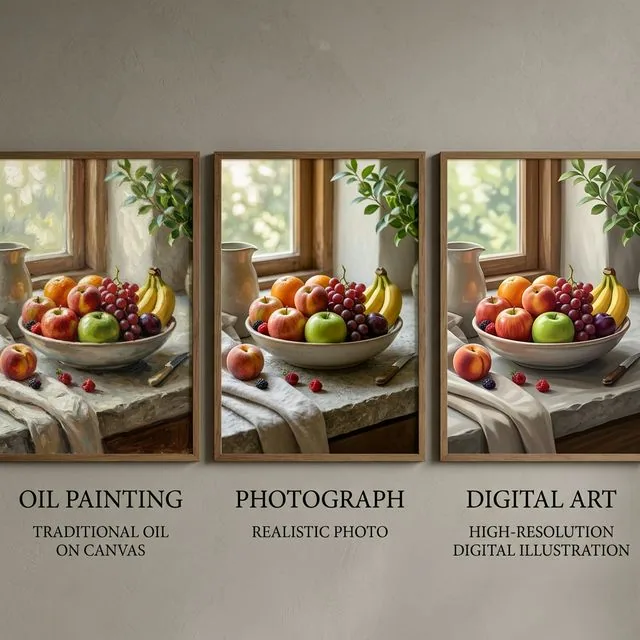
Midjourney remains a strong choice for art direction, composition, and distinctive visual output. Its official web documentation now covers generation, editing, organization, personalization, moodboards, and conversational prompting. The reason to choose an alternative is not that Midjourney suddenly became weak; it is that your work may depend more on precise text, editable vectors, conversational revisions, model choice, local control, or a downstream production suite.
Review the current web workflow in Midjourney's official website overview.
Midjourney alternatives at a glance
| Alternative | Best fit | Main tradeoff |
|---|---|---|
| QuestStudio | Multi-model, multi-media projects | Requires intentional model choice |
| Ideogram | Posters and typography | Less centered on open-ended aesthetics |
| Recraft | Editable vectors and brand assets | Different creative emphasis |
| Adobe Firefly | Adobe production | Value depends on Adobe handoff |
| Flux | Flexible hosting and technical control | Experience varies by provider |
| Leonardo | Asset families and production controls | Denser interface |
| ChatGPT Images | Plain-language iteration | Less parameter-driven art direction |
When should you keep Midjourney?
Keep it when your team gets consistently useful art direction from its aesthetic priors, personalization, moodboards, style controls, and variations. Familiarity matters: a creator who understands how stylize, references, and prompt weighting interact may outperform a beginner using a technically newer model.
When is an alternative better?
Switch—or add a second tool—when exact spelling, editable paths, surgical revisions, private infrastructure, API integration, or a full campaign handoff determines whether the asset ships. “Best image generator” is not one job. A concept artist, brand designer, e-commerce team, and developer need different winners.
1. QuestStudio: best for multi-model production
QuestStudio Image Lab is useful when you want to compare image models while retaining the project brief and moving approved work into video, voice, or music. The value is less tab switching and less repeated setup across the production chain.
2. Ideogram: best for text inside images
Ideogram deserves a controlled test for posters, labels, title cards, and graphic designs. Do not test a single word. Use a real headline, supporting copy, required hierarchy, and a revision that changes one phrase without redesigning the layout.
3. Recraft: best for vectors and brand systems
Recraft is the stronger candidate when the final deliverable must be an editable SVG, icon family, or scalable brand illustration. Inspect paths and layers in your downstream editor; a preview can look clean while the file remains painful to modify.
4. Adobe Firefly: best for Creative Cloud handoff
Firefly can win because generated material moves directly into a familiar editing environment. Evaluate masking, compositing, team review, licensing requirements, and export—not just which first image looks more cinematic.
5. Flux: best for flexible deployment
Flux models can be accessed through APIs, hosted products, and local tooling. That flexibility serves developers and technical creators, but it also means there is no single Flux experience. Compare the host's editor, queue, privacy, price, and model version.
6. Leonardo AI: best for repeatable asset pipelines
Leonardo fits teams producing game items, marketing variants, product scenes, or trained styles. Test an asset family with shared design rules to learn whether it sustains consistency beyond one hero generation.
7. ChatGPT Images: best for conversational revisions
ChatGPT Images fits people who want to say “keep the composition, replace the cup, and make the headline smaller” in ordinary language. The conversational loop can shorten revisions, though visual art direction and exact preservation still need testing on your own brief.
Run a three-prompt bake-off before migrating
- Art-direction prompt: a complex scene with composition, lens, light, material, and mood requirements.
- Production prompt: a product or character that must obey a palette, negative-space, and aspect-ratio brief.
- Revision prompt: change one object, word, or color while preserving all approved elements.
Generate the same number of attempts in every tool. Blind-review the outputs, then score composition, prompt adherence, text, anatomy, consistency, editability, export readiness, attempts to approval, and total cost. Use the AI photo prompt generator to create a normalized starting brief.
How the ranking pages help—and where they stop
Current top results are useful for discovering products, free plans, and headline features. Most still declare one overall winner despite different deliverables. Treat those lists as a shortlist. Your own controlled test should decide whether the winner is the tool that produces the best image, the cleanest file, the fastest revision, or the lowest cost per approved campaign asset.
Measure approval, not novelty
Record how many outputs survive stakeholder review and how long the final correction takes. A novel image that cannot preserve the product label, character, or layout is exploration—not production. The right alternative makes your recurring approval step easier.
For a series whose subjects change while the visual treatment stays related, use the keep a Midjourney style-reference series consistent guide. It includes an original exercise and a worksheet for reviewing the result.
Midjourney alternatives FAQ
What is the best Midjourney alternative?
QuestStudio fits multi-model production, Ideogram fits typography, Recraft fits editable vectors, Adobe Firefly fits Creative Cloud, Flux fits flexible deployment, and Leonardo fits asset pipelines.
What is the best free alternative?
Free allowances and model access change frequently. Compare the current official plans, export rights, queue priority, and the number of attempts needed for an approved result.
Which alternative is best for text?
Ideogram and Recraft deserve direct tests for typography-led designs. Use the exact headline, layout, small copy, and revision your project requires rather than a simple one-word demo.
How should I compare them?
Run the same art-direction, typography, and revision prompts. Score composition, prompt adherence, text, consistency, editing, exports, attempts to approval, and cost per usable asset.