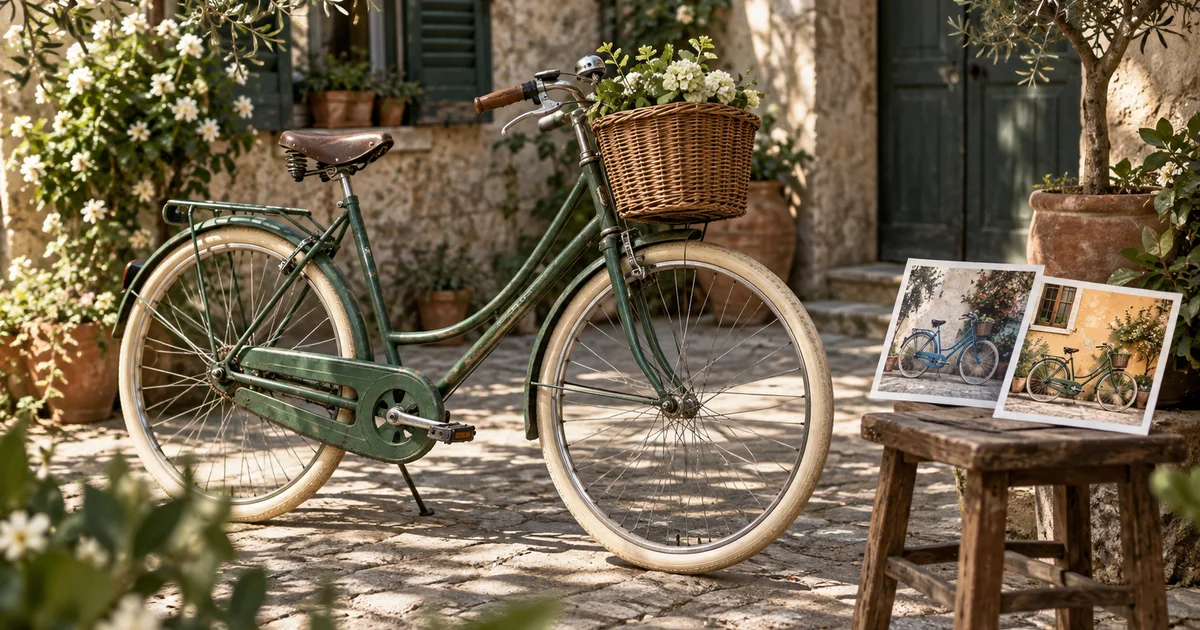

The first edit changes the bicycle's paint. The second replaces the wall. The third adds afternoon light. By then the basket has a new weave and the front wheel is oval. Iterative editing is convenient, but it needs a way back to the source.
Download the edit-branch decision sheet · Open Image Lab
Editorial guide checked September 13, 2026. Examples and worksheets are original planning material; the hero is an AI-generated illustration, not a model benchmark.
Check whether Kontext belongs in your next project
FLUX Kontext remains a useful search topic because people have existing integrations, saved prompts, and approved assets built around it. That does not make it the default choice for every new edit. Black Forest Labs now points new editing projects toward FLUX.2 in its Kontext image editing documentation. Confirm the exact model before copying a tutorial's settings.
This guide addresses a workflow problem that survives model changes: deciding whether the next edit should inherit the previous result. A chain is appropriate when approved changes must accumulate. Independent branches are better when you are comparing alternatives. Confusing those two situations can quietly turn a controlled revision into a redesign.
The exercise uses a green city bicycle photographed in a courtyard. We want two possible paint colors, followed by one approved lighting adjustment. The basket, wheel geometry, frame joints, saddle, and camera position must survive. The hero is an original illustration of that assignment, not a set of measured Kontext outputs.
Separate alternatives from accumulated changes
Save the untouched source as bike-source. Make one color branch for navy and a second for cream, both starting from that source. If navy is selected, make the lighting change from the approved navy output. Do not generate cream from navy simply because navy is the last file on screen.
| Output | Parent image | Purpose |
|---|---|---|
| Navy option | Untouched source | Compare a paint alternative |
| Cream option | Untouched source | Compare a second paint alternative |
| Navy, softer light | Approved navy option | Carry forward navy and revise lighting |
| Alternative courtyard | Untouched source | Explore a separate setting concept |
This structure answers a practical question when something breaks: which parent introduced the error? If the basket changes during the lighting pass, you still have an approved navy checkpoint. If you overwrite that checkpoint, you may spend time reconstructing a result you already had.
A parent record also makes a fair comparison possible. Two colors generated from the same source share a starting point. A cream bicycle generated after three earlier transformations is a comparison of different histories as well as different colors. You cannot attribute all its differences to the final color instruction.
Write the smallest complete edit
For the first navy option, specify which painted parts change and which similar materials do not. Bicycle tires, spokes, chain, and metal fittings should not become blue simply because the prompt says “make the bicycle navy.” Name the boundary in ordinary visual language.
Kontext's documentation describes targeted natural-language changes and iterative editing. It does not remove the need to inspect untouched details. An image can satisfy the requested color and still fail the assignment by changing the wheel or basket. Record both outcomes separately: “color accepted” and “product identity failed” is more useful than one overall star rating.
For cream, replace only the color phrase and run from the source again. Keep the remaining instruction and available settings stable. This does not make the experiment perfectly controlled across every hosted service, but it reduces avoidable differences in your own inputs.
Inspect the same five anchors after every pass
Choose visible details that are easy to lose and important to recognize. For this bicycle, use the front wheel's outline, the frame joint below the saddle, the basket's handle attachment, the saddle profile, and the point where the rear tire touches the ground. Save small source crops of those anchors beside the full image.
Review each candidate against its immediate parent and against the original. Comparing only to the previous step can miss gradual drift: the basket becomes slightly larger in one pass and slightly rounder in the next, until the final version is obviously different. The original is the stable reference for details that were never approved to change.
Do not rely on a filename such as final-final to communicate approval. Use a short record containing the parent filename, requested change, model identifier, instruction, and acceptance status. A fixed seed, when offered, is worth recording, but it is not a promise of identical geometry across different prompts, models, or services.
Accept a checkpoint only when the requested change works and protected details pass. If the front wheel looks questionable at the intended delivery size, inspect it more closely before proceeding. Later lighting and background work will not make a distorted wheel easier to diagnose.
Add the second change from an approved parent
Once navy is approved, the next request can inherit it. The lighting brief should explain what the scene needs without restyling the whole photograph. “Make it cinematic” is broad enough to change color, lens behavior, contrast, and location at once.
Lighting changes affect how colors appear. Judge whether the navy still represents the intended finish under the new light; do not demand that every pixel remain identical while asking the illumination to change. The distinction is between a plausible lighting response and an unrequested new paint color.
If the change introduces a new wheel defect, return to the approved navy parent. If repeated attempts disturb the bicycle, consider a conventional local lighting adjustment in an image editor instead. The decision should follow the job's preservation needs, not a rule that every revision must be generated.
Use clear rollback rules
Restart from the original when comparing a different creative direction, when the current parent already contains a rejected detail, or when you cannot explain which changes are approved. A clean source is especially valuable for a new background because the scene transformation may interact with the subject.
Continue from the checkpoint when the previous edit is approved and must be retained. The lighting pass after the selected navy finish is a good example. Save it as a child of that checkpoint, not as a replacement for it.
Stop generating when the remaining task is precise retouching that an ordinary editor can complete more directly. A small unwanted mark, a required exact crop, or a carefully bounded color adjustment may not benefit from reconstructing the entire image. Use the tool that preserves the approved work most reliably for your situation.
Ask for a new creative decision when the brief contradicts itself. Keeping a basket's exact appearance while changing it from wicker to polished metal is not a preservation task. Split that request into a new design branch and label it accordingly.
Hand off the accepted branch, not the whole experiment
A reviewer should receive the source, selected output, and a concise list of approved differences. Include rejected candidates only if they explain a decision the reviewer needs to make. Otherwise, an attractive rejected version can accidentally become the file someone publishes.
Check the final export at its actual use size. A social crop may hide the rear wheel but cut through the basket, while a catalogue layout may expose details that a thumbnail concealed. Preserve the full approved master and create delivery crops as separate files. The asset versioning workflow covers keeping those deliverables traceable.
Apply the branch method in Image Lab
QuestStudio currently lists Flux 2 Pro and other image models, not FLUX Kontext. Open Image Lab, choose a supported reference workflow, and check its available controls. The source, branch, checkpoint, and rollback decisions still apply; Kontext-specific settings should not be assumed to transfer.
Use the downloadable sheet to make two alternatives from one source and approve only one next step. The exercise is complete when another person can tell what changed, what stayed fixed, and which file should be used next.
If the next revision is about moving objects within a layout, the Reve layout editing guide explains regional and object controls through one composition exercise and a second crop.
Frequently asked questions
Should I start a new project with FLUX Kontext?
Black Forest Labs currently recommends FLUX.2 for new image-editing projects. Kontext can still matter when an existing integration or approved workflow uses it.
What is cumulative edit drift?
It is the gradual change of details across repeated edits, including details outside the latest request. Inspect against the original as well as the previous checkpoint.
Will a fixed seed keep the image identical?
Treat a seed as a recorded setting, not a promise of pixel identity across different prompts, versions, or integrations.
Does QuestStudio currently list FLUX Kontext?
No. Image Lab lists Flux 2 Pro and other models. The branch-and-checkpoint method applies to those workflows, but their controls differ.