

A useful podcast cover communicates the show name and one clear visual idea at thumbnail size. Start with a square composition, keep the title editable, and test a small export before polishing details. A logo is only one component of that cover; it does not have to fill the entire image or explain the whole show.
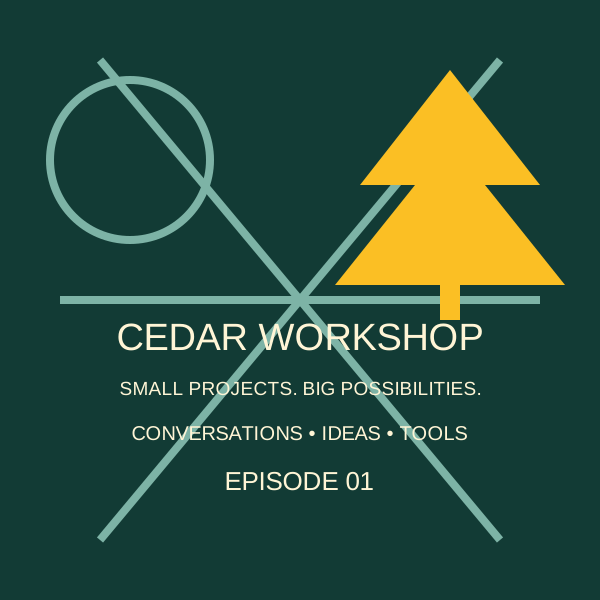
This guide follows an original fictional identity, Cedar Workshop, through a simple readability test and export check. You can download the editable SVG and a square JPEG. The example demonstrates a design workflow, not a real podcast launch or a measured improvement in clicks.
Write a cover brief before opening the editor
Give the cover one job: help the intended listener recognize the show. Our fictional show offers short conversations about finishing small creative projects. Its cover needs to feel practical and approachable. It does not need to advertise every subject that might appear in a future episode.
Write down the exact show name, the listener, the tone, and one visual subject. Add the places where the cover must work: a podcast app, a website card, and perhaps a small social profile image. Keep the approved spelling in a plain-text note so a generated image or a rushed export cannot silently change it.
Then decide what to leave out. A host biography, weekly schedule, website address, sponsor marks, and a long tagline usually compete with the show name. Put information that changes often in the description or episode artwork. A cover that needs a magnifying glass to explain itself is carrying too much copy.
If you still need a recognizable symbol, use the logo exploration workflow. This article starts at the next decision: arranging a complete podcast cover and delivering the correct file.
Compare hierarchy at a size that exposes the problem
Same show, different amount of competing detail
Crowded study · 160 px
Simplified study · 160 px

Small check · 64 px
The crowded study asks the reader to process the title, an episode label, a descriptive line, and several visual cues at once. Shrinking it exposes the hierarchy problem. Increasing the export resolution cannot make tiny decorative text prominent within the same composition.
The simplified study uses a large two-line name and one angular cedar motif. The color relationship stays recognizable when the image shrinks, while the title retains more of the available space. That does not make this particular aesthetic right for every show. It demonstrates how removing competing information changes the reading order.
Make your own comparison with two layouts that differ in one major decision. Try a shorter title treatment, a simpler background, or fewer symbols. Avoid changing the typeface, color palette, portrait, title, and layout simultaneously; you will struggle to identify what actually improved legibility.
Ask someone who has not seen the brief to name the show from the small preview. Record the words they read and anything they confuse with the title. This is a small qualitative check, not a conversion test. If the title is consistently misread, fix the type or spacing before adding visual effects.
Keep precise lettering separate from generated artwork
Generated artwork can supply a texture, scene, or supporting illustration. Essential lettering benefits from a separate editable text layer. That lets you correct spelling, spacing, and line breaks without regenerating the entire image. It also makes a later show-name change much less expensive.
Use a short copy sheet with the exact title and any essential secondary text. Compare the exported image against that sheet character by character. Watch punctuation, repeated letters, and letterforms that disappear into the background. Our image text review workflow covers this check in more detail.
Do not stretch a narrow logo until it fills a square. Preserve its proportions and build the composition around it. A wide wordmark may work best across the middle with a simple field above and below. A portrait-led show may need a tighter crop and a quieter title area. The cover is a layout problem, not simply a resize command.
Keep an editable master with separate artwork and typography. If you outline text for a handoff, retain a version with editable text too. Record the font and its permitted use. The downloadable SVG uses a generic sans-serif fallback, so line widths can vary between editors until you choose and preserve a specific font.
Separate the design master from the delivery specification
Apple's Show Cover guidance specifies a 3000 × 3000 pixel square PNG or JPG with a solid background and no alpha channel. For covers submitted through RSS, it accepts a range from 1400 × 1400 to 3000 × 3000, preferring the largest size. Check the current template and artwork policies when preparing a real submission.
Those dimensions describe an output file, not a guarantee that small lettering will be readable. Apple also recommends a prominent title and restrained additional text. Keep important elements away from areas identified in its current template. Do not assume another directory uses precisely the same overlays or review criteria.
The browser preview here is SVG because it stays sharp and editable. The supplied 3000-pixel JPEG is the example raster delivery file. Upload the format your destination requests; an SVG download does not become an accepted podcast cover just because it looks correct in a browser.
Download the editable cover study Download the 3000-pixel JPEG Download the export checklist

Inspect the file you will actually upload
- Save the editable master with a versioned name.
- Export a square raster file with the intended solid background.
- Inspect its actual pixel dimensions and file type.
- Open it outside the design editor and check the title, edges, and image quality.
- Make a small preview from that export and repeat the recognition check.
- Keep the approved file and its export settings together.
The final-file check catches errors hidden by a good-looking editor canvas: an accidental transparent background, an older title layer, a cropped edge, or a preview exported at the wrong size. Compare the actual deliverable with the source master rather than relying on the filename alone.
Our example JPEG has been generated and checked locally for dimensions and file properties. It has not been submitted to a podcast directory. A successful local export establishes that the file exists and has the measured properties; acceptance depends on the destination's full current requirements and the content of your own artwork.
When replacing a published cover, keep the old file and note the date of the change. Update it through the host's documented workflow and inspect the show's RSS feed and destination listing. Different cached views can make an old image appear after the host has saved the new one.
Deliver a small artwork package another editor can use
Include the editable master, approved raster export, exact title copy, font information, and an export note. Name the files so the approved cover is obvious. A folder full of “final-new-2” variants creates avoidable mistakes when someone else publishes the next episode.
Keep show artwork separate from episode artwork and promotional thumbnails. They may share the same colors and symbol, but the crop and amount of text can change with the placement. For a video podcast, plan the square show identity separately from a landscape episode thumbnail or portrait clip.
A good handoff also identifies what remains unapproved. The fictional cover in this guide is a learning asset. Before using a real identity commercially, check the source artwork, font permissions, resemblance to existing brands, and destination policies. Do that review on the final selected design, not only on an earlier draft.
Frequently asked questions
Is a podcast logo the same as cover art?
No. A logo is a reusable identity element. Cover art is the complete square composition representing the show, which may include the logo, title, imagery, and background.
What size should I export for Apple Podcasts?
The current Show Cover guidance specifies 3000 × 3000 pixels and PNG or JPG without transparency. RSS submissions accept 1400 × 1400 through 3000 × 3000. Recheck the destination requirements before submitting.
Can I upload the editable SVG from this guide?
Use it as an editable design source. Export a file type accepted by your destination; the example also includes a locally checked 3000-pixel JPEG.
Should the cover include my episode number?
Usually keep changing episode information separate from the stable show cover. Put it in episode-specific artwork or metadata when that placement supports it.
Does the small-size comparison prove which cover gets more clicks?
No. It demonstrates a hierarchy and readability change in fictional artwork. Audience preference and click performance require a separate, appropriately measured test.
Explore supporting podcast artwork
Use Image Lab for a visual direction, then keep the show title editable and finish the square cover in a design editor.
Hero: AI-generated editorial illustration. Original teaching materials and documented feature research, checked October 29, 2026. Examples are labeled where synthetic or hypothetical.