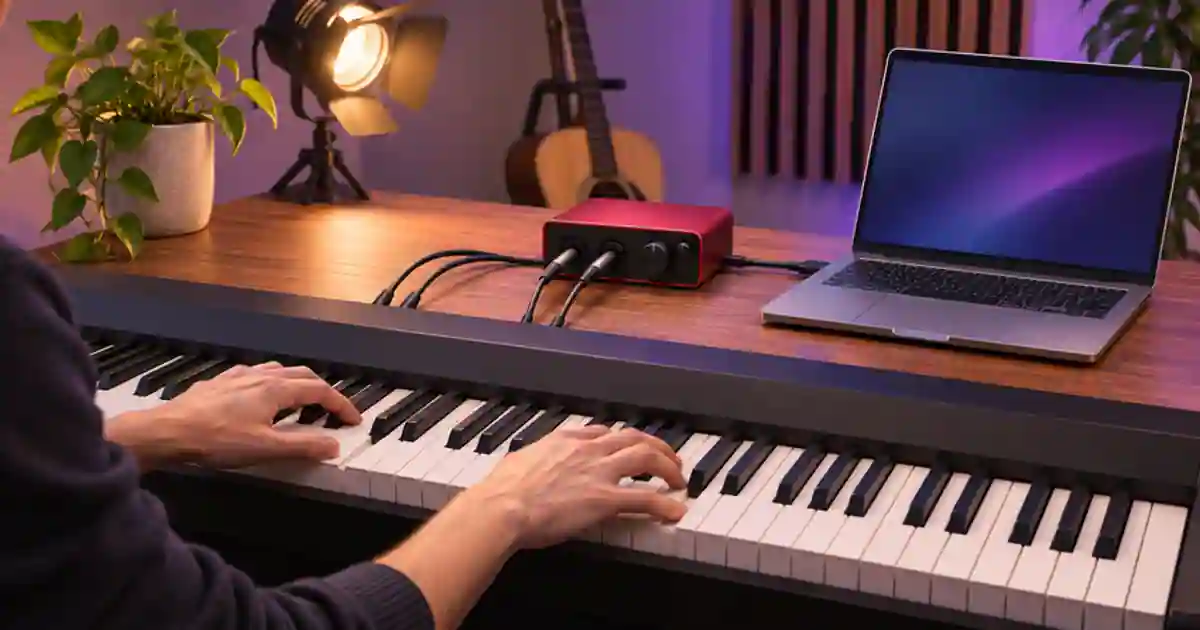

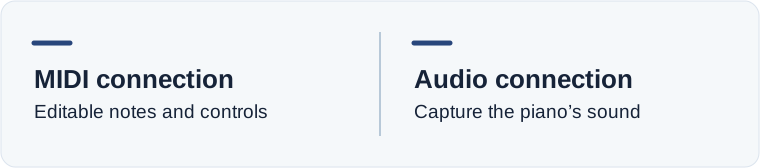
Record MIDI if you want to edit the notes, swap the piano sound, or play a software instrument. Record audio if you want the exact tone and effects you hear from the piano itself. I’d look up the piano model’s USB and output options before buying an interface. Some instruments send audio over USB, and others send MIDI only.
My gear pick for this setup
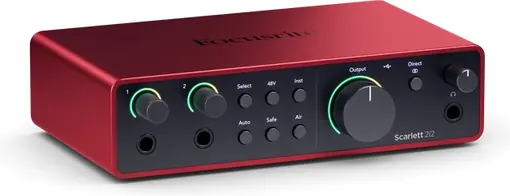
Focusrite Scarlett 2i2, 4th generation
For a piano with separate line outputs when you need two simultaneous line inputs to record its stereo sound.
I’d choose the Scarlett 2i2 when the keyboard’s own sound needs a stereo analog capture. If the piano sends the audio you want over USB, start with that and check the recording.
Read the output names on the piano
Check the manual for USB MIDI, USB audio, dedicated left and right line outputs, and a headphone output. The USB socket alone does not identify what the computer can receive. If the instrument sends USB audio in a supported configuration, try that first. Record a few notes in an audio track and make sure the input selected in the software is the piano. If you see note activity but no audio waveform, check whether you are receiving MIDI data rather than the piano’s sound.
For MIDI, make a MIDI or instrument track, select the keyboard input, and load a software instrument. Record a short phrase and check that it plays back after you stop touching the keys. Move a note and replay it. That tells you you captured editable performance data. Use the audio monitoring path from the computer if you want to hear the software instrument. Your piano’s own speakers may still be playing a separate sound when you strike a key, so check which one you are hearing.
Use two suitable line inputs for stereo
When the piano has left and right line outputs, connect each output to a suitable line input on the interface using the cable type the device makers recommend. Turn monitoring down before connecting and set the inputs for line operation. Bring the level up gently while playing loud and quiet notes. On the Scarlett 2i2, use the documented line connections and check the input mode. An interface may offer more connectors than simultaneous channels. The 2i2 can record two input channels, so stereo piano uses both.
A stereo headphone output is a different case. Check the instrument manual for whether it can feed a recorder and what cable and levels to use. A single stereo headphone plug into one balanced mono input does not turn it into a stereo recording. If the manual supports the connection, use a suitable breakout to two appropriate inputs and start at a low level. Keep the sound clean at both the keyboard output and the interface input.
Check the saved take and its channel order
Record a left-hand phrase, a right-hand phrase, and a chord with a sustain tail. Make a stereo track using the two inputs, or use two mono tracks with appropriate routing. Listen to the exported file using headphones. Check whether both sides are present and whether a difference between them matches the piano’s actual output. A stereo patch may put different material across the field. If one side is silent, look at the input assignment, cable, and output before editing the balance.
For a live vocal plus stereo piano take, count three simultaneous inputs if you want them isolated. A two-input interface can handle the stereo keys or a compatible mono piano feed with a voice, depending on the setup. Plan the tracks before the performance. If you need two distinct recording passes, save a reference or click so the parts can be aligned later.
Keep the version you can revise
If the piano and software support simultaneous audio and MIDI, record both. Label the audio as the piano’s original sound and the MIDI as the editable performance. Check sustain pedal behavior on playback. For an arrangement sketch, use a loop from Music Lab as a reference and record your own part separately. That gives you room to change the piano performance without changing the reference track.
I’d buy an interface when the piano has the analog output you need and the USB path cannot provide that recording. If a supported USB connection already captures the sound and notes you want, use that and make a short proof you can repeat before a longer session.
Find the cause of distortion before raising gain
If a loud chord sounds rough, listen to the piano on its own first. Then lower the keyboard’s output or the interface gain, depending on where the level is too high. Watch both inputs and check the waveform without adding a limiter to the test. If the sound is clean but one side is quieter, swap and test one cable at a time with monitoring turned down. This helps separate a cable or routing issue from the piano sound and keeps you from replacing hardware that is already working.
Keep the two input assignments next to the session name so someone opening the project later can tell which track carries each output.
A sixteen-second proof take
Record four seconds of low notes, four of high notes, four of a chord, and four of its release. Make a MIDI take and a stereo audio take if your setup supports both. Change one note on the MIDI version and confirm the audio stays the same. Play the audio outside the editor and check that neither side is silent and the chord release is intact. If you only need the notes, skip the audio hardware purchase. If you need the original stereo sound from two analog outputs, verify that the interface has two appropriate inputs.
Download the digital piano recording worksheet (CSV)
Frequently asked questions
Does USB on a digital piano carry sound?
It depends on the model and connection. Look for explicit USB audio support if you need the piano’s actual tone.
Do I need an interface to record MIDI?
A supported USB MIDI connection can be enough. Use a compatible MIDI connection and a software or hardware instrument to hear the notes.
Can one line input record stereo piano?
A typical mono input records one channel. Use two suitable inputs for left and right when recording an analog stereo pair.
Can I record stereo piano and an XLR vocal with a 2i2?
Stereo piano uses both input channels. Plan for more channels, a supported mono piano feed, or separate passes if you need a vocal too.
Sources and further reading
- Kawai piano-to-computer connection overview
- Focusrite 2i2 hardware connections
- Focusrite 2i2 input specifications
Affiliate disclosure
As an Amazon Associate I earn from qualifying purchases.
Continue with a useful next step
 Music
25 vs 49 Key MIDI Keyboard: Which Size Fits?
Choose a 25- or 49-key MIDI keyboard by testing the range you play, how often you change octaves, and the space your controller needs on the desk.
 Creator Workflows
Arturia MiniLab 3 With Ableton Live Lite: First Track
Set up an Arturia MiniLab 3 in Ableton Live Lite, record a playable four-bar MIDI clip, and decide if a compact controller fits the music you make.
 Creator Workflows
Microphone Only on One Side? Record It in Mono
Fix a microphone playing on one side by finding the active input channel, mapping it to mono and checking that the final export plays centered.