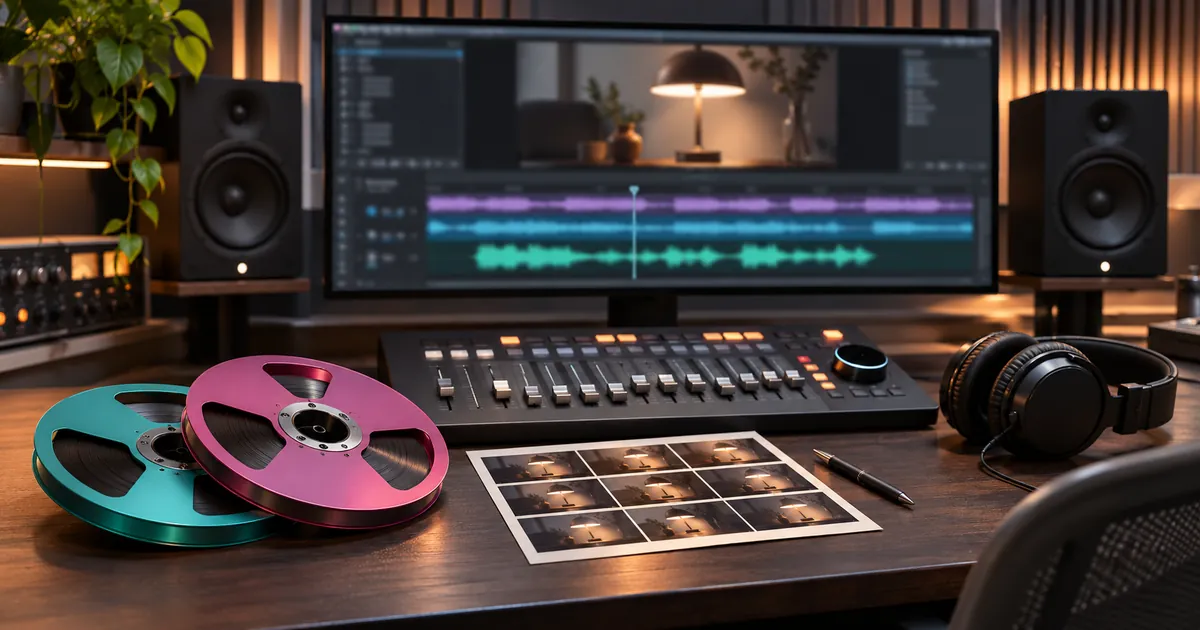

Replace music under a locked video edit by marking the picture moments that still need musical emphasis before you place the new bed. Preserve the existing narration, effects, and overall duration. Match the replacement's beginning, important accents, and ending inside those limits. A track that looks close on a waveform can still emphasize the wrong move or fall silent across a key sentence.
Jump to the Music Lab example or download the worksheet.
Protect the picture and map the original cue points
Duplicate the approved timeline and lock the layers holding picture, captions, and dialogue. Keep the original music temporarily on a muted reference track. Play the old cut and mark specific music events you can hear, such as a quiet opening, a downbeat on the product reveal, and a resolving chord under the end card. Give each marker a job. There may be a convenient beat under a random jump cut that can move, and a planned accent on the lamp turning on that should stay exact.
Consider a 27-second tabletop lamp video. The narration begins at 2 seconds, the lamp switches on at 9 seconds, and the end card appears at 22 seconds. The soundtrack ducks under an important phrase from 11 to 14 seconds. Write those windows down. A new bed with a loud fill at 12 seconds competes with the most important sentence even if its main hook lands exactly at 9. Keep an export of the approved picture and the old marker map so you can check them side by side.
Check the source project for clean dialogue and effects. If all sound is flattened into one file, see if you can recover a legitimate clean stem or the original speech recording. A music replacement is easier to approve when you can hear the original dialogue and package sounds without fragments of the old tune.
Choose audio that fits the constraints
Narrow candidates by mood, energy, density and permission to use them in this placement. Listen for music that leaves a clear gap for the narration and has a stable setting you can cut through. A soft arrangement with regular phrases gives you options. A strong melodic line or a record with several unusual tempo changes creates fewer invisible edit points. Write down why the bed needs to change, such as an expired license, a tonal shift, or a regional alternate version. Verify the new source can be retained for this use and include the exact file version in the handoff.
| Timeline cue | Sample requirement | Replacement check |
|---|---|---|
| 0:02 voice enters | Keep the bed sparse | First full phrase stays readable |
| 0:09 lamp switches on | Place a gentle musical accent | Product switch remains audible |
| 0:11–0:14 message | Avoid a busy fill | Listener can repeat exact words |
| 0:22 end card | Resolve before 0:27 | Ending settles inside final frames |
Place the strongest musical emphasis where the main action lands and audition the opening and close separately. Use a start point inside the track if its intro is slow. If a track has a sharp beat at 3 seconds from its first audible onset and the reveal needs a sharp accent at 9, lining up the beat may leave room for a quiet opening before the bed joins at 6. Compare this with a continuous low bed and choose the version whose foreground story is still clear. Use a small fade when the audio begins inside an established phrase.
Treat automatic remix as an editing tool. It can create a track that fits a target duration. Check where it moved musical phrases, especially around fixed scene cues and words.
Make small edits at phrase boundaries
Check the beat around both sides of an intended cut. In steady four-four at 120 beats per minute, four beats occupy two seconds. A removed full bar can preserve pulse in a straightforward pattern. Compare the harmony and arrangement on either side before cutting. Equal bar lengths can carry different chords or intensity. Start with a short crossfade at a quiet transition and listen for a doubled snare or bell. If you hear a duplicate attack, reduce the overlap or choose a different join.
Keep the original ramp into the end card when it helps the story. If the new final chord arrives earlier than needed, give it a quiet tail and check whether the music stops feeling connected to the last frames. Hold an expressive note where it has enough room to settle. Use a deliberately trimmed composition if the time is too short. The music crossfade check gives a way to compare level across both sides of a seam.
Avoid replacing invisible sound effects with music. Preserve the physical click at the reveal and make sure an added percussion hit does not hide it. If a tight musical accent makes the action sound bigger than it appears, test a softer track or move the accent slightly before or after the real cue.
Verify the actual export against the original picture
Play the video with music temporarily muted and confirm that it matches the approved picture. Listen to speech and product sounds again after enabling the new bed. Compare at ordinary phone volume, not just on large headphones. Have someone repeat the critical sentence near the loudest new moment. Turn on the captions and watch the relevant position once more. If the edit loses the announcement or makes the item click sound late, revise the cue instead of moving the locked clip.
Export from the same timeline duration and compare the final video frame and last audible moment with the reference. Check the beginning and end for unintended silence or a cut-off chord. Keep the newly approved music name, license record, cue map, and version of the edit. The cue sheet handoff helps the next editor find which bed and fades belong to the master.
Save an instrumental-only reference where your delivery process uses separate music. A verified stem and master make future swaps easier after the picture, captions, or file hosting change.
How QuestStudio helps
Use QuestStudio Music Lab to draft a new original instrumental if the project needs one. Ask for useful structural qualities and check the exported music in your timeline. Place track markers yourself when the result has promising cues.
An understated instrumental for a 27-second desk-lamp demo. Quiet soft percussion, minimal warm bass, room for spoken instructions, one small bright accent near the middle, and an unhurried resolved ending. No vocals or busy fills.Choose a section with room under the key phrases and place the important beat on the real reveal. Review every edit against the approving soundtrack or cue map and verify the new audio's intended usage before delivering.
Try it with your own material
Keep the approved picture and the new track visible in the same review. Match the few cues the audience needs, and keep a record so future music changes start with real timing.
References
Frequently asked questions
Can I use automatic remix for a fixed video?
Yes, if its phrasing and emphasis still match the locked cut. Review every critical cue after the tool changes the music length.
Where should I cut the new track?
Look for musically compatible sections around quiet moments or clear bar boundaries. Inspect the joins for doubled transients or a chord change.
What if the old music is mixed into the only file?
Look for a clean original project or stems. If you cannot separate the relevant tracks cleanly, consider rerecording or using a legitimate alternate source.
Should the music be louder for the reveal?
The product action, click, and spoken words should remain understandable. Test a small accent before increasing overall level.
Related guides
 Music
AI Music Cue Sheet: Track Versions, Uses and Durations
Prepare an AI music cue sheet for an editor with exact filenames, used ranges and durations. Separate production tracking from rights records with a CSV sheet.
 Voice
Background Music Under AI Voiceover: A Mix You Can Hear Clearly
Mix background music under AI voiceover with separate tracks, phrase-based ducking, a practical cue map, and listening checks that beat a fixed volume preset.
 Music
AI Music for Product Reveals: Sync the Moment That Matters
Sync AI music to a product reveal using a real visual marker and an audible accent. Measure the generated track, align it in editing and check the final export.