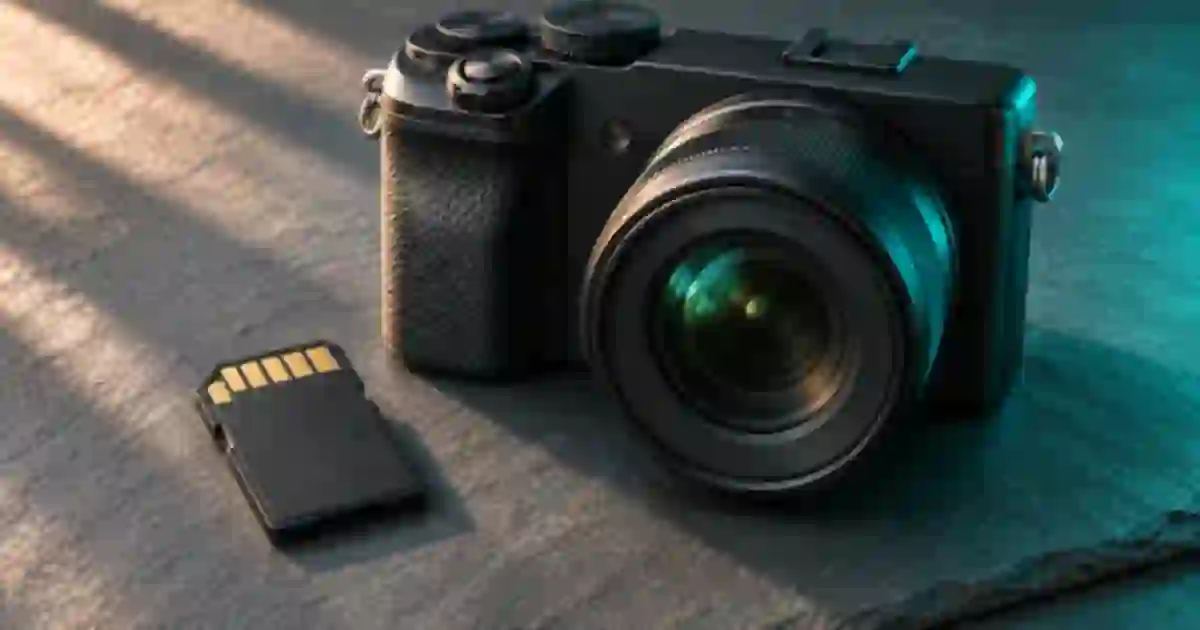

How much 4K footage fits on an SD card depends on your recording bitrate and the free space the camera can use. I recommend checking the exact recording mode and planning below the mathematical ceiling. For 100 Mbps video, a nominal 128 GB card gives about 171 minutes on paper. A real shoot needs room for overhead, extra takes and whatever is already on the card.
My gear pick for this setup
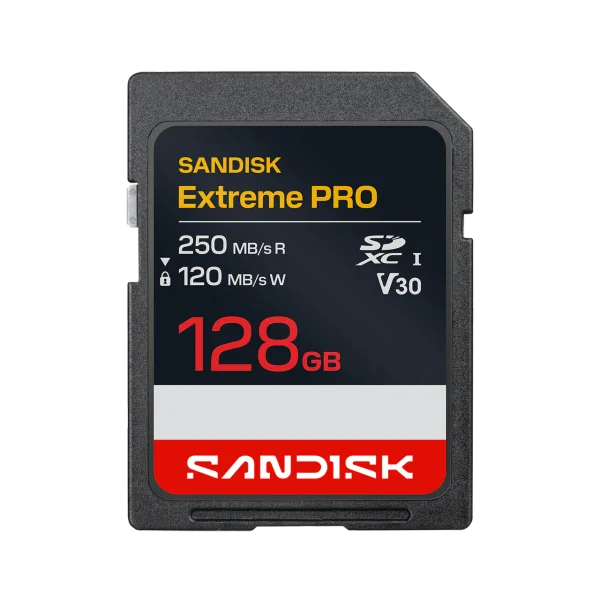
SanDisk Extreme PRO SDXC, 128 GB, 250 MB/s version
A 128 GB option for a camera mode that accepts V30
I’d shortlist this exact 128 GB SanDisk variant if the camera manual allows its card class and bus. Check the V30 marking and capacity on the listing before choosing a variation.
Use the camera’s recording rate
Open the recording menu and note the codec, resolution, frame rate and quality mode. Two modes marked 4K may write at different rates. A long-GOP mode compresses across frames and an all-intra mode compresses each frame independently. The camera’s actual settings determine the data rate. Choose the rate in the manual or recording menu for the mode you intend to use. If a manual has a recordable-time table for that mode, I use it as the better model-specific starting point.
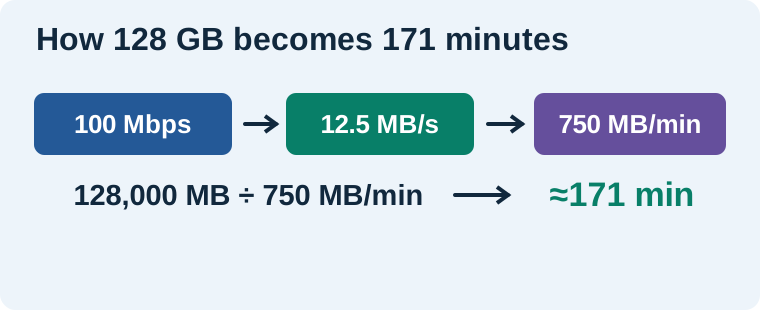
Mbps means megabits per second. Divide by eight to get megabytes per second. At 100 Mbps you have 12.5 MB per second, which uses 750 MB per minute. Using decimal units, 128,000 MB divided by 750 gives about 170.7 minutes. If the mode varies its bitrate with scene content, a short recording of an empty wall can underestimate what a busy handheld shot will use. Record an example that resembles the work.
Compare a few mode and capacity combinations
| Capacity | 100 Mbps | 200 Mbps | 400 Mbps |
|---|---|---|---|
| 64 GB | 85 min | 43 min | 21 min |
| 128 GB | 171 min | 85 min | 43 min |
| 256 GB | 341 min | 171 min | 85 min |
These estimates use nominal decimal capacity and rounded minutes. They divide storage by the stated video rate. Audio, container overhead, filesystem overhead and other files can consume space. The camera may also stop for its own clip, battery or temperature limits while storage is still available. I read the camera’s remaining-time estimate after choosing the mode and compare it with a timed rehearsal. A lower camera estimate gets my attention before a long take.
Plan for takes, resets and a second card
For an example product demo, suppose I need four eight-minute takes in a 200 Mbps mode. The base recording is 32 minutes and uses about 48 GB on paper. If I add an illustrative 25 percent margin for resets and extra takes, the plan becomes 40 minutes and about 60 GB. I would choose a compatible 128 GB card or split planned takes across two approved cards because a nominal 64 GB card leaves little space above that estimate. Choose your own reserve around how costly it would be to stop and swap cards.
If the camera reports 105 GB free, use 105 in the calculation. If you want to reserve 15 GB, calculate on 90 GB. The formula in decimal units is minutes = usable GB × 8,000 ÷ (Mbps × 60). I write down both the conservative estimate and what the camera shows. That is more useful than budgeting with the number printed on the card while footage from yesterday is still on it.
Check sustained write requirements separately
Capacity tells you how long there is space to record. The camera’s card support and minimum sustained write requirements determine whether a particular mode can record reliably at all. A 400 Mbps stream is 50 MB per second before overhead. Compare the camera manual with the card’s certified speed class and required bus. For the meaning of those labels, use the V30 versus V60 camera card guide. If a camera specifies a different media type or class for the chosen mode, use that specification.
Do the rehearsal before the shoot
Record a representative sample on the intended card, with the camera set exactly as it will be for the job. Confirm playback in the camera, copy to your working storage, and verify the copies before reusing any media. Test long enough to catch the problem you care about. A short clip can help estimate storage, while a continuous take is more useful for rehearsing sustained recording and temperature limits. Check both when a single uninterrupted take matters.
Separate captured footage and generated inserts
For a product sequence, I keep original footage, review exports and supporting Video Lab clips in separate folders. A generated insert lives on the editing drive and has its own size. The SD card plan only needs the material the camera actually writes. Once everything is backed up, that separation also makes it easier to replace a generated insert without disturbing the original take.
Before you choose a higher-capacity card, check whether the camera supports that capacity and format. If you record to two cards at once for redundancy, use the available space of the more constrained card when planning a take. Check the manual for how the camera behaves when one destination fills.
Check the estimate against one sample file
If you record 90 seconds and the file uses about 1.12 GB, the observed average data rate is roughly 100 Mbps in decimal units. A 15-minute set of similar takes would use roughly 11.2 GB at that average. I would keep the camera’s own remaining-time reading beside the estimate and retain spare capacity for audio, overhead or a busier scene. Use a longer representative sample if your source varies a lot. Keep the card’s label, mode, observed file size and free capacity together so you can repeat the calculation when you change codecs.
Download the camera storage planning worksheet (CSV)
Frequently asked questions
How long can a 128 GB card record at 100 Mbps?
About 171 minutes in ideal decimal-capacity math. Check actual free space, audio and other overhead, then use the camera's remaining-time display and mode-specific manual.
Does every 4K mode use the same storage per minute?
No. Codec, frame rate, quality and camera mode affect the recording bitrate. Use the rate for your exact mode.
Is 100 Mbps the same as 100 MB/s?
No. There are eight bits in one byte, so 100 Mbps is 12.5 MB per second before other data is included.
Does a bigger card let me use a faster recording mode?
Only if the card also meets the camera's format, bus and sustained-write requirements for that mode. Capacity alone describes available space.
Sources and further reading
Affiliate disclosure
As an Amazon Associate I earn from qualifying purchases.
Continue with a useful next step
 Video
V30 vs V60 SD Cards: Choose for Your Exact Video Mode
Choose V30 or V60 using your camera’s exact video mode. Decode write classes, avoid SanDisk revision mix-ups, and estimate storage before buying an SD card.
 Video
UHS-II Card Readers: Build a Verified Video Offload
Choose a UHS-II SD card reader for video ingest. Check ProGrade PG08 slots, host speed and two-copy verification before you erase a camera card.
 Video
External SSD for Video Editing: T7 Shield or T9?
Choose an external SSD for video and AI assets by checking your computer's USB port, project size and backup plan. Compare Samsung T7 Shield and T9.