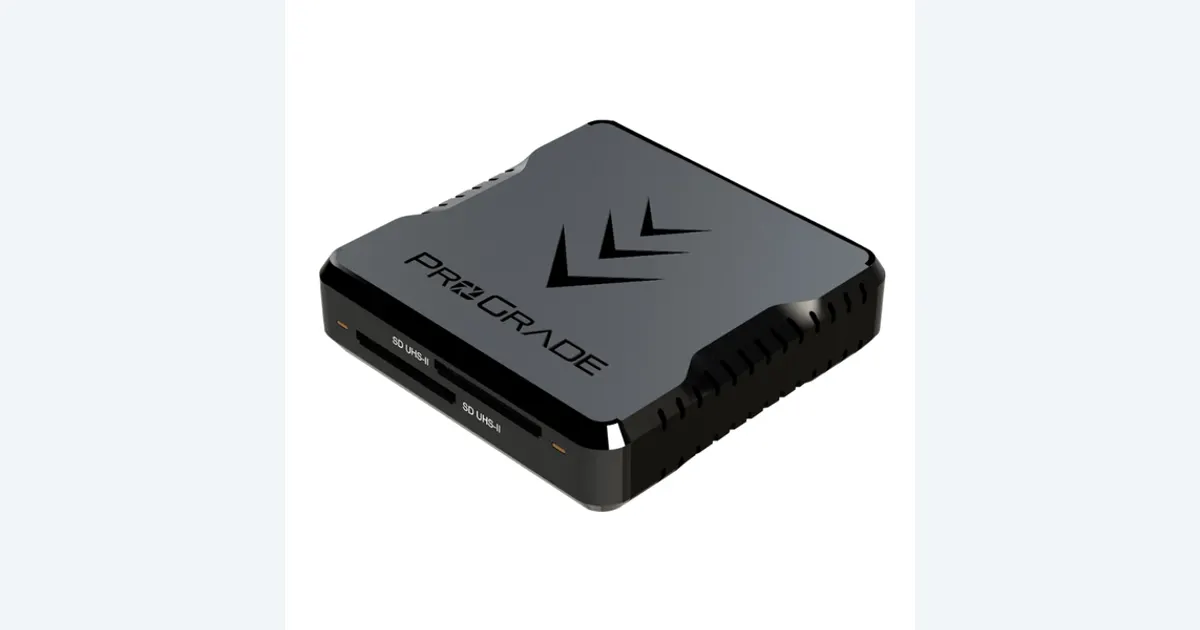

A faster card reader is useful when transferring footage is a recurring wait, but a successful offload also needs an organized destination and a verified second copy. ProGrade PG08 is worth considering for two full-size SD cards and a compatible USB connection. It does not change the recording class of your cards or make a completed copy dialog proof that a project is protected.
A product to consider
Check the fit below, then select Buy on Amazon for the current offer and buying options. We may earn a commission from this paid link.
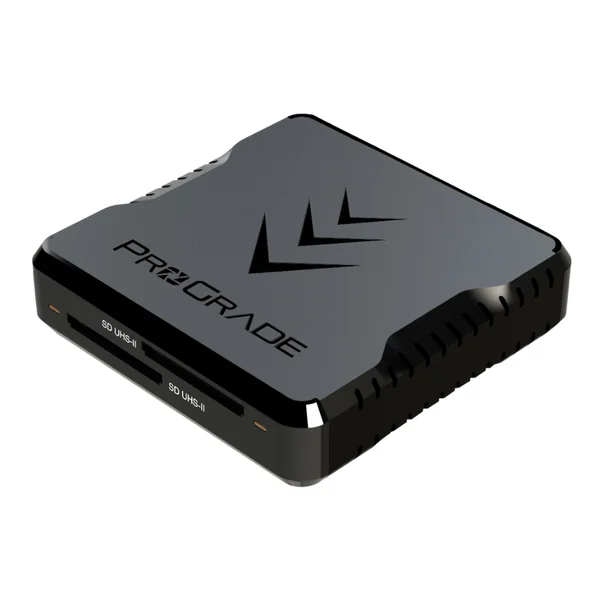
ProGrade Digital PG08 dual-slot SD UHS-II reader
For creators copying full-size SD cards through a compatible computer connection
Both slots are full-size SD, not one SD and one microSD or CFexpress slot. The advertised 10 Gbps host link is not a guaranteed card-transfer rate.
Download the practical worksheet
Original blank CSV worksheet. Record your own setup and observations.
Separate capture speed from transfer speed
The camera writes files while recording; the reader moves those files to a computer afterward. Those jobs can have different bottlenecks. A reader upgrade may shorten ingest without allowing a new camera recording mode. Conversely, a card that meets a camera's requirements can still copy slowly through an older reader.
Our V30 versus V60 guide covers capture requirements. For this purchase, identify the physical card format, its bus interface and the destination computer. Full-size SD, microSD, CFexpress and CFast are not interchangeable merely because they all hold footage.
Start by timing one representative transfer with the equipment you already own, keeping the source untouched. Record the card, reader, computer port and destination drive. If your existing transfer finishes while you perform another necessary task, a new reader may offer little practical benefit.
Check the exact PG08 slots
ProGrade's PG08 has two full-size SD UHS-II slots and a USB 3.2 Gen 2 host connection advertised at 10 Gbps. That host figure is a link capability, not a promise that an SD card supplies data at 1.25 GB/s. Actual copying depends on the card, reader, host, destination and workload.
Do not substitute a similarly named ProGrade SD/microSD or CFexpress/SD reader without checking its model. The PG08 recommendation is for two full-size SD cards. It makes particular sense when your camera routine produces several such cards and the computer path supports the reader.
LensVid's firsthand review examines the dual-slot design and its transfer workflow. Use published tests as context for the tested cards and host, not as a guaranteed result for yours. QuestStudio has not benchmarked this reader or certified card compatibility.If you only use UHS-I media, compare the likely benefit with a suitable existing reader. A UHS-II label does not transform the card into UHS-II media, and proprietary high-speed modes on some UHS-I cards may require the manufacturer's matching reader.
Draw the complete ingest path
| Stage | Record | Question |
|---|---|---|
| Source | Card model and format | Does this reader support the exact media? |
| Connection | Cable, port and any hub | What mode does the full path support? |
| Destination | Drive and available space | Can it accept this workload reliably? |
| Verification | Method and saved result | Can you prove the copied files match? |
Begin with the supplied or documented cable and a direct computer connection. Add a hub only after you have a useful baseline. If a fast external drive and the reader share a hub, they may also share the host connection. Several sockets do not guarantee independent bandwidth for every connected device.
The creator hub guide explains that shared setup. A USB-C connector alone does not identify data speed. Check the port and cable documentation rather than inferring support from the plug shape or its charging wattage.
Leave enough destination space for the complete card contents, not only the clips you currently like. Preserve the camera's folder structure when your editing workflow depends on it. Sidecar files and metadata can be useful even when a media player appears to open an isolated clip.
Use a manifest before starting a copy
Create a project folder with a clear shoot identifier. Give each card a separate destination folder so repeated camera filenames do not silently collide. A label such as CameraA_Card03 is easier to audit than combining several cards into one folder and accepting overwrite prompts.
The worksheet records the card identifier, destination A, destination B, verification method and result. Add the operator and time if several people handle the files. Keep the original card unchanged during the copy. Do not rename or reorganize source media halfway through an ingest job.
Choose a copy tool that fits the importance of the material and supports the verification you need. A verification report should identify the source and destination clearly. Merely counting files can miss damaged contents; opening a few clips is useful but does not examine every byte of every file.
Checksums can confirm that copied bytes match the source bytes when used correctly. They do not prove the original camera recording was flawless, properly focused or complete. Keep transfer verification and editorial review as two separate checks in the log.
Run a two-destination offload rehearsal
Use a card containing replaceable rehearsal footage first. Keep the camera originals until both destinations are checked. The purpose is to practice the sequence you will use after a real shoot, without experimenting on the only copy of important work.
- Identify: record the card and project folder before copying.
- Copy A: transfer the complete required folder structure to working storage.
- Verify A: save the verification result and inspect representative clips.
- Copy B: create an independent backup and verify that destination too.
- Review: confirm the expected scene, audio and duration before considering the card reusable.
Two folders on the same physical drive do not provide independence from that drive failing. A synchronized folder may repeat an accidental deletion. Record where the second copy actually lives and how it can be recovered. The backup and restore guide covers retention beyond this ingest step.
If verification fails, preserve the source and investigate the connection, destination space and copy process. Do not format the card as a troubleshooting shortcut. Recopying without understanding a repeatable error can conceal a problem until the source is gone.
Only follow your camera's formatting procedure after the material is safely preserved and the card is genuinely ready for reuse. Formatting can erase contents. A reader's convenience should not shorten the decision that protects the original recording.
Evaluate time saved without chasing a peak number
Repeat the rehearsal with the actual card and destination you expect to use. Record total elapsed time through verification, not just the fastest moment shown by a progress bar. A faster first copy is less valuable if the second-copy process is confusing or frequently skipped.
For an illustrative planning comparison, saving four minutes on each of six card transfers would save 24 minutes of copying time. That is arithmetic using fictional inputs, not a PG08 performance claim. Replace the numbers with your own results and include setup or verification overhead.
Once the source files are verified, bring the required assets into your editing workflow. In QuestStudio Editor Lab, keep original footage and generated additions identifiable while assembling the project. A card reader improves local file handling; it does not accelerate a cloud model or validate a generated scene.
Buy the PG08 when its two SD slots and supported connection solve an observed ingest problem. Keep an adequate existing reader when the real gap is folder organization, backup capacity or verification. The finished workflow should make both speed and file status easy to explain.
Check the current offer
If the product fits your setup, check the selected model, condition, seller and included contents on Amazon. We may earn a commission from this paid link.
Frequently asked questions
Does PG08 have a dedicated microSD slot?
No. This model has two full-size SD slots. Do not confuse it with ProGrade models that combine SD and microSD or CFexpress.
Will a 10 Gbps reader copy every card at 1.25 GB/s?
No. That is the advertised host-link capability. Card performance, the computer connection and destination storage limit the actual transfer.
Can a reader upgrade make my camera accept V30?
No. Follow the camera requirement for the exact recording mode. Offload hardware does not change capture compatibility.
Are matching file counts enough verification?
They are a useful check but do not establish matching contents. Use an appropriate verification method and inspect the actual recordings.
When can I format the card?
Only after the required material is safely preserved and verified, according to your workflow. Formatting may erase files; keep originals while resolving any uncertainty.
Sources and further reading
Research and Amazon listings checked October 28, 2026. Check the current offer for condition, seller, price and included contents. Images: credited manufacturer product imagery, not QuestStudio test photographs. Original decision framework and worksheet: QuestStudio.
Affiliate disclosure and research approach
As an Amazon Associate I earn from qualifying purchases. If you buy through paid links, QuestStudio may earn a commission at no extra cost to you. See our editorial and affiliate policy.
This is a research-based guide using linked manufacturer documentation and clearly attributed published reviews where available. We have not tested this equipment hands-on. The worksheets are original exercises for your observations, not published test results.