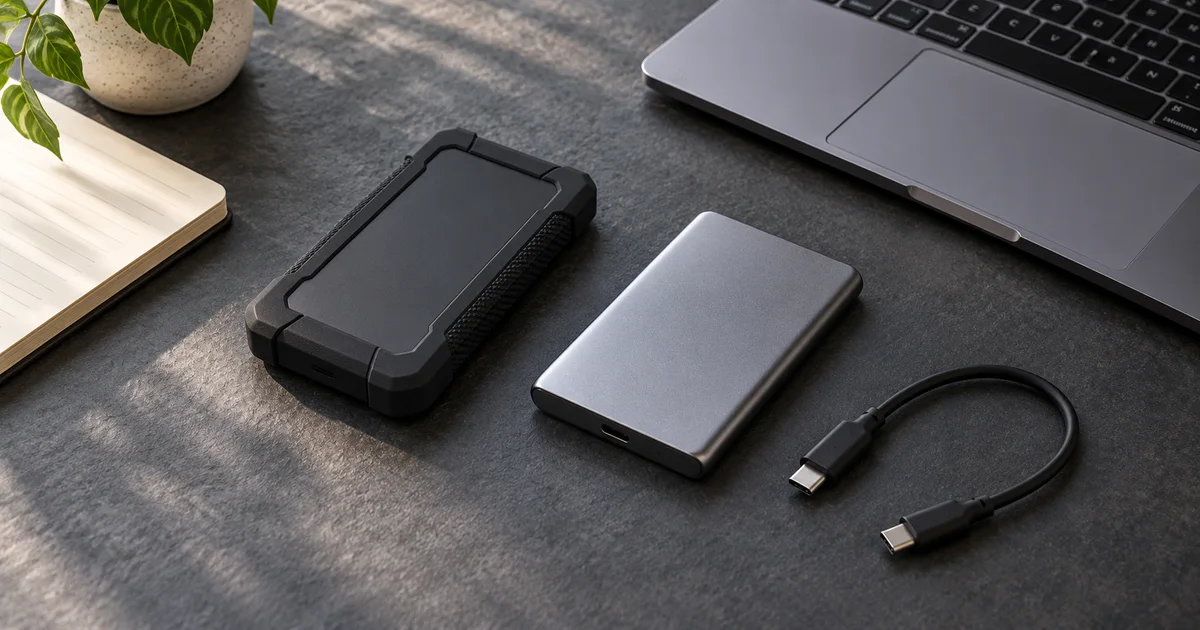

Choose an external SSD for video editing by checking the computer port first, then project capacity and backup. A faster drive cannot deliver its headline speed through a slower connection. For many portable workflows, the useful purchase is enough reliable working space plus a second copy of important files.
Download the practical worksheet
Original blank CSV worksheet. Add your own observations; it contains no invented test results.
The short decision: connection before headline speed
The Samsung T7 Shield is the simpler shortlist option for a workflow built around a 10-gigabit USB connection. The Samsung T9 is worth considering when your computer explicitly supports its 20-gigabit USB 3.2 Gen 2x2 mode and your work benefits from faster transfers. This is a compatibility-led comparison, not our measured benchmark.
If you cannot confirm Gen 2x2 support, do not pay extra solely for the T9's top speed. USB-C describes the connector shape. Even a high-spec port can support a different protocol without supporting every lower-speed mode in the way you expect. Check the computer manufacturer's exact port specification.
An external SSD also does not make a cloud AI model generate faster. It helps with local storage, transfers and supported editing workflows. Downloaded source files, generated clips, proxies and exports can fill a drive quickly, but those are different activities from remote model inference.
What the two specifications actually mean
Samsung's portable SSD comparison brochure lists the T7 Shield with USB 3.2 Gen 2 at 10 Gbps and sequential reads up to 1,050 MB/s. The T9 uses USB 3.2 Gen 2x2 at 20 Gbps and advertises reads up to 2,000 MB/s. These are manufacturer maximums under specified conditions, not a promise for every project copy.
The T9 data sheet also distinguishes capacity variants and read/write figures. Compare the same capacity and operation. A large sequential read, a folder of thousands of small files and an editing application's random access are not interchangeable tests.
| Drive | Documented interface | Buying implication |
|---|---|---|
| T7 Shield | USB 3.2 Gen 2, 10 Gbps | Consider when a 10 Gbps workflow meets your needs |
| T9 | USB 3.2 Gen 2x2, 20 Gbps | Confirm explicit Gen 2x2 host support before buying for speed |
| Either through a slower hub | Limited by the actual connection chain | Diagnose the hub and cable before replacing the drive |
Check Samsung T7 Shield 2TB on Amazon (paid link)
Check Samsung T9 2TB on Amazon (paid link). These links target 2TB versions; verify the selected capacity and condition before buying.
Calculate capacity from one real project
Take a completed project similar to the next one you expect to make. Count source video, audio, images, downloaded AI candidates, proxies, application cache and delivery exports. Do not size the drive from the final compressed video alone. Keep a separate allowance for the number of projects you need open at once.
For an illustrative example, imagine a project uses 120 GB of source files, 40 GB of proxies and cache, and 20 GB of generated candidates and exports. That is 180 GB before a working allowance. Four similar active projects total 720 GB. Adding a chosen 25 percent planning allowance brings the example to 900 GB. Those are fictional inputs, not a recommendation that every editor needs the same capacity.
The worksheet lets you replace each number. Leave room for temporary files and growth, and remember that a manufacturer's nominal capacity and the space reported by your operating system may use different units. A nearly full drive can also make ordinary project management harder regardless of its benchmark score.
If your workflow consists mainly of short clips downloaded from cloud tools, capacity and organization may matter more than the fastest advertised interface. If you ingest large camera cards repeatedly, transfer time may deserve greater weight. Identify which wait actually costs you time.
A working drive is not a backup plan
Do not move the only copy of an important shoot to a portable drive and call the job protected. A drive can be lost, damaged or disconnected during work. Keep another independent copy of irreplaceable sources and verify that it can be opened. Synchronization alone may repeat an accidental deletion.
Separate active work, backup and archive responsibilities. They may use different devices or services, but the distinction must be clear. A rugged enclosure or drop-resistance claim does not establish that your data is backed up, and it does not guarantee survival in every incident.
The creative asset versioning guide covers approved versions and source history. Pair that process with your storage plan. Faster transfers do not help when an editor cannot identify which file was approved or where the original recording lives.
Test the connection with a copy, not your only original
Begin with the supplied cable and a direct computer connection. Copy a representative folder while keeping the source intact. Open several copied files and confirm that the total contents are present. If a verification or checksum tool is part of your established workflow, use it for important transfers.
Only then add a dock or hub. Record the port, cable, adapter and hub model in the worksheet. If performance drops, you now have a baseline to compare. The USB-C cable guide explains why a high charging wattage does not establish a fast data connection.
Watch the actual editing task as well as the copy operation. If playback stutters, the source codec, processor, effects or application settings may be responsible. Try a suitable proxy workflow before assuming storage is the bottleneck. A drive purchase cannot compensate for every decoding or rendering limitation.
Choose a file system supported by the devices that will use the drive. Formatting can erase existing contents, so back up first and follow the operating system's current guidance. Do not reformat a client's drive merely to run a speed check. Preserve its existing data and clarify the required workflow.
Read reviews with the test conditions attached
A useful SSD review identifies the host system, connection, capacity, test size and sustained behavior. A peak number without those details is a weak basis for your purchase. Check whether the reviewer used the same interface your computer actually provides and whether the test exceeded a short burst of data.
For this shortlist, the hard technical limits come from Samsung's documentation. We have not produced a hands-on speed ranking or a reliability score. If you need sustained performance for a demanding production setup, compare an independent test with matching conditions and validate the actual project before relying on it for a deadline.
Check warranty terms, seller identity and the intended region before ordering. An unusually attractive offer may refer to another capacity, renewed condition or a third-party bundle. Those details matter more than a badge next to the product title.
How QuestStudio fits the storage workflow
Use Video Lab to make a short candidate clip, then keep the downloaded file alongside its prompt, model and approval note. Preserve the source image separately when the generation used one. An external SSD can hold these local assets, but it is not a substitute for saving the information needed to understand them.
Finish the buying decision with three entries: the supported port mode, the capacity calculation and the location of the second copy. If those are clear, the comparison becomes much easier than choosing the largest number printed on a box.
Frequently asked questions
Will the T9 always be twice as fast as the T7 Shield?
No. The host must support the relevant mode, and real workloads differ. Manufacturer sequential maximums are not universal transfer results.
Does Thunderbolt automatically guarantee USB Gen 2x2?
Do not assume so. Check the exact computer or dock specification for USB 3.2 Gen 2x2 support.
Can I edit directly from an external SSD?
Many editing applications support it, but validate the connection, codec and project workflow. Keep a separate copy of important sources.
Is 2TB enough for video editing?
It depends on source files, proxies, cache, exports and simultaneous projects. Use a representative project's actual storage rather than a universal rule.
Does an external SSD make AI generation faster?
It can help local file handling. It does not speed up a model running on a remote provider simply because your downloads are stored on a faster drive.
Sources and further reading
Sources and product details checked October 25–26, 2026. Hero: AI-generated editorial illustration of generic equipment, not a product test photograph. Worksheet and decision framework: QuestStudio.