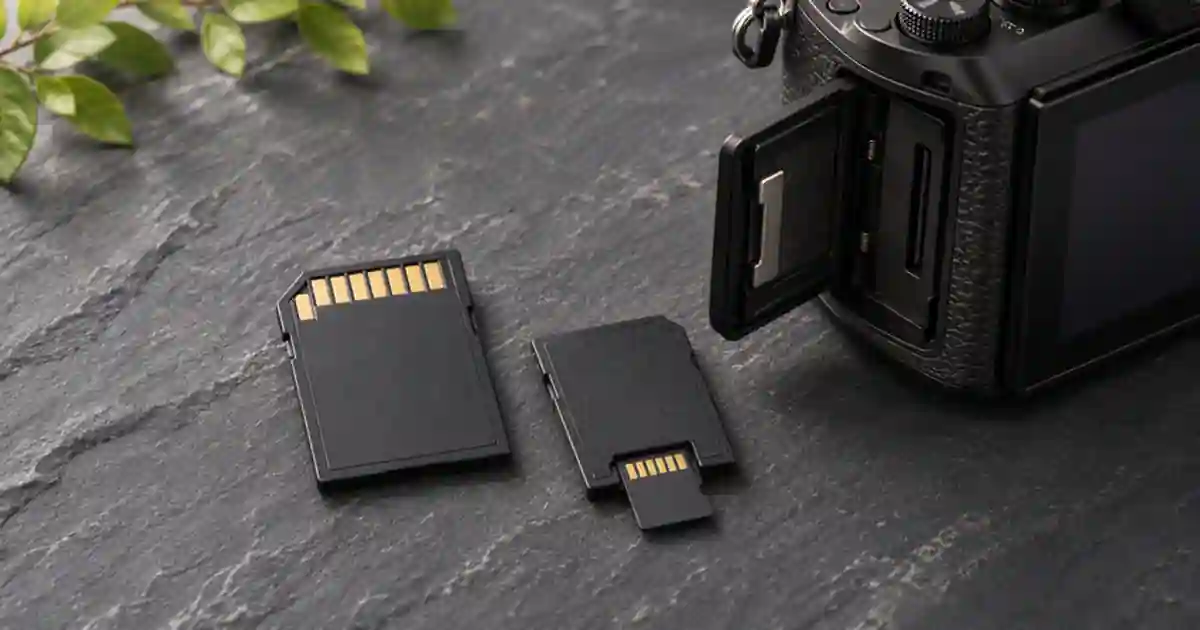

For a camera with a full-size SD slot, I’d buy a full-size card that meets the requirements for the exact video mode. Use microSD in an adapter when your camera maker supports that combination and a representative recording has passed. An adapter lets a smaller card fit the slot. The speed and recording compatibility still depend on the card, the adapter, and the camera.
My gear pick for this setup
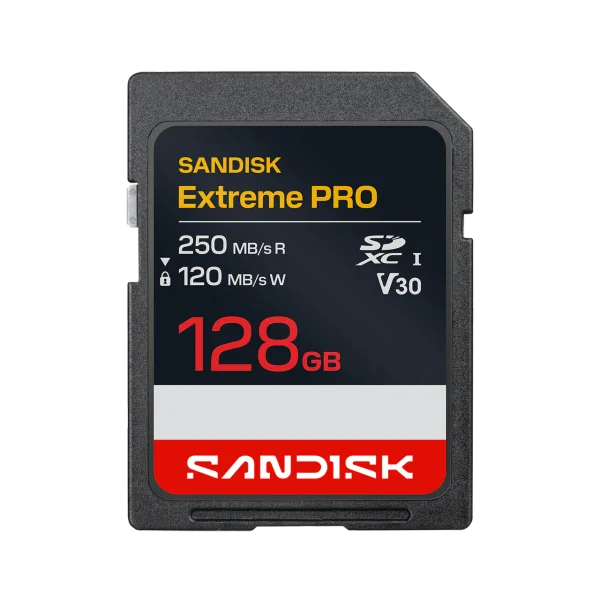
SanDisk Extreme PRO SDXC, 128 GB, 250 MB/s version
For a full-size SDXC slot and a recording mode that explicitly supports this card’s speed class.
I’d buy a full-size card for a camera I use regularly. Choose the capacity and class from the camera manual. Some recording modes call for faster or different media.
Start with the recording mode
Write down the camera model, codec, frame rate, and bit rate you will use. A camera can accept a card for still photos and reject it for one of its movie modes. It may also use different media requirements for two modes that are both labeled 4K. Look at the camera’s recommended media for your selected settings. Check whether it requires an SD bus type, a minimum video speed class, a particular capacity family, or a different kind of card. Keep the manual open while comparing listings so similar model names do not hide a mismatch.
Video speed classes express minimum sustained performance under the specified conditions. A large number on the front of a card is often a peak read claim and may depend on the reader. A mode that lists a 200 megabit-per-second stream is about 25 megabytes per second before allowing for recording overhead. That calculation helps explain the units. It does not replace the camera maker’s media table. Use the V30 and V60 guide if your manual gives you more than one class to consider.
Decide if an adapter fits the job
An SD adapter has contacts for the microSD card and contacts that mate with the camera slot. It adds another physical connection to check. It does not upgrade the memory card or give the camera a faster bus. A card and adapter can work well together in a supported setup. If you already own one for a drone or action camera and want to move it into a larger camera, check that both devices can use the card and that you have copied the footage before changing how the card is formatted.
Do not force a tight or damaged adapter into the camera. Seat the microSD fully, inspect the adapter lock switch, and see whether the camera can format or record on it after you back up the contents. For an important shoot, I’d favor a dedicated full-size card for the main camera if the manufacturer lists that media. It takes one part out of the handling routine and lets me reserve the smaller card for a device that requires it.
Run a recording test that can catch the failure
Record a short clip first and play it back. Then record for the longest stretch you expect on the job with the exact settings. Use an ordinary scene with the kinds of movement and detail you will film. Leave room on the card for the rehearsal and confirm whether the camera has a normal clip limit before treating a stop as a card failure. Check the final clip duration and inspect both the opening and the end. If recording stops, note the error message and time instead of immediately changing several things.
Repeat at the same settings with known supported media if you need to isolate the adapter or card. A lower-bit-rate test can help identify which settings are affected. It does not prove the original combination is suitable for the planned shoot. When both cards fail at the same point, check camera temperature, battery, and file limits along with the recording media. Write down the exact card and firmware combination that passed.
Plan capacity and copies together
Estimate recording time using one real test clip or the listed bitrate, then leave space for extra takes. Copy the footage before reusing the card and verify the destination files. The card copy walkthrough shows how to check the transfer before formatting. Keep the cards separate if you need footage from more than one device. I’d rather label two known-good cards than keep moving one card and adapter between jobs.
For a product video, keep the real capture as the source of the demonstration. If you need a brief companion insert, use an approved still in Video Lab and keep it on a separate track. The tested recording media should hold the material you cannot recreate after the shoot.
Check the reader as a separate purchase
If a recording plays in camera but copies slowly, test the card reader and cable with the same file. Time a read on the computer and compare it with a second supported reader if one is available. The result helps you decide whether the bottleneck is ingest rather than capture. A faster reader can reduce copy time on a compatible path. It does not change the rate at which the camera can write to the card during filming.
A two-card qualification test
Back up both cards. Check the exact video mode in the camera manual and mark whether it supports each card or combination. Record a thirty-second test, then a take as long as your longest planned shot. Read the file on the computer and compare the duration and ending to the camera playback. Repeat using the other supported card at the same settings. Keep the combination that passes and label the adapter and camera separately. If both fail, save the error message and compare it to the manufacturer’s supported media and clip limits before making a purchase.
Download the 4k recording media worksheet (CSV)
Frequently asked questions
Does a microSD adapter slow the card down?
It does not convert a slower card into a faster one. The usable bus and speed depend on what the card, adapter, and host support together.
Is V30 always enough for 4K?
No. The resolution alone cannot tell you. Use the camera maker’s media requirements for the selected codec, frame rate, and bitrate.
Can I format a microSD in the camera?
Use the camera’s instructions for supported media and back up the existing files first. Formatting can erase them.
Why does a card work for photos and stop in video?
Continuous recording has sustained-write requirements. Check the selected movie mode, supported media, and any recording error.
Sources and further reading
- SD Association video speed classes
- Panasonic LUMIX microSD adapter guidance
- Sony recording media guidance
Affiliate disclosure
As an Amazon Associate I earn from qualifying purchases.
Continue with a useful next step
 Video
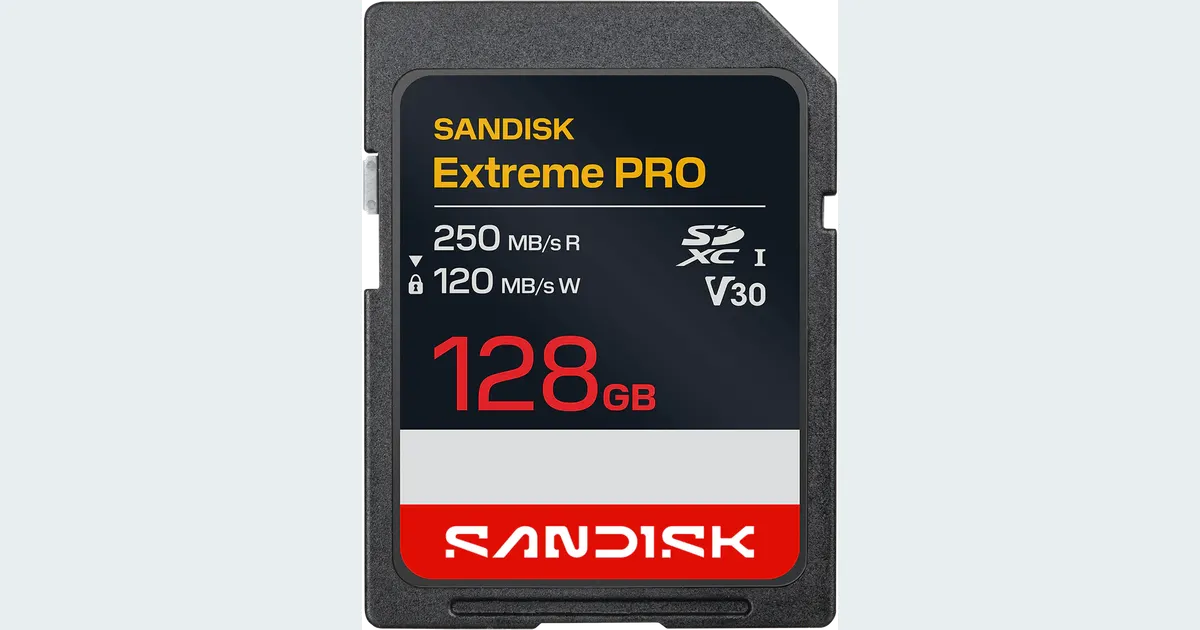
V30 vs V60 SD Cards: Choose for Your Exact Video Mode
Choose V30 or V60 using your camera’s exact video mode. Decode write classes, avoid SanDisk revision mix-ups, and estimate storage before buying an SD card.
 Creator Workflows
SD Card Recording Time for 4K Video by Bitrate
Estimate 4K SD card recording time from bitrate and free space. Compare 64, 128 and 256 GB cards, then leave room for extra takes and camera overhead.
 Creator Workflows
Verify an SD Card Backup Before Formatting It
Verify a camera SD card backup with file hashes, two separate destinations, and playback checks before you format the card for your next shoot.