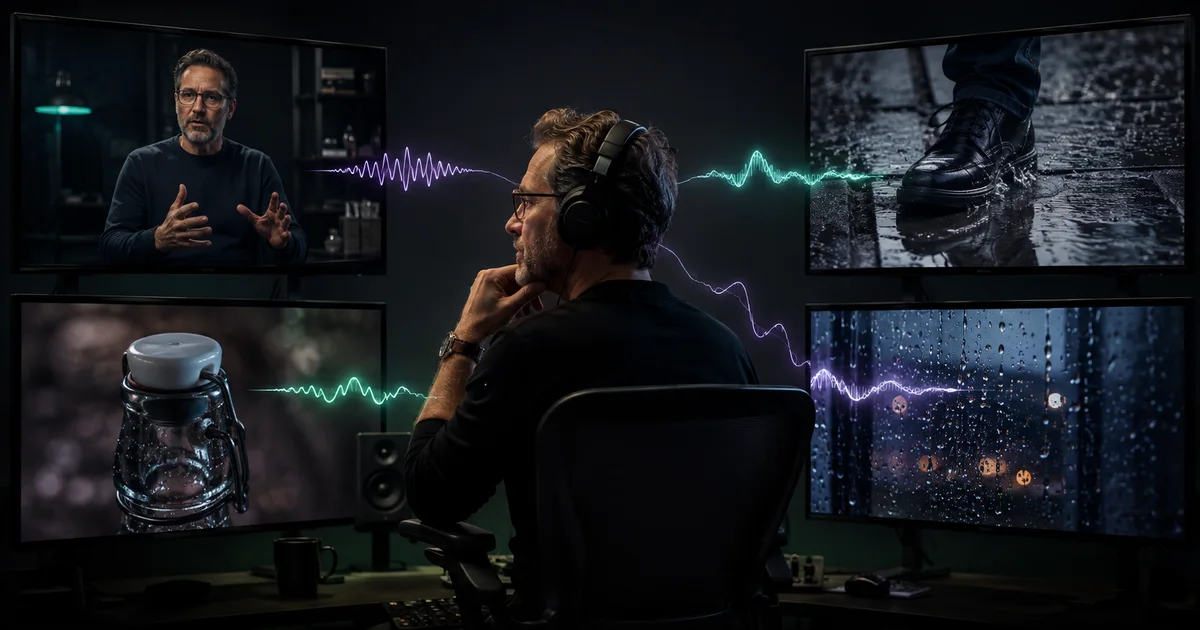

Seedance 1.5 Pro can generate moving pictures and sound together, but “with audio” is not the same as “ready to publish.” A useful clip needs the correct action, words, lip movement, sound source, timing, ambience, camera, and product or character details in the same pass.
The strongest prompt is therefore not a pile of cinematic adjectives. It is a small shot contract plus a sound-event sheet. You define what happens, what should be heard because it happens, and what must remain quiet. Then you review the combined output instead of approving the picture with the sound muted.
Quick answer
Start with one subject, one visible action, and one primary sound event. Put exact dialogue in quotation marks. Name the ambience and explicitly remove music or speech when neither belongs. Generate a short test, listen on headphones and a phone speaker, then rerun only after naming the failed layer.
What Seedance 1.5 Pro officially supports
ByteDance describes Seedance 1.5 Pro as a joint audio-video model that can create coordinated voices and spatial sound effects. The official release says it supports text-driven and image-driven generation, multiple languages and dialects, camera movement, dialogue, ambience, and action-linked effects.
The model’s technical report explains that audio and video are generated through a joint architecture rather than treating sound as a separate finishing step. That establishes the capability, not a guarantee. ByteDance also notes remaining weaknesses in complex-motion stability, multi-character dialogue, and singing. Build the first test around a simpler event before asking for a miniature musical or crowded conversation.
Seedance 2.0 and 2.5 are newer, separate workflows already covered elsewhere in this library. This guide is deliberately about Seedance 1.5 Pro because that version is available as a direct QuestStudio route and is useful for short clips where native sound is part of the creative decision.
Use a five-layer sound-locked prompt
1. Subject and state
Who or what is visible, where they are, and which approved facts must stay unchanged.
2. One action
The observable movement that gives the shot a beginning and an end.
3. Primary sound
Exact dialogue or the one effect that must line up with the visible action.
4. Sound bed
Room tone, weather, crowd, machinery, music, or deliberate silence.
5. Camera and locks
Framing, one motivated move, and the visual and audio facts that cannot drift.
Write the visual event first. Then attach sound to a visible source. “Cinematic city ambience” is vague; “one bus passes behind the speaker, low engine from left to right, quiet crosswalk signal, no music” can be reviewed. Do not request dialogue, a soundtrack, thunder, traffic, footsteps, and three object sounds in the first attempt.
Build a sound-event sheet before generating
| Layer | Write down | Pass condition |
|---|---|---|
| Dialogue | Exact words, visible speaker, language, delivery | Words are correct, intelligible, and supported by believable mouth movement |
| Action sound | Source, action phase, texture, loudness | The sound starts and ends with the visible event |
| Ambience | Room or location, distance, direction | Creates space without hiding the primary event |
| Music | Purpose, energy, instrumentation, or “none” | Supports rather than contradicts speech and action |
| Silence | What must not be heard | No invented narration, crowd, music, or unrelated effects |
Sequence cues are often more useful than pretending you have frame-exact control: “the latch clicks as the lid closes; after the hand leaves, only quiet room tone remains.” If a precise legal line, product claim, musical beat, or timecode is mandatory, plan a separate approved audio track rather than treating generation as final mastering.
Four Seedance 1.5 Pro prompt templates
1. One-speaker dialogue
Keep the line short enough to fit the shot. Review every word with sound on, then watch silently for mouth distortion. A plausible voice does not excuse a changed claim.
2. Product action with one effect
The object must remain the same before and after the sound. Reject a satisfying click if the cap, container, hand, or product geometry changes.
3. Environmental foley
Listen for duplicate or early effects. The sound should have one obvious visual cause. Review on small speakers because social viewers may never wear headphones.
4. A deliberate silent version
A silent baseline is useful when the picture needs independent approval or the final soundtrack must use licensed music, a recorded spokesperson, or exact regulated language.
Choose text-to-video or image-to-video deliberately
Use text-to-video when the idea, staging, and sound event matter more than a specific identity or product. It is appropriate for mood concepts, original presenters, environmental action, or storyboard exploration.
Use image-to-video when an authorized source must anchor the person, product, wardrobe, scene, or composition. The image does not guarantee preservation. Compare the first frame, moving frames, and final frame with the source. Product text, face landmarks, hands, reflections, and edges can fail even when the soundtrack feels convincing.
Do not upload a stranger’s face or voice simply because it is public. Use your own assets, original fictional subjects, licensed material, or documented permission. Native sound makes impersonation easier to misunderstand, so disclosure and approval matter.
Run one combined audio-video acceptance test
- Watch once normally. Does the event make sense without explanation?
- Listen without watching. Are the words, sources, balance, and unwanted sounds obvious?
- Watch silently. Check identity, product facts, hands, physics, camera, and continuity.
- Replay the key event. Does the click, splash, footstep, or phrase align with the action?
- Test headphones and a phone speaker. Dialogue that vanishes on a phone is not social-ready.
- Inspect the edit handles. The first and last moments should be clean enough to cut.
- Record the rejection reason. Name the failed layer before changing the prompt.
Measure cost per accepted clip, not cost per generation. Include failed attempts, audio-enabled credit estimates, review time, replacements, and any editing needed to make the result truthful and usable.
Fix the failed layer instead of rewriting everything
| Failure | First repair | Fallback |
|---|---|---|
| Wrong dialogue | Shorten the exact quoted line and keep one visible speaker | Generate silently and use approved recorded speech |
| Weak lip sync | Use a readable close or medium shot and simpler delivery | Replace the shot or finish with a dedicated authorized workflow |
| Effect is early or repeated | Keep one action and describe its contact moment | Use a clean silent clip and add approved foley |
| Music hides speech | Remove music from the generation | Mix licensed music separately |
| Visual facts drift | Move to image-to-video with one strong authorized anchor | Shorten or simplify the shot before adding sound again |
Change one variable per round. If you replace the source image, dialogue, camera, ambience, and action together, the next output cannot teach you which change helped. Save the source, prompt, model, audio choice, result, and rejection reason.
Start the controlled test in QuestStudio
QuestStudio currently exposes Seedance 1.5 Pro in Video Lab. Open Seedance 1.5 Pro in Video Lab, begin with the shortest representative shot, and use the displayed credit estimate before generating. Enable audio only when the sound is part of the test.
“Free” is not a permanent property of the model. Account allowances, plan terms, credit estimates, queues, and provider availability can change. Verify the current product state rather than trusting an old screenshot or third-party promise. A paid workflow becomes rational when accepted output and repeat use create more value than the full production cost.
Seedance 1.5 Pro video-with-audio FAQ
Does Seedance 1.5 Pro generate video and audio together?
Yes. ByteDance describes Seedance 1.5 Pro as a joint audio-video model for text-driven and image-driven generation. Every result still needs review for dialogue, synchronization, sound quality, motion, and visual accuracy.
How should I write dialogue in a Seedance 1.5 Pro prompt?
Use one visible speaker, put the exact short line in quotation marks, name the language and delivery, keep the camera readable around the mouth, and remove competing music or sound events from the first test.
Can Seedance 1.5 Pro make sound effects without dialogue?
Yes. Describe the visible action, the sound source, the moment it occurs, the room or outdoor ambience, and what should remain silent. Review whether the sound begins and ends with the action.
Is Seedance 1.5 Pro free in QuestStudio?
Do not treat free access as a model capability. QuestStudio exposes Seedance 1.5 Pro in Video Lab, while current account allowances, credit estimates, and plan terms are shown in the product and may change.
When should I generate a silent clip instead?
Use a silent generation when exact legal wording, a protected voice, complex music, several speakers, or a reusable brand soundtrack requires separate production and approval.
Related QuestStudio guides
Continue with a useful next step
 Video
VideoSeedance 2.5 vs Seedance 2.0: What Actually Changed?
Compare Seedance 2.5 and Seedance 2.0 by duration, references, editing, storytelling, access, and the workflow each version requires.
 Video
VideoSeedance 2 Prompt Guide: Plan Shots That Actually Cut Together
Use this Seedance 2 prompt workflow to plan references, camera motion, synchronized audio, continuity, and approval tests for usable AI video shots.
 Video
VideoAI Video Model Benchmark Workflow: Compare Usable Results
Compare AI video models fairly with a controlled shot suite, fixed references, blind review, quality dimensions, cost per usable result, and rerun rules.