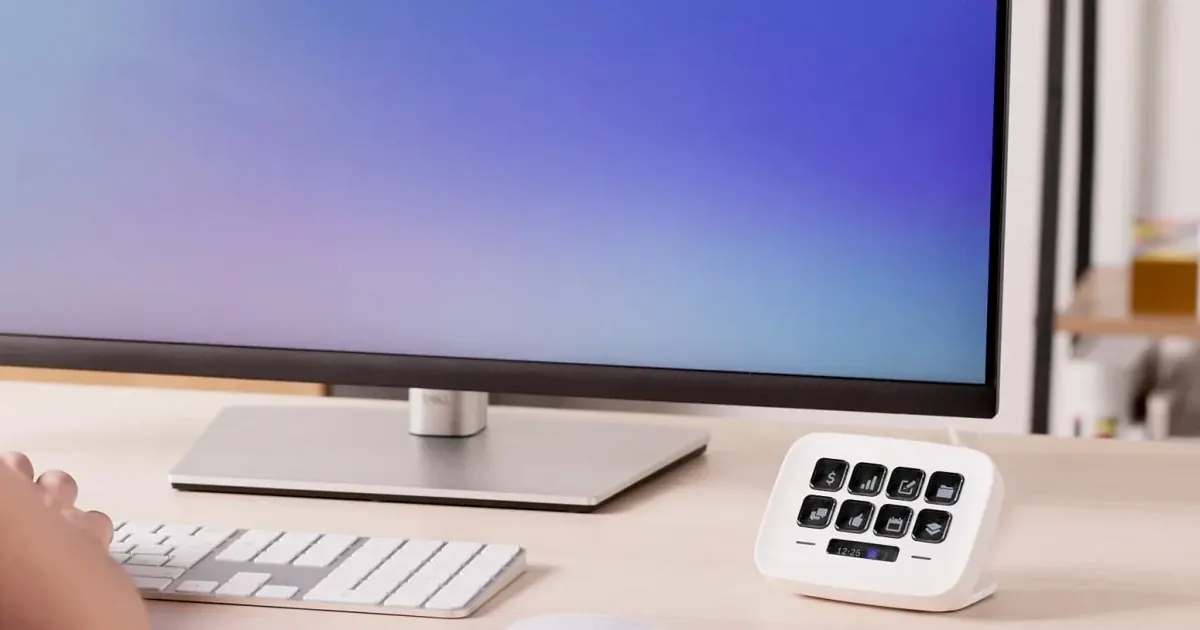

Stream Deck Neo is worth considering when you repeatedly perform a small set of computer actions and want visible, labeled buttons. Its eight keys can suit a compact editing desk, but they do not automatically make work faster. First identify the shortcuts you already use, then check whether the actions are supported in your applications. If you need physical dials or many controls visible at once, choose a different format.
A product to consider
Check the fit below, then select Buy on Amazon for the current offer and buying options. We may earn a commission from this paid link.
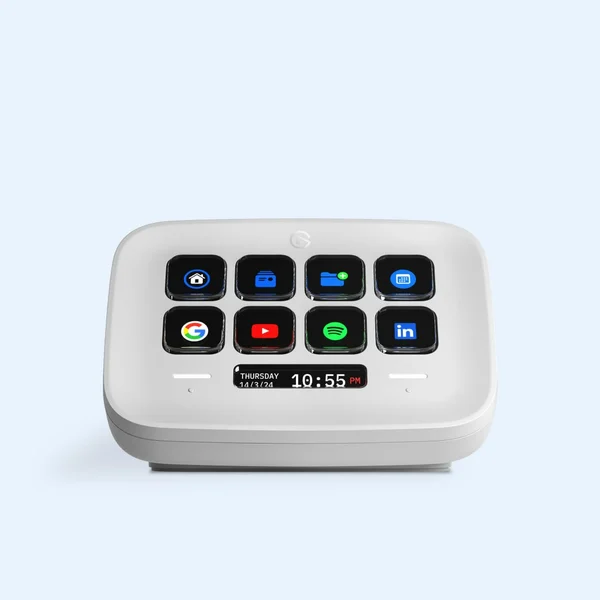
Elgato Stream Deck Neo, white
For a small set of repeated shortcuts you can already perform reliably
Eight physical keys, paging controls and a fixed USB-C cable suit a compact desk. There are no dials. Check current OS, application and plug-in requirements before buying.
Download the practical worksheet
Original blank CSV worksheet. Record your own setup and observations.
Find repeated actions before choosing a controller
Work through one ordinary editing session and note the actions that interrupt your flow. Examples include opening a source folder, toggling playback, adding a marker or returning to a reference image. Avoid starting with a list of impressive automations that you do not actually need.
Separate frequent actions from consequential ones. A button that opens a folder is easy to recover from. A button that deletes files, sends a message or publishes a project deserves a deliberate confirmation step. Convenience should not remove the chance to notice a wrong target.
Try the existing keyboard shortcuts first. If a few familiar combinations already work comfortably, a controller may add desk clutter rather than value. Visual buttons are most useful when remembering or reaching the repeated actions is the bottleneck.
What Neo gives you, and what it leaves out
Elgato's Neo has eight LCD keys, two touch controls for page navigation and an information strip. It uses a fixed 90 cm USB-C cable and an integrated stand. There are no rotary dials. The physical arrangement favors a small set of visible actions with additional pages available when needed.
The Tom's Hardware review describes the compact design and notes that the base can move when pressed at an angle. That is one reviewer's observation, not a QuestStudio durability or desk-friction test. We have not measured time savings or compared it hands-on with other controllers.
Use Elgato's current system requirements rather than an older review's operating-system table. At this research check, the product page lists Windows 11 or later and macOS 13 or later. Also check the requirements of the specific plug-ins or applications you intend to control.
Choose Neo when eight visible keys cover the main job and paging is acceptable. Consider a larger control surface when switching pages would interrupt a live workflow, or a dial-based controller when continuous adjustment is the actual need.
Understand hotkeys, plug-ins and application focus
A hotkey sends a keyboard action. It often depends on which application and control currently have focus. A shortcut that marks a video timeline might type a letter into a browser field if the wrong window is active. Test that behavior before relying on it during a recording.
A plug-in can expose application-specific controls, but support, cost and maintenance vary. Verify the exact action and software version rather than assuming an app logo in a marketplace means every feature you want is available. Use trusted sources and review requested permissions.
A multi-action sequence performs several steps, but each additional step creates another assumption about the current state. Start with single actions. A reliable one-button folder shortcut is more useful than a long sequence that occasionally exports the wrong project.
This guide does not claim a native QuestStudio Stream Deck integration. You can open an ordinary page as a shortcut where supported, then use the site's controls normally. Do not interpret a website-opening button as an automated creation or purchase workflow.
Build an eight-key map for one editing session
| Key | Action idea | Verification |
|---|---|---|
| 1 | Open project folder | Correct project, no file mutation |
| 2 | Open reference folder | Source files remain separate |
| 3 | Open editing application | Correct application version |
| 4 | Play or pause | Timeline has focus |
| 5 | Add marker | Supported shortcut in the selected editor |
| 6 | Undo | Correct app and reversible action |
| 7 | Open export checklist | Human review before final output |
| 8 | Open QuestStudio editing page | Navigation only, no automatic submission |
This is an original planning example, not a downloadable configuration guaranteed to work in every editor. Replace any unsupported action with one that your application documents. Label the buttons with the action rather than a decorative icon you cannot recognize quickly.
Keep the first page stable while learning. If you immediately fill several pages, the controller may become another menu to search. Put less frequent actions on a separate page only after the main layout feels familiar.
Avoid assigning an accidental tap to a destructive or public action. Keep export confirmation, publishing and account purchases deliberate. An editing shortcut should reduce mechanical work while preserving judgment at consequential steps.
Compare the real task, not the number of buttons
Use the worksheet with a small project you can safely repeat. Choose a task such as opening references, marking three edit points and preparing an export checklist. Practice the new mapping before comparing it with your familiar keyboard method.
- Baseline: complete the task with the current keyboard and mouse setup.
- Mapping: configure only the actions that recur in that task.
- Practice: learn the layout without treating the first attempt as a benchmark.
- Repeat: perform a comparable task and note wrong-window actions, missed presses and page changes.
- Decide: keep only shortcuts that reduce friction without adding errors.
Record your own completion time if useful, but do not turn one repetition into a universal productivity percentage. Comfort, consistency and fewer interruptions may matter more than a small timing difference. If you spend longer maintaining the profile than using it, simplify the profile.
After an editor or plug-in update, repeat the important checks. A shortcut that worked last month can change behavior when application commands or focus handling change.
Place it where the workflow happens
Measure the cable route to a suitable computer or hub connection. Because Neo's cable is fixed, desk layout matters. Leave room to press keys without brushing the keyboard or reaching across a drawing tablet. Choose a stand angle that makes the labels readable from your normal seat.
If your desk is already crowded, compare the footprint with the actions you would gain. A pen tablet's own shortcut buttons may already cover your most common retouching controls. Buying overlapping controls is not automatically an improvement.
The creator hub guide can help plan connections, but this input device does not justify a high-bandwidth dock by itself. Buy connectivity for the complete workload rather than for one accessory's plug shape.
Keep the creative decision in the editing workflow
Use a shortcut to open QuestStudio Magic Editor if that is a repeated destination, then choose the appropriate editing operation yourself. Keep the original image and inspect the output. The controller does not decide whether a generated change is accurate or whether an edit is ready to publish.
For a recorded tutorial, combine reliable shortcuts with a clear script and genuine screen capture. Our teleprompter guide addresses a different interruption: losing the spoken explanation while demonstrating the task. Hardware should serve the production problem you actually have.
Neo is a reasonable purchase when a small, stable set of visual controls makes repeated work easier. Keep keyboard shortcuts if they already feel natural. Choose a different controller if your task clearly needs more visible keys or continuous dials.
Check the current offer
If this product fits the setup described above, review the selected model, condition and included contents on Amazon. We may earn a commission from this paid link.
Frequently asked questions
Is Stream Deck Neo only for livestreaming?
No. Supported shortcuts and plug-ins can serve ordinary computer work, but check the exact actions in your own applications.
Does Neo have dials?
No. It has eight LCD keys, two touch page controls and an information strip. Choose a different control format if dials are essential.
Can one button safely automate my whole export?
A sequence depends on application state and can target the wrong project. Begin with simple actions and keep final export or publication review deliberate.
Does it directly generate content in QuestStudio?
This guide claims no native integration. A supported page-opening shortcut is navigation; creation still uses QuestStudio’s normal controls.
Will it save a fixed percentage of editing time?
There is no verified percentage here. Compare your own repeated task after practice and include mistakes, maintenance and comfort in the decision.
Sources and further reading
Research checked October 27, 2026. Check the current Amazon offer for seller, price, availability and included contents. Images: credited manufacturer product imagery, not QuestStudio test photographs. Original decision framework and worksheet: QuestStudio.
Affiliate disclosure and research approach
As an Amazon Associate I earn from qualifying purchases. If you buy through paid links, QuestStudio may earn a commission at no extra cost to you. See our editorial and affiliate policy.
This is a research-based guide using linked manufacturer documentation and clearly attributed published reviews where available. We have not tested this equipment hands-on. The worksheets are original exercises for your observations, not published test results.