
A flame floating above a candle is easy to notice. A changed wax level or an extra wick is easier to miss. AI candle photography needs a review of the product's state as well as its styling: which vessel is shown, whether the candle is lit and what the real reference establishes about the wax and wick.
Begin with an actual product photograph. Decide whether the image is an unlit listing view or a supporting lit scene. Keep the source and candidate side by side, and review the vessel, contents and light separately. One attractive flame does not make the entire image believable.
Download the candle state review sheet and prepare one simple source in Image Lab.
Choose a real product state
A new candle, a recently lit candle and a partly used candle are visibly different. Record the intended state before editing. If the image represents a new item, a deep melted cavity or a blackened rim can confuse the offer. If it represents a burning scene, an untouched wax surface with an unrelated flame can look disconnected.
Photograph the actual state needed for the factual product view. An imagined lit scene can be useful for creative development, but it should not become evidence of burn behavior. Do not infer burn time, heat, fragrance strength or safety characteristics from generated flame and wax details.
Prepare references for vessel, label and wax
Keep a clear front view of the vessel and label, a view of the top and a view of any included lid or packaging. Use those photographs to establish what belongs in the frame. A lid can be a styling prop only if the depicted lid is actually the correct one.
For transparent or translucent containers, inspect the boundary between the vessel and its contents. A generated image can move the wax line, alter the apparent wall thickness or change the color seen through the glass. Retain a straightforward reference that makes these boundaries easy to compare.
Separate the light source from the room styling
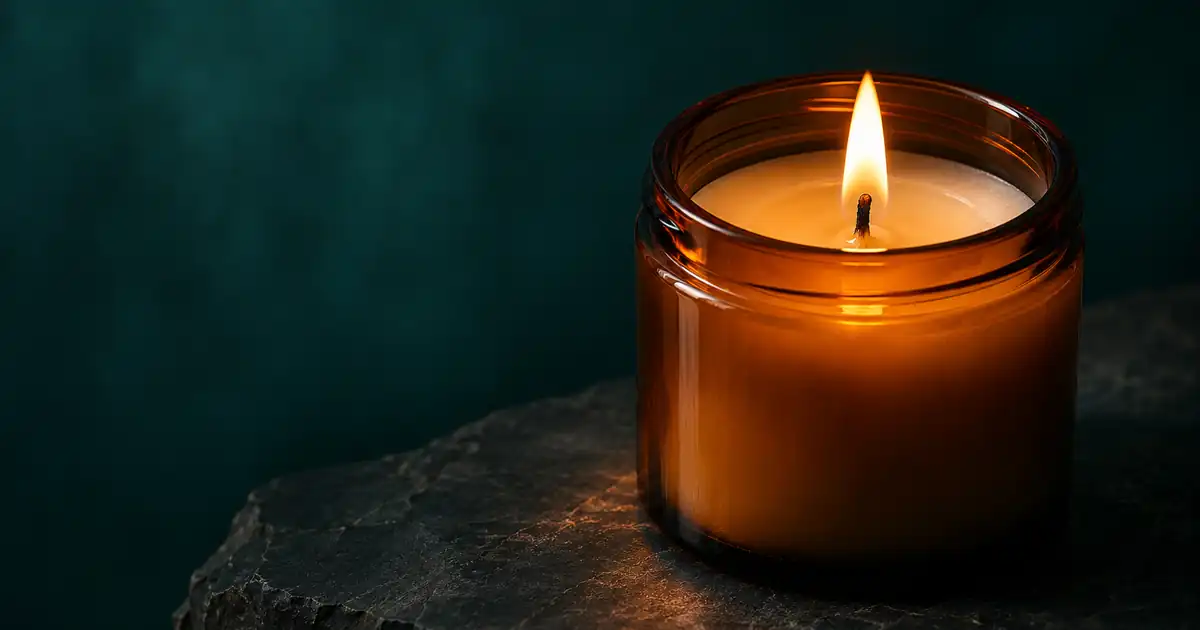
Our fictional candle sits in an amber vessel on dark stone. The first scene uses a simple background and one nearby surface. This makes it easier to judge whether the flame relates to the wick and whether the surrounding light feels coherent.
A bright room can reduce the visible influence of a small flame. A dark room may make that influence easier to see. Do not require an exaggerated orange halo in every picture. Instead, look for a coherent relationship between the flame, the wax surface, the vessel and nearby objects under the chosen lighting.
Use the approved candle photograph as the product reference. Preserve the vessel outline, label, wax level and visible wick count. Keep the source product state. Create a restrained stone-surface setting with soft background light. If the source is lit, keep each flame attached to its wick and preserve the visible wax surface. Do not add extra wicks, a different lid or invented label text.
If the source is unlit, do not expect that instruction to establish a physically accurate burning state. Capture an appropriate lit reference or keep the supporting scene unlit. Narrowing the brief is often more useful than adding a longer list of corrective adjectives.
Review five connected zones
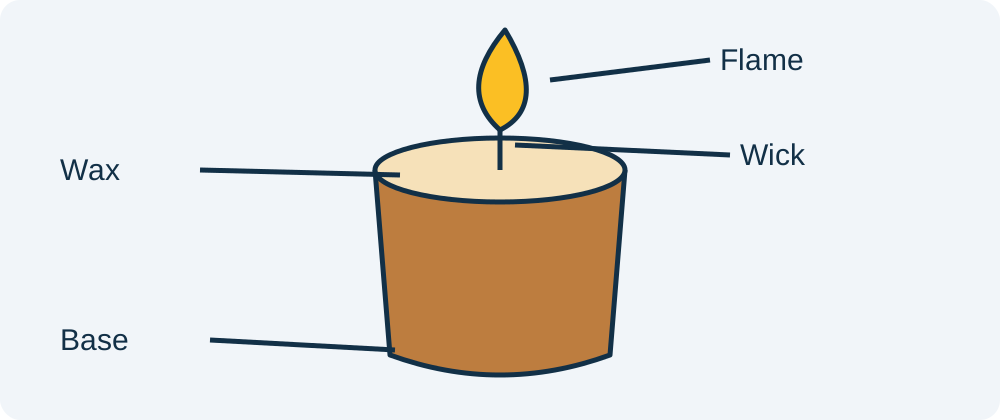
Start at the flame and follow it down to the wick. Check the wick's connection to the wax surface, then follow the surface to the rim. Continue down the vessel to its base and contact shadow. This route catches disconnected pieces that a general mood review can miss.
Then compare the label and included accessories. A convincing amber glow can hide changed letters, a stretched brand mark or a lid that belongs to a different product. Review these details at an appropriate zoom and at the final display size.
Record one visible issue per row in the worksheet. “Second wick introduced” needs a different repair from “label obscured by reflection.” Avoid approving an image that combines several uncertain regions simply because the overall atmosphere is strong.
Keep the scene credible without adding claims
Props should help the composition without silently changing the offer. Flowers, fruit and herbs can suggest ingredients or fragrance notes that the product does not contain. Use the approved product brief to decide which associations are appropriate. A plain surface is a useful first choice when those details are unclear.
Do not stage a generated scene as evidence that a candle can safely burn near a particular material or in a particular arrangement. Product use and safety information should come from the actual manufacturer. The image review here concerns visual consistency, not a burn test or a safety assessment.
Choose the repair that matches the defect
If the vessel is accurate but the background is busy, simplify the setting. If the label changed, return to the approved source and protect that region. If the source hides the wax surface, take another photograph. A model-generated top view cannot establish the actual wick arrangement.
For highlights that obscure small marks, use the reflection inspection workflow. For a gallery containing multiple vessel sizes, use the product scale guide. Those decisions come after this candle's identity and state are clear.
How QuestStudio helps
Use Image Lab for a controlled supporting scene, keeping the product reference and the intended state explicit. Save an accepted unlit image separately from any lit campaign image. That separation makes it easier to choose the right asset later without treating every attractive variation as interchangeable.
When the candle image becomes the opening of an advertisement, the product video workflow explains how to preserve approved surfaces during motion. Start from the accepted still and choose a restrained move. A flame introduces an additional moving detail, so inspect it through the shot rather than only in the first frame.
Frequently asked questions
Can I add a flame to an unlit candle photograph?
You can explore a creative concept, but an invented flame does not establish the real burning state. Use an appropriate lit reference when the image needs to show the actual product in use.
What should I inspect first?
Check vessel identity, wick count and wax level, then inspect the flame connection and surrounding light. Finish with label and accessory review.
Does a realistic flame prove burn performance?
No. A generated image cannot establish burn time, heat behavior, fragrance performance or safety. Use verified manufacturer information for those facts.
Should every candle scene have a strong orange glow?
No. The visible effect depends on the surrounding lighting and materials. Look for a coherent scene rather than requiring the same exaggerated glow in every image.
Can decorative ingredients change the message?
Yes. Fruit, herbs and flowers can imply fragrance or ingredient associations. Use props that fit the approved product brief and keep the actual offer clear.
Try one reviewed production step
Bring the approved source and the smallest useful brief to Image Lab. Compare the result with your reference before expanding the project.