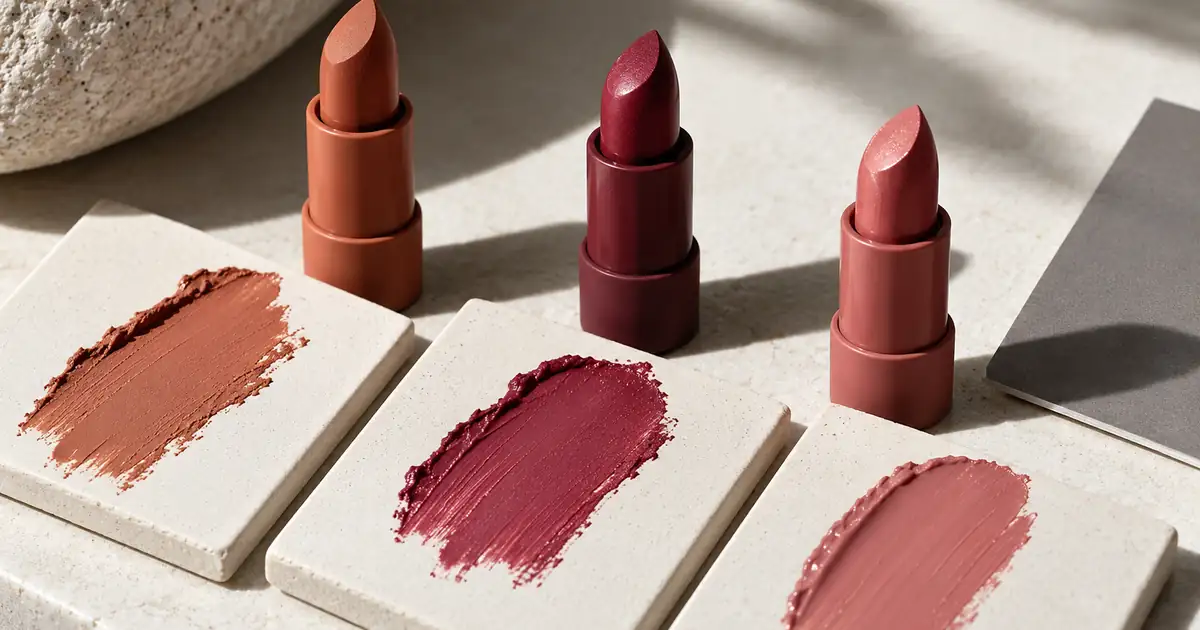

AI cosmetics photography needs a clear boundary between creating a setting and showing what a product does. A generated background can suggest a clean vanity or a warm studio. A generated swatch cannot establish the real shade, opacity, texture or finish of a lipstick on someone's skin.
Build the workflow around actual product and application photographs. Use AI to explore suitable supporting scenes, then preserve the evidence customers use to choose a shade. The goal is a gallery that looks coherent while remaining honest about the physical product. Start with one shade and one approved photograph before expanding a full collection.
Separate packaging from shade evidence
Give each image a defined purpose. A closed lipstick tube establishes packaging. An open bullet shows the product's appearance before application. A swatch shows a specific application on a specific surface. A wear photograph shows that product on a person under recorded conditions. These images answer different questions.
A polished packaging scene cannot replace an applied swatch, and a swatch on white ceramic cannot establish how a shade appears on every skin tone. Name the surface in your working records. Do not let a decorative smear become the only evidence supporting a shade name or coverage statement.
| Image role | Reliable source | Appropriate review question |
|---|---|---|
| Packaging scene | Photograph of the actual package | Is the shape, label and finish still accurate? |
| Product close-up | Actual bullet, pan or liquid | Has the material or visible color changed? |
| Applied swatch | Physical application photographed consistently | Are shade, texture and coverage preserved? |
| Wear image | Approved photograph of real application | Does the result still represent that application? |
The hero for this article is an AI-generated editorial illustration. It is not shade evidence, a product recommendation or a demonstrated cosmetics result. Keep that same distinction clear when producing your own educational or promotional imagery.
Build a small reference set
Choose three adjacent shades rather than three dramatically different colors for your initial review. Similar shades make unwanted shifts easier to spot. Assign stable identifiers and record the actual sample used. If a replacement sample or reformulated product arrives later, do not assume the old reference remains representative.
Photograph the shades under the same controlled setup. Keep the camera position, light direction and application method consistent enough that you can compare the products meaningfully. Record the number of passes or other application details relevant to your own process. This is production documentation, not a claim that every customer will get an identical appearance.
Include a neutral reference when appropriate to your photographic workflow, and retain the original files. A neutral reference helps diagnose a capture or processing shift; it does not turn every display into a calibrated viewing environment. The product photo color correction workflow covers the broader capture-to-export checks.
Protect the areas that carry the claim
Before editing, mark the evidence-sensitive areas: the swatch itself, its edges, visible skin texture, the product bullet and any label that identifies the shade. If changing an area would alter a customer's understanding of color or performance, treat it as part of the evidence.
Be especially careful with smoothness. Removing visible texture from an applied product can suggest a different finish. Increasing saturation can make a muted shade look brighter. Extending a swatch can imply more even coverage than the original application achieved. A prettier image is not automatically a more useful buying guide.
For exact preservation, use an editing or compositing process that retains the approved product and swatch pixels. Generative editing can redraw an area even when the instruction says to keep it unchanged. Compare the output with the original instead of treating a preservation request as a guarantee.
Explore a supporting scene with one constraint
Choose a background that supports the existing light and does not cast a new color impression over the product. A strongly colored surface can make a neutral package or shade appear different by comparison. Begin with a restrained scene so you can judge product fidelity before introducing more elaborate styling.
That brief deliberately avoids asking the generator to invent application evidence. If the selected model changes packaging, return to the source or use the generated environment separately. For reflective components, the jewelry reflection guide offers useful checks for edges and reflected surroundings, although cosmetics shade evaluation remains a separate task.
Review color and finish independently
Compare color first under a consistent viewing setup. Check the relationship among the three shades, not only whether each looks plausible by itself. If two previously distinct shades now look interchangeable, the gallery has lost information even if all three images are attractive.
Then inspect finish. A matte surface should not acquire glossy highlights that imply a different texture. Shimmer should not multiply into a metallic coating. Translucent application should not become opaque simply because a retouching step made the image cleaner.
Adobe's color-profile documentation explains the distinction between assigning and converting profiles. Follow a deliberate color-management workflow instead of changing profile settings until the image looks pleasing on one screen. Keep the approved master and inspect the actual web export.
Check the gallery in context
Place the exported images beside the real shade selector and product names. Verify that selecting Shade A shows Shade A's photographs, including the swatch thumbnails. A correct photograph attached to the wrong selector value is still a serious presentation error.
Review on more than one ordinary device to catch obvious delivery problems, while recognizing that device comparisons cannot prove universal color accuracy. Check whether page styling, tinted backgrounds or aggressive image processing change the perceived relationship between shades. Keep accompanying copy precise about the photographed surface and application.
Use the cosmetics source and shade review worksheet to connect each export with its physical sample, capture conditions, edited areas and approval decision. If you cannot trace an image back to the correct sample, resolve that uncertainty before using it to sell a shade.
How QuestStudio helps
Use Image Lab for a supporting packaging-scene concept with a model that accepts the references you need. Check the available controls and review a single result before generating a collection. Keep the actual swatches and application evidence in your approved photography workflow.
Your first useful result is one background direction that works with a verified product image. Compare that direction against the original for packaging shape, labels and finish. Final compositing, color management and storefront variant assignment belong in the tools that control those stages. The generator does not validate cosmetics performance or determine how a shade will look on every person.
Frequently asked questions
Can I create realistic swatches without photographing the product?
You can create an illustration, but it does not establish the actual product's shade or application behavior. Use real photographed applications when the image helps customers decide which cosmetics to purchase.
Is a swatch on white paper enough for a complete shade guide?
It documents an application on that surface under those conditions. It cannot show every skin tone, application method or lighting situation. Explain the image's role and add appropriate real evidence for the claims you make.
Can I smooth skin around a swatch?
Keep edits from changing the apparent texture, edges or coverage of the application. Review the original alongside the final image and avoid presenting altered product behavior as a real result.
Why do the same shades look different on two phones?
Displays, settings, surrounding colors and image processing can affect appearance. Use a consistent color workflow and inspect delivery copies, while avoiding promises that every screen will reproduce the physical shade exactly.
Make the buying evidence easy to trust
Keep packaging concepts, physical swatches and wear photographs clearly identified in the production process. A consistent gallery should help someone understand the product, and the original source should remain available whenever an edit raises a question.
Hero image: AI-generated editorial illustration. Examples are original planning exercises, not measured model tests.