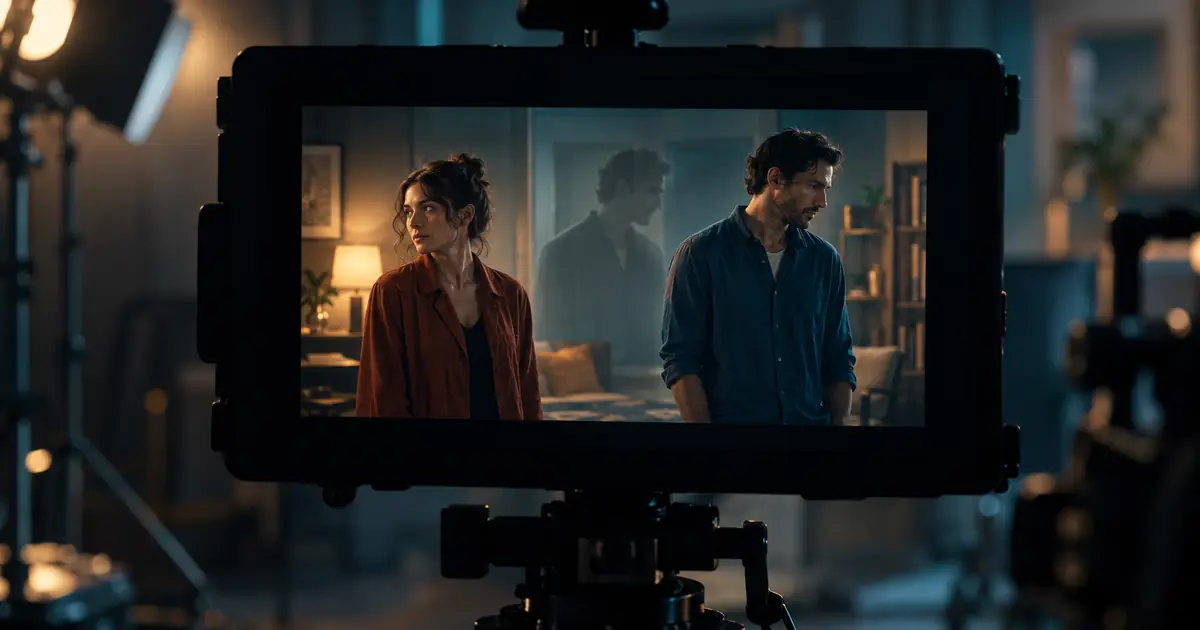

When an extra person appears in an AI video, find the first frame where the scene stops following its own logic. Check whether someone entered legitimately, was revealed by camera movement, appeared in a reflection, or duplicated after passing behind another object. Then simplify or repair that specific event.
“No extra people” can be a useful instruction, but it does not explain the shot. A scene with several moving bodies, reflections and a moving camera asks the model to preserve many relationships at once. A clearer plan gives you fewer things to diagnose.
Decide who is supposed to be visible
Write a simple cast list for the shot. Identify the main subject, any supporting person whose action matters, and background atmosphere. Count the people who should be visible at the start and end, allowing for planned entrances and exits.
Do not use a strict count when the scene genuinely reveals a crowd behind a doorway. Instead, define what must remain consistent: the main subject stays singular, one passerby crosses once, and the distant group remains in the background.
For an original example, imagine a stationary shot of a presenter beside a station bench. One commuter walks behind the bench and exits right. A second commuter waits near the left edge. That is three roles with different jobs, not a generic request for a busy station.
Distinguish a duplicate from a reveal
Watch the entire shot at normal speed before stepping through frames. A person who appears when the camera moves past a column may be a legitimate reveal. A second copy of the presenter emerging from the presenter's shoulder is a different failure.
Check reflective windows, mirrors, posters and screens. A reflection can look like another person while being appropriate to the setting. It can also be incorrect: a reflection may move independently or remain after the person leaves. Label the observed problem accurately before rewriting the prompt.
Record the first visible contradiction. “At 3.2 seconds, the waiting commuter becomes two people after the passerby crosses” is a useful note. “Bad crowd” provides little direction for the next attempt.
Keep an entrance and exit ledger
Use the people continuity worksheet to track each important role. The rows should describe screen events, not just character appearances.
| Role | Start position | Planned event | End position | Failure to watch |
|---|---|---|---|---|
| Presenter | Beside bench | Remains in place | Beside bench | Duplicate face or body |
| Passerby | Left background | Crosses behind bench once | Outside right edge | Reappears after exit |
| Waiting commuter | Far left | Small posture change | Far left | Merges with passerby |
This ledger is an editorial review device, not a promise of exact model control. It helps you decide whether a generated clip is usable and which action to change when it is not.
If several people need complicated crossings, split the action across shots. A cut can establish the station, then move to the presenter with a quieter background. The scene can still feel populated without asking one continuous clip to track every body.
Approve the starting composition
Inspect the source frame for merged limbs, ambiguous silhouettes and tiny faces that resemble one another. Give the main subject enough separation from the background to remain readable. A source image with two overlapping torsos already contains uncertainty before motion begins.
Where possible, choose clear differences for important supporting roles, such as a coat shape or screen position. Avoid describing everyone with the same hair, clothing and movement. Do not over-specify distant faces that will occupy only a few pixels in the final export.
For recurring characters, use the consistent character workflow to establish their references. This article's check is narrower: whether the right people remain present through a single shot's movement.
Reduce the crossing that causes the failure
If duplication begins during an overlap, simplify that overlap first. Shorten the path, move the passerby farther behind the main subject, or remove a simultaneous camera move. Change one major variable so you can understand the result.
Try a quieter baseline before rebuilding a busy scene:
The example is a creative brief, not a measured test. Review the new output through the crossing. If the main subject is stable but the background still breaks, consider reducing background motion rather than changing the presenter's reference.
Choose between regeneration, trimming and compositing
Regenerate when the shot's central action is broken or the starting composition is ambiguous. Trim when a brief, clean portion still communicates the intended action. Make sure the trim does not remove a necessary entrance and leave the viewer confused about where someone came from.
Compositing can help when the main subject and background can be treated as separate layers. It requires an editor capable of masks, tracking and edge review. A simple cutout is not automatically enough when moving people pass in front of one another.
Avoid repairing one frame and assuming the video is fixed. A patch that looks good as a still can jump, smear or detach over the next frames. Inspect the repaired interval and the frames immediately before and after it.
Review at delivery size and in motion
Small background defects may become more visible after sharpening, enlargement or compression. Watch the exported file at the size your audience will see. Check the main subject first, then scan each supporting role's path.
Run a second pass without staring at the frame you already know is problematic. Follow the action as a viewer would. A clip can pass a detailed frame check yet still feel confusing because the planned movement is hard to understand.
Use the AI video quality checklist for the broader export review, including text, sound and destination behavior. Keep the people ledger with the accepted clip so later edits do not accidentally reintroduce rejected frames.
How QuestStudio helps
Use Video Lab to compare a restrained baseline with one revised movement plan. Use the same approved reference and supported model settings when possible. Save the outputs with notes about the first failure, rather than collecting many unlabeled variations.
QuestStudio's generation workflow can help explore a cleaner take. Final masks, tracking and multi-layer compositing require an appropriate video editor. If the simplest version still fails, reconsider the shot design before spending more attempts on increasingly long negative prompts.
If the apparent duplicate is inside a mirror, use the mirror-reflection motion review to compare the direct and reflected action before changing the cast.
Frequently asked questions
Why does a second copy of my subject appear?
Check the source image, overlaps and camera motion around the first duplication. Ambiguous bodies or complex crossings can lead to inconsistent interpretation. The specific frame is more useful than guessing one universal cause.
Will an exact person count prevent duplicates?
It can communicate intent, but it does not guarantee compliance. Define each important role's position and action, then verify the actual clip.
Should I remove all background people?
Only if the shot works without them. Often a quieter group, a clearer movement path or a different framing preserves the atmosphere while reducing continuity problems.
Can I fix an extra person with a still-image edit?
A still edit may repair a reference frame. Fixing an existing moving clip requires checking the patch across time, including occlusion, tracking and the surrounding frames.
Is a reflection an unwanted extra person?
Not necessarily. Check whether the reflected subject and movement make sense for the surface and camera. A valid reflection and a duplicated body need different treatment.
Repair the first broken event
Make the cast and movement understandable, then review the moment where the clip departs from that plan. A precise failure note gives the next generation or edit a specific job.
Test a simpler crossing in Video Lab
Hero image: AI-generated editorial illustration. Examples are original planning exercises, not measured model tests.
Continue with a useful next step
 Video
VideoAI Video Consistency Explained: Why Faces, Hands, and Backgrounds Break and How to Fix It
Learn why AI video consistency is hard, what causes face and background drift, and how to get more stable results with a better workflow.
 Video
VideoAI Video Dialogue and Lip Sync: Lock the Audio First
Plan AI video dialogue with an approved script, speech track and performance handoff. Use a review log to separate wrong words, timing errors and mouth defects.
 Video
VideoAI Video Speed Ramps: Smooth Timing Without Warped Motion
Create smooth AI video speed ramps with a clean source and deliberate timing. Protect contact frames, budget duration, and check interpolation before export.