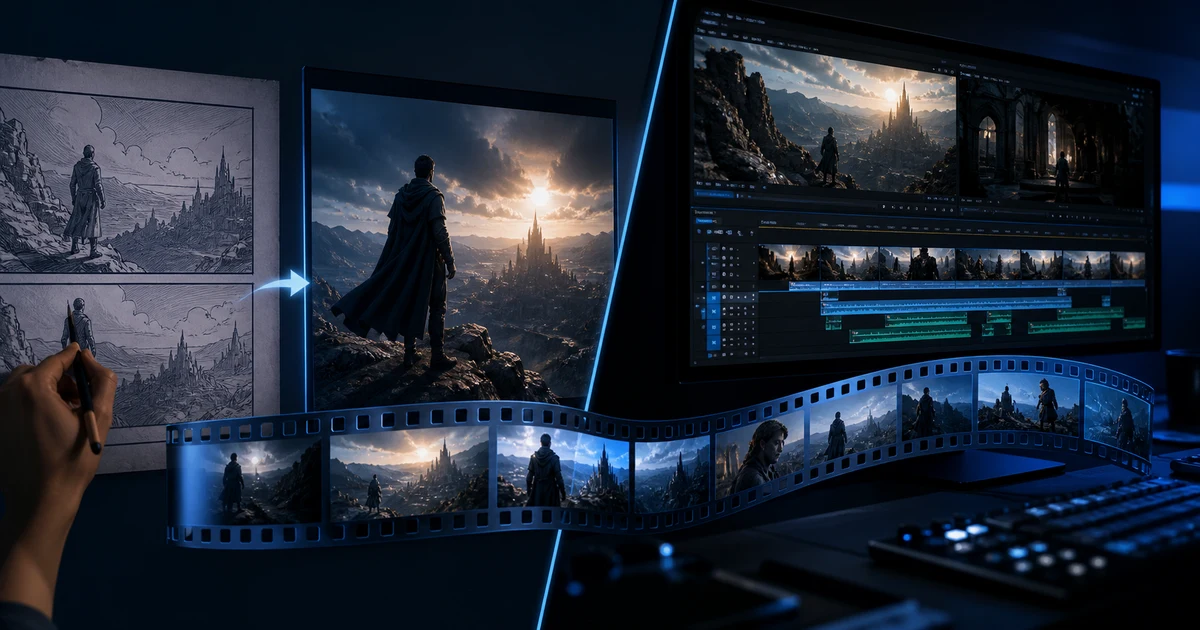

AI Video Generator vs AI Video Editor: Which Tool Do You Need? helps you complete one real creation job with a repeatable process and a clear approval standard. It focuses on the decisions that determine whether the output is useful, accurate, and ready for its destination.
The practical difference
| Question | Video generator | Video editor |
|---|---|---|
| Primary job | Create a new shot | Turn shots into a finished piece |
| Typical input | Text, image, or reference video | Recorded and generated clips |
| Best control | Subject, scene, camera, motion | Selection, order, timing, audio, graphics |
| Common failure | Identity, physics, text, product drift | Weak story, bad pacing, continuity, clutter |
| Definition of done | A usable shot | A destination-ready export |
Use a generator when the shot is missing
Generation is appropriate for concept scenes, impossible camera access, controlled product motion, visual metaphors, establishing shots, and variations from an approved reference. Write a shot brief with subject, action, environment, camera, duration, preservation constraints, and exclusions.
Judge the result as footage, not as a complete campaign. A beautiful six-second clip may still fail if the object changes shape, the subject cannot match the next shot, or the motion has no clean edit point.
Use an editor when the ingredients already exist
Editing is the right stage when you have viable material but need a stronger opening, clearer proof order, shorter duration, synchronized audio, captions, graphics, or platform versions. An editor can hide a small timing problem; it cannot repair a person whose face changes inside the shot.
Before regenerating, try a tighter in-point, a reaction insert, a crop, a speed adjustment within believable motion, or a different shot order. Before editing around a defect, ask whether the defect undermines trust.
A four-question decision tree
- Does the required shot exist? If no, generate or record it.
- Is the shot structurally truthful? If identity, product, anatomy, or physics fails, regenerate.
- Does the sequence communicate? If the footage is valid but the story is weak, edit.
- Does the export fit its destination? If not, version the approved edit rather than rebuilding the concept.
The combined workflow
Start with a beat sheet, list the shots you own, and mark the true gaps. Generate only those gaps with shared reference frames, lens language, palette, and motion direction. Reject defective clips before the timeline. Then edit the accepted footage into a silent cut, add audio and captions, and export channel versions.
This order saves credits and protects continuity. Generating an entire sequence before defining the edit often produces ten attractive clips with no connective tissue.
Cost and quality are measured per approved second
A cheap generation that needs twelve retries is not cheap. A fast automatic edit that produces no usable final version is not fast. Track accepted shots per generation, edit time per approved asset, revisions, and destination performance. The useful denominator is approved output, not raw renders.
Example: a 15-second product launch
Record the real product, packaging, hand interaction, and claim proof. Generate a controlled establishing shot or stylized transition only if it can preserve product truth. Edit the real and generated clips into hook, problem, demonstration, proof, and CTA. Composite exact labels and legal copy in the editor; do not ask the generator to reproduce critical text.
Approval checklist
- Each generated shot fills a documented gap
- Structural defects were regenerated, not hidden
- The edit has a clear promise, proof, and action
- Critical text and claims were verified after generation
- Performance is measured per approved output and destination
Frequently asked questions
Is an AI video generator the same as an AI editor?
No. A generator creates new footage; an editor selects and assembles footage into a finished deliverable.
Can a video editor fix a bad AI generation?
It can trim or reframe minor issues, but identity, product, anatomy, physics, and text defects usually require regeneration.
Do I need both tools?
Most campaigns benefit from both: generation fills deliberate shot gaps and editing supplies story, timing, sound, graphics, and versions.
Which step should come first?
Plan the edit first, generate only the missing shots, then assemble and finish the accepted footage.
How should I compare cost?
Compare total time and generation cost per approved second or approved asset, not list price or number of renders.
Continue with a useful next step
 Video
VideoAdobe Firefly Video Editor: Features, Limits, and Cost
Learn how Adobe Firefly Video Editor handles timeline and text-based editing, generated clips, audio, pricing, and the beta limitations creators should know.
 Video
VideoAI Interview B-Roll: Build a Shot List From a Transcript
Build an interview B-roll shot list from transcript beats. Choose real footage, diagrams or AI illustration, then check relevance, continuity and edit fit.
 Video
VideoAI Split-Screen Video: Plan Panels, Crops and Timing
Create an AI split-screen video from separate clips. Calculate panel sizes, frame for the crop, align one visible event and check the audio before export.