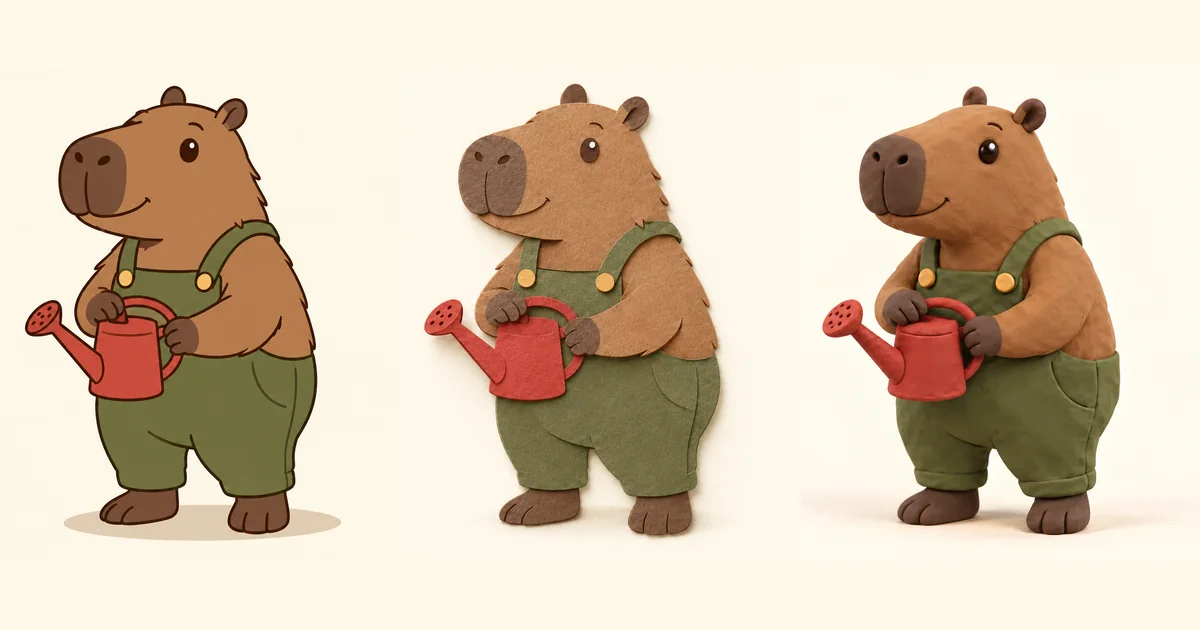

The most useful cartoon styles for AI prompts describe how a picture is built: outlined shapes, layered paper, sculpted clay, painted color or another visible material. A long pile of style names makes it harder to know which instruction caused the result.
Compare three actual results · Download the style review sheet · Explore a character in Image Lab
One gardener, three material directions
We created an original capybara gardener with olive overalls, two ochre buttons and one red watering can. The first instruction asked for flat 2D cartoon art. Two independent edits then used that first image as their source: one requested layered paper and one requested clay. The clay edit did not start from the paper result.
All three were made with the built-in Codex image tool on October 23, 2026. Its exact model identifier was not exposed. There was one generation for the anchor and one attempt for each edit. These are three results from one workflow, not a comparison of competing models or a claim of repeatability across a large sample. Download all three exact experiment instructions.
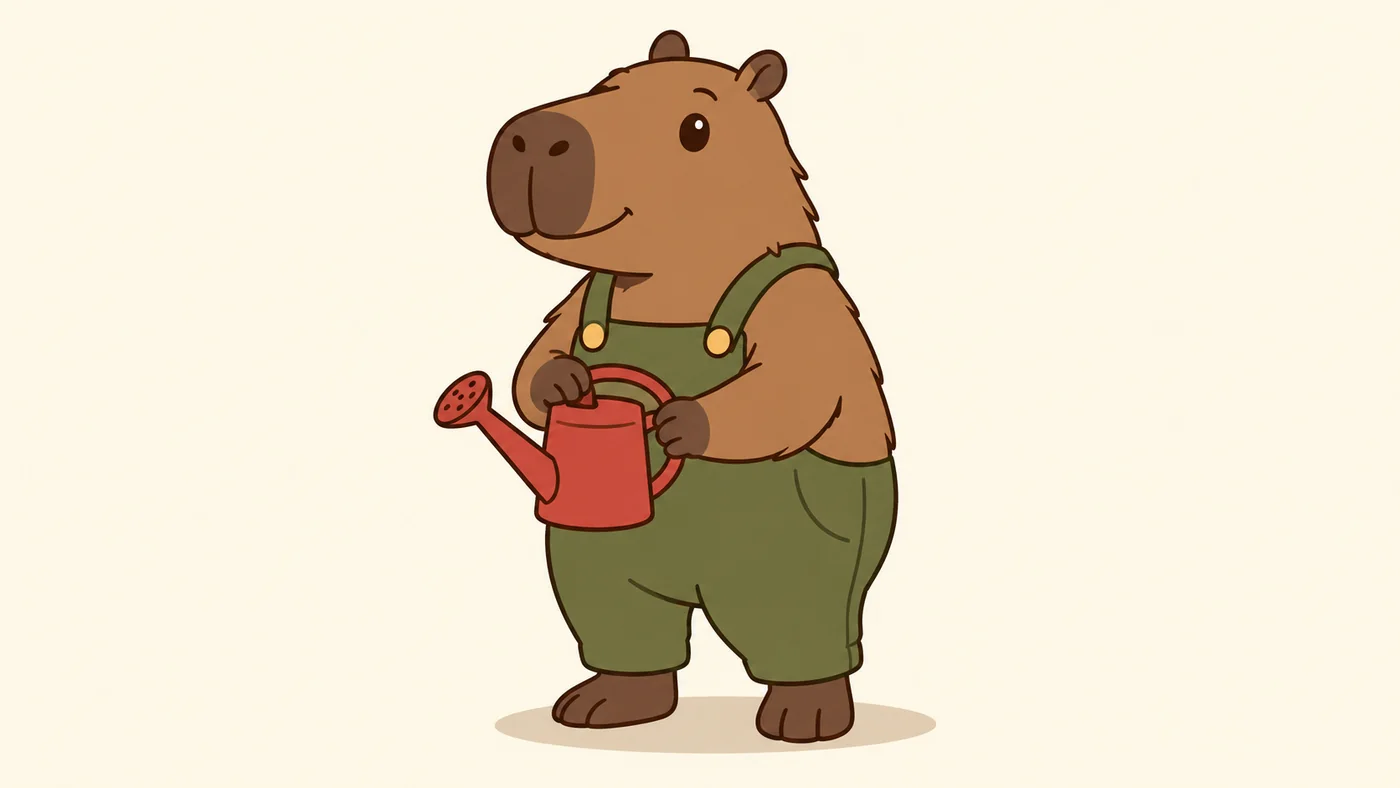
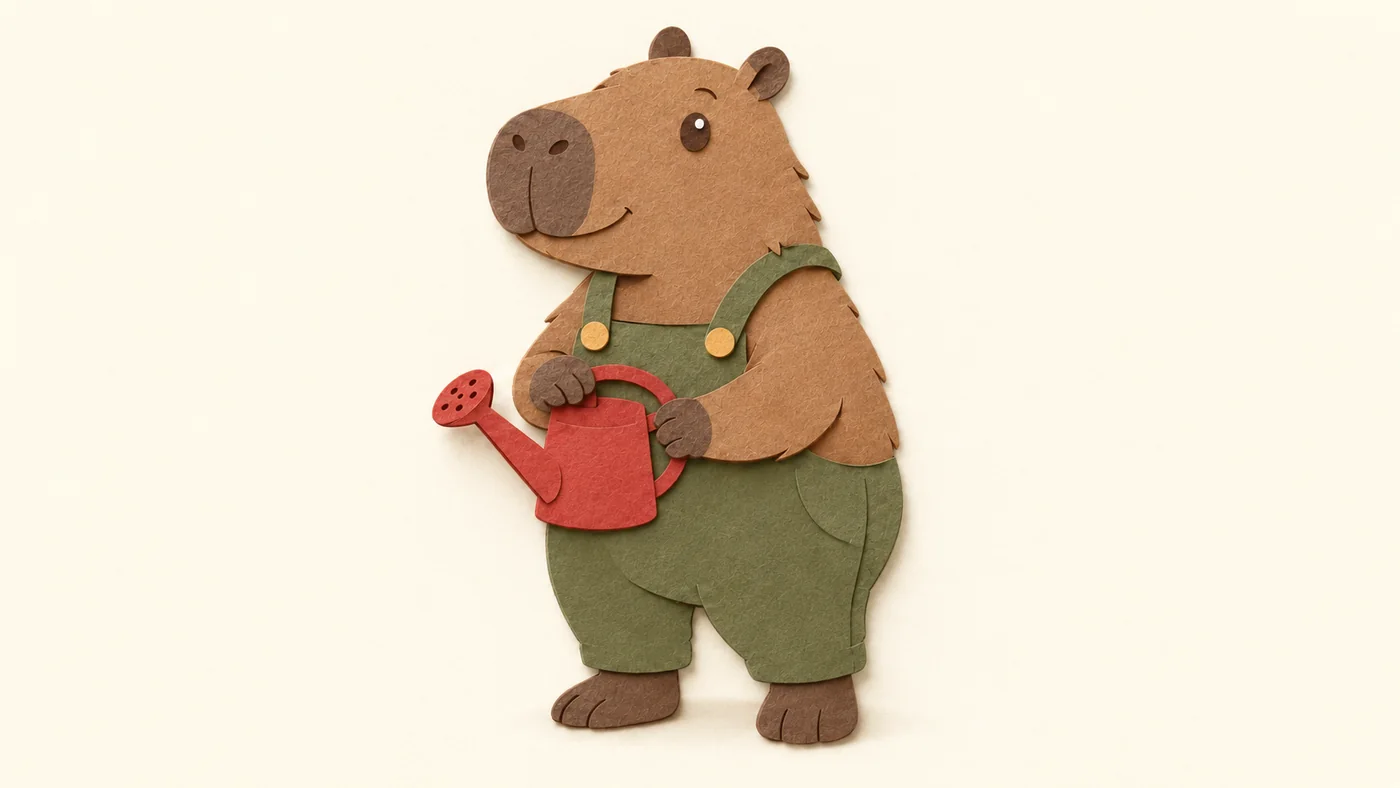
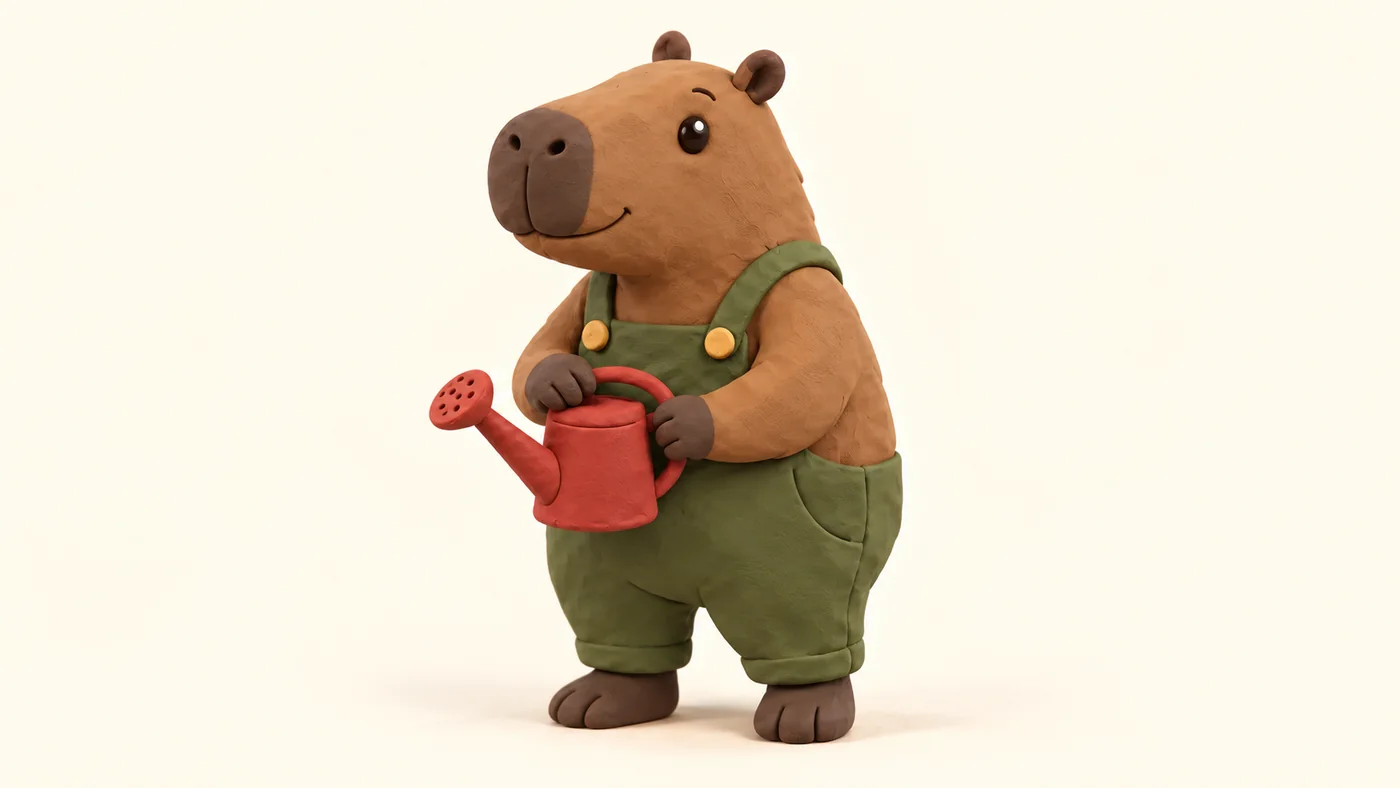
The broad character survives: brown capybara, olive clothing, two buttons, red can and left-facing spout. That is enough for a style exploration. It is not enough to approve an exact character sheet. The clay version adds more dimensional eyes and different garment construction; those changes would matter in a continuing story.
| Question | Outlined cartoon | Paper | Clay |
|---|---|---|---|
| Material cue | Ink-like contour, broad fills | Fibers and layered edges | Sculpted volume and soft light |
| Two buttons and one can? | Visible | Visible | Visible |
| Strictly matched brief? | No: shading remains | Useful material change; details still redrawn | No: cuffs, pocket and prop geometry drift |
| Best next check | Simplify if truly flat fills are required | Test whether fibers survive the final size | Approve construction before a new pose |
Choose a style by the job it must do
A compact icon benefits from an immediately readable contour. An editorial illustration can carry more texture. A story character needs a construction that can survive another pose and camera angle. These are design decisions, not universal rankings of image models.
For an outlined cartoon, specify the contour weight, palette and shading limit. “Flat” alone was not strict enough in our result. If the deliverable requires exact solid fills, finish or redraw it in an appropriate design editor. A raster image that looks vector-like is still a raster image.
For cut paper, describe broad pieces, matte material, overlap and shallow contact shadows. Very fine fibers may be attractive at full size but disappear in a thumbnail. The silhouette should still explain the character when that surface detail is gone.
For clay, describe rounded forms, the amount of handmade texture and simple lighting. Clay volume can reveal new surfaces that the flat reference did not specify. Decide whether those invented seams, soles and pockets are acceptable before asking for a turn or an animation.
If the final file needs editable paths, use a vector-capable process and inspect the file itself. The raster-versus-vector delivery guide covers that separate requirement. Renaming this study's WebP files would not turn them into vector artwork.
Write the character contract first
List the few features a viewer must recognize in every version. For this gardener, they are the rounded muzzle, small ears, olive bib overalls, two ochre buttons, one red watering can and its left-facing spout. Pose, viewpoint and background also stay fixed during the material comparison.
Separate those invariants from the features you allow to change. Surface texture, outline treatment, contact shadows and volume can change because they define the style test. The number of props and the clothing design should not change silently. This separation gives you a concrete reason to reject a beautiful but unsuitable result.
Save the approved anchor before editing. Start each style branch from it, rather than repeatedly transforming the last output. A chain of edits can accumulate changes and make it difficult to tell whether the current style or an earlier step altered the character. Our character turnaround workflow takes the next step when the design must work from multiple views.
Three reusable briefs
These are adaptable templates, not the exact experiment record. Replace the subject and invariants with your own design. For the two edits, upload the same accepted anchor and choose the same aspect ratio. The material is the intentional change; do not add a new pose during this comparison.
1. Build a simple anchor
Inspect the first result before calling it an anchor. If a critical prop is already ambiguous, resolve that problem now. Every later edit will inherit the ambiguity.
2. Change only the material to paper
Look at thin connections such as a handle, ear or strap. A convincing material conversion can still close a gap or disconnect an important shape.
3. Change only the material to clay
Check whether the model invented construction that the source never had. This stricter reusable brief adds explicit pocket and cuff constraints after observing those changes in our first clay attempt; it has not been rerun as a second test.
Review at the size you will actually use
Open each result at full size, then at the destination size. At full size, examine boundaries, fingers or paws, overlapping layers and the prop handle. At small size, ask whether the subject and its action are still immediately clear. Do not reward texture that only works when enlarged.
Use the downloadable review sheet to record preserved features, drift and a next action. Its completed rows reflect this study; blank rows are for your project. “Accepted for style exploration” and “accepted as the final character” are different decisions.
If the paper version is best, test one different pose before building a whole illustration set. If clay works best, approve the hidden-side construction before a turn. If the outlined version is clearest, simplify the remaining shading deliberately. One strong image does not establish a consistent series.
Carry one approved direction into production
Use Image Lab to create an anchor or open a source-required edit from the blocks above. The handoff transfers the instructions, not our source image. Select your own approved source and format before generation. Save the original, the material brief and the accepted output together.
When a series needs more than one style, use the same contract to explain the relationship between them. Matching colors alone can hide different anatomy or inconsistent props. For choosing the surrounding generation workflow, our image-model comparison is a separate decision; this three-image study does not establish a provider winner.
Frequently asked questions
Which cartoon style is best for AI prompts?
Choose by the destination. Outlined shapes can suit small graphics, paper can add tactile editorial texture, and clay can suggest physical volume. Test the same character before committing to a series.
Can I combine several styles in one prompt?
You can, but it becomes harder to diagnose the result. Establish one coherent material system first, then add a second influence only when you can describe what it should change.
Does a flat cartoon prompt create a vector file?
No. Appearance and file structure are separate. The examples here are raster images. Inspect a vector-capable export in a vector editor when editable paths are required.
How do I keep the same character across styles?
Use one approved source, specify the features that must stay fixed, and start each edit independently from that source. Compare actual outputs because a preservation instruction does not guarantee an exact match.