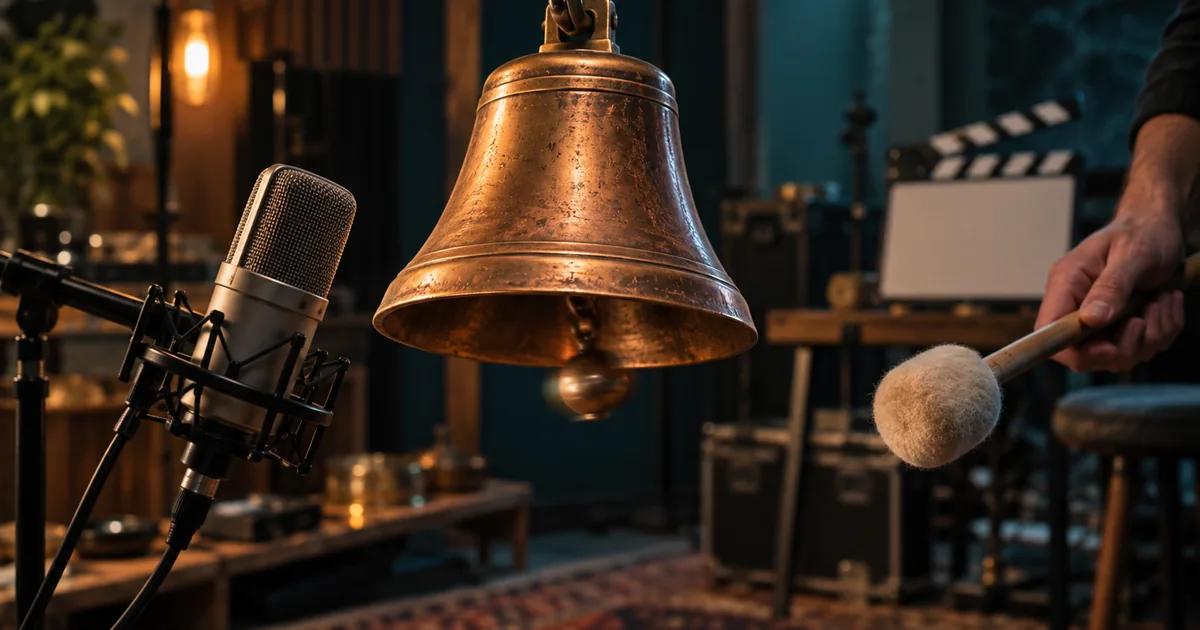

A bell swings, a mallet makes contact, and the ring arrives just too early. You may not notice the problem in a silent preview, but it can make the finished clip feel false. FLUX 3 brings video and sound into the same model family; evaluating that combination requires more than checking image quality.
Download the event-sync scorecard · Build a short test in Video Lab
Editorial guide checked September 13, 2026. Examples and worksheets are original planning material; the hero is an AI-generated illustration, not a model benchmark.
What FLUX 3 changes about the first test
Black Forest Labs introduced FLUX 3 as a multimodal system, extending beyond the still-image workflows many people associate with the FLUX name. Its announcement describes image, video, and audio generation; the current product site presents video with native audio. Those are product capabilities, not evidence that every generated interaction has correct physics or timing. See the company's July announcement and Black Forest Labs' product page.
The first useful test is therefore an event, not a landscape. A landscape can reveal texture, camera behavior, and atmosphere. An event adds a chain of dependencies: something approaches, touches something else, produces a sound, and leaves the world in a new state. That chain gives you several opportunities to detect a failure without making a long or complicated video.
This guide uses a bell struck once by a felt mallet. It is an original evaluation exercise, not a claim that we rendered or benchmarked FLUX 3. Substitute a closing drawer, a cup placed on a table, or a foot landing on gravel if that is closer to your real production.
Choose an event the audience can actually judge
Pick an action with a visible contact point. A bell hidden behind a person is a poor synchronization test because the viewer cannot identify the instant of contact. A locked medium close-up, with the bell and mallet visible, gives you a useful reference. Keep the contact away from the extreme edge of the frame, where a crop can conceal it.
Decide what counts as success before writing style language. For this exercise, the mallet approaches once, touches the bell once, and withdraws. The bell remains attached to its support. A single ring begins at contact and decays while the bell continues to move. There is no second strike, speech, or soundtrack.
A production shot may eventually need a moving camera and a human reaction. Add those after the event works. Otherwise, a missed impact, an extra hand, and a bad camera move can appear together, leaving you unable to identify the useful repair.
Write the brief in three phases
Use the following brief as a starting point. Select an available duration that gives the action room to finish; the phase descriptions matter more than demanding frame-exact obedience from the prompt.
The approach establishes cause. Contact establishes the synchronization anchor. The aftermath shows whether the model maintains the consequences of the action. Removing the aftermath would let a clip pass even if the bell abruptly stopped moving or its ring ended unnaturally.
Notice the absence of a list of unrelated sounds. “Studio ambience” can be enough for a first pass. A ticking clock, ventilation, footsteps, dialogue, and music would make it harder to hear whether the bell itself is correct.
Separate a model capability from a provider setting
Before submitting, record the actual model label, product, duration, resolution, reference inputs, and whether audio is enabled. A provider may expose a draft mode, an enhancement stage, or only some model capabilities. Do not transfer a tutorial's pricing or output limits to a different service merely because both display the FLUX name.
If a reference image is allowed, use one that makes the interaction possible. The mallet needs space to travel; the bell needs a credible support; the camera must see the impact. A beautifully composed image with the bell cropped at its edge is a worse input for this particular job than a plain, well-framed one.
In QuestStudio, you can prepare such an image in Image Lab. FLUX 3 itself is not currently in the catalog. To practice the full event test in Video Lab, choose a currently supported model with the required audio capability and record its name. That produces a useful rehearsal, but it is not a FLUX 3 result.
Review the output three different ways
| Review | Watch or listen for | Typical rejection |
|---|---|---|
| Picture only | Approach, visible contact, withdrawal, remaining bell movement | The mallet passes through the bell or strikes twice |
| Audio only | One onset, plausible decay, stable room tone | A second ring or unexplained voice appears |
| Picture and audio | The audible onset belongs to the visible contact | The ring begins while the mallet is still approaching |
Start at normal speed. If something feels wrong, inspect the contact in a video editor with an audio waveform. Mark the first visible contact and the audible onset. A waveform peak may occur after the beginning of a sound, so do not automatically equate its tallest spike with onset.
Use local playback for this check. Streaming or Bluetooth playback can introduce delay that belongs to the playback chain rather than the generated file. If a mismatch seems constant across unrelated videos, test the playback setup before rejecting the model output.
There is no universal pass threshold for every sound and shot. A soft impact can have a less distinct onset than a clap. Record the offset you observe, then decide whether it is perceptible and acceptable in the intended edit. Avoid presenting an arbitrary millisecond limit as an industry standard.
Diagnose the failure before spending another generation
If the mallet misses, repair the geometry: simplify the angle, keep the bell still at the beginning, or improve the reference. If contact is right but sound is early, preserve the visual brief and simplify the sound instruction. If the bell changes shape after impact, focus the retry on object continuity rather than adding more audio detail.
A good picture with one bad sound may be cheaper to finish by replacing the sound in an editor. That is especially reasonable when the exact effect is available from an authorized recording. Regenerating the whole shot can sacrifice a good performance to fix a replaceable layer.
Conversely, a correct ring cannot rescue impossible contact. When the visual event itself is wrong, editing the soundtrack only hides the symptom. Treat visual causality as a requirement before mixing and polishing the result.
Compare the useful takes, including the failures
Save every take from the comparison, not just the most convincing one. Two attractive outputs do not establish reliability if the other eight failed. Use the downloadable scorecard to record geometry, object continuity, sound cleanliness, synchronization, and edit usability as separate pass or fail judgments.
For an illustrative budget calculation, suppose a test costs 12 units and two of six attempts are usable. The generation cost per usable take is 72 divided by two, or 36 units. Add the human time required to review and finish them. These are example numbers, not FLUX prices or measured acceptance rates.
Repeat the same small exercise when comparing another model or a changed setting. A bell test cannot establish which model is best for dialogue, choreography, or long scenes. It can establish which workflow is worth carrying into the next bell shot. That narrower conclusion is useful enough to make a production decision.
Turn the test into a real shot
Once the event passes, add one production requirement: a slow push-in, a different material, or an actor's hand. Keep the approved event sequence unchanged. Review again because the new requirement may disturb something that previously worked.
Save a clean beginning and ending around the action so the editor has somewhere to cut. Keep the original output, the finished audio version, and the notes describing what changed. The final deliverable is a shot whose cause, sound, and consequences belong together—not merely a generation that looked convincing in its first frame.
Frequently asked questions
Is FLUX 3 only an image model?
No. Black Forest Labs describes FLUX 3 as a multimodal family that includes image, video, and audio capabilities. The controls available to you depend on the product or integration.
Can I use FLUX 3 in QuestStudio?
FLUX 3 is not currently listed in QuestStudio. You can prepare references in Image Lab or run the same short-shot brief through a supported Video Lab model.
Does generated audio guarantee correct synchronization?
No. Review the visible contact and audible onset together, then inspect the sound decay and background continuity.
Are these published FLUX 3 benchmark results?
No. This guide provides an original test design and example brief. It does not report paid model runs or measured model rankings.