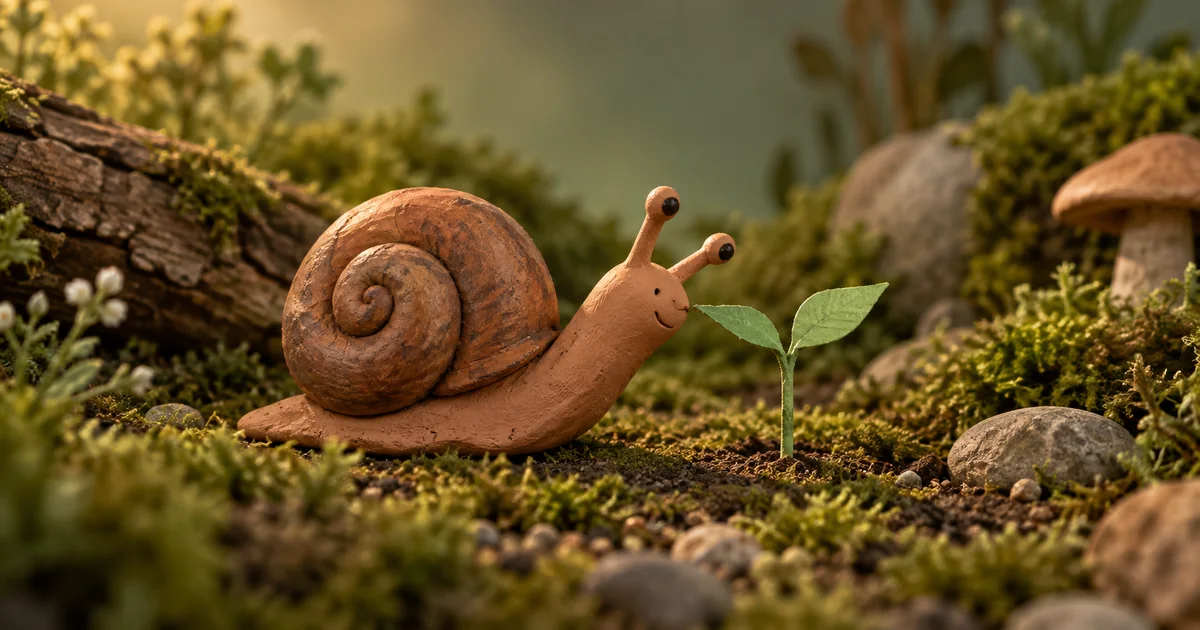

A clay texture does not make an action readable. If a snail glides across the set while its shell changes shape, adding the words stop motion will not rescue the shot. Start with the poses that tell the story.
Download the pose-and-hold worksheet · Test a clay-style motion beat
Editorial guide checked September 13, 2026. Examples and worksheets are original planning material; the hero is an AI-generated illustration, not a model benchmark.
Choose the kind of stop-motion result you need
Two different workflows are often sold under the same label. A video generator can produce a short clip that resembles a handmade miniature. Alternatively, you can create or draw individual poses and hold each image for a deliberate duration in an editor. The first gives you a quick performance experiment. The second gives you explicit control over pose timing, but requires more drawing, cleanup, and assembly.
Choose the second route when the exact hesitation, contact, or rhythm is central to the joke or instruction. Choose a generated clip when you are exploring the overall handmade look and can accept a take based on its performance. Neither method becomes traditional physical stop-motion photography merely because the result looks like clay.
Our original example is a tiny terracotta snail noticing a paper seedling. It pauses, stretches toward a leaf, makes gentle contact, and settles. The action is small enough to read in a few poses. The shell remains the same object throughout; the garden provides a stable stage rather than another source of movement.
Plan the action as a sequence of readable poses
Write the action without camera language first: “The snail notices the leaf, gathers itself, reaches, touches, and rests.” Each verb should have a visible difference. If two adjacent poses look identical at thumbnail size, a viewer may not understand the change even when the frames are technically different.
For a first held-still exercise, use the timing map below. These numbers are editorial choices for this scene, not ideal settings for every animation. At a 24-frame-per-second timeline, the total is 72 frames, or three seconds. The timeline has 24 output frames each second, while the drawing changes only at the listed boundaries.
| Pose | What changes | Hold at 24 fps |
|---|---|---|
| Notice | Head turns toward the leaf | 12 frames |
| Gather | Head pulls back slightly | 8 frames |
| Reach | Neck stretches toward the plant | 8 frames |
| Near contact | Nose approaches the leaf edge | 6 frames |
| Touch | Leaf bends a little | 14 frames |
| Settle | Snail relaxes beside the plant | 24 frames |
This is a deliberately sparse animatic. It helps you test whether the story reads before adding intermediate poses. If the reach feels abrupt, add drawings or redistribute the movement holds. If the pause feels dull, shorten the notice pose. Do not increase every frame count together and expect the performance problem to solve itself.
Make a character anchor you can compare
Approve the snail’s shell spiral, eye placement, body length, and clay color in a neutral view. Keep that image beside the pose sequence. A reference is useful only if you actually compare against it: a new shell groove or growing eye stalk can become the model’s new normal after several iterations.
The Framesail stop-motion tutorial demonstrates generating related stills and assembling held frames. Its continuity approach is useful, but a previous generated frame should not become your only authority. Compare accepted poses with the original anchor as well, so an early error does not propagate through the sequence.
Keep the camera height, focal distance, lighting direction, and set layout stable. For this scene, the plant stays to the snail’s right and the shell stays left of its head. Draw a simple floor contact guide in the editing project if necessary. Remove that guide from the export, but preserve it in the editable file.
Test a generated motion beat
If you want the faster video route, begin with the reach and touch rather than the entire story. Video Lab can test a short visual performance. Use the selected model’s actual controls for duration and inputs; words in a prompt do not establish the output’s technical frame rate.
Watch the snail’s underside during the reach. The head can extend while the shell and contact area remain stable. If the whole animal skates forward, the generated performance has changed the assignment. A beautiful material texture is not a reason to accept incorrect action. Try a smaller reach or a closer starting position.
Assemble held stills without accidental smoothing
For the frame-by-frame route, place each approved still on the timeline and set its hold length. Disable frame interpolation or automatic transitions when they add invented in-between movement. The purpose of this first assembly is to see the poses and pauses you chose, not a software-generated blend between them.
Then decide where intermediate poses help. Add a transitional head position between gather and reach if the jump is distracting. Leave the settled pose longer if the viewer needs time to understand the contact. The difference between a mechanical sequence and a performance often lies in where you spend time, not how many pictures you generate.
Keep output frame rate and drawing rate in your notes as separate values. A 24 fps file can contain long repeated holds. Conversely, a clip with a stop-motion appearance may contain changing pixels in every output frame. Describe the actual construction method when sharing the work with an editor or client.
Check material continuity and physical contact
Review the shell at three moments: before the reach, at the longest extension, and after settling. Its spiral should not reverse or sprout an extra ridge. Watch the paper leaf at contact; it should respond near the point touched rather than folding somewhere unrelated. Also check that the leaf returns or remains bent consistently with the action you intended.
Some variation can support a handmade aesthetic. A tiny change in surface texture may feel like clay handled between exposures. A different face, disappearing eye, or foot passing through the ground breaks the character. Decide which imperfections belong to the material and which change the meaning of the scene.
Make the final loop or ending intentional
This particular action does not naturally loop: the snail starts away from the plant and ends beside it. A hard reset would be obvious. You can end on the settled pose, add a separate return action, or redesign the scene around a repeatable movement. Reversing the whole clip would turn the leaf contact into a retreat, which may alter the story.
Export a small preview and watch it without the prompt or timing sheet. Ask a reviewer what the snail notices and when it touches the leaf. If the answers differ from your intended action, repair the poses or timing before adding music. A clear silent performance gives the soundtrack something useful to support.
The downloadable worksheet records the anchor, pose differences, hold lengths, contact points, and rejected takes. That makes the next pass a specific editorial revision. You can add smoothness, texture, or sound after the small story works on its own.
Frequently asked questions
Is AI stop motion real stop-motion photography?
Generated clay-style footage imitates the appearance. Traditional stop motion photographs physical objects after small changes; describe your production method accurately.
Will requesting twelve frames per second set the output frame rate?
Do not assume so. Check the exported file and use an editor for deliberate frame holds or conversion.
Should every pose come from the previous generated image?
A previous pose can help, but errors can accumulate. Compare each accepted pose with the original character anchor and repair drift.
Can QuestStudio assemble a frame-by-frame animation?
Use Image or Video Lab for source material. This guide uses an external editor to place stills and control their duration.