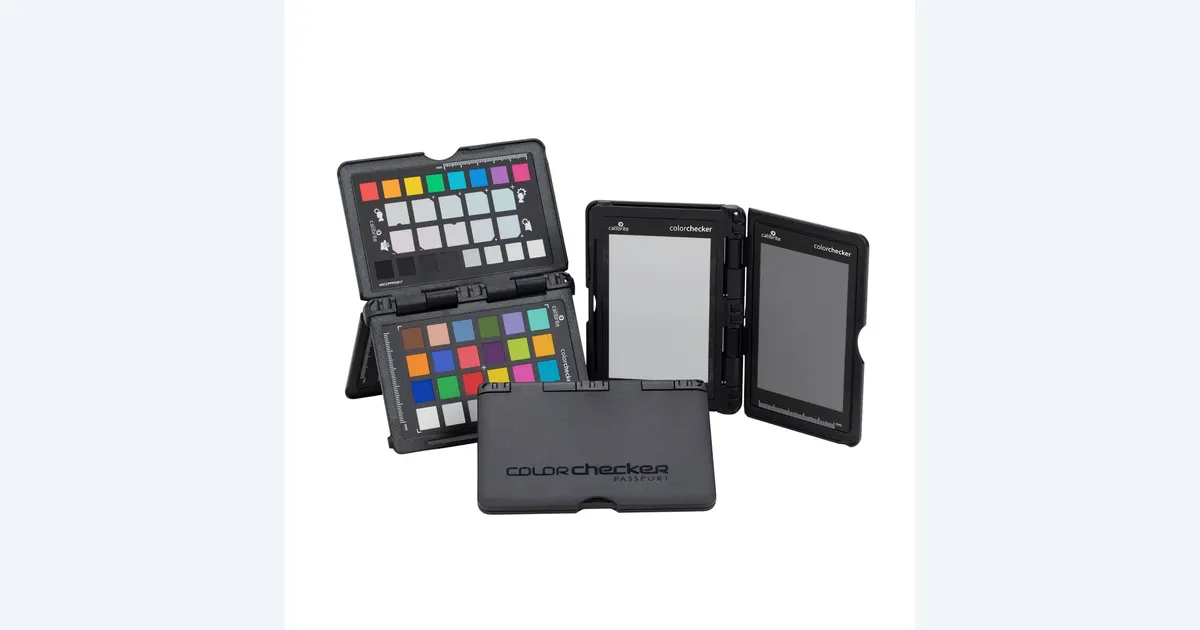

A neutral gray card helps establish white balance. A ColorChecker adds known color patches for a supported camera-profiling workflow. For a few products under one consistent light, a simpler neutral reference may be enough. Consider Calibrite ColorChecker Passport Photo 2 when you regularly need both functions and will keep the reference frames with the shoot.
A product to consider
Check the fit below, then select Buy on Amazon for the current offer and buying options. We may earn a commission from this paid link.
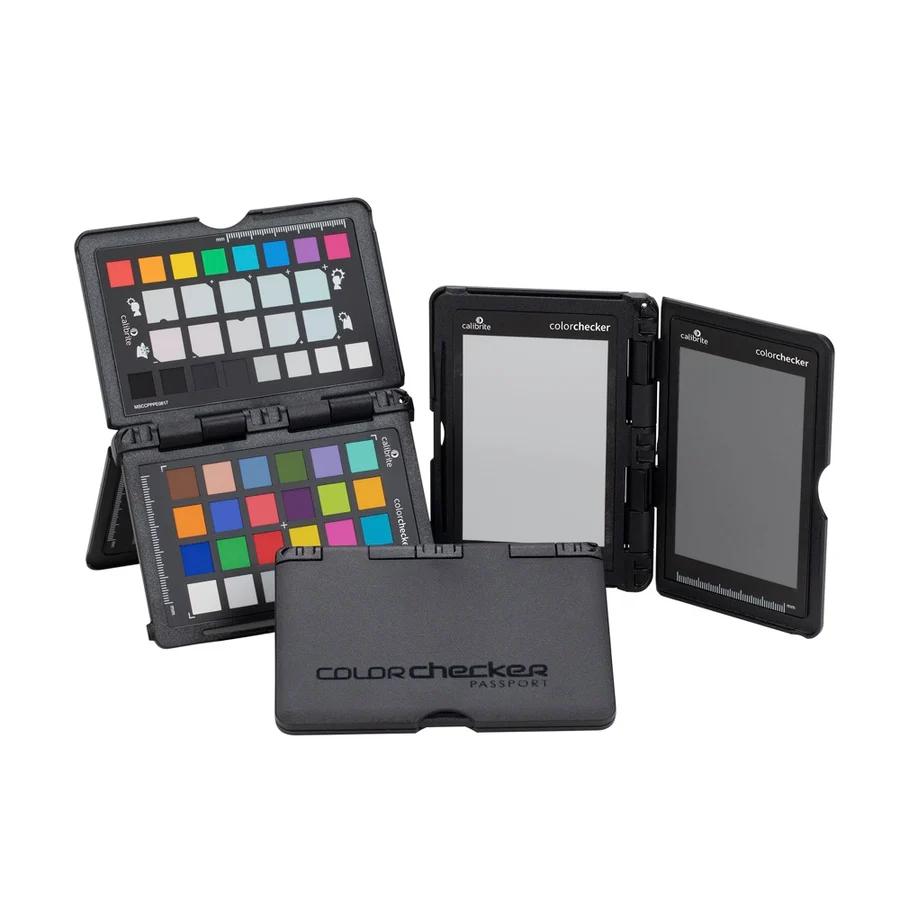
Calibrite ColorChecker Passport Photo 2
For a repeatable product-photo workflow that uses neutral and color references
CCPP2 is a physical capture target, not a monitor calibrator. Consider the full chart when you need its supported camera-profile workflow; a simpler neutral reference may cover white balance alone.
Download the practical worksheet
Original blank CSV worksheet. Record your own setup and observations.
Start with the mismatch you can actually see
A blue-looking white label, an orange-looking red package and a photograph that changes between screens are three different problems. Before buying a target, open the original and your edited copy together on the same display. Identify whether the mismatch began during capture, processing or viewing. A capture chart cannot characterize the monitor, and a monitor sensor cannot reconstruct the true color of an invented object.
For a useful baseline, photograph one product under a single controllable light. Turn off competing room lights where practical, keep the product position fixed and save the untouched file. Record the camera's white-balance setting. If automatic white balance changes between otherwise similar frames, a neutral reference can give you a more repeatable starting point.
Our display-calibrator guide addresses the screen side of this process. This guide stays with the real object and the light reaching the camera, before you ask an editor or an AI model to change anything.
Three tools, three separate jobs
| Tool | Useful job | Does not establish |
|---|---|---|
| Neutral white-balance target | Set a neutral baseline under the capture light | A complete camera color profile |
| Color chart | Support a documented camera-profile workflow | That every material will reproduce perfectly |
| Display colorimeter | Measure a supported editing screen | What color the physical product was |
A card that looks gray is not necessarily a spectrally neutral photographic target. Printer paper and a home-printed chart introduce unknown ink, paper and lighting behavior. They can be rough visual props, but do not treat them as equivalent to a documented reference. Avoid downloading a chart image and assuming your printer has created a calibrated target.
White balance is also different from exposure. A clipped bright patch contains less useful information than a properly exposed reference. Use the target manufacturer's instructions and inspect the captured chart before removing it from the scene. Saving a reference that is blurred, shadowed or blown out does not create a dependable record.
Where Passport Photo 2 fits
Calibrite identifies CCPP2 as Passport Photo 2 and includes Classic, Creative, Gray Balance and White Balance targets in a protective case. Its color patches can be used with the supported camera-profiling software workflow. Check current Calibrite software, camera-file and editing-application compatibility before purchase; the physical chart does not make every application accept every profile format.
The case is useful when the reference travels with your camera. The photographed panels are different views and targets of the product, not several separate chart units in the purchase. This is not Display Pro HL, a video-specific chart or a wireless measuring device.
Buy for a repeatable process, not because more patches must make every photo better. We have not measured this chart or compared competing targets. If neutral white balance is your only recurring need, compare a suitable neutral card before paying for a full profiling kit. If you already own a clean, supported chart, learning its workflow may be the better investment.
Put the reference in the light that matters
Place the target where it receives the same relevant illumination as the product. A card near the camera can receive a different mixture of window light and room light than the object across the table. Keep the chart facing appropriately for the documented workflow and inspect it for reflections. A bright glare patch can spoil a reading even when the surrounding product looks fine.
Capture One's instructions use a neutral reference captured under the same conditions to establish custom white balance. That is a practical reason to retain the reference frame instead of writing down a color-temperature number and discarding the image.Capture a new reference when the important lighting changes. Moving from a window to an LED, adding a colored accent or changing the light's setting creates a new condition. A target is not permission to mix incompatible lighting and expect one global correction to fix every part of the object. Fix a troublesome light combination before relying on processing.
Build a reference-frame log
Use the downloadable worksheet for one small shoot. Give the lighting setup a short identifier, then use that identifier in the chart frame and the product filenames. Keep the original files together. The exercise records your observations; it is not a color-accuracy certification.
- Prepare: record the camera, lens, light and intended editing application.
- Capture: photograph the target under the product's lighting, checking focus, exposure and glare.
- Remove: photograph the product without changing the important lighting or camera settings.
- Process: follow the supported neutral-reference or camera-profile procedure, preserving an untouched original.
- Compare: inspect label whites, saturated areas and surface finish in the same viewing conditions.
Add a reason whenever you reject a reference: glare, blur, mixed illumination or an unexplained exposure change. That note makes the next session more useful than a folder containing several nearly identical charts with no context. If the correction makes one area worse, investigate the lighting and workflow instead of assuming the target guarantees a perfect result.
For a batch of similar products, document which images genuinely share the same setup. Do not apply one correction to an entire day's files just because they came from the same camera. Consistent filenames and a small setup note are often what make a reference usable a month later.
Keep factual color separate from creative treatment
Create two branches of the edit: a neutral reference version and a creative presentation version. A warm advertising treatment may be intentional, but it should not quietly become your evidence of the product's real color. Retain the neutral frame when a client later asks why a package looks different.
In QuestStudio Image Lab, use a supported reference workflow for a permitted image and compare the result with the source. The physical chart does not integrate with the generator or force it to obey a camera profile. Check the product's color, geometry, labels and material separately.
The product fidelity benchmark provides a review structure for those decisions. Reject a variation that changes the merchandise, even if the background looks polished. A chart helps document capture; approval still requires looking at the actual content.
Store the chart protected from dirt and unnecessary handling of the patches, following Calibrite's care guidance. Record when a damaged or contaminated reference is replaced. A consistent process depends on the condition of the target as well as the software used with it.
Check the current offer
If the product fits your setup, check the selected model, condition, seller and included contents on Amazon. We may earn a commission from this paid link.
Frequently asked questions
Do I need a ColorChecker for every product photo?
No. Start with controlled lighting and a useful neutral reference. A full chart makes more sense when a supported camera-profile workflow is part of your recurring work.
Can I print my own chart?
A printed image is not automatically a calibrated reference. Printer, ink and paper change the patches, so do not treat a home print as equivalent to a documented target.
Does a gray card calibrate my monitor?
No. It is used in the capture scene. Measuring a display requires a separate supported display-profiling workflow.
Can I reuse one reference for an entire shoot?
Only where the relevant lighting and capture conditions remain consistent. Capture another reference when those conditions change.
Will the chart stop AI from changing a product color?
No. Preserve the real source and inspect the generated result. A capture target does not constrain a model or certify its output.
Sources and further reading
Research and Amazon listings checked October 28, 2026. Check the current offer for condition, seller, price and included contents. Images: credited manufacturer product imagery, not QuestStudio test photographs. Original decision framework and worksheet: QuestStudio.
Affiliate disclosure and research approach
As an Amazon Associate I earn from qualifying purchases. If you buy through paid links, QuestStudio may earn a commission at no extra cost to you. See our editorial and affiliate policy.
This is a research-based guide using linked manufacturer documentation and clearly attributed published reviews where available. We have not tested this equipment hands-on. The worksheets are original exercises for your observations, not published test results.