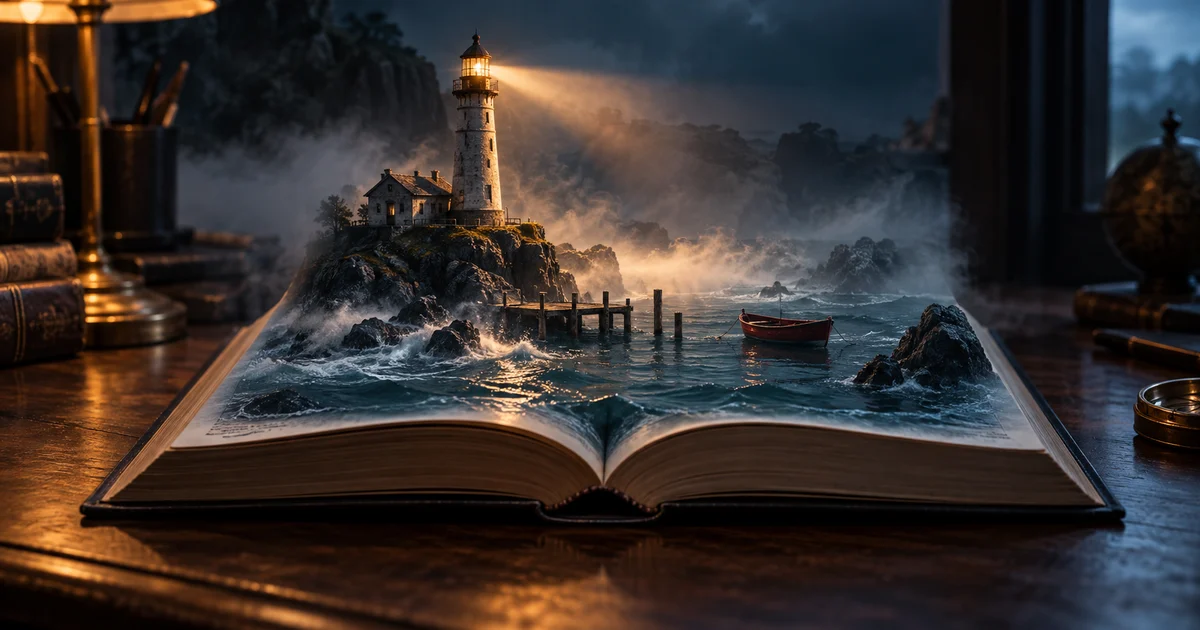

A book trailer does not need to summarize the whole novel. It needs to make the right reader curious about one unresolved problem. That is easier to achieve with four purposeful shots than with a parade of beautiful scenes whose connection is unclear.
Download the thirty-second book trailer sheet · Create one trailer shot
Choose the promise the trailer can keep
Write one sentence about the reading experience: a quiet coastal mystery, an energetic fantasy adventure, or an intimate family drama. That promise should influence the pace, voice, palette, and images. A loud action trailer for a reflective novel may attract attention from people who want a different book.
Use one unresolved question as the spine. Our original fictional example is The Lantern Ledger: a harbor archivist finds tomorrow’s arrivals written in a notebook, including a ship that disappeared decades ago. The trailer asks who is writing the entries. It does not explain the answer or reveal the final confrontation.
List the facts you may show and the facts you will withhold. This spoiler budget is especially useful when generating scenes from a synopsis. A model asked to “show the best parts” may choose the ending because it contains the biggest visual event.
Write the narration before committing to footage
Start with a few short sentences that sound natural aloud. Avoid a stack of character names, place names, and invented terminology. A viewer has only one pass to understand the premise. One character, one unusual discovery, and one consequence are enough for the first draft.
Every ship in the harbor keeps a record. Mara has found one that records tomorrow. Now a vessel lost thirty years ago is due at dawn. Someone wants the ledger burned. Someone else wants the harbor waiting. Before the tide turns, Mara must decide which warning to believe.
This is an original sample script, not text from a published book. Read it in the intended voice and measure it. If it fills the entire thirty seconds, shorten it or expand the format. Leave room for the audience to absorb the opening image and read the final card.
Keep narration and directing notes separate. “Quietly, with dread” is an instruction for the performance, not a line to speak. Generate the voice in short coherent passages if you need to replace one phrase later.
Use a thirty-second beat sheet as a starting budget
The table is a proposed edit, not a claim that a model will hit exact timestamps. Adjust the windows after listening to the real take. A useful trailer has room for a reveal and a response; every second does not need a new shot.
| Window | Story job | Visual plan |
|---|---|---|
| 0–4 seconds | Establish the mystery | Empty harbor; one light remains on |
| 4–10 seconds | Introduce the discovery | Ledger on a desk; a hand stops before turning a page |
| 10–18 seconds | Make the threat concrete | A distant ship silhouette appears beyond fog |
| 18–24 seconds | Hold the unresolved question | Archivist at the window; a decision remains unspoken |
| 24–30 seconds | Identify the book and next step | Actual cover, title, author, and one destination |
Do not generate legible ledger entries and rely on them to carry the plot. Add essential words as editable text or speak them. A distorted date in the background should not be the only explanation of what makes the story unusual.
Create a compact visual reference set
Choose the harbor, the ledger, and the main character before animating them. Keep a small sheet with the character’s appearance, coat, desk materials, weather, and light direction. You do not need a complete adaptation bible for a short trailer, but repeated objects should remain recognizable.
Approve one still per planned shot. A wide harbor image can establish the atmosphere without forcing the same face into every frame. A close detail of the notebook can carry a different beat. This variety is more useful than four nearly identical dramatic portraits.
Use the real cover artwork for the end card. Do not ask the video model to redraw it throughout a moving shot. If the cover contains typography, preserve that file as an overlay or static card in the final edit. An accurate title matters more than making the cover perform a complicated animation.
Give each generated shot one observable action
Runway’s image-to-video guidance distinguishes the input image’s visual information from the prompt’s motion instructions. For a trailer, that suggests a practical split: settle the still, then describe what changes during the shot.
For the ledger shot, ask for a small page movement or a hand pause, not a page turn, a fire, a camera orbit, and a face reveal at once. If a hand fails repeatedly, use a detail shot without it. The edit can imply a discovery through sequence and sound without showing every physical action.
Cut for information, then cut for rhythm
Assemble a rough version with the accepted narration, stills, and temporary shot lengths. Ask a reader unfamiliar with the story to explain what they understood. If they cannot identify the unusual discovery, the next task is a clearer sentence or image—not a more elaborate transition.
Once the information works, replace stills with the useful portions of generated clips. Trim before a face drifts or a notebook changes shape. A three-second usable segment can be more valuable than a full clip containing a distracting error at the end.
Keep transitions simple when the story is already complex. A straight cut from ledger to harbor can establish a relationship. A spinning effect may interrupt it. Match the pacing to the genre promise you wrote at the start.
Let sound connect the shots
Use narration as the main informational layer. Music can support tension; a small environmental sound can connect a visual cut. In the harbor example, a distant bell might continue across the transition from the wide shot to the desk. It does not need to become a loud effect on every edit.
Review the voice without music, then add the music at a restrained level. If a line is difficult to understand, fix the line or mix before making the score more dramatic. Use the voice-and-music mixing guide when the background competes with the words.
Keep music and effects you are authorized to use, with the project notes needed to identify the source. This guide does not establish a particular provider’s commercial terms or a platform’s current disclosure requirements.
Make the last card useful on a phone
Show the actual title and author clearly. Choose one next action, such as reading a sample or visiting the book page. A tiny cover, three retailer badges, a long URL, two quotes, and a release date will compete for the same few seconds.
Hold the card long enough to read at the intended size. Test it inside the actual vertical or horizontal crop, with captions and interface areas considered. If the viewer must pause to understand the title, simplify the card or lengthen its hold.
Verify the destination before sharing. The trailer is unfinished if its link points to an old edition, a draft page, or the wrong book. Save a clean version without platform-specific overlays so you can prepare future placements without rebuilding the film.
How QuestStudio helps
Create the reference stills in Image Lab, audition the narration in Voice Lab, and generate one controlled shot in Video Lab. Assemble and time the accepted assets in your video editor. This is a multi-step production workflow, not a claim that a single button produces a finished adaptation.
Before calling it finished, watch once muted, once with audio only, and once on a phone. The premise should survive the audio-only pass; the cover and basic atmosphere should survive the muted pass. Those checks reveal different weaknesses without requiring another generation.
The fictional story, narration, timing plan, and hero are original editorial examples prepared September 24, 2026. They demonstrate a planning approach, not sales results or a tested promise of audience growth.
Frequently asked questions
How long should an AI book trailer be?
Choose the length for the placement and story. This guide uses a thirty-second plan as a manageable starting point, with time reserved for the cover and next action.
Should the trailer summarize the whole book?
Usually one compelling premise and an unresolved question are easier to follow. Keep a spoiler budget so the trailer does not reveal the payoff.
Can I animate my book cover?
You can, but preserve the approved artwork and typography. A separate cover overlay or static end card is often easier to keep accurate.
Do I need the same character in every shot?
No. Locations, objects, and atmosphere can carry story beats while reducing repeated face-generation work.
Can a trailer guarantee book sales?
No. A finished trailer is a marketing asset. Sales depend on the book, audience, offer, distribution, and many other factors.
Continue with a useful next step
 Video
VideoAI Horror Short Film: Build a 24-Second Story in 6 Shots
Make an AI horror short film with an original six-shot story, a timed sound plan and continuity checks. Build suspense with one location and a clear ending.
 Video
VideoAI Cooking Video From Photos: Build a Clear Recipe Reel
Turn your food photos into a recipe reel using a shot-to-recipe map, controlled motion, honest process labels, and checks for ingredient continuity.
 Video
VideoAI Establishing Shot Prompt: Make the Location Readable
Plan an AI establishing shot that shows where a scene happens. Use a simple location map, fixed visual anchors, and a continuity check for the following shots.