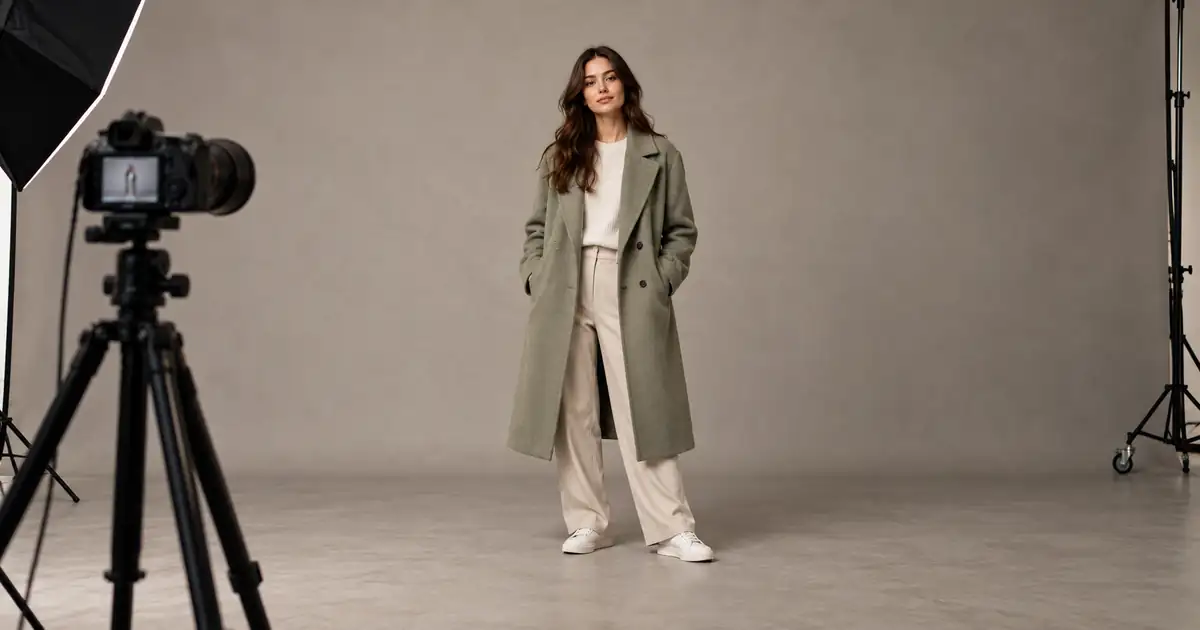

You asked for a full-body portrait, but the shoes are missing again. Before rewriting the prompt, open the downloaded image. The generator may have cut them off, or the website preview may simply be displaying a tighter crop than the file contains.
Quick answer: inspect the actual image first, choose a canvas that fits the pose, and describe the whole subject with visible space above the head and below the feet. Remove conflicting close-up instructions. If the original is complete but a card or banner crops it, fix the display framing rather than generating another person.
Use the full-body framing worksheet to record the source dimensions, pose boundaries, final ratio, and which stage first loses part of the subject.
Separate a missing subject from a display crop
Download the image and view it with the whole canvas visible. Compare it with the generator preview, the social post, and any website card. A wide header can crop a tall photograph to fill its container even when the original file includes every part of the person.
This distinction changes the fix. If the file is complete, adjust the crop, focal position, or layout used to display it. If the file itself ends at the ankles, there is no hidden shoe detail to reveal by moving the image inside a box.
Record the point where the problem appears. “Original complete, banner cuts shoes” is a layout problem. “Original ends above shoes” is a generation or reconstruction problem. A prompt cannot repair a website's display rules, and a display setting cannot recover detail absent from the source.
Fit the canvas to the whole pose
A standing person with arms at their sides occupies a tall envelope. A dancer with arms extended may need substantial width as well. Choose the available aspect ratio by the pose rather than selecting a favorite ratio and hoping the figure will fit.
Imagine a simple rectangle around everything that must remain visible: hair, hat, hands, coat hem, shoes, and any held prop. Then leave a margin around that rectangle. This pose envelope is more useful than saying “full body” while also requesting a large close-up face.
| Pose or destination | Framing concern | Useful instruction |
|---|---|---|
| Standing outfit portrait | Head and shoes need vertical room | Head to toe with visible floor |
| Arms extended sideways | Hands need horizontal room | Include both hands with side margins |
| Seated person | Feet and chair may project forward | Show the complete seated pose and chair |
| Wide website banner | Tall subject may become small | Place the whole person within a wider scene |
| Tight social crop | Final crop may remove extremities | Check the crop before approving detail |
An aspect ratio describes shape, not image quality. A taller canvas does not guarantee a complete figure, and a larger pixel count does not automatically change the composition. Use the framing instruction and the canvas choice together.
Remove instructions that compete with full-body framing
Read the prompt for close-up language. Detailed iris reflections, a beauty portrait, a tightly framed face, and head-to-toe composition may pull the image in different directions. Keep the details that matter to the intended viewing distance.
For an outfit photograph, prioritize the silhouette, garment fit, shoes, pose, and lighting. You can ask for a recognizable face without making it fill the frame. If a tiny accessory is central to the job, consider a separate detail image instead of forcing the full-length shot to communicate everything.
Descriptions of cameras or lenses are creative cues, not literal camera controls in every model. “Camera farther back” can help express the intended composition, but it does not guarantee a measured distance. Judge the returned image rather than the apparent precision of the wording.
Use an explicit head-to-toe brief
Write one sentence describing the whole subject, one describing the boundaries, and one describing the setting. Keep the pose simple enough that its extremities are easy to inspect.
This is an original planning example rather than a universal model recipe. Add a reference image only where the selected tool supports it, and explain whether that reference supplies identity, clothing, or composition. One reference may not reliably control all three at once.
If the model supports negative prompts, use a short relevant restriction in that dedicated field. If it does not, do not paste unsupported parameter syntax into the prompt. Positive descriptions of what must be visible are the main brief.
Check margins before small details
Evaluate the first useful result at fit-to-window size. Can you see the complete head, both hands when the pose requires them, and both shoes? Is there breathing room around the subject, or is the hair touching the upper border?
Avoid accepting a nearly cropped image because the face looks excellent. Later resizing or a slightly different destination ratio may remove the last few pixels of room. Save that version as an alternative, then ask for a looser composition from the original brief.
The margin does not need to be identical on every side. A standing figure may need more visible floor to feel grounded, while a raised arm needs extra space above it. The correct amount depends on the pose and destination; there is no single percentage that makes every image work.
Decide whether to reframe, expand, or regenerate
If the person is complete and only the surroundings are tight, canvas expansion may provide space. If the ankles or head were never generated, expansion asks the model to invent missing anatomy. That is a more demanding task and needs a different approval standard.
Follow the image-extension workflow when extending an otherwise usable source. Preserve the original region where supported, expand deliberately, and inspect the join. Adding floor is different from reconstructing a missing shoe or leg.
Regeneration is often the clearer choice when the composition is fundamentally wrong. Return to the source or brief, choose a more suitable ratio, and simplify conflicting instructions. Do not repeatedly extend a poor result until the body proportions drift.
If identity changed during reframing, use the face-likeness repair guide. Framing approval and identity approval are separate checks; a complete figure can still be the wrong-looking person.
Test the destination before making a series
Place the approved image in the actual card, banner, listing, or presentation layout. Review the desktop and mobile crops. A subject positioned well for a wide banner may be clipped in a narrow mobile container.
For an outfit series, keep the camera height, pose scale, and floor line consistent enough to compare garments. Do not fix one cropped image by making the person much smaller than everyone else. A character turnaround sheet serves a different production purpose, but its emphasis on consistent views is useful when planning a series.
Save destination-specific crops from a trusted master. Name them by use so a tight portrait crop does not accidentally replace the full-length source. Keep the master available for later ratios instead of enlarging a previously cropped export.
How QuestStudio helps
Use the available aspect ratios and reference controls of the selected model in Image Lab. Start with a simple full-length composition and compare the actual downloaded output with the preview before requesting a repair.
When expansion is needed, choose an editing workflow that supports the operation you want. QuestStudio's available controls vary by model; a text prompt alone does not establish that an existing image's pixels will be preserved. Approve the full pose and destination crop before making more variations.
Frequently asked questions
Why does “full body” still produce a cropped portrait?
The requested composition can compete with close-up language, the chosen canvas, or a reference crop. Simplify the brief and explicitly include the head, feet, and surrounding space.
Can a website crop a complete image?
Yes. A card or hero container may fill a different aspect ratio by cropping the source. Inspect the downloaded file before changing the generation.
Will higher resolution bring back missing feet?
No. More pixels do not reveal content outside the generated frame. Use a better composition or a carefully reviewed expansion that creates new content.
Should every full-body picture use a vertical canvas?
No. Extended arms, props, seated poses, and wide delivery layouts can need more width. Choose the canvas around the whole pose and final destination.
Approve the whole frame
Check the original file, the pose envelope, and the final display. Once you know which stage removes the head or feet, the next action becomes much smaller and easier to judge.
Frame your next full-body image
Hero image: AI-generated editorial illustration. Examples are original planning exercises, not measured model tests.