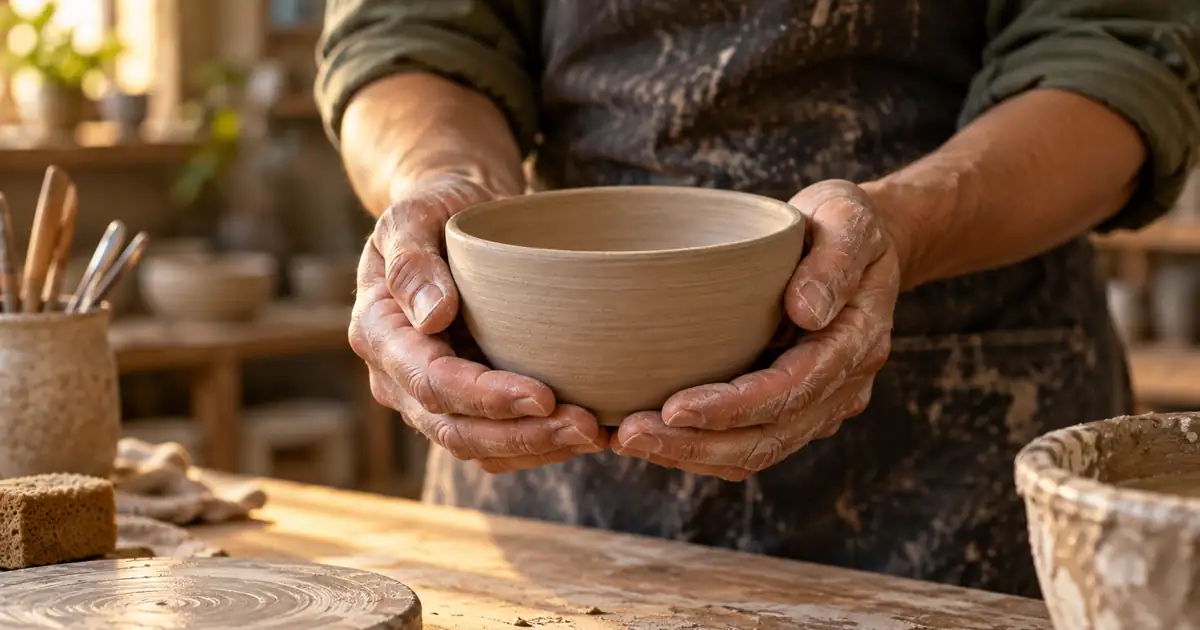

A hand can have the expected number of fingers and still look wrong. The thumb may emerge from the wrong side, the wrist may twist impossibly, or a finger may pass through the object it is supposed to hold. Fix the interaction, not just the count.
Quick answer: identify the specific structural error, preserve the useful pose, and repair a local region with enough context to reconnect the hand to the wrist and object. If the entire interaction is implausible, simplify the pose or generate another composition. Inspect the approved image before upscaling or animating it.
The hand-repair worksheet separates anatomy, object contact, masking, and final approval so a sharper result does not get mistaken for a correct one.
Read the pose before counting fingers
Decide which hand you are looking at and how the palm faces the camera. Follow the forearm into the wrist, then trace the thumb and visible fingers. A finger hidden behind a mug is not automatically missing. A hand seen edge-on should not necessarily show every digit.
Compare with a safe reference pose of your own hand or an authorized reference photograph. Match the viewing angle and grip rather than forcing the generated hand to resemble a flat anatomy diagram. The useful question is whether the pose can happen, not whether every finger is displayed.
Check the silhouette at normal size. Large structural errors often appear before nail or skin detail matters. If the palm blends into the sleeve or the wrist bends at an implausible angle, fixing one nail will not repair the gesture. Mark the largest defect first.
Classify the failure
| Failure | What to inspect | First repair to consider |
|---|---|---|
| Extra or fused digit | Palm attachment and overlapping fingers | Local mask with a clearer silhouette |
| Implausible bend | Joint direction and pose reference | Redraw the connected finger or hand |
| Broken wrist connection | Forearm, cuff, wrist and palm | Include the attachment in the repair |
| Finger through an object | Front-versus-behind relationship | Repair the hand-object contact region |
| Tiny indistinct hand | Actual pixels available | Larger source or a simpler composition |
| Entire pose is tangled | Both arms and the held object | Regenerate the interaction or change the pose |
Write one diagnosis in the worksheet. “Right thumb intersects bowl rim” is more useful than “bad hands.” It also creates a fair acceptance check: the next result must fix that collision while keeping the bowl, sleeve, and overall gesture credible.
When a defect crosses both hands and the object between them, treat that interaction as a connected problem. Repairing the hands independently may work, but do not insist on separate masks if doing so preserves the wrong grip relationship.
Make a contact map
For a hand holding a ceramic bowl, identify where the thumb rests, where the palm supports the weight, and which fingers curve around the far side. Mark which edges belong to the bowl and which belong to skin. Those relationships are the core of the image.
Look for a believable contact shadow. A hand can float a few pixels from the bowl while appearing to grip it. Conversely, a deep shadow can hide a finger that is actually fused with the rim. Check both the outline and the shading before approving the repair.
For product images, protect the object as carefully as the hand. A repair that fixes the fingers but changes a handle, label, or opening has failed the commercial task. The product-video hand guide extends this check across moving frames; start with a credible still before introducing that extra complexity.
Give the local edit useful context
Save the original and work on a copy. If your editor supports masking, include the defect and enough surrounding structure to make a continuous repair. A mask ending halfway through a malformed joint can leave the model trying to connect to an impossible shape.
Avoid selecting the whole person for one damaged fingertip. That invites changes to the face, clothing, and pose. Also avoid a mask so tight that it leaves a duplicate edge or the base of an extra finger outside the editable area. The selection should match the failure you identified.
Anton Tenitsky's documented inpainting example demonstrates a local hand workflow and shows that difficult silhouettes may need preparation before regeneration. Its settings belong to that particular setup. Do not copy numerical controls into a different model and expect the same result.
Describe the action clearly
Use a short instruction that explains the hand's job. “Natural hand” is less specific than “left palm supports the bowl from below while the thumb rests outside the rim.” Include the relationship to the object and the visible pose, then name the surrounding details to preserve.
This example is a planning instruction, not a tested guarantee. If the selected tool has a separate negative-prompt field, use only controls that it supports. Adding a long list of anatomical terms to an ordinary prompt can distract from the simple gesture you need.
Do not demand five fully visible fingers when the reference grip naturally hides some of them. That can encourage a spread-out hand that no longer holds the object. Physical plausibility is the acceptance standard.
Compare repairs without losing the good parts
Keep two or three meaningful alternatives rather than overwriting the only promising version. Compare each one with the original at the same zoom. Inspect wrist attachment, silhouette, contact, lighting, and the held object in that order.
Reject a repair that makes the pose less coherent even if the skin looks more detailed. Check that a ring has not moved to another finger, that a cuff remains connected, and that a visible fingernail follows the finger's orientation. These small details matter after the large structure is sound.
Change one useful factor between attempts: mask extent, pose instruction, or supported editing strength. If several attempts fail in the same way, stop adding adjectives. Use a clearer reference, simplify the grip, or choose a composition with a different gesture.
Protect identity and product detail
Full-image editing may change unselected regions. Compare the face, garment pattern, and object dimensions even if you intended only a hand repair. A local-looking interface is not itself proof that every other pixel stayed unchanged.
If the face drifted, return to the trustworthy source and follow the face-identity diagnosis. Do not repair the face on top of an increasingly modified image unless that is a deliberate creative choice you can review.
For a product held in a hand, check size and shape against the actual item. A smaller bottle can make a malformed grip appear more comfortable, but it misrepresents the product. The product-photo approval checklist provides the broader review once the hand interaction works.
Approve before enlargement or animation
Upscaling can make an error more convincing by adding detail to the wrong structure. Review the original-sized repair first, then inspect the enlarged export for newly invented nails, doubled contours, or artificial skin texture.
If the still will become a video source, choose a modest action that the pose supports. A stable grip is easier to evaluate than a complex handoff between two people. The still-image review does not prove motion continuity; the generated clip needs its own frame-by-frame contact check at the difficult moment.
Record what passed and what remains uncertain. A slightly obscured finger may be acceptable in a background figure, while the same ambiguity can be unacceptable in a close product demonstration. Judge the image at its intended use and viewing size.
How QuestStudio helps
Use a model with suitable image-editing inputs in Image Lab. Where local masks are supported, test the smallest coherent repair. Otherwise, compare a restrained image-to-image request with a new composition that simplifies the interaction.
Keep the source, instruction, and approved output together. QuestStudio provides creative generation options; you remain responsible for checking whether the hand and object make physical sense. A useful result is one that passes the contact map, not simply the latest variation.
Frequently asked questions
Does a correct hand always show five fingers?
No. Fingers can be naturally hidden by the palm, another finger, or an object. Check a plausible pose and attachment rather than requiring every digit to be visible.
Can upscaling fix an extra finger?
Do not rely on it. Upscaling may add detail to the existing mistake. Repair the structure first and review the enlarged version afterward.
Should I mask only the extra fingertip?
The mask needs to cover the actual defect and allow a continuous connection. If the extra finger starts at the palm, selecting only its tip may leave an impossible base.
When is a new image the better choice?
Regenerate or simplify the pose when the arms, wrists, hands, and object are all tangled together or when repeated local repairs keep damaging protected details.
Keep the gesture believable
Approve the hand from forearm to fingertip and through its contact with the object. That complete relationship makes the image useful, even when some fingers are naturally out of sight.
Create a clearer hand interaction
Hero image: AI-generated editorial illustration. Examples are original planning exercises, not measured model tests.