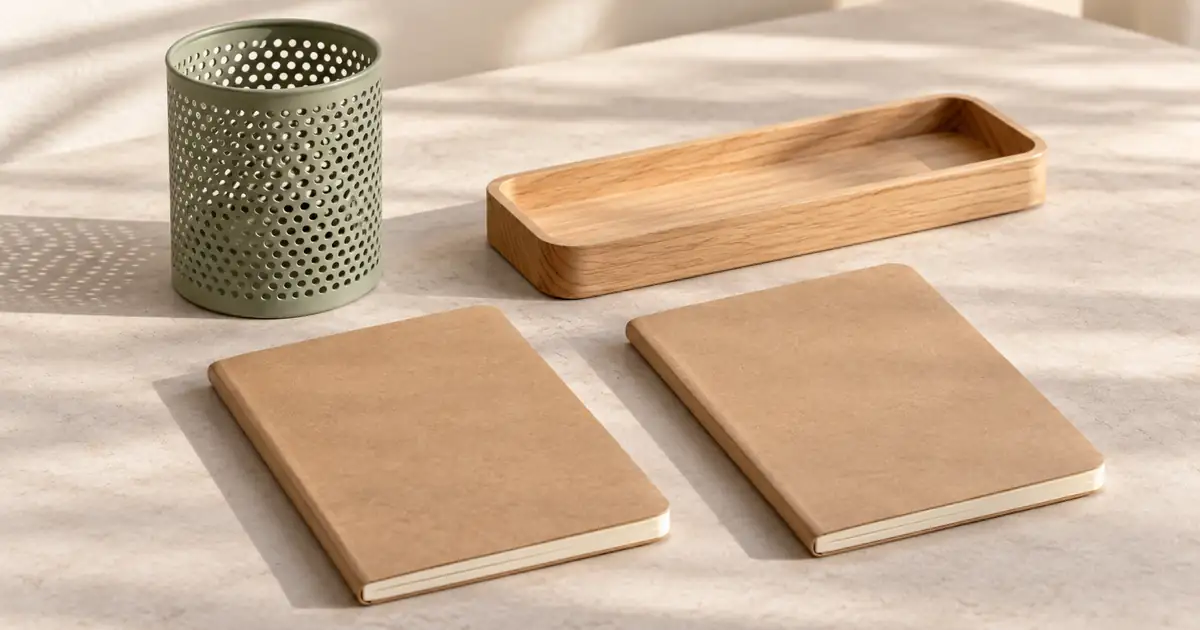

Product bundle photography with AI starts with the offer, before the lighting or background. A convincing image of a four-piece desk kit is still wrong if the customer selected a two-piece starter kit. Build a separate, verified composition for each configuration, then check that the storefront shows the matching image when a shopper changes the selection.
AI can help explore the surrounding scene. It cannot certify what is in your warehouse, preserve every product detail automatically, or decide which items a purchase includes. Your source photos, bundle inventory and product page remain the reference. The useful first result is one accurate image for one offer, not twenty attractive versions of an ambiguous set.
Make an offer-to-image map
Use a short identifier for every sellable configuration. Write out individual objects and quantities, including accessories that might otherwise look like props. Distinguish a mixed bundle from a multipack of identical units. “Four pieces” is not enough information when a tray, its removable insert and its packaging can each look like separate pieces.
Here is an original planning example for a fictional stationery shop. These are proposed configurations, not photographs of real merchandise or measured model results.
| Offer | What the customer receives | What the primary image must show |
|---|---|---|
| Desk Lite | One pencil cup and one notebook | Two included objects, both visible |
| Desk Full | One pencil cup, one tray and two notebooks | Four objects, with two distinguishable notebooks |
| Notebook Pair | Two matching notebooks | Two units, without the cup or tray |
Include size and color in the map when they affect the selection. A large tray pictured beside a small notebook can imply dimensions the actual bundle does not have. Photograph objects together whenever their relative size matters. Separate reference images without a common scale make that relationship easier to lose.
Assign a job to each gallery image
The first image should make the included set easy to understand. A lifestyle image can explain where the kit fits in a workspace. A detail image can show a binding, finish or compartment. These jobs need different compositions, and the lifestyle scene should not quietly become the evidence for bundle contents.
Treat decorative pens, plants and a laptop as potential sources of confusion. If a pen sits inside the pencil cup, a shopper may reasonably wonder whether it is included. Remove unnecessary props from the primary composition. Where supporting images use props, make the distinction clear in the surrounding product information and follow the destination's image rules.
Google's Merchant Center image guidance should be checked for images submitted to that channel. A decorative campaign asset and a primary product-feed image have different jobs. Do not assume that an image accepted on your own homepage automatically meets another destination's requirements.
Capture the complete configuration first
For Desk Full, arrange the actual cup, tray and two notebooks in one source photograph. Leave a visible edge between the notebooks so the second unit does not disappear into a stack. Keep the angle useful for recognizing the set rather than choosing the most dramatic perspective.
Record a clean source for each configuration instead of repeatedly asking a generator to remove or duplicate products. A generated duplicate may have a different binding, texture or thickness. Removing the tray can also change shadows under the notebook beside it. A simpler source image reduces the number of relationships that need repair later.
If you need a coordinated look across a larger range, the product catalog consistency workflow covers the broader reference system. For this task, the acceptance question is narrower: does this image represent this exact offer?
Use generation for a controlled scene concept
Start with one background direction and one composition. Keep the proposed lighting compatible with the source photograph. A hard shadow pointing left will look wrong against a generated environment whose light obviously comes from the other side.
This example is a scene brief for a tool that supports the relevant reference-image input. It does not guarantee unchanged product pixels.
Inspect the returned objects as carefully as the background. If the label, construction or quantity changes, reject the result for product representation. For exact fidelity, preserve the approved product photograph through a suitable compositing workflow and use generation for the surrounding environment. A prompt requesting preservation is not proof that preservation happened.
Review the set as a customer would
First count the included objects without looking at your inventory list. Then compare that count with the offer map. This catches compositions where the second notebook technically exists but is hidden so completely that a shopper would not notice it.
Next inspect distinguishing details: the tray's compartments, the cup's rim, notebook corners and any real labels. Compare relative dimensions against the source. Finish by checking shadows and contact points. A floating cup or fused notebook edge can make an otherwise accurate set look unreliable.
| Problem | What it can communicate | Better next attempt |
|---|---|---|
| Second notebook hidden | Only one notebook is included | Separate the units in the source composition |
| Extra pen in the cup | Pen may be part of the purchase | Remove the prop before generation |
| Tray grows between images | Bundle dimensions are inconsistent | Reuse a verified reference and compare scale |
| Lid shown twice | Two products rather than one opened product | Use a clearer angle or a separate detail image |
For arranging individual objects on a surface, the flat-lay photography guide provides composition checks. Here, repeat the review for each sellable configuration, even when several offers share the same objects.
Verify the selected variant on the real page
An accurate file can still appear beside the wrong offer. Open the product page, select Desk Lite, and inspect its first image, thumbnails, price description and included-items copy. Switch to Desk Full and repeat. Check the mobile gallery too, because a crop may conceal an item that remains visible on desktop.
Test links from campaigns that preselect a configuration. If an ad shows Desk Full but the landing page defaults to Desk Lite, the visitor must resolve that mismatch. Prefer a destination that clearly presents the advertised configuration, or change the creative to match the actual default experience.
Save the bundle offer and gallery worksheet alongside the approved exports. Record the offer identifier, source file, gallery role and verification result. Leave untested fields blank rather than treating a generated image as approved by default.
How QuestStudio helps
Image Lab can help you explore one bundle scene using the inputs supported by your selected model. Bring the approved reference and the explicit object list. Review the available controls before generating, because reference handling and editing capabilities vary between models.
Start with the hardest configuration to read, such as two similar notebooks beside a tray. Accept one composition only after the count, scale and product details pass review. Then build the remaining configurations from their own verified sources. Product-page variant selection, inventory accuracy and final compositing stay in the appropriate storefront or editing tools.
Frequently asked questions
Can AI reliably count the items in a bundle?
It can produce a requested arrangement, but you must inspect the result. Hidden, duplicated or fused objects can make the visible set differ from the offer, even when the prompt lists quantities clearly.
Can I generate a larger bundle from one product photo?
You can explore a concept, but generated copies may differ from the actual product. Photograph the real configuration when exact quantities, scale and construction matter to the purchase.
Should every variant use the same lifestyle image?
Only if that image accurately represents each offer and does not create confusion. The primary image and selected configuration should make the included items clear without requiring the visitor to infer what changes.
What is the smallest useful first project?
Create one scene for one verified configuration, check every included item, and test that image on the corresponding product-page selection. Expand the series after that complete path works.
Finish with one accurate offer
A successful bundle image answers a practical question: what will arrive if I buy this option? Keep the inventory map beside the creative brief, preserve reliable source evidence, and finish the job by checking the actual selection a shopper sees.
Plan one bundle scene in Image Lab
Hero image: AI-generated editorial illustration. Examples are original planning exercises, not measured model tests.