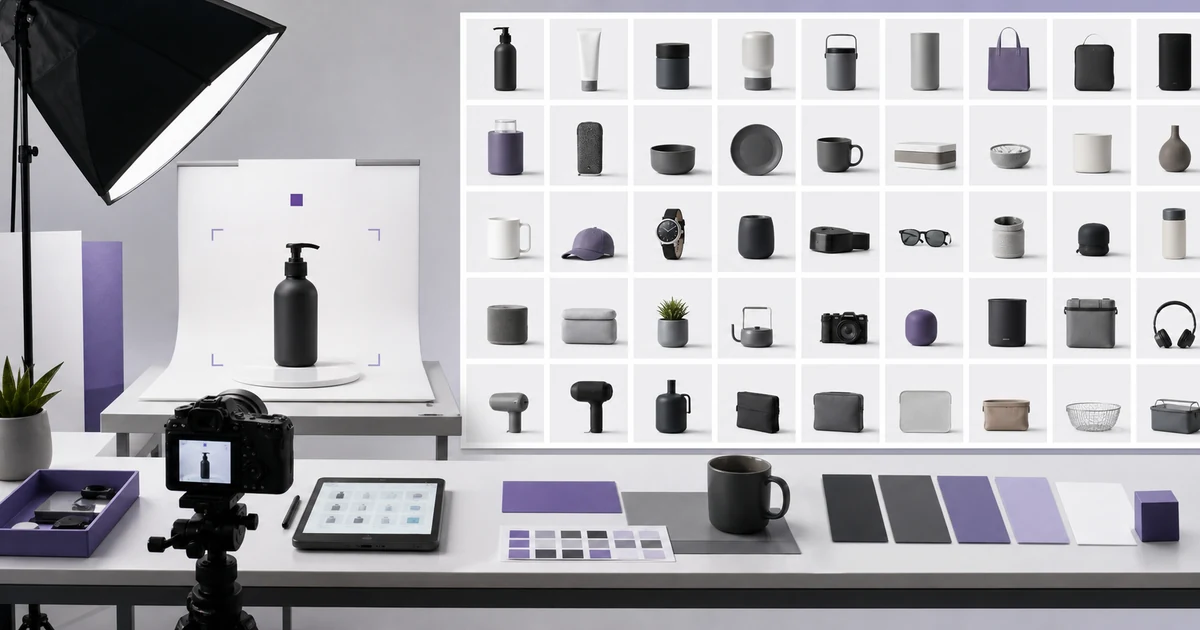

A catalog needs two kinds of consistency: the same visual treatment across the collection and the correct product details within each image. Build a SKU manifest that keeps those checks separate. Approve a small batch against its source references before carrying the recipe into the rest of the catalog.
Why catalog consistency is not the same as a good hero image
A single AI-assisted product image can succeed through careful prompting and a lucky output. A 100-SKU catalog cannot depend on luck. Every item needs the correct variant, believable geometry, stable material, accurate color, consistent scale, predictable padding, useful angles, and a clean handoff to the storefront or feed. Community discussions among photographers, ecommerce operators, and automation builders repeatedly move from “make this prettier” to “how do we keep hundreds of products truthful and consistent?”
The right unit is a catalog system: source evidence, locked facts, controlled variables, a repeatable recipe, a manifest, and batch QA. AI can help create or edit scenes, but it is not the source of truth for the product.
Split the brief into locked facts and flexible variables
Product locks include dimensions, silhouette, component count, hardware placement, seams, material finish, label, logo, colorway, included accessories, and the exact variant. Flexible variables may include camera angle, background, prop set, shadow softness, crop, and destination ratio—within the approved campaign system.
1. Write a locked-product specification
Create a short record for every product family before generating. Include the official SKU, variant name, dimensions, material, approved color values or physical swatches, front and back identifiers, movable parts, packaging state, and anything customers use to distinguish it. Add a “never invent” list: extra buttons, false ports, alternate stitching, changed logo, new ingredients, unsupported texture, or accessories not included.
Photographs can hide or distort facts, so reconcile the specification with the actual product and approved product data. When sources conflict, pause the SKU instead of asking the model to choose.
2. Capture an approved reference-angle set
For each product family, obtain clean front, rear, left, right, three-quarter, top, bottom, label/detail, and scale views when relevant. Use even light, sufficient focus, neutral white balance, and minimal perspective distortion. Name files with SKU, view, version, and date. A beautiful lifestyle photo is not enough evidence for hidden construction.
Give each reference one job. The front view controls logo placement; side views control depth and hardware; a material detail controls texture; a color target controls hue. Do not let a styled reference override factual geometry.
3. Build a SKU manifest
| Field | Example purpose | Required result |
|---|---|---|
| SKU and variant | Unambiguous identity | Matches product feed |
| Source set | Approved reference filenames | Complete angles recorded |
| Recipe version | Background, crop, light, prompt | Same system across family |
| Output slots | Main, detail, scale, lifestyle | Every required slot present |
| QA status | Pass, repair, reject, blocked | Reviewer and reason retained |
A spreadsheet is enough to start. The manifest prevents silent substitutions and makes missing work visible. It also supports rollback when a recipe change improves one SKU but damages another.
4. Define one repeatable scene recipe
Write the background, surface, camera height, perspective, product rotation, shadow direction, softness, crop, padding, output dimensions, color treatment, and exclusions. Keep the main listing recipe deliberately plain. Lifestyle scenes can vary later, but the primary comparison image should help customers evaluate products consistently.
Google Merchant Center's current image guidance emphasizes an accurate image of the entire product, correct variants, minimal or no staging for the main image, no promotional overlays, and sufficient resolution. Google also recommends large square images and has announced a future increase to its minimum dimensions. Verify the latest destination requirements and effective date when you export; feed rules can change.
5. Calibrate on a difficult ten-SKU batch
Do not start with the easiest products. Select ten that expose the system: glossy and matte materials, pale and dark colors, small typography, reflective hardware, near-identical variants, unusual proportions, and complex packaging. Run the same recipe and record every failure by category.
Change one recipe variable at a time. If dark products lose edges, adjust background separation or light—not product shape. If all items appear at different scales, correct framing and padding rules. Repeat until the calibration set passes without SKU-specific prompt improvisation.
6. Generate in controlled batches
Batch by product family and recipe version, not by whichever source file is convenient. Keep source, prompt, model, settings, generated candidates, selected output, edits, and final export linked to the manifest. Limit batch size so a reviewer can still compare carefully; twenty unchecked outputs are more dangerous than five reviewed ones.
QuestStudio's image workflows can support generation and editing, but no model should be treated as a perfect product copier. Use the Product Fidelity Benchmark to define and record what counts as faithful for your category before scaling.
7. Apply two-pass QA
The first pass is factual: correct SKU, variant, geometry, component count, proportions, material, color, logo, text, included items, and packaging. Compare against the product specification and reference set. The second pass is system consistency: camera, scale, crop, padding, background, shadow, sharpness, color treatment, file dimensions, and naming.
Use two reviewers for high-risk categories or client work. The creator is primed to see the intended product; a fresh reviewer is more likely to catch a shifted clasp, invented seam, or wrong label.
Use explicit acceptance criteria
- The file maps to one SKU and correct variant in the manifest.
- Silhouette, dimensions, components, hardware, seams, material, and color match approved evidence.
- Logos, labels, ingredient text, warnings, and claims are exact or composited from verified artwork.
- No accessory or benefit is shown unless it is included and approved.
- The product occupies the required frame area with consistent crop and padding.
- Background, shadow, sharpness, color profile, dimensions, and filename meet destination rules.
- Every manual correction is retained as part of the production record.
Design an exception path instead of forcing automation
Some SKUs will fail: transparent containers, chrome, fine chains, dense labels, bundles, configurable products, or colors that are hard to reproduce. Mark them as exceptions and route them to conventional photography, careful compositing, or specialist retouching. An honest exception is cheaper than a return caused by a false image.
Track failure categories. If twenty percent of a family needs manual logo repair, add a verified logo-compositing step to the recipe. If reflective products fail geometry, stop generating them until a new calibration test passes.
Measure the catalog, not just generation volume
Useful measures include first-pass acceptance rate, factual-error rate, manual repair minutes per SKU, approved images per operator hour, cost per approved slot, reshoot or return incidents, and time from source receipt to feed-ready output. A fast generator with low first-pass accuracy can be the expensive option.
Sample the live storefront after upload. Confirm the feed maps images to the correct variants, responsive crops do not remove the product, zoom remains sharp, and cached images update as expected.
A 100-SKU rollout sequence
- Inventory products and group them into visual families.
- Approve locked-product specifications and reference-angle sets.
- Create the SKU manifest and destination requirements.
- Write one main-image recipe plus limited alternate-slot recipes.
- Calibrate on ten difficult SKUs.
- Freeze recipe version 1 and process the first twenty-five.
- Run factual and system QA; repair or block exceptions.
- Review failure rates before processing the remaining sixty-five.
- Export, upload, and sample the live catalog.
- Retain sources, versions, corrections, reviewers, and approvals.
Start with a fidelity benchmark
Use QuestStudio's Product Fidelity Benchmark to turn “looks close” into category-specific checks, then test a ten-SKU calibration batch. Keep perfect-looking but inaccurate outputs out of the catalog. Consistency is valuable only when the repeated image is also truthful.
For current destination requirements, consult Google Merchant Center's official image specification. For customer language and workflow discovery, the recent AI product-photography discussion is useful qualitative context, not proof of accuracy or market size.
Frequently asked questions
How do I keep AI product images consistent across many SKUs?
Separate locked product facts from flexible scene choices, use approved reference angles, freeze a repeatable recipe, track every SKU in a manifest, and apply factual plus system QA.
Can AI preserve a product perfectly?
Do not assume it can. Compare every output with the physical product or approved evidence and route difficult exceptions to photography or manual compositing.
How large should the first batch be?
Calibrate on about ten difficult SKUs before scaling, then process a controlled batch such as twenty-five and review error rates before continuing.
What should the main product image show?
Follow the current destination rules. Generally, show the correct entire product clearly, with minimal staging, no promotional overlays, and enough resolution for useful review.
What metrics matter for a catalog workflow?
Track first-pass acceptance, factual errors, repair time per SKU, approved slots per hour, cost per approved image, and live feed errors.
Furniture needs its own geometry check. The furniture room-scene workflow shows how to inspect legs, cushions, joinery and claims about scale.