
The flame looks beautiful, but the book beside it breathes and the table slowly bends. A cinemagraph depends on the parts that stay still. This guide builds a candle scene around a motion boundary you can actually inspect.
Download the motion-boundary worksheet · Create a quiet motion plate
Editorial guide checked September 13, 2026. Examples and worksheets are original planning material; the hero is an AI-generated illustration, not a model benchmark.
Decide what is allowed to move
A cinemagraph combines a largely still composition with a small region of repeating motion. Its appeal comes from the disagreement between those two behaviors: your eye accepts a photograph, then notices something alive inside it. If the camera drifts, the book changes shape, and the curtains flutter, the result may be an attractive video, but it loses that particular effect.
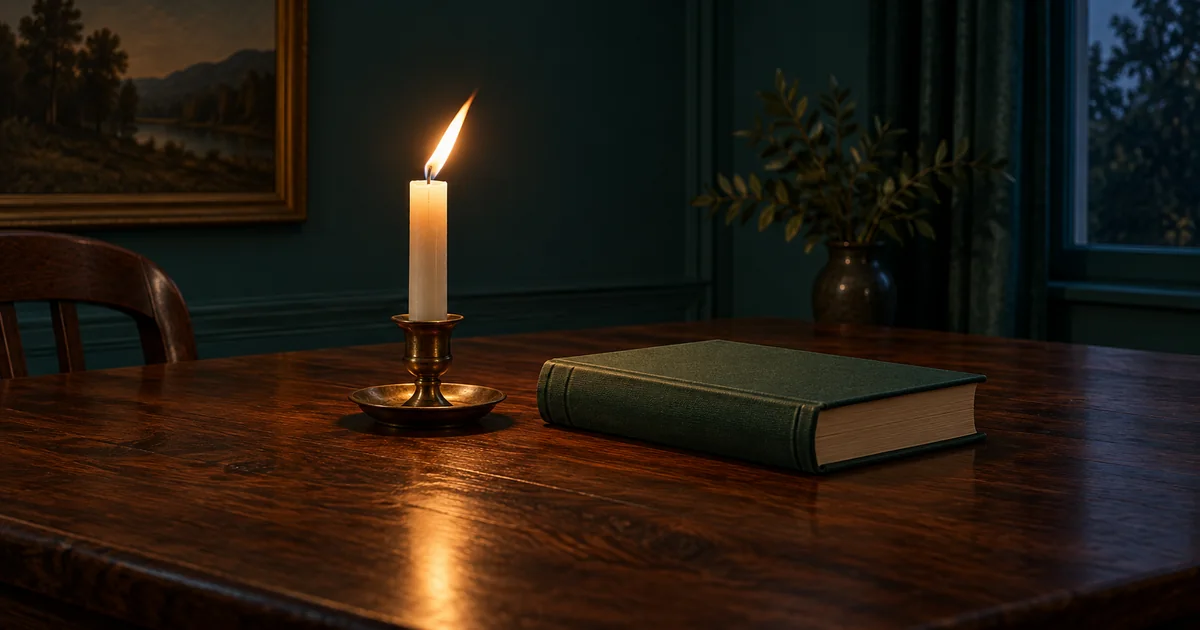
For this original planning example, the composition contains an ivory candle, a brass holder, a closed green book, and a walnut table. The flame is the main moving subject. The book, holder, wall, and camera position should remain stable. Write those permissions before generating a clip. A phrase such as “subtle movement” leaves too much room for the model to decide what subtle means.
There is one complication: light travels beyond the object producing it. A changing flame can produce a changing glow and reflection. Decide whether those changes belong in the effect. A rigid rectangular motion window around the flame can look less believable than a slightly larger, carefully shaped region that includes its local illumination.
Choose a scene with a workable boundary
Look for separation between the moving element and the rest of the composition. A flame against a plain dark wall is easier to isolate than steam passing across a patterned face. A ribbon moving beside a vase is easier than a ribbon repeatedly wrapping around it. This is a production decision: you are choosing how much masking and repair the shot will demand.
Our candle sits far enough from the book that the flame never overlaps the cover. The tabletop reflection remains below the holder. That gives the edit two manageable regions: the flame and glow above, and the reflection below. The brass holder can stay on the still plate unless its highlights visibly need to change. Inspect the actual clip before deciding; the prompt does not establish the correct mask.
Keep composition and motion tests separate. Approve a still frame for the shape of the book, candle, and holder. Then evaluate whether the generated motion respects those objects. If the candle itself lengthens and shortens, a wider mask simply exposes more distortion. Regenerate the motion or choose a cleaner section instead.
Create a short motion plate
Use Video Lab to request a restrained source clip. If the selected mode supports an image reference, start from the approved composition. Otherwise, describe the small scene consistently and judge the resulting frame before committing to a longer sequence. The available duration and input controls depend on the selected model.
This brief requests source material; it does not promise a finished loop. Download the accepted clip and inspect it at normal speed and while stepping through frames. Watch the edges of the book and the rim of the holder. A tiny background wobble can become obvious when the clip repeats beside a static page layout.
Build the still layer and the motion layer
In a video editor, choose a clean frame from the same shot as the frozen base. Put the moving clip above it and reveal only the region that should move. Adobe’s Premiere cinemagraph tutorial demonstrates this still-plus-masked-video structure, including mask feathering. Use the equivalent tools in your editor rather than assuming a particular menu exists everywhere.
A clean still should have the object shapes you want to preserve and a lighting state compatible with the selected moving segment. If you freeze an unusually bright frame while the flame spends most of the clip dimmer, the unmoving surroundings can feel disconnected. Try a representative frame before attempting elaborate corrections.
| Region | Initial treatment | Reason to revise |
|---|---|---|
| Book and wall | Frozen base | Moving glow reaches a visible boundary |
| Flame and nearby glow | Revealed motion | Mask clips the flame at its widest point |
| Table reflection | Separate small mask | Reflection changes out of step with flame |
| Holder | Frozen base first | Static highlights look disconnected |
Feathering softens an edge; it does not correct misalignment. If the two layers slide relative to each other, fix the registration or select another clip. Excessive feathering can create a hazy moving patch around an otherwise sharp candle. Inspect the boundary on a bright display and in the darker setting where the image will usually be viewed.
Find a repeat that respects the motion
Mark a start and end where the flame has a similar position, brightness, and direction of change. Similar-looking endpoints help, but the movement approaching each endpoint matters too. A flame leaning left at both ends can still snap if one end is moving left quickly and the other is returning right.
Test a simple cut first. If it is visible, try a short overlap or a different section. A blend that creates two flames is worse than a small brightness change. Reversing the clip may work for some oscillating objects, but it can make smoke retreat or wax climb upward. Choose the loop treatment by the action, not by the convenience of the export button.
The specialist 43frames cinemagraph guide also distinguishes a selectively frozen composition from a general AI animation. The extra check in this example is the relationship between flame, glow, and reflected light: all three should belong to the same moment.
Run a three-pass acceptance test
First, ignore the flame and watch only the book. The still area should not breathe, resize, or shimmer. Second, watch the mask boundary. Follow the flame to its extremes and look for a hard edge, a halo, or a reflection that stops abruptly. Third, watch several complete loops without scrubbing. Count each time you can spot the restart.
Record the defect and the smallest useful repair. “Book moves” calls for a still mask or new source, while “two flames at restart” calls for a different overlap. Changing the entire prompt after every failure makes it difficult to learn which decision helped. Save the approved source clip, frozen frame, and editable project separately.
Check the loop where it will be used
Export for the actual destination. A web page may use a looping video; another placement may require an animated image. Neither format makes a poor seam disappear. Check the real dimensions, cropping, playback behavior, and file weight after export. Do not judge only the editor’s high-quality preview.
For our candle example, the final review asks four concrete questions: is the book stable, is the whole flame visible, does the reflection belong to it, and can the restart pass unnoticed? Once those pass, the useful next experiment is a different subject with the same disciplined boundary planning. The worksheet keeps those decisions attached to the asset so another editor can finish it without guessing.
For an outdoor weather scene, the AI rain continuity workflow adds wet-surface and shelter checks to the distinction between moving and stationary regions.
Frequently asked questions
Can a prompt make the whole background perfectly still?
It can request a locked camera, but it cannot guarantee identical background pixels. Use a still layer and a mask when stillness matters.
Should I reverse a candle clip to make the loop?
Inspect the physics first. Reversing smoke or dripping wax can expose the edit; a carefully chosen repeat or blend is often more appropriate.
Is a cinemagraph a GIF?
It is a visual technique. The finished loop can be delivered as video or an animated image depending on the destination.
Does QuestStudio include a cinemagraph mask editor?
This workflow uses Video Lab for source motion and an external video editor for the selective mask and final loop.
When the whole scene needs to move, the full-frame AI loop guide covers cycle direction, speed, duplicate endpoints, and the exported-file restart.