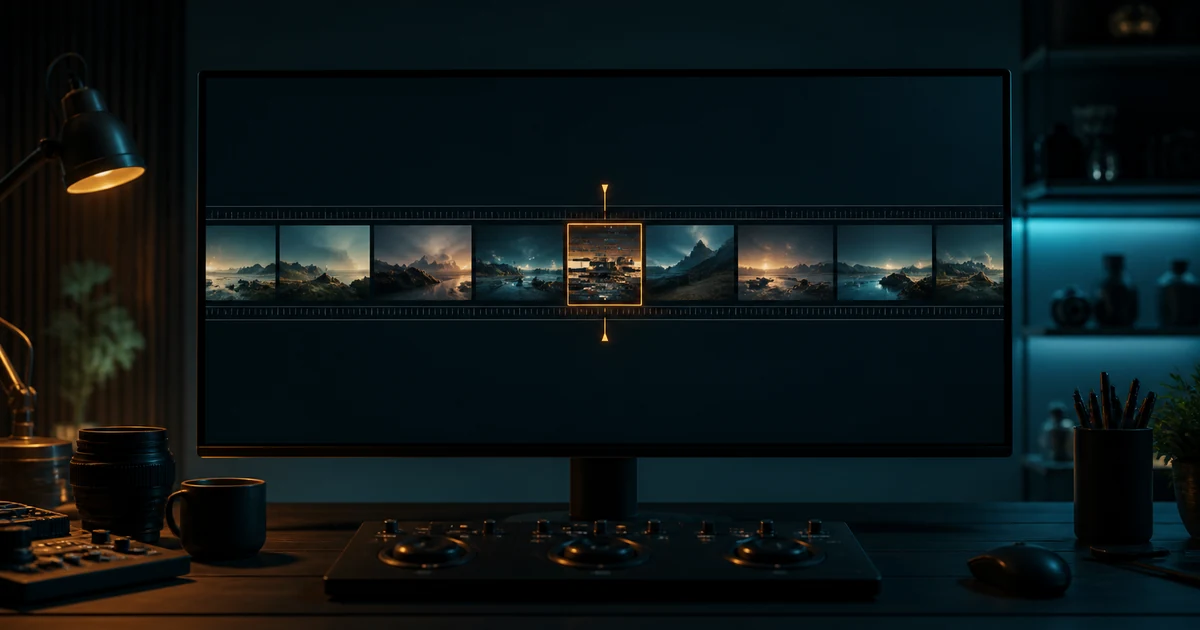

Mark the first and last bad frames before deciding how to repair a nearly usable clip. A background glitch, a changed product and a broken action need different treatments. Work through the repair options below, preserving the accepted footage and rejecting any patch that disguises an important mismatch.
Why a nearly good clip deserves a repair plan
A common AI-video failure is not a completely unusable render. It is an eight-second clip with seven good seconds and one warped hand, melting label, background jump, or impossible step. Regenerating the whole prompt may remove the defect, but it can also discard the camera move, timing, lighting, expression, and composition that already passed. Recent creator discussions on Reddit describe this exact frustration: the practical job is preserving accepted frames, not winning another generation lottery.
Treat the clip as footage. An editor would not reshoot an entire scene before checking whether a trim, reaction shot, insert, crop, or replacement segment can solve the problem. AI footage deserves the same discipline. The question is not “Can a model make this again?” It is “What is the smallest repair the audience will believe?”
First isolate the failed interval
Duplicate the source so the accepted render remains untouched. Watch once at normal speed, once without sound, and once frame by frame. Mark the first visibly wrong frame and the first clean frame after it. Add several frames of context on both sides. Then name one primary defect: identity drift, anatomy, product geometry, text, object continuity, camera jump, motion physics, lighting, background, or audio synchronization.
Do not write “the middle feels weird.” A repairable note is “from 00:04.12 to 00:04.78, the right hand crosses the bottle and gains a finger while the bottle must remain visible.” That note defines what must change and what must remain locked.
Use this least-destructive repair ladder
Move down the ladder only when the previous method cannot preserve the story truth. A hidden defect is not repaired if the crop removes a required product feature, and a speed change is not acceptable if it makes a safety demonstration misleading. The edit still has to communicate the approved action.
1. Trim when the bad moment is not carrying meaning
If the defect appears during a lead-in or tail, remove it and preserve enough edit handle for a clean cut. A shot intended to establish a product may not need the generated hand exit at all. Trim on stable motion or after the action resolves, then judge the result in sequence rather than as an isolated clip.
Avoid trimming through a spoken syllable, music beat, contact event, or action the next shot depends on. If a missing half-second makes the movement feel abrupt, the repair has only moved the problem.
2. Use a motivated cutaway or insert
Cover the failed interval with information the audience needs: the speaker's listener, a close product detail, a wide environmental shot, a screen recording, a diagram, or an authorized still. Let the original audio continue underneath when it remains accurate. Enter the cutaway before the defect and return after the motion has stabilized.
A cutaway should add meaning, not announce a cover-up. Match color, grain, movement, and sound perspective. For product work, verify that the insert shows the correct variant and does not contradict the hero shot.
3. Crop, track, or mask a peripheral failure
A background passerby, extra edge object, or unstable corner may be safely excluded with a modest crop. Preserve destination resolution and compose intentionally; do not push the subject against an edge merely to hide an error. A tracked mask or overlay can cover a small region when there is a clean source for the replacement.
Never crop away material facts. If a client asked to show the full package, interface, or safety behavior, reframe only with approval. Check every required aspect ratio because a repair that works in 16:9 may reveal the defect again in a vertical version.
4. Retime only minor temporal defects
A brief acceleration can make a small wobble less noticeable; a short freeze on a clean frame can bridge a pause; optical flow can sometimes smooth the join. Use these tools conservatively. Hands, liquid, wheels, faces, and contact points expose synthetic interpolation quickly. Sound effects and dialogue also reveal altered timing.
Review at normal speed on a phone and a larger screen. If the audience can see the object teleport, stretch, or lose weight, retiming is not the right repair.
5. Build a still-frame patch
Export the cleanest frame before or after the defect. Repair that image with an authorized reference while locking product shape, wardrobe, light direction, perspective, and background. Then use a short pan, push, parallax treatment, or dissolve to bridge the gap. This works best for quiet beats, not complex contact or fast body motion.
Keep the patch short and preserve the same color transform, sharpness, grain, and motion blur as the surrounding clip. A perfect still can look more artificial than the footage if it suddenly becomes too crisp.
6. Use targeted video-to-video editing when the element must stay visible
QuestStudio exposes Runway Gen-4 Aleph as a video-to-video editing route. Create a short working segment around the defect, include enough clean context for continuity, and write a repair instruction that names the change and the locks. For example: “Correct only the right hand during the bottle lift. Preserve the approved bottle geometry, camera movement, face, lighting, background, timing, and frame composition.”
Targeted editing can still alter accepted details. Compare the result against the source in a synchronized view. Check the repaired area, its boundaries, and everything you asked to preserve. Current capabilities and availability can change, so confirm the chosen model's controls before committing a client delivery.
7. Rerender only the failed shot when truth cannot be patched
Rerender when the core action is physically wrong, the subject changes identity, the product becomes a different object, important text is false, or the camera path breaks the next cut. Shorten the shot contract, reduce competing instructions, preserve the best source references, and generate only the smallest story beat that failed.
ByteDance's current Seedance 2.5 material describes timestamp-targeted edits, which validates the direction of travel, but model access and controls vary by product. Do not claim frame-exact repair until your own export passes. The accepted unit remains the finished shot, not the feature label.
Repair versus reroll worksheet
| Measure | Repair path | Controlled reroll |
|---|---|---|
| Operator time | Diagnosis + edit + QA | Prompt revision + queue + selection + QA |
| Generation cost | Patch segment or targeted edit attempts | Expected attempts × full-shot cost |
| Continuity risk | Boundary and patch mismatch | All accepted details may change |
| Delivery risk | Can the edit remain truthful? | Can a new clip reproduce the approved beat? |
Estimate both paths before spending credits. Include upload, queue, edit, review, export, and client reapproval time. If a repair requires forty minutes and a tightly constrained reroll usually succeeds in two short attempts, rerolling may be rational. If the original contains a rare performance or camera move, preservation is worth more.
Final repaired-shot acceptance test
- The failed interval and defect are documented.
- The repair preserves required identity, product, action, text, camera, light, and sound.
- The entry and exit boundaries are invisible at normal speed.
- No crop, patch, or cutaway removes material information.
- Audio remains synchronized and physically plausible.
- Every delivery ratio passes on a phone and a larger display.
- The source, repair method, settings, versions, and approval are retained.
- Total repair cost is recorded for the next make-versus-reroll decision.
Start with one controlled repair
Open the failed clip in QuestStudio Video Lab and test a short Runway Aleph edit around the broken moment. Keep the original, repair segment, prompt, and rejection notes together. If targeted editing changes accepted details, move back up the ladder or rerender only the failed shot.
This workflow responds to the problem described in current AI video repair discussions and is grounded by ByteDance's official Seedance 2.5 editing overview. Community anecdotes reveal the job; your own acceptance test proves the repair.
Frequently asked questions
Can I fix one second of an AI video?
Often, yes. First test trimming, a motivated cutaway, reframing, retiming, a still patch, or a targeted video-to-video edit. Complex motion or identity failures may still require a selective rerender.
When should I rerender the shot?
Rerender when the required action, identity, geometry, factual text, or camera continuity is wrong and a patch would mislead the viewer or remain visibly artificial.
Does video-to-video editing preserve everything else?
No. Treat preservation as a testable requirement. Compare the edited segment with the source and inspect both the target area and every locked detail.
How do I compare repair cost with a reroll?
Add operator time, generation attempts, queue time, review, export, continuity risk, and any client reapproval for both paths.
What should I save after the repair?
Keep the source clip, timecode note, repair segment, prompt, model and settings, final timeline, rejection reasons, and approval record.