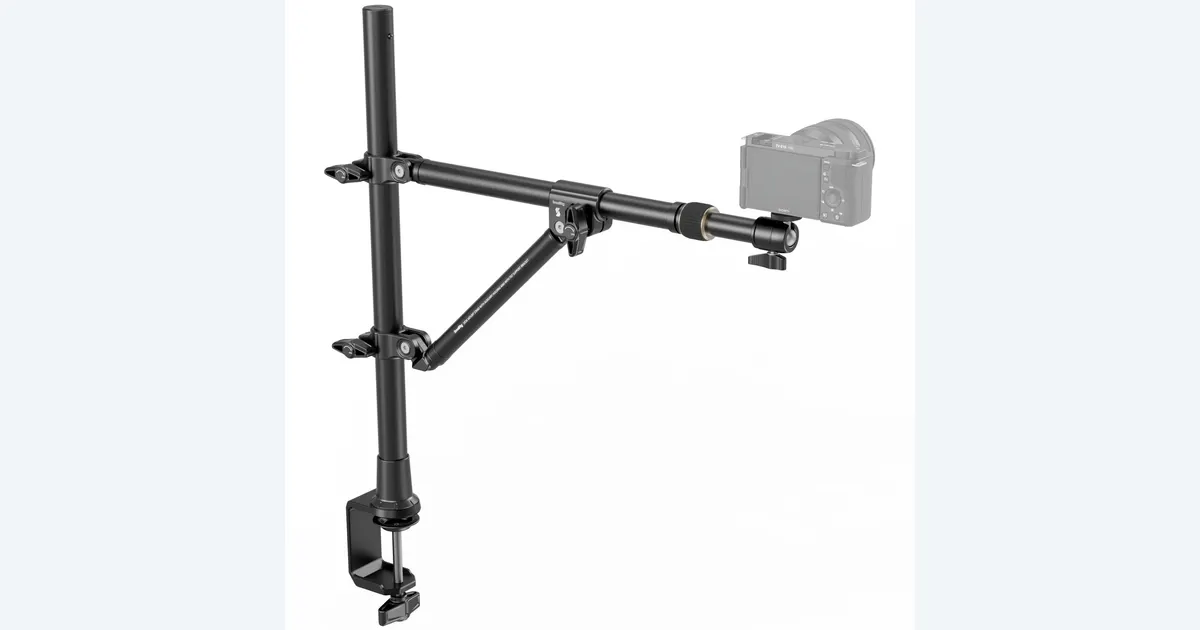

An overhead camera mount is useful when viewers need to see your hands, tools and product from directly above. The SmallRig 4304 is a candidate for a compatible desk and a suitably loaded camera setup. Choose the camera position and clear working area first. A mount that fits the desk edge can still place the lens too close, block your hands or transmit desk movement.
A product to consider
Check the fit below, then select Buy on Amazon for the current offer and buying options. We may earn a commission from this paid link.
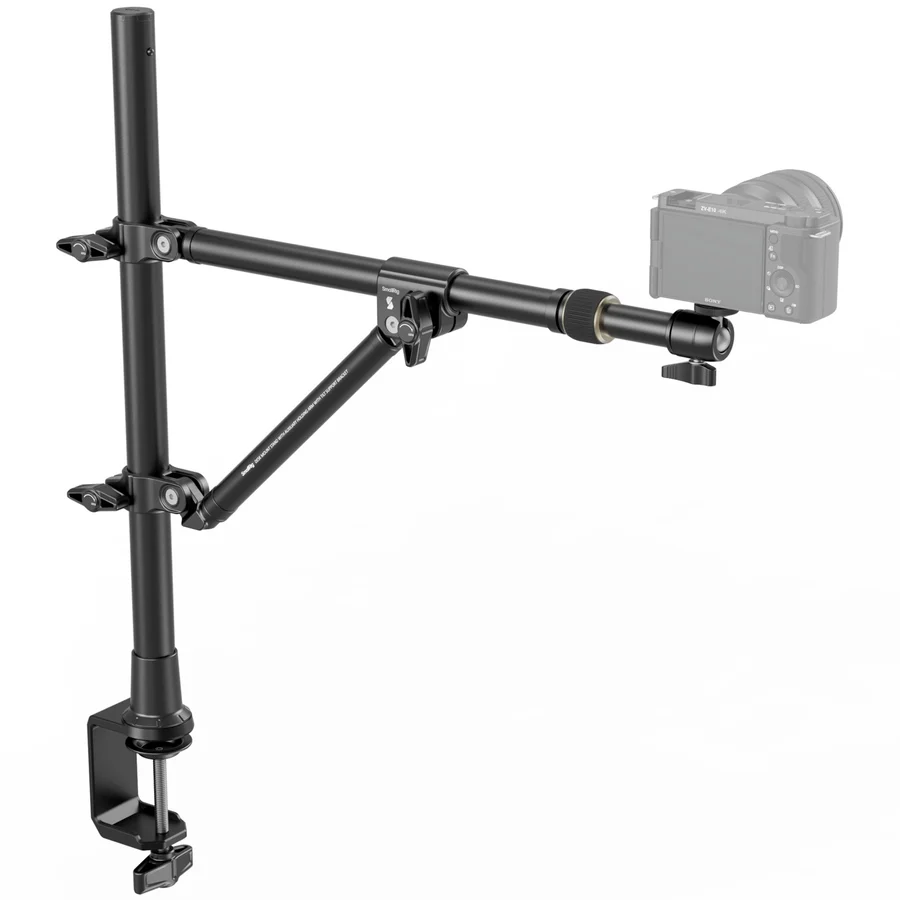
SmallRig 4304 triangular overhead desk mount
For top-down demonstrations on a suitable desk with a compatible camera load
Select Clamp 4304. SmallRig states a 3 kg load capacity, but desk suitability, complete load and mounting arrangement still matter. Camera, lights and demonstration products are separate.
Download the practical worksheet
Original blank CSV worksheet. Record your own setup and observations.
Define the demonstration before the support
Put the largest object in the scene where you plan to work. Add the accessories you will actually pick up, then perform the demonstration once without recording. Mark the area your hands use. That moving boundary is more useful than measuring only the package sitting in the center of the desk.
Decide what the viewer must understand: how a connector fits, how a lid opens or where two parts align. A top-down angle is excellent for some tasks but can hide vertical depth. You may need one overhead view and a separate side detail rather than forcing every action into a single angle.
For a front-facing product portrait, our tabletop tripod guide addresses a simpler support. The overhead rig is justified when the camera genuinely needs to sit above the working surface and remain there through repeated takes.
Check the desk as part of the rig
Measure the usable flat edge above and below the tabletop. Draw any frame, cable tray, drawer or decorative lip that could interfere with a clamp. Check the desk manufacturer's restrictions for mounted equipment. A thin-looking edge is not automatically suitable, particularly with glass, hollow panels or delicate finishes.
The support transfers forces into that surface. Total camera weight is only one consideration; extension, angle and ordinary movement also affect the arrangement. Follow the mount's installation instructions and supported positions. Do not improvise an extension or tighten harder to compensate for an incompatible edge.
Leave a route for cables that does not cross the demonstration area. A camera power or data cable can pull on the assembly when someone moves a laptop. Plan the cable's normal travel and secure it using the supported management method, leaving appropriate slack at connections.
What is specific to SmallRig 4304
SmallRig describes the 4304 as a triangular desktop overhead photography and streaming bracket, with an adjustable crossbar and cable ties. It states a 3 kg load capacity. Treat that as a documented product limit, not proof that every camera at that weight is suitable at every reach or angle. Consult the supplied 4304 manual for assembly and adjustment.
The Amazon selection is Clamp 4304. SmallRig sells several desk supports with similar names; a review of a single vertical pole does not establish this triangular bracket's behavior. Likewise, an overhead lifestyle photograph may include a camera, phone holder or lights that are not part of the chosen offer.
We have not tested this mount's stability or measured desk vibration. The recommendation rests on its documented format and a defined use case. If you cannot establish desk compatibility or the required lens position, resolve that first. A freestanding support designed for the job may be more appropriate than a clamp.
Map load, reach and working clearance
| Measurement | Include | Why it matters |
|---|---|---|
| Mounted load | Camera, lens, holder and attached accessories | The support carries the entire assembly |
| Working reach | Desk edge to intended lens position | Maximum reach may not be useful framing reach |
| Camera height | Lens to demonstration surface | Determines the field of view with your lens |
| Hand clearance | Full movement during the task | Prevents collisions and obscured steps |
Start with a camera or phone you already have. Preview its field of view from a supported position before assuming a wider lens is necessary. A very wide view can exaggerate nearby hands and leave the product small in the middle. A tighter view may look cleaner but cut off a crucial step.
Include any phone clamp, quick-release plate or adapter in both the compatibility and weight checks. A mounting screw with the expected diameter does not guarantee adequate support for a poorly balanced assembly. Keep the device supported while making adjustments and follow the manufacturer's sequence.
Plan where equipment rests when you are not filming. Repeatedly moving a loaded arm out of the way can create a different clearance problem than the recording position. Do not leave a visibly strained or unstable arrangement in place while you reorganize the desk.
Rehearse one complete product action
Use the worksheet to plan a short sequence with a beginning, a hand action and a clear finished result. A useful example is opening a case, removing one accessory and showing how it connects. The rehearsal should reveal practical problems before a long recording.
- Frame: mark the visible boundaries with removable markers outside the final shot.
- Light: check whether your arms cast shadows over the important detail.
- Focus: inspect the product plane and the point where hands move toward the lens.
- Perform: record the normal action without deliberately shaking or stressing the support.
- Review: watch the saved clip for movement, blocked labels, missed focus and cut-off hands.
If ordinary desk use causes visible movement, identify its path. A keyboard, chair contact or pulling cable may be involved. Reposition within the documented setup or choose a different support rather than promising that software stabilization will repair every close-up. Keep heavy forceful work outside a rig that was not designed for it.
Record changes one at a time. Moving the light, changing the lens and raising the arm together makes it difficult to know which adjustment solved the problem. Save the final dimensions and a photograph of your setup for the next session.
Build an honest demonstration sequence
Keep the real action as the evidence of what the product does. A generated cutaway can explain a concept or establish a mood, but it should not stand in for an unperformed feature test. Label source footage and generated assets clearly in the project.
In QuestStudio Video Lab, create a separate illustrative insert if the story needs one. Use the overhead footage as the practical demonstration, then check that the transition does not imply the generated scene was captured with the product. Our portable-light guide can help with a small supplementary light when the baseline shot needs one.
Before ordering, answer four questions in plain language: where will it clamp, what is the complete mounted load, where must the lens sit, and can your hands finish the action? If those answers are clear, a purpose-built overhead bracket can save repeated setup work. If they remain guesses, another support shape may be the better purchase.
After assembly, repeat the normal rehearsal whenever you substantially change the camera, lens, desk location or cable route. The previous successful take describes the previous arrangement. A short repeat check is more useful than assuming all accessories fit the same way.
Check the current offer
If the product fits your setup, check the selected model, condition, seller and included contents on Amazon. We may earn a commission from this paid link.
Frequently asked questions
Does the 3 kg rating prove my setup will be stable?
No. Check the complete load, balance, desk suitability and manufacturer-supported mounting arrangement. The rating alone is not a stability test.
Is a tabletop tripod enough for overhead filming?
Usually it serves a different camera position. Use support designed to put the camera above the work area without balancing equipment on improvised stacks.
Does the Amazon link include a camera?
No. The recommendation is the SmallRig 4304 support. Confirm the selected offer and included mounting parts; demonstration equipment in photographs is separate.
Can the mount remove desk vibration?
Do not assume so. We have not measured isolation. Rehearse normal desk use and inspect the saved clip before relying on the setup.
Should I use AI footage for the demonstration itself?
Keep real product actions as real evidence. Use generated footage as a clearly separate illustration when appropriate, without implying an unperformed test.
Sources and further reading
Research and Amazon listings checked October 28, 2026. Check the current offer for condition, seller, price and included contents. Images: credited manufacturer product imagery, not QuestStudio test photographs. Original decision framework and worksheet: QuestStudio.
Affiliate disclosure and research approach
As an Amazon Associate I earn from qualifying purchases. If you buy through paid links, QuestStudio may earn a commission at no extra cost to you. See our editorial and affiliate policy.
This is a research-based guide using linked manufacturer documentation and clearly attributed published reviews where available. We have not tested this equipment hands-on. The worksheets are original exercises for your observations, not published test results.